
Joomla
Doxtly Forms
Version 0.2.0
- Joomla 5.4+
- PHP 8.1+
- Download the ZIP file.
- In the Joomla administrator, go to System → Install → Extensions and upload the file on the Upload Package File tab. Uploading a newer version over the installed one updates it.
- In Components → Doxtly Forms, enter your organization’s own Doxtly address if it has one and, to choose forms from a list, an access key with the "List forms" permission. Add "List interactive documents" to link to those too.
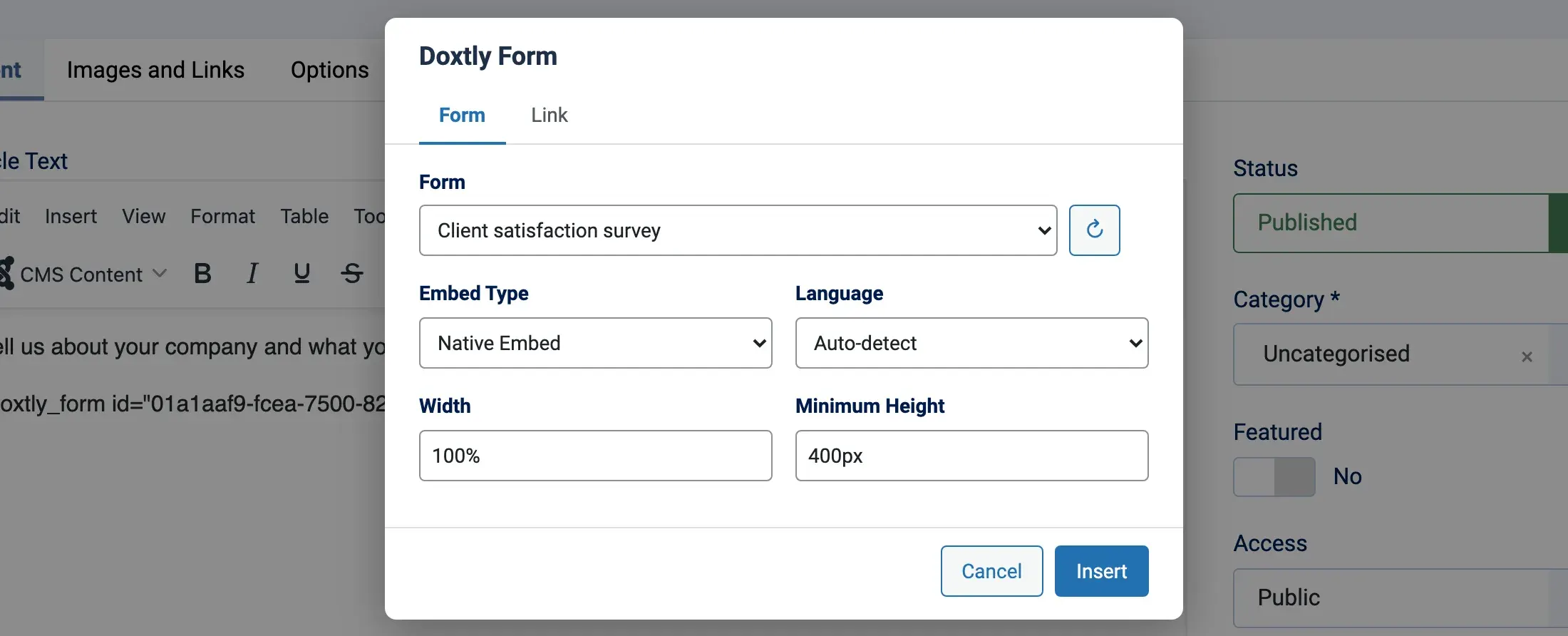
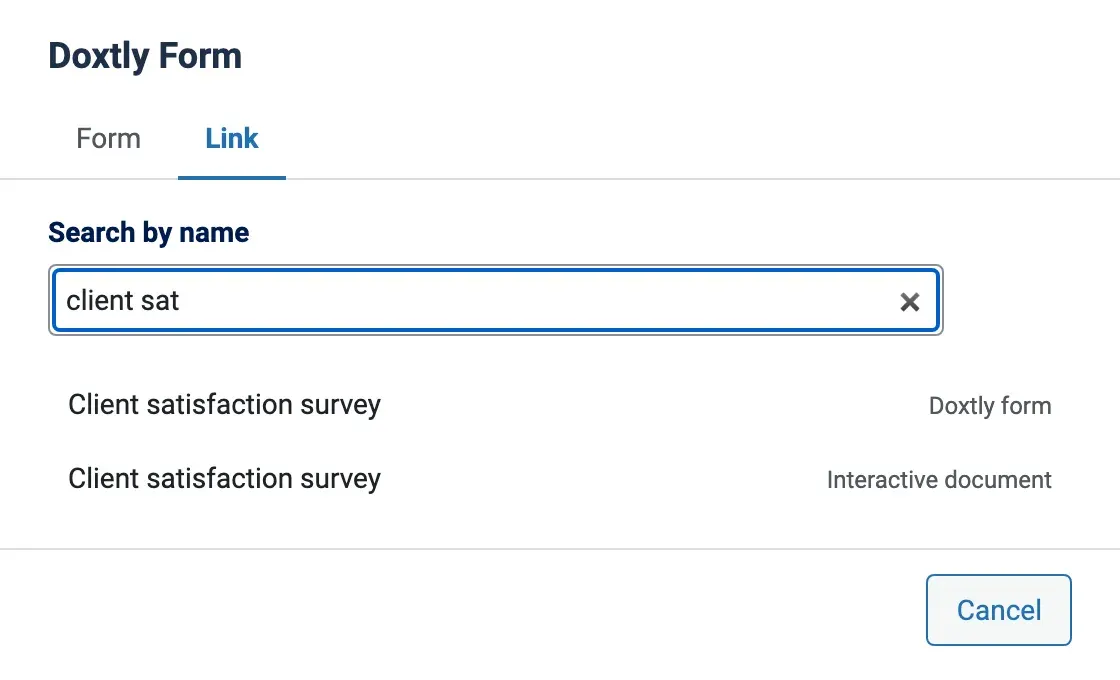
- In an article, click "Doxtly Form" under CMS Content in the editor’s toolbar, add a "Doxtly Form" site module, or use the {doxtly_form id="…"} tag. To link to a form or an interactive document instead, open the Link tab of the same dialog and type its name.
- To put a quiz or a survey on a page, open the "Quiz or survey" tab of the "Doxtly Form" dialog, or set Content to "Quiz or survey" in the site module, and choose it from a list (the access key needs "List quizzes" and "List surveys"); or type {doxtly_quiz id="…"} or {doxtly_survey id="…"} with the token from its Share dialog. Like a form, it is drawn in the page or, with the iframe embed type, in a frame that follows its height, and any of them can be shown in another Doxtly theme of your organization, on a transparent background if you like (choosing the theme from a list needs "Read themes of public pages").
Download
doxtly-forms-joomla.zip · 167 KB
SHA-256: c2fc469de24c9bc904c31fdab7f0788efc76866230a4dff122b75790b5ac9622