
Your whole team in one place, each with the access their job needs
Invite people by email, give each a role and a department, and they see what their work calls for. No plan limits how many people you invite, so nobody has to share a login.
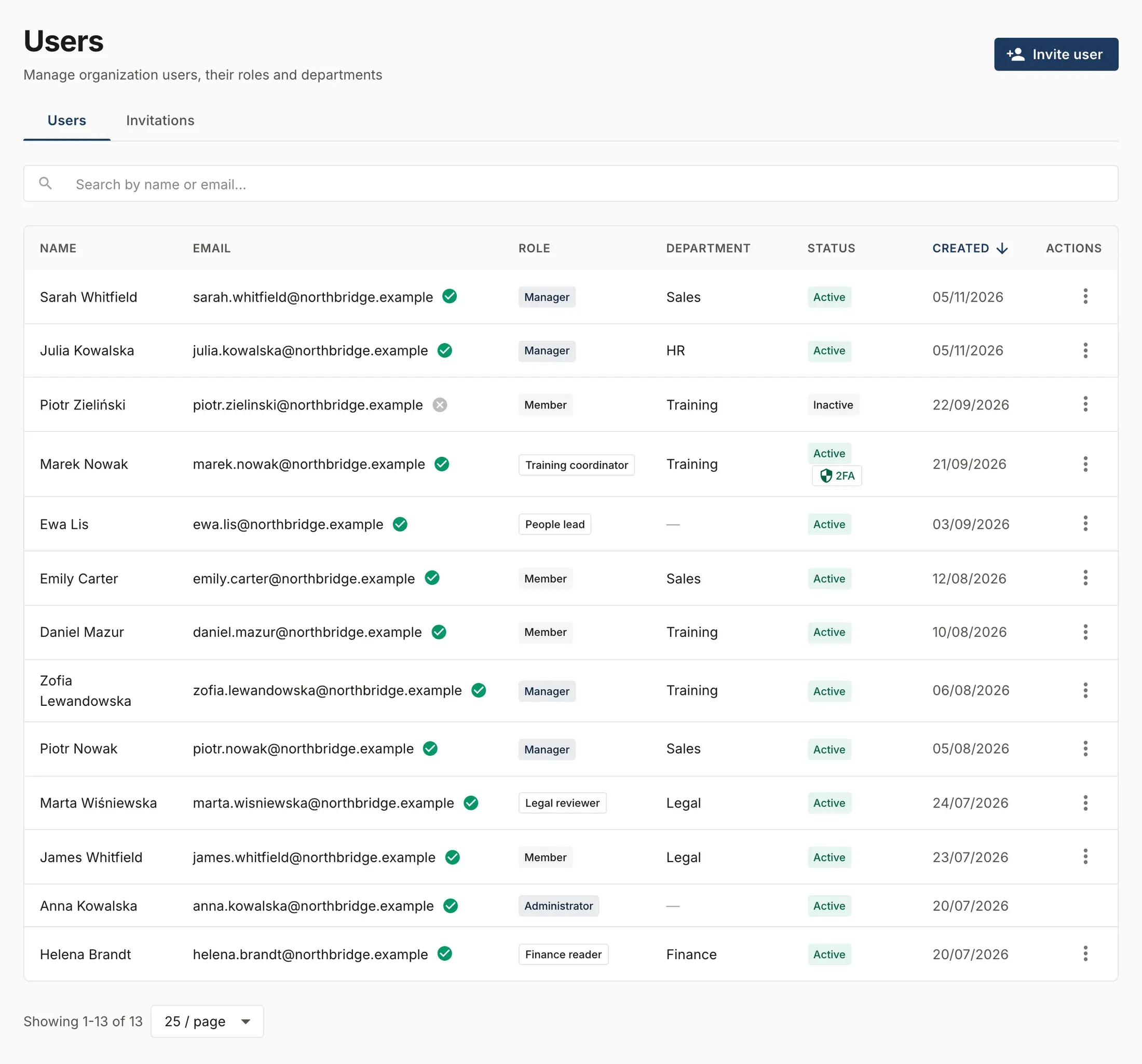
Invite people, not licenses
Name an email address, a role and, if you like, a department, and Doxtly emails a link. The person holds exactly that access from the moment they accept, so a new trainer can start on day one with the Training department’s work. When someone leaves, you switch off their access or delete them from the organization, and hand everything they answered for to a colleague in the same step: their open packages, the workflows that name them and the places where a document waits for their signature.
Roles down to single permissions
Four built-in roles suit most companies: Administrator, Manager, Member and Viewer. When they do not fit, you build your own, such as a Contract reviewer, by ticking permissions one by one. Where records can be told apart by department, a permission can stop at the holder’s own department.
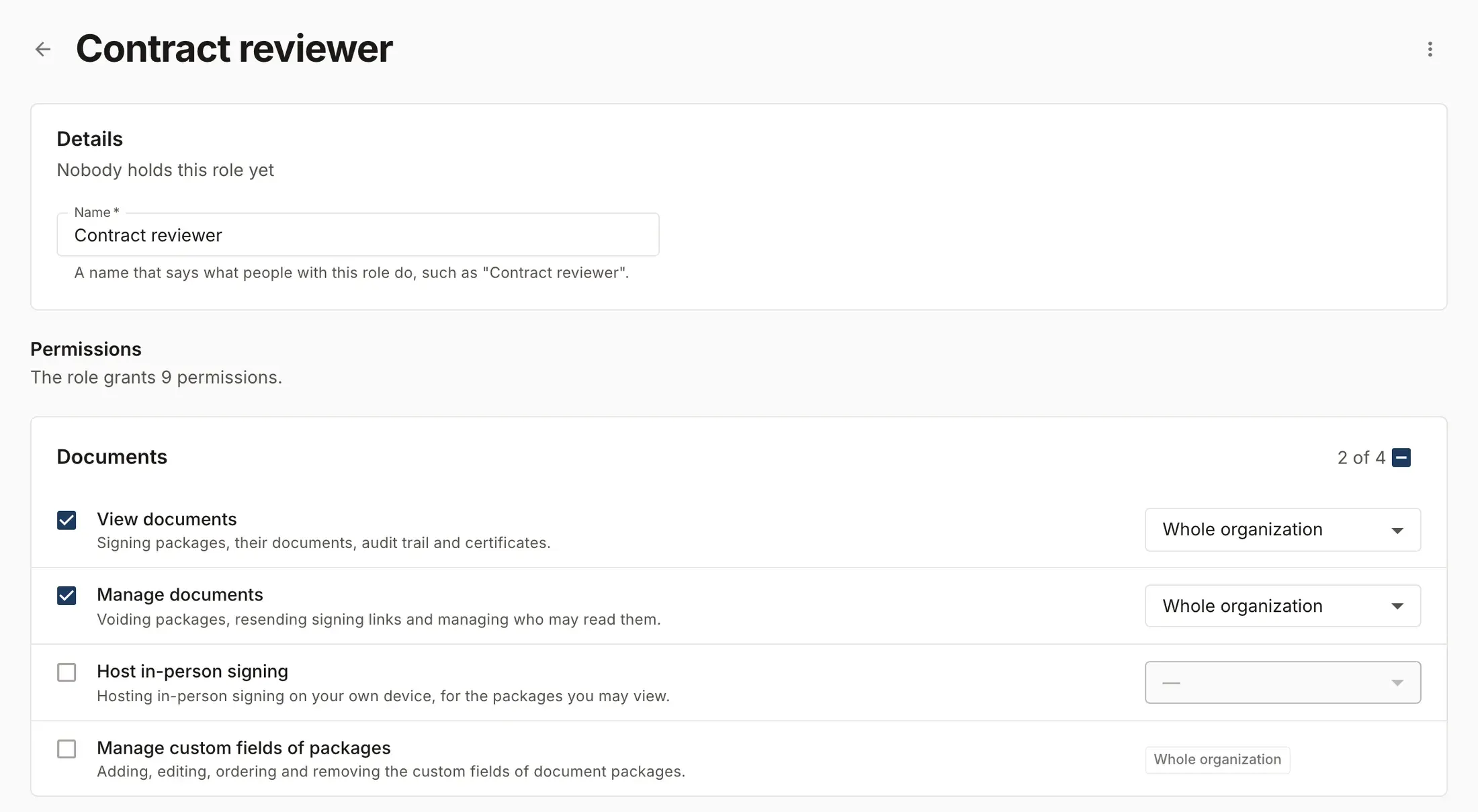
Departments keep a team’s work with that team
A department is a part of your company: Legal, Training, Finance. Restrict a document type to HR, and people whose access to documents is limited to their department see those packages only if they belong to HR. A team lead can manage their own team and nobody else.
Sign in with your work account
On the Business plan, single sign-on lets people enter Doxtly with the work account they already have, through Microsoft Entra ID, Google Workspace or another OpenID Connect provider. You verify your domain, test the sign-in and decide who gets in. When someone leaves and you switch off their work account, their access to Doxtly ends too, at the latest when the session length you set runs out.
You can make it compulsory, so members with an address in your verified domain can no longer sign in with a password, Google, Microsoft or Facebook. Administrators with two-factor authentication keep a password sign-in for when the provider is down, unless you turn it off.
One login for several organizations
Your account is you, and an organization is a company’s private space. An accountant can serve three clients from one login and move between them from the header, with a different role in each. Organizations are fully separate: nothing in one is visible from another.
A dashboard that shows what needs you
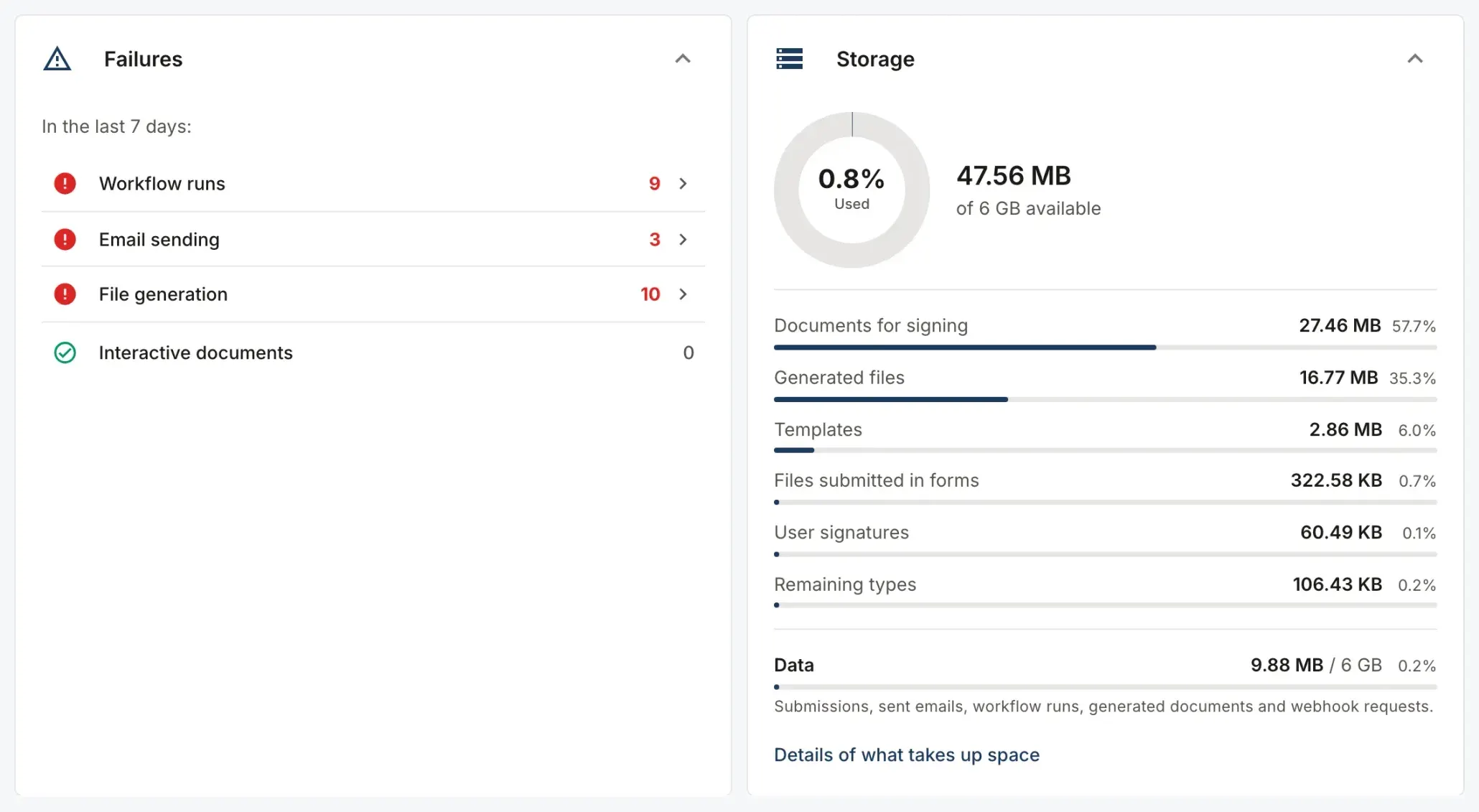
The dashboard counts your contacts, forms, interactive documents, templates, workflows, portals, access keys and people, as far as your role lets you see them, lists the documents waiting for you, and shows what failed in the last seven days, how much storage is used and, if you add the panel, this month’s payments. Each person chooses which panels to show, and in what order, with Customize dashboard. Notifications reach you in the app, by email, and in Slack or Microsoft Teams once your organization connects them, and you choose the channels per type.
Settings for the whole organization
Set the language and time zone, an address of your own such as northbridge.app.doxtly.com, and a logo that goes on the mail Doxtly sends for you. Keep a library of themes for your public pages, decide how long each kind of data is kept, and whether everyone must use two-factor authentication. The app is in 14 languages, Arabic laid out right to left, with a light and a dark theme, and each person picks their own language.
Worth knowing before you start
- In each organization a person holds one role and belongs to one department or none.
- Most permissions cover the whole organization, because forms, templates, workflows and keys belong to the company as a whole. Only some can stop at a department.
- Each organization has its own plan and its own bill, even when the same people work in both.
Questions people ask
Do I pay for each person?
No. No plan limits how many people you invite.
Can one person work for two companies with one login?
Yes. One account can belong to any number of organizations, with a separate role in each, and the switcher in the header moves between them.
Can I keep HR documents away from the rest of the company?
Yes. Restrict the document type to the HR department. The built-in roles see every document, so colleagues outside HR need a custom role with View documents limited to their own department.
Can I require two-factor authentication for everyone?
Yes. One switch in the organization’s settings makes everyone set it up before they can do anything else, on every plan.
Start with one document.
Take the contract you retype most often and turn it into a template. The Free plan is enough, and you need no card.