
Find out whether a signed PDF can be taken at its word
Drop the file and get an answer in plain words: was it changed after signing, and who stands behind it. Free and with no account, for files signed outside Doxtly too.
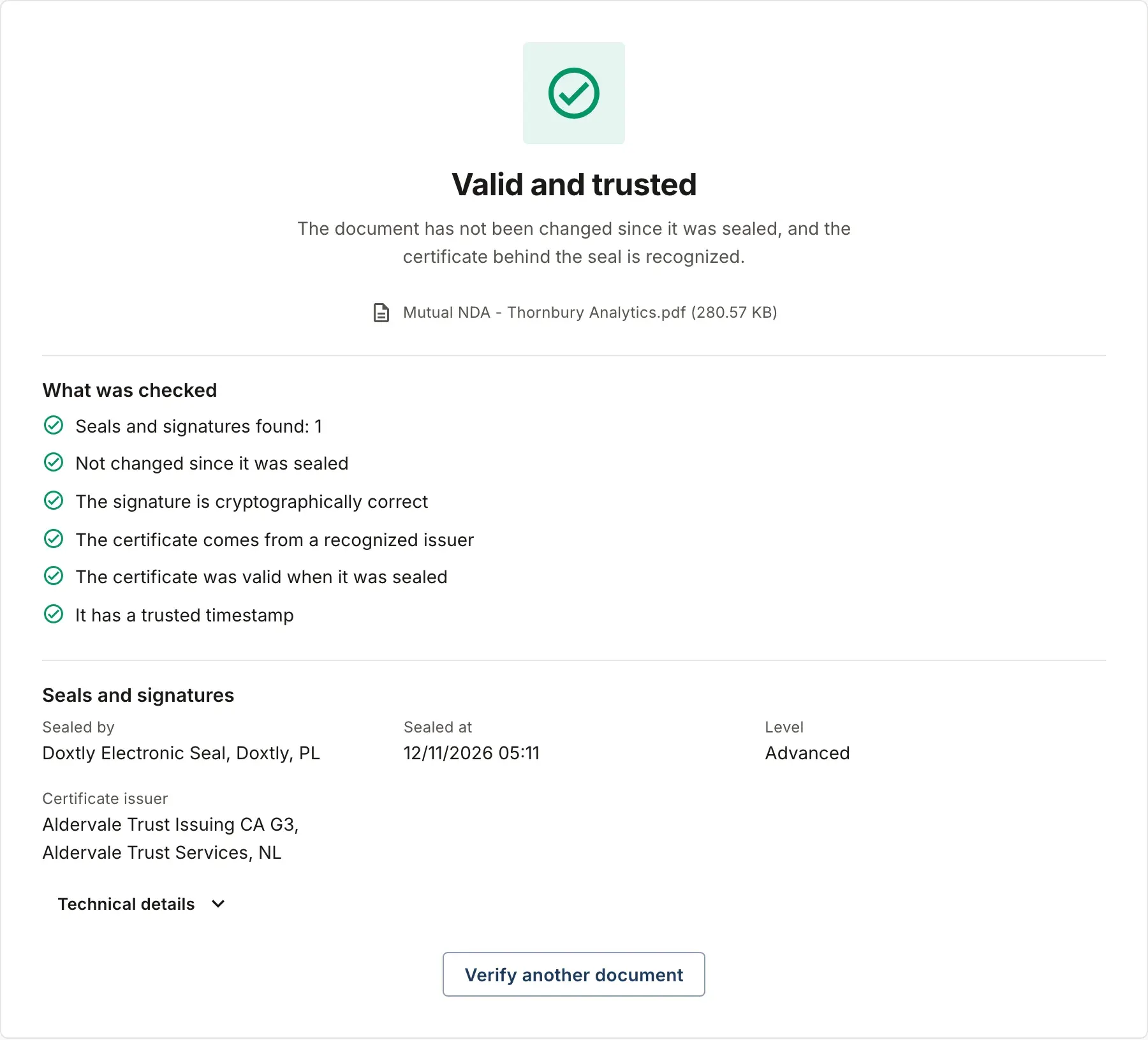
What is checked
- Whether the file is intact
- Whether the signed content is still the same content. If even one character was changed after signing, you will see it.
- Whether it carries a seal or signatures
- And how many. A scanned paper contract or a pasted image of a signature is not a digital signature.
- Whether the signature is correct
- Whether the signature matches the document cryptographically.
- Who stands behind the certificate
- Whether the certificate leads back to a recognized issuer, or its owner issued it themselves.
- Whether the certificate was valid
- Whether the signing date falls within the certificate’s dates, and whether it has been revoked.
- Time and level
- Whether the signature has a trusted timestamp and whether it is qualified.
What the results mean
- Valid and trusted
- The document has not been changed since it was sealed, and the certificate behind the seal is recognized.
- Intact, but not trusted
- The document has not been changed, but the certificate cannot be traced to a recognized issuer. Ask the sender how it was sealed.
- Modified
- The document was changed after it was sealed. Do not rely on it, and ask the sender for the original.
- No signatures
- The file has not been signed or sealed electronically, so there is nothing to check.
- Could not be checked
- The check could not finish, so nothing is known about the file either way. Try again in a moment.
Why it is free
A signed document is only worth something if the person who receives it can check it. So the check is open to anyone, including people who do not use Doxtly. The file is checked and discarded at once: nothing is stored. One address can check five files in ten minutes and thirty a day.
What this page does not tell you
You will learn whether the file is intact and who holds the certificate. You will not learn whether a signature meets a specific legal requirement. If a lot depends on it, ask your lawyer.
The details are in the manual, under Verifying signatures.
Check a signed PDF
Drop a signed PDF and see whether it changed after signing, whether the signature is correct and who issued the certificate. Free, no account, nothing stored.