
The office routine, written down once and run every time
Send the invoice request to accounting, save a copy to the client’s folder, tell the account manager. A workflow keeps those steps from depending on whoever remembers them.
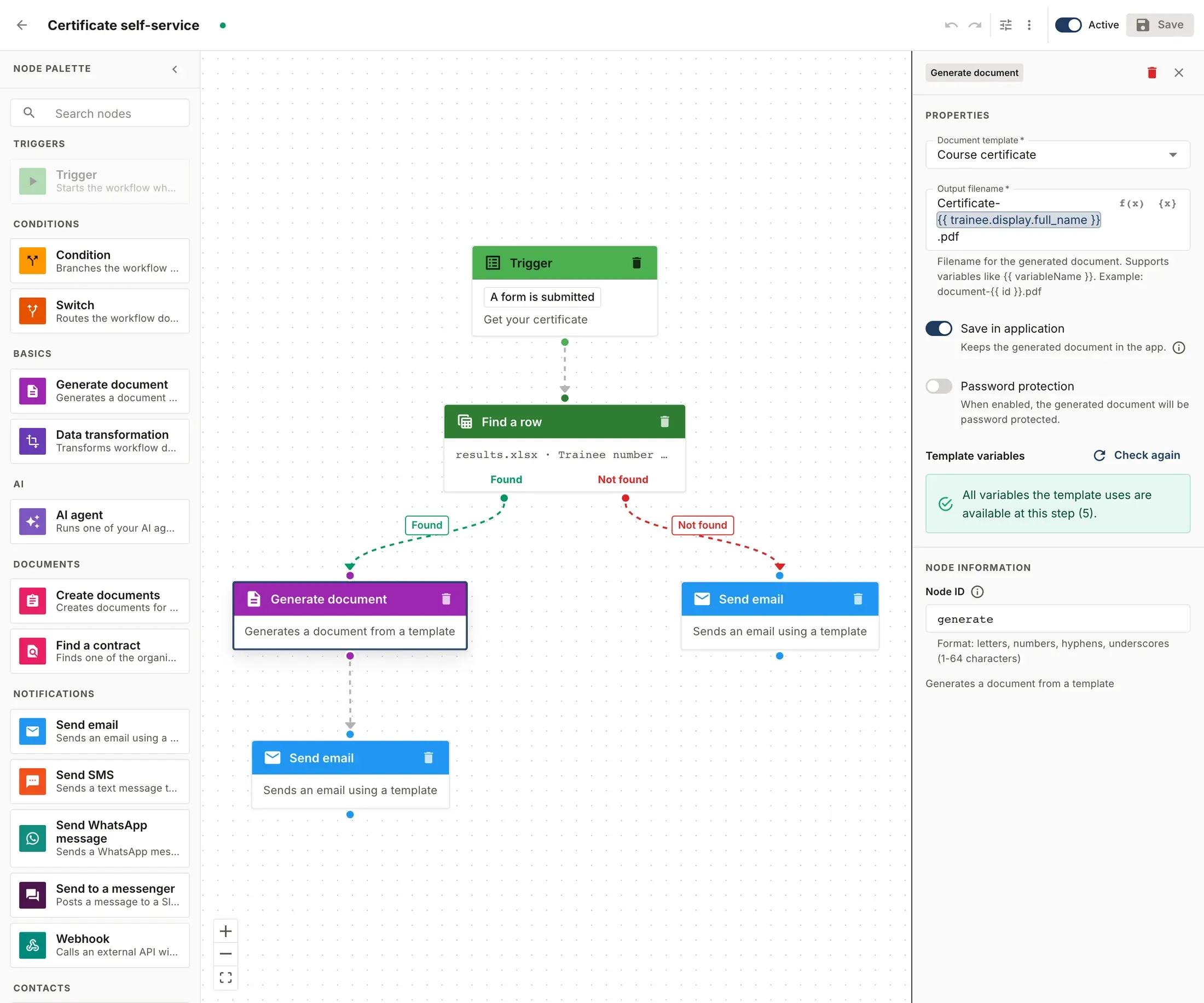
It starts on an event
Each workflow has one trigger. That can be something in Doxtly, something on the clock, or another system calling in.
- A form or an interactive document is submitted
- A document is generated
- Something happens on a package: a party’s turn begins, a party opens it, signs it or pays, everyone has signed, an approver decides, someone declines, or it expires or is voided
- A contract changes, is ending soon or has ended
- A contact is saved
- A deal or a person changes in Pipedrive, HubSpot or Copper
- A payment through a form succeeds, fails or is refunded
- A quiz attempt is started or finished, a survey response is started or submitted
- A time you set comes round again: every morning, each Monday, on the first of the month
- Another system calls one of your webhooks
Then it does the work
You drag steps onto a canvas and connect them. A workflow can branch on your data, reshape it, and act: generate a document, create a package for signature or an annex to a contract, find a contract, send an email, an SMS or a WhatsApp message, post to Slack or Teams, upload to or download from Google Drive, OneDrive, SharePoint, Dropbox or Box, read from or write to a spreadsheet, save, update or delete a contact, send a quiz or a survey, sync contacts, deals, notes and files with Pipedrive, HubSpot or Copper, call another system, or run an AI agent.
Most of it needs no code. When a value needs a touch, every field speaks the same short language, here as in forms, PDF templates and emails: {{ client.nickname ?? client.firstName }} greets a client who left the nickname out, {{ signedAt | formatdate("d MMMM yyyy") }} writes a date in words, and SUM(items[].total) adds up an order. For an unusual calculation, there is a Data transformation step. The designer tells you what is missing before you switch a workflow on, down to a template value the step will not have.
Calculations you describe in a sentence
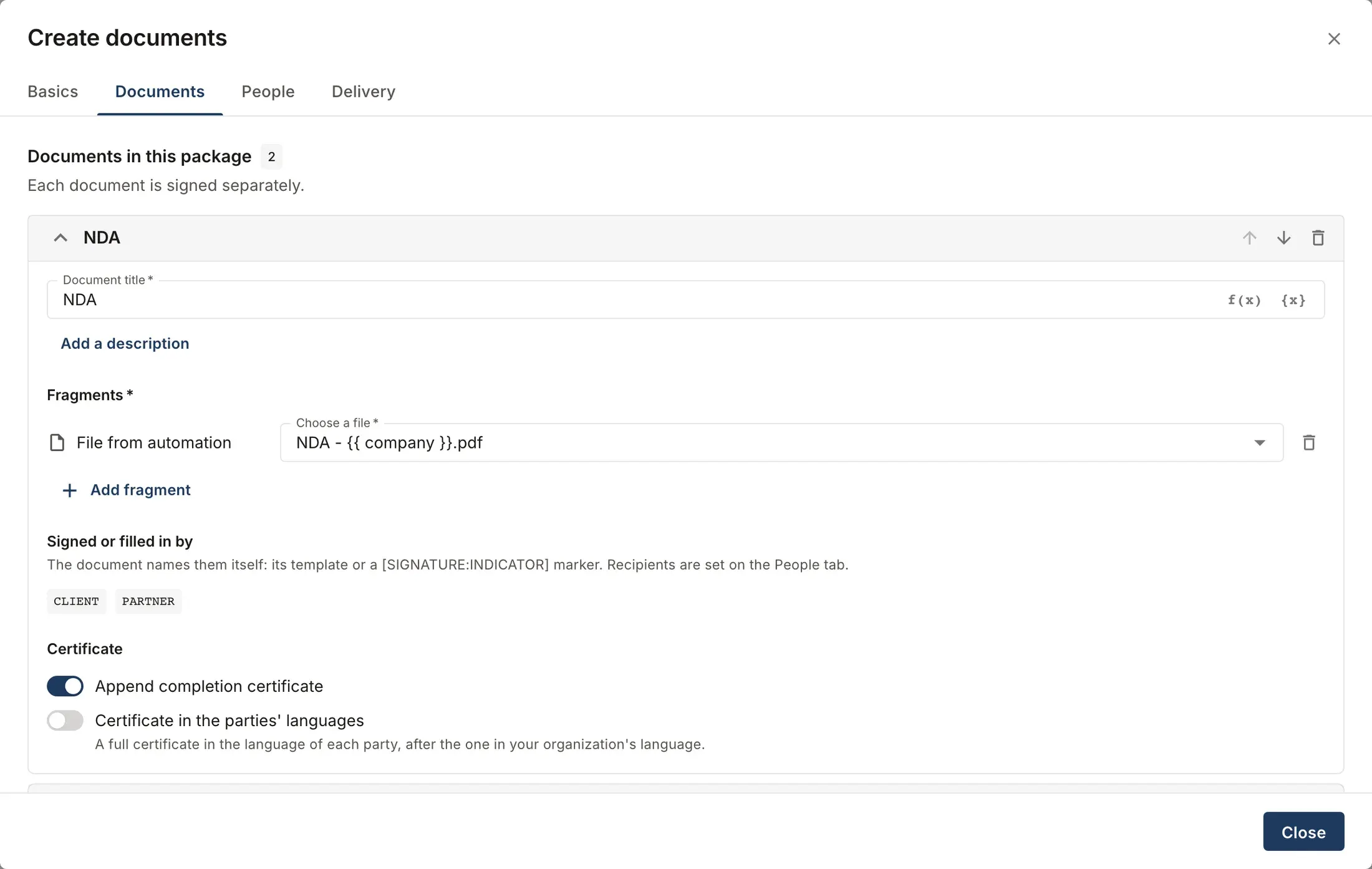
When the data needs reshaping, say so in your own words: add up an order, join the participants’ names, write a date the way your email needs it. Ask Doxie, the AI assistant in Doxtly, and she writes the code for that step. She writes it from the fields the step can read, never from your clients’ data.
Doxtly checks the code before you see it and tries it on sample data. Code that reaches beyond the data, or sends it to an address you didn’t give, is refused. Nothing changes until you apply the code and save, and the result can replace the step’s data or sit under a name of its own, next to everything else.
Doxie can also fill in the settings of the step you selected, such as which rows a spreadsheet step reads, and tries them on the real file first, writing nothing to it.
Spreadsheets are a first-class citizen
Plenty of businesses run on a sheet, and Doxtly does not ask you to stop. A workflow can look a person up in an Excel or Google Sheets file on your drive, add a row for each answer, update a row by email address, or reserve the next free discount code. Your team goes on working in the same file.
You can see what happened
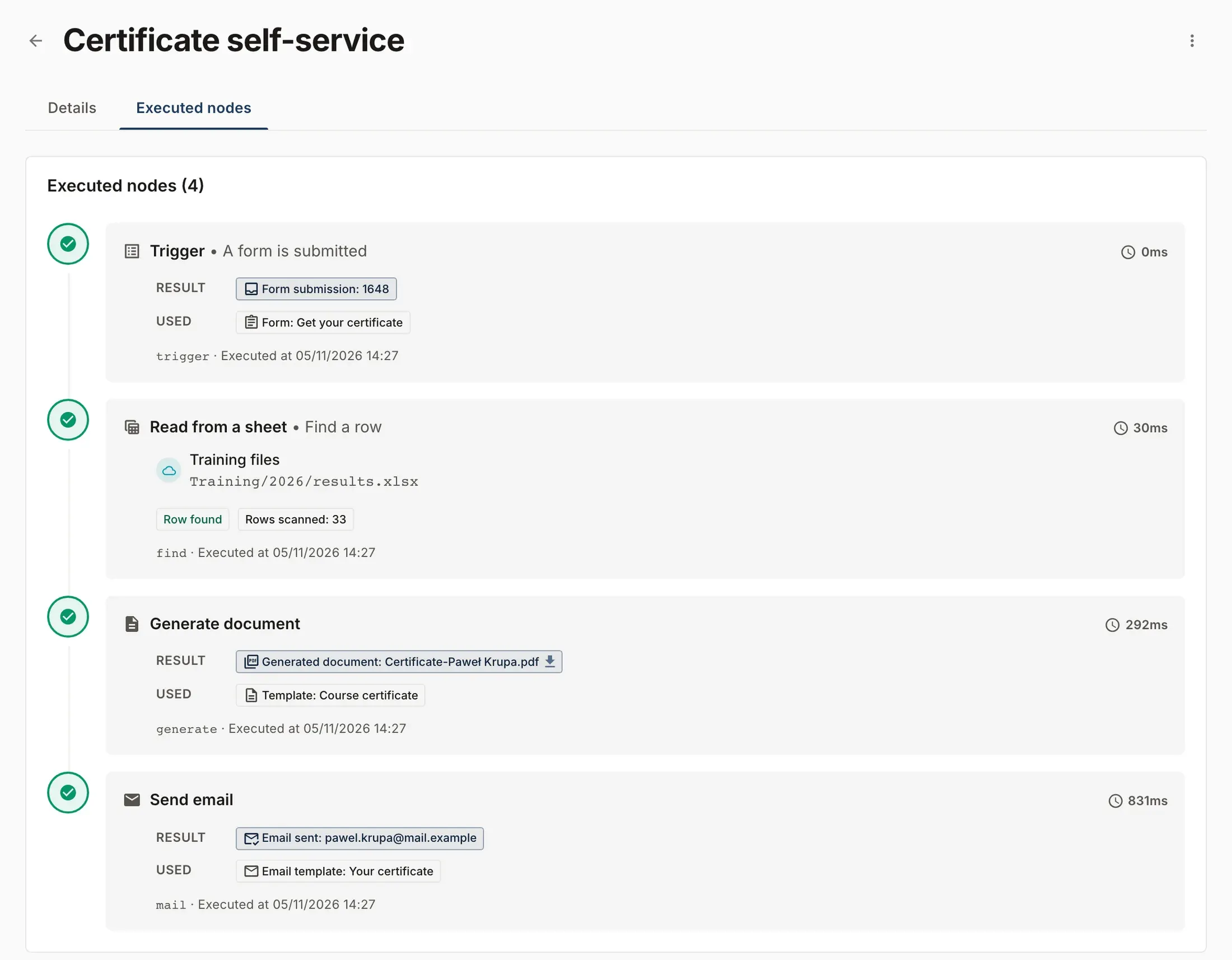
Every run is recorded step by step, so you can see what each step did. If one fails, everyone with access to workflows gets a notification with the error, and the dashboard counts it, so a failure does not hide until a client asks where their document is. Once you have fixed the cause, Rerun starts again with the same data, and the client does not have to send anything twice.
Worth knowing before you start
- A workflow has exactly one trigger. For two events, build two workflows.
- Some steps need an integration first. Send email, for example, needs an active email integration: your own mailbox, or Doxtly e-mail.
- Plans limit the number of workflows and of runs per month. A run counts once a step after its trigger has finished, even if a later step fails.
Questions people ask
Do I need to know how to code?
No. You build a workflow by dragging steps and picking values from lists. Expressions and the Data transformation step are there for the rare case that needs them, and Doxie, the AI assistant in Doxtly, writes that transformation from your description.
What happens if a step fails?
The run is marked as failed, people with access to workflows are notified, and the dashboard shows it. Once the cause is fixed, you can rerun it with the same data.
Can a workflow talk to my CRM?
Yes, in both directions. With Pipedrive, HubSpot and Copper, on the Pro and Business plans, there are ready steps and a trigger: a deal changing stage starts a workflow, and steps keep contacts in sync, move deals and attach the signed documents. Any other CRM can start a workflow by calling a webhook, and the Webhook step can call anything that has an API.
Can I start from a ready example?
Yes. The manual has twelve recipes written down step by step, from a contract signed after a form to certificates checked against a spreadsheet.
In the manual
Where it is used
Start with one document.
Take the contract you retype most often and turn it into a template. The Free plan is enough, and you need no card.