
Fill it in online, sign it with a pen, finish it in one place
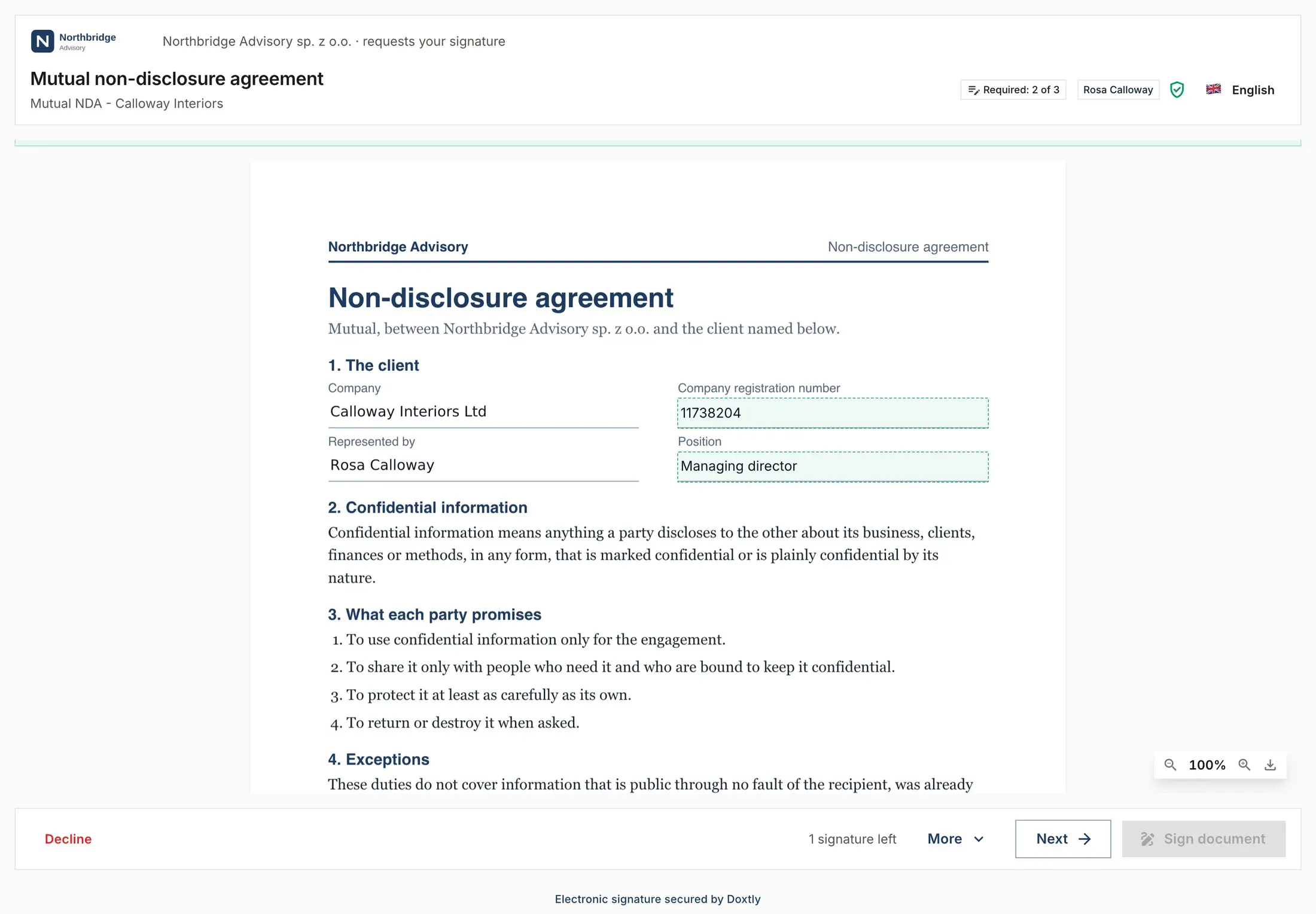
Some clients want to sign with a pen. They fill in their details on the signing page, print the contract, sign it by hand and send back a scan. Your colleague signs on screen, and the sealed PDF holds both, with the scan as its own pages.
A contract that came back by post
Northbridge Advisory, an example consulting firm, signs an NDA with every new client. Most sign on screen, but some, often lawyers and family firms, insist on a pen. Their contracts went out by email, came back weeks later by post, and the details they had written in by hand had to be typed into the file.
The firm had two piles: signed online, and signed on paper somewhere in a drawer.
How Rosa Calloway signs her NDA on paper
Paper is allowed for the client
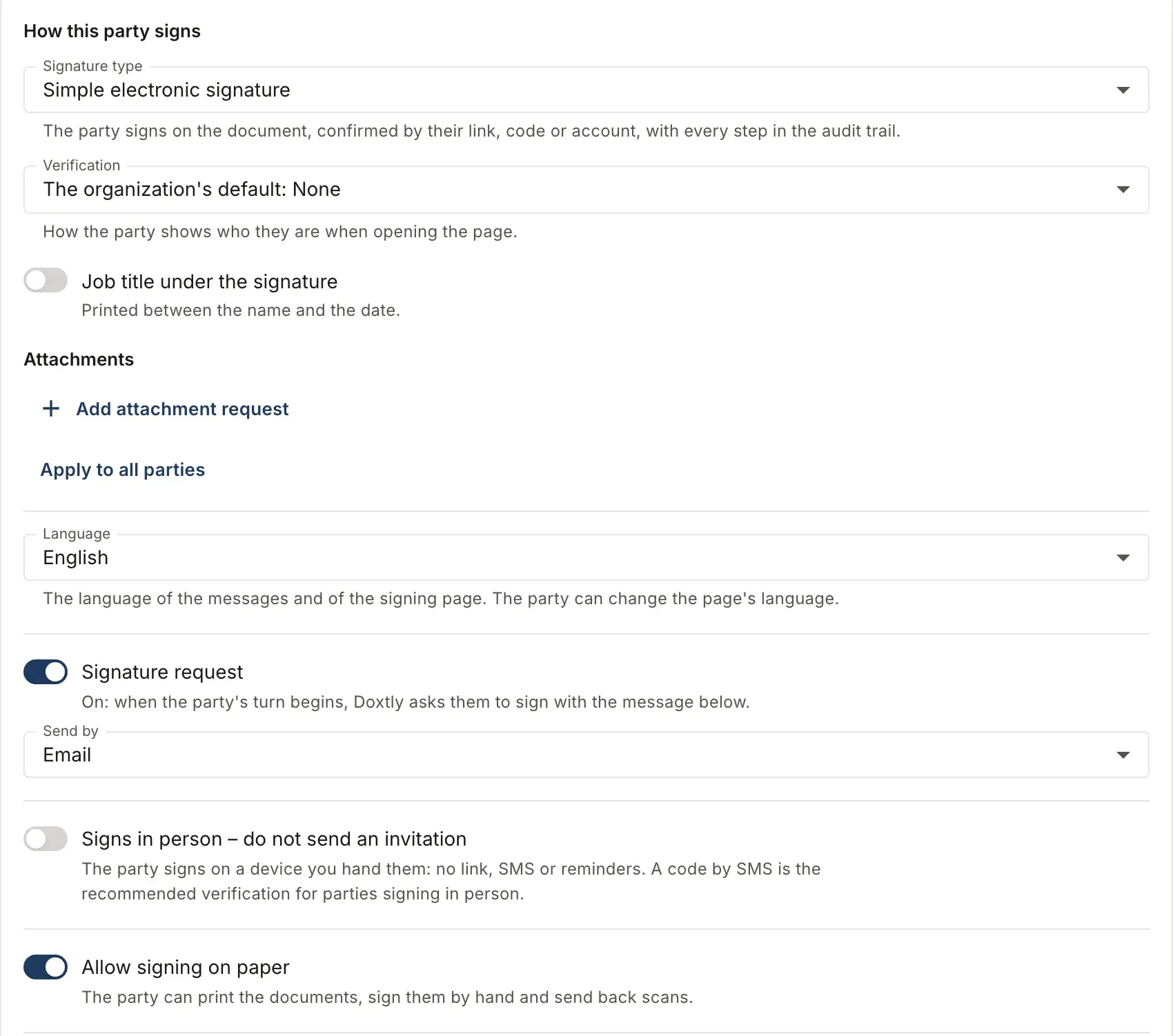
When Anna prepares the NDA for Calloway Interiors, she switches on Allow signing on paper for the client on the People tab. She herself signs on screen. Rosa Calloway gets the usual signing link and fills in her company registration number and her position on the page, as anyone would.
She prints the filled-in contract
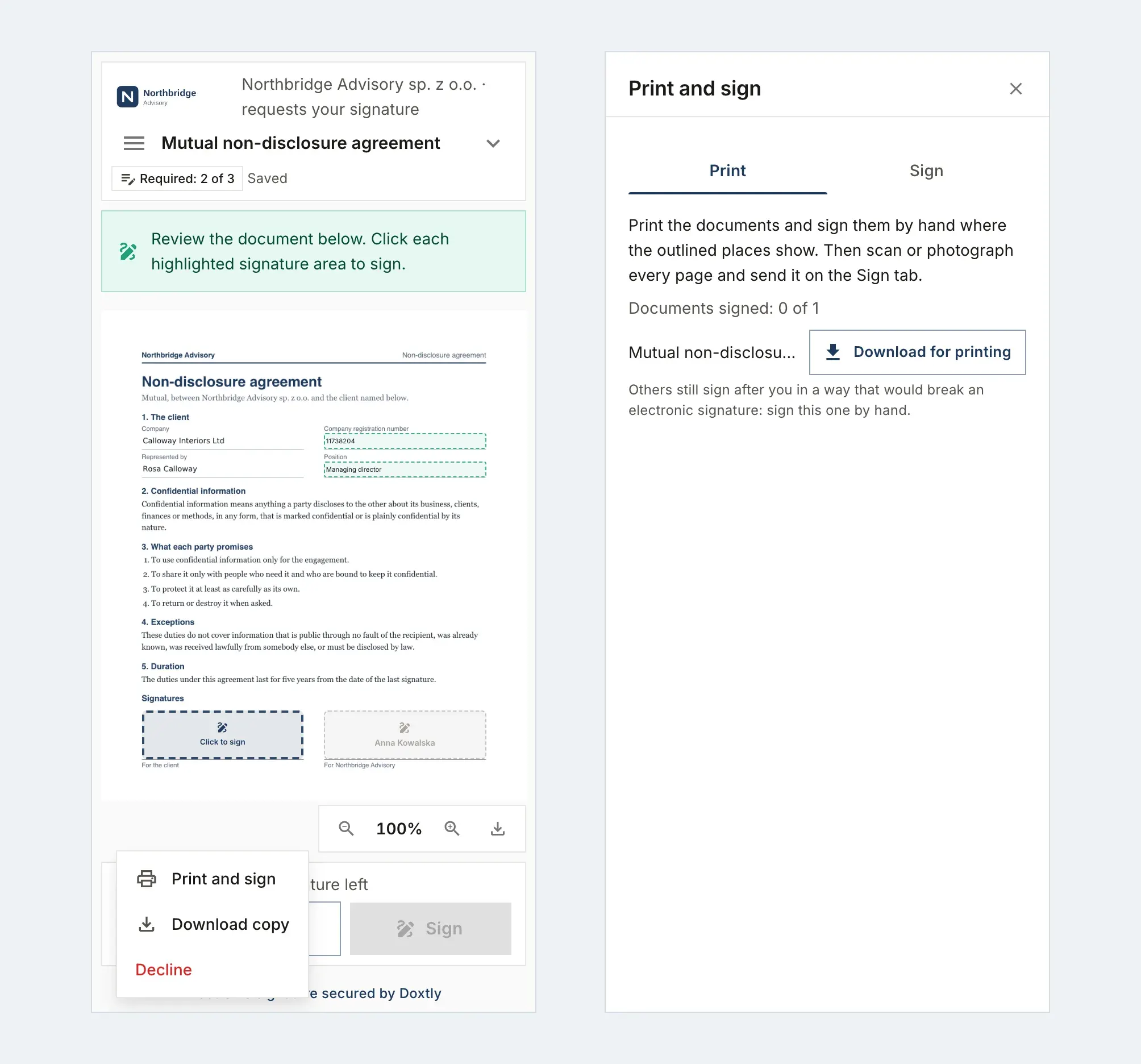
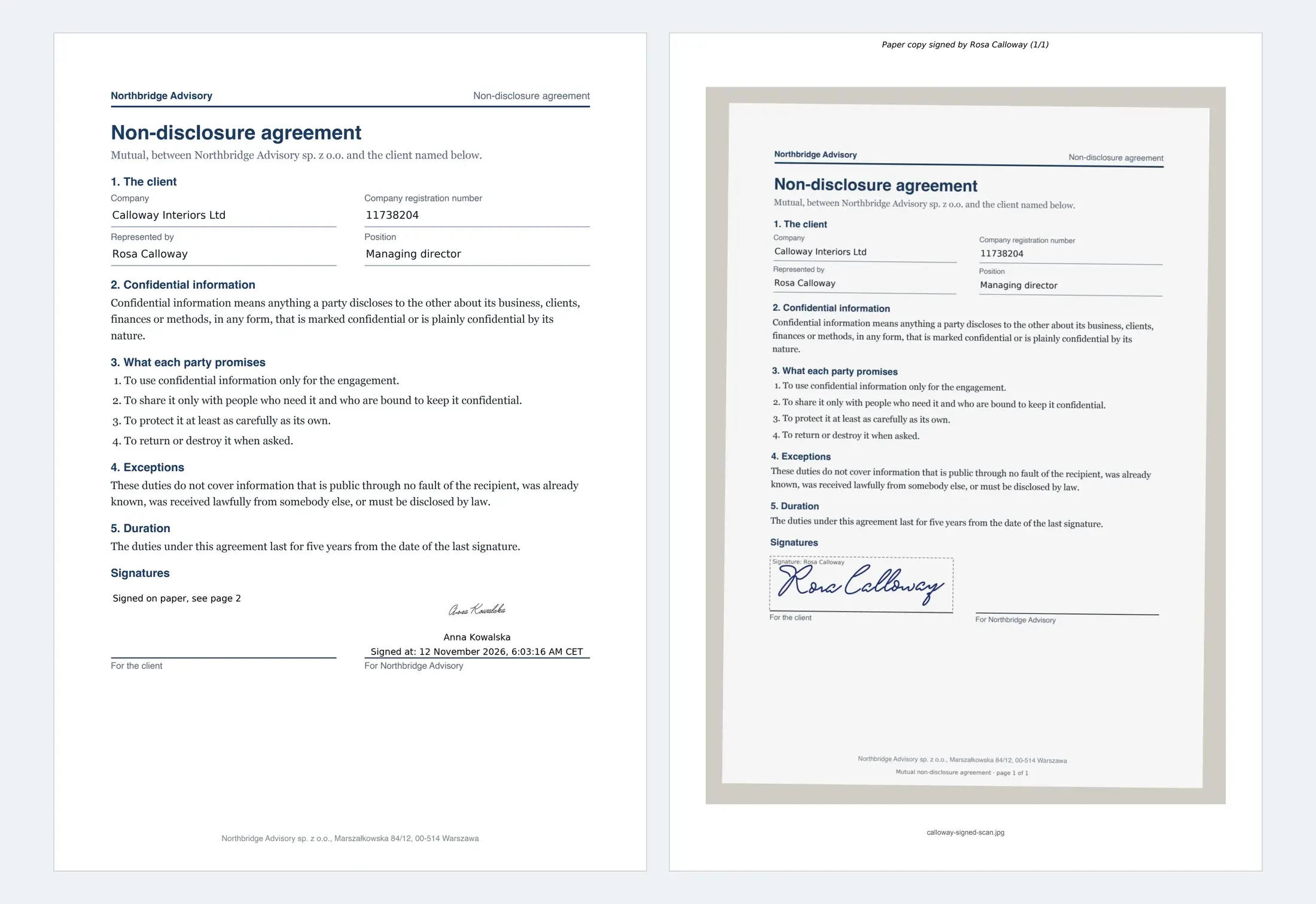
The More menu of the signing page, the three dots on a phone, offers Print and sign. On Print, Download for printing gives her the NDA with her values in it and the place for her signature outlined.
She signs with a pen and sends a scan
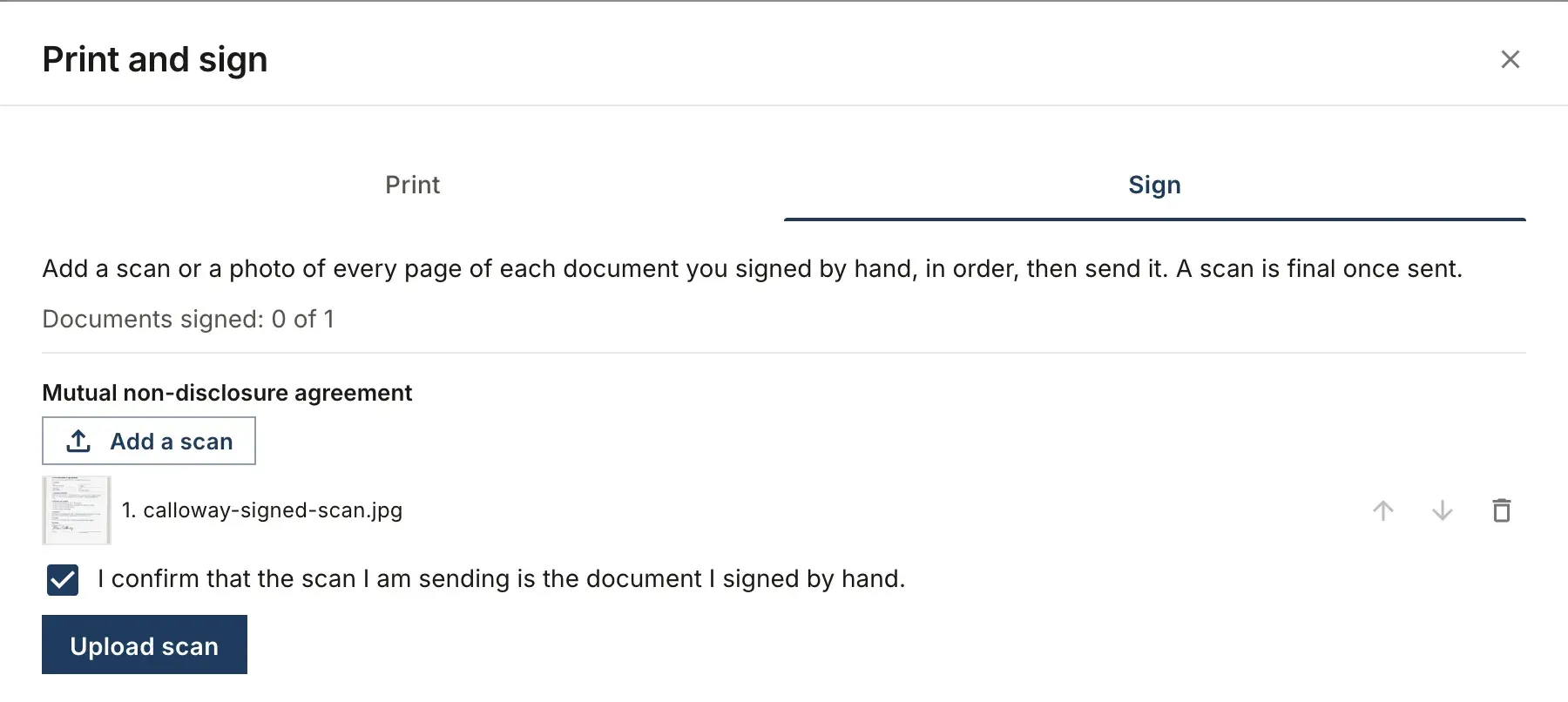
She signs the printout, takes a photo, and on the Sign tab adds it with Add a scan. She confirms that it is the document she signed by hand and presses Upload scan. That signs the NDA for her at once.
Anna signs on screen, and the NDA is sealed
Anna signs from her own link. The sealed PDF has Rosa’s values in their places, her signature place reading Signed on paper, see page 2, and her scan as page 2. The certificate records when she downloaded the copy, when she sent the scan, and the scan’s SHA-256.
What Northbridge set up once
- A template of the NDA with fields the client fills in and a signature place for each party
- A document type for NDAs, which numbers each agreement
- Nothing else: Allow signing on paper is a switch on each party, off by default
Ways to adapt it
- Printed now, sent next week
- Printing and sending can happen on different days. The client opens the same link again, and the dialog opens on Sign.
- Several documents at once
- In a package of several documents, Print all documents puts them in one file, each page marked with its title and number.
- Made by a workflow
- The Create documents step has the same Allow signing on paper switch, so a package made from a form can offer paper too.
Questions people ask
Does a scan prove as much as an electronic signature?
The scan is part of the sealed file, so nobody can change it afterwards, but the seal doesn’t vouch for the handwriting itself, and the original stays on paper. Where the law asks for written form, a qualified signature is the electronic equivalent.
Can the client replace a scan?
No. A scan is final once sent, and the dialog warns when its number of pages differs from the document’s.
Can my side sign on paper too?
Yes, if you switch it on for that party. Paper and screen mix freely within one package.
Features behind it
In the manual
Start with one document.
Take the contract you retype most often and turn it into a template. The Free plan is enough, and you need no card.