
Know who is signing before they see the document
For an engagement that starts only once the client is identified, a link alone isn’t enough. The person shows an identity document and a selfie on Stripe’s page, then adds the file you asked for and signs.
A copy of a passport by email
Northbridge Advisory, an example consulting firm, takes on clients who must be identified before any work starts. Until now, Anna asked for a scan of a passport and a utility bill by email, and the signed engagement letter came back separately. Scans sat in inboxes, and nobody could say whose face matched whose document.
A forwarded signing link can be opened by anybody, and a contract is the wrong place to find that out.
How Northbridge checks identity and collects a signature
Anna asks for an identity document and a proof of address
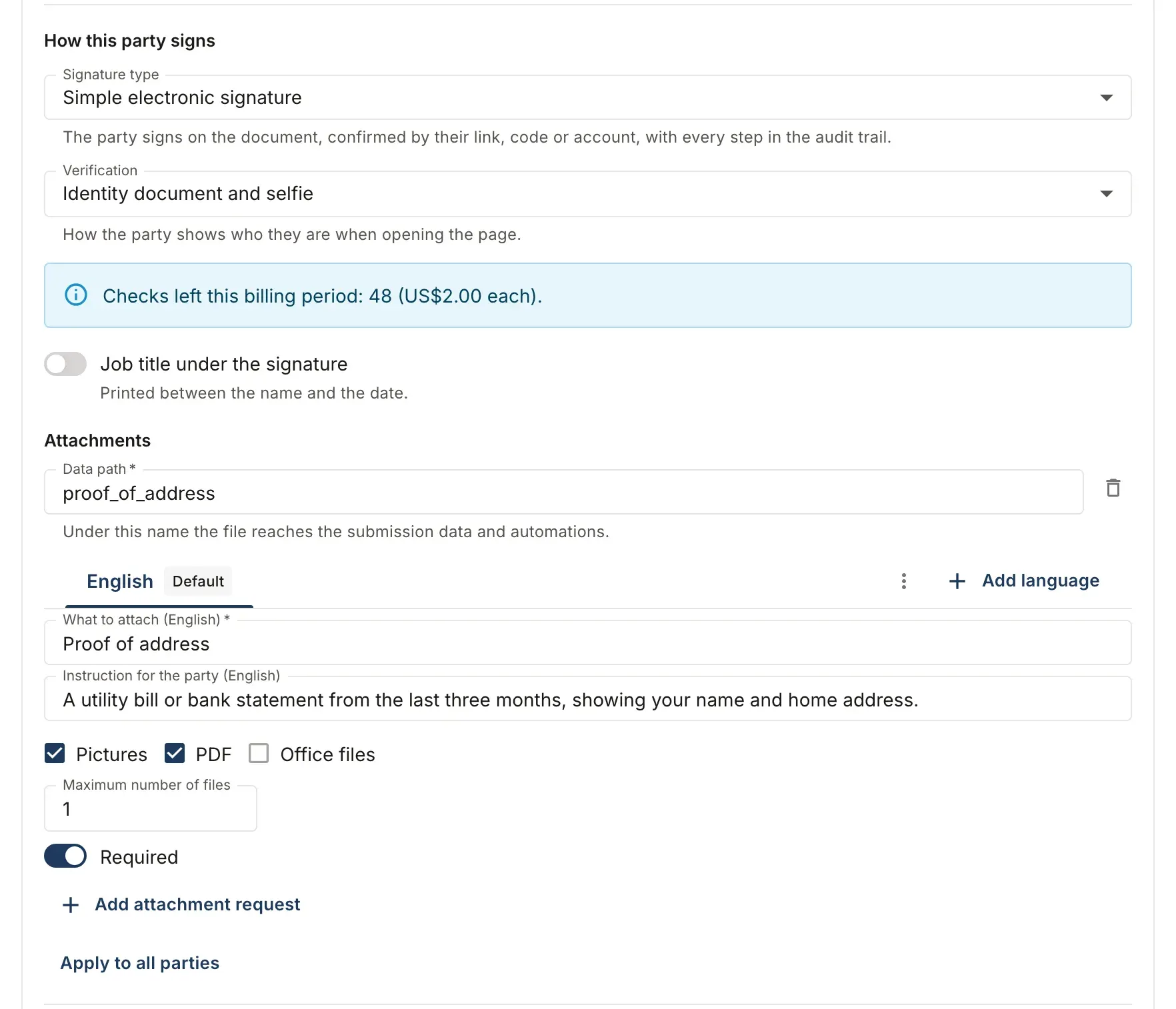
In a new package with the engagement letter for Fiona MacLeod of Fairway Hotels, Anna opens the client’s How this party signs section and picks Identity document and selfie under Verification. The field shows how many checks are left this billing period, and the name on the document will be compared with the party’s name. Under Attachments she asks for a proof of address, a PDF or a picture, and marks it as required.
The client starts the check
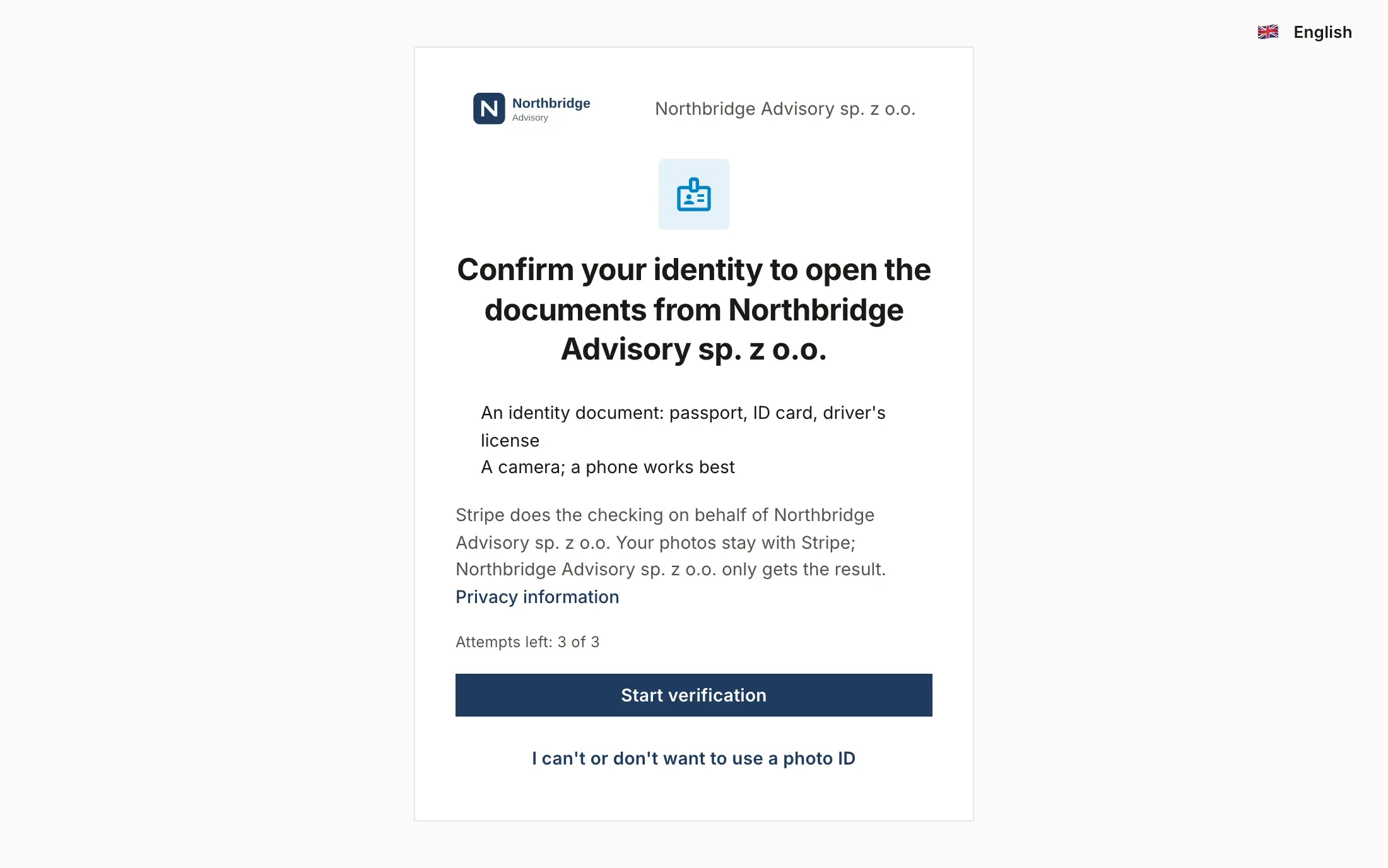
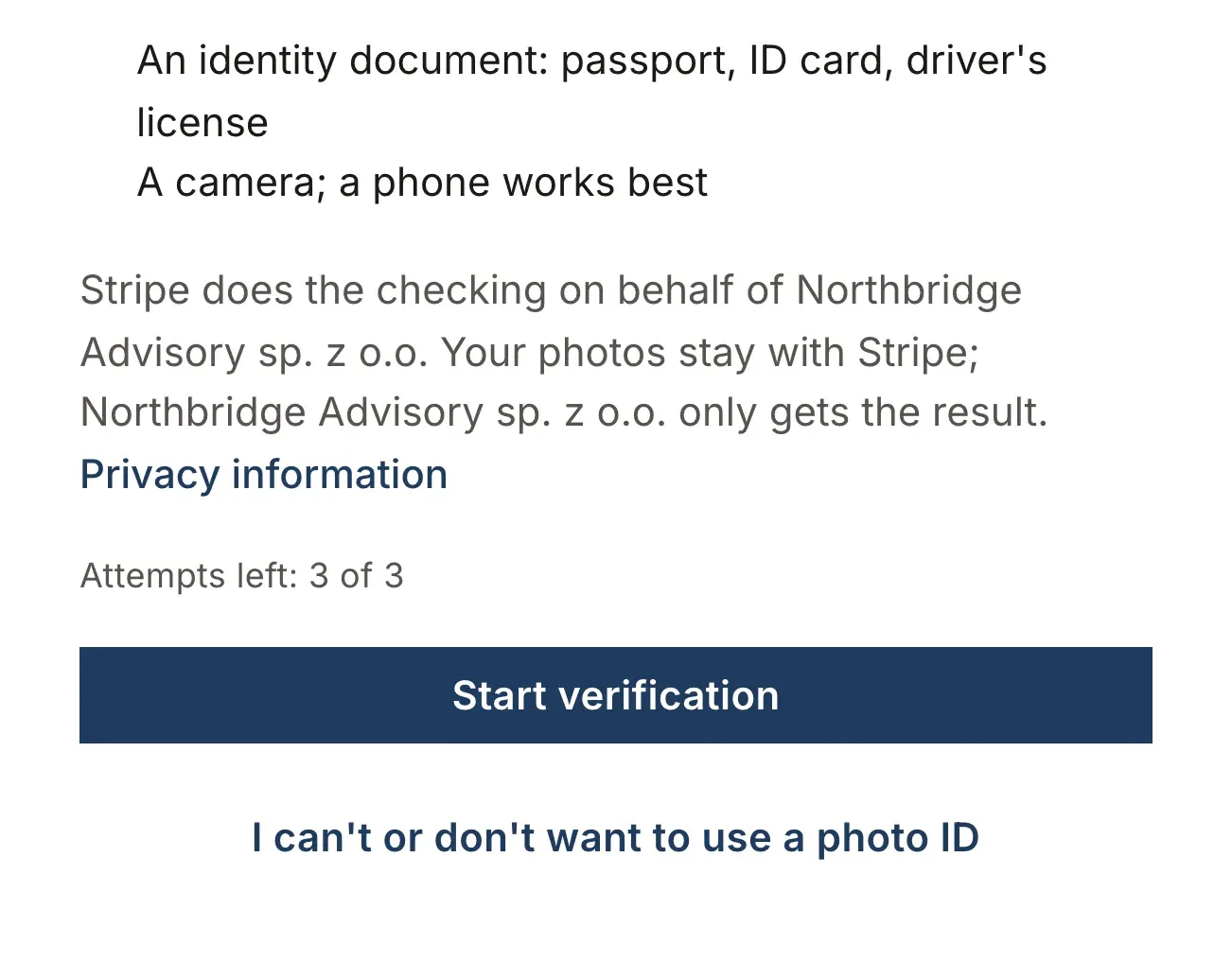
Fiona’s link opens on a page saying who is asking, which documents are accepted and that a camera is needed. Nothing of the package shows yet. She presses Start verification. Someone who has no photo ID, or doesn’t want to use one, picks I can't or don't want to use a photo ID instead: Northbridge is told and can change how that person verifies.
Stripe checks her passport
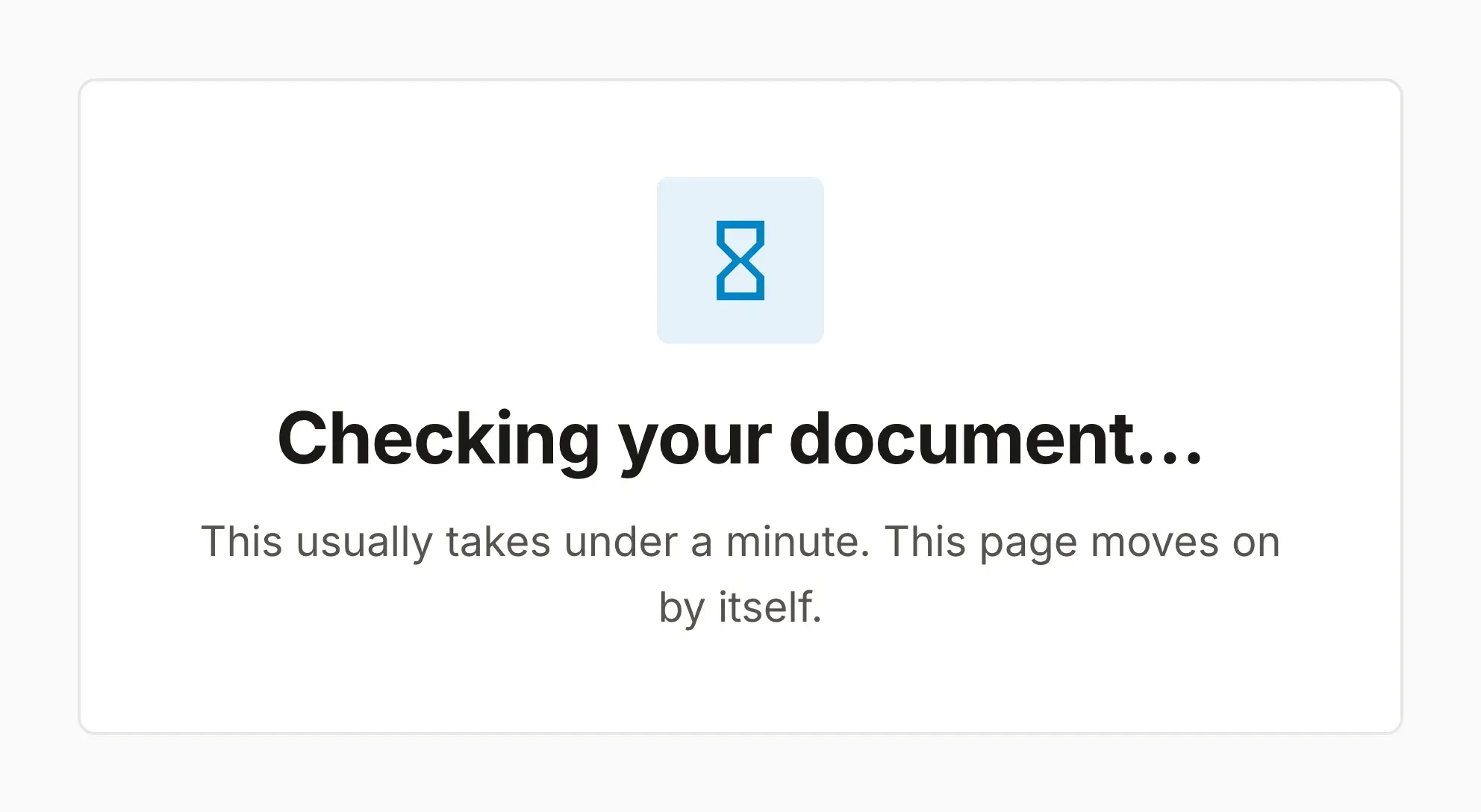
On Stripe’s page Fiona shows her passport and takes a selfie. Back on Doxtly, the page says Checking your document…, usually for under a minute, and moves on by itself.
She adds the file and signs
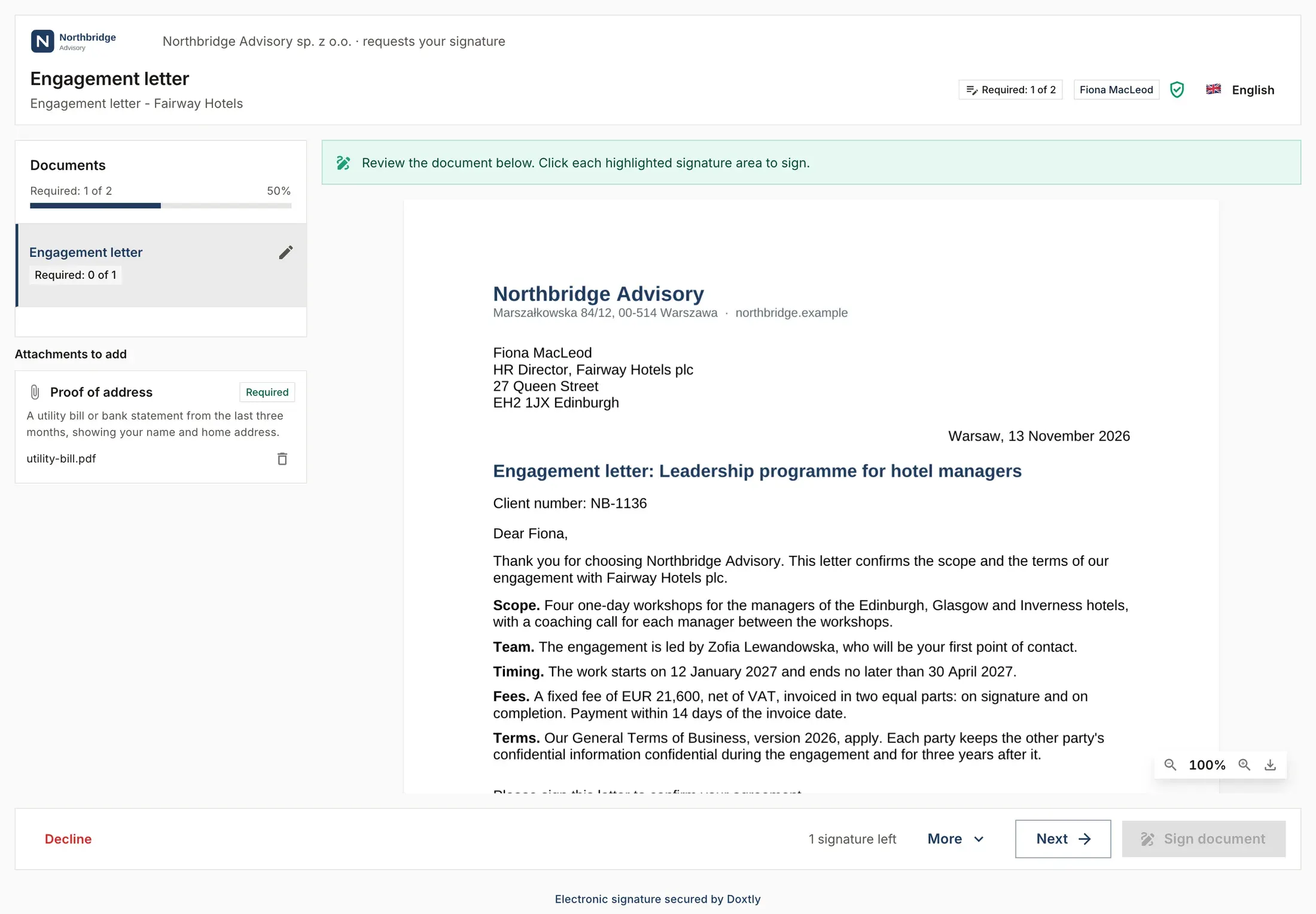
The package opens. Under Attachments to add she adds her utility bill, and she signs as usual. Until the required file is there, Sign document stays disabled.
The result is on the certificate
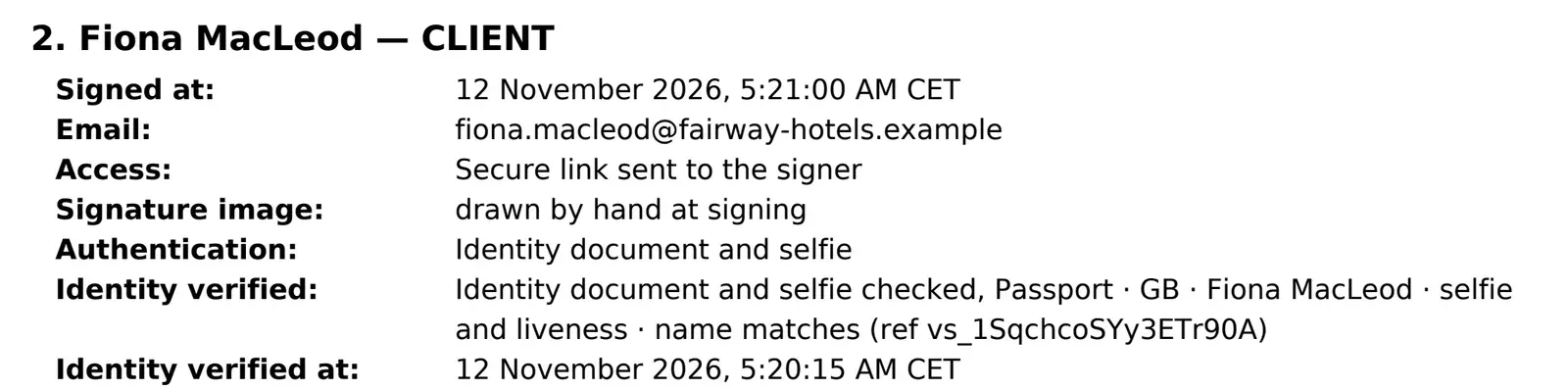
Once Anna has countersigned, the letter is sealed. Its Certificate of Completion records the check: the kind and country of the document, the name on it, that the selfie and liveness were checked and the name matches, and when. The proof of address is stored with the package. Northbridge never sees the photos, which Stripe keeps.
What Northbridge set up once
- A paid plan with a payment method, and identity checks turned on, with a spending limit, by somebody who manages the subscription
- Which documents are accepted and how many attempts a person has, in the organization’s settings under Configuration
- A document type for engagement letters
- An email integration, or Doxtly’s built-in mailbox
Ways to adapt it
- A check that doesn’t pass
- Each failed attempt tells the person why. On the package you can allow another attempt, accept a name that differs from the party’s, or change the verification method.
- Someone without a photo ID
- The start page has I can't or don't want to use a photo ID. You are told, and can move that person to a code or a password instead.
- A person who has an account
- Someone with a Doxtly account is asked the same way inside the application, and the check then holds for that account.
Questions people ask
Does it make the signature a qualified one?
No. A checked identity makes the evidence much stronger, but it stays a simple electronic signature under eIDAS. Where the law asks for a qualified signature, use one.
Does Doxtly store the photos?
No. Stripe keeps them, and deletes what it holds at the time you choose: by default 90 days after the package ends.
What does a check cost?
Each check that reaches a result is billed once, at the price shown on the Subscription page. A check somebody abandons isn’t billed. See pricing.
What does the person need?
A camera and an identity document. A phone works best, and they can start on a computer and finish on a phone.
Features behind it
Start with one document.
Take the contract you retype most often and turn it into a template. The Free plan is enough, and you need no card.