
One address for all the paperwork a group of people needs
A portal is a page of links to your forms, interactive documents, quizzes and surveys. Your team, or your clients, open one address and find the employment contract, the NDA and the holiday request in one place.
What it is for
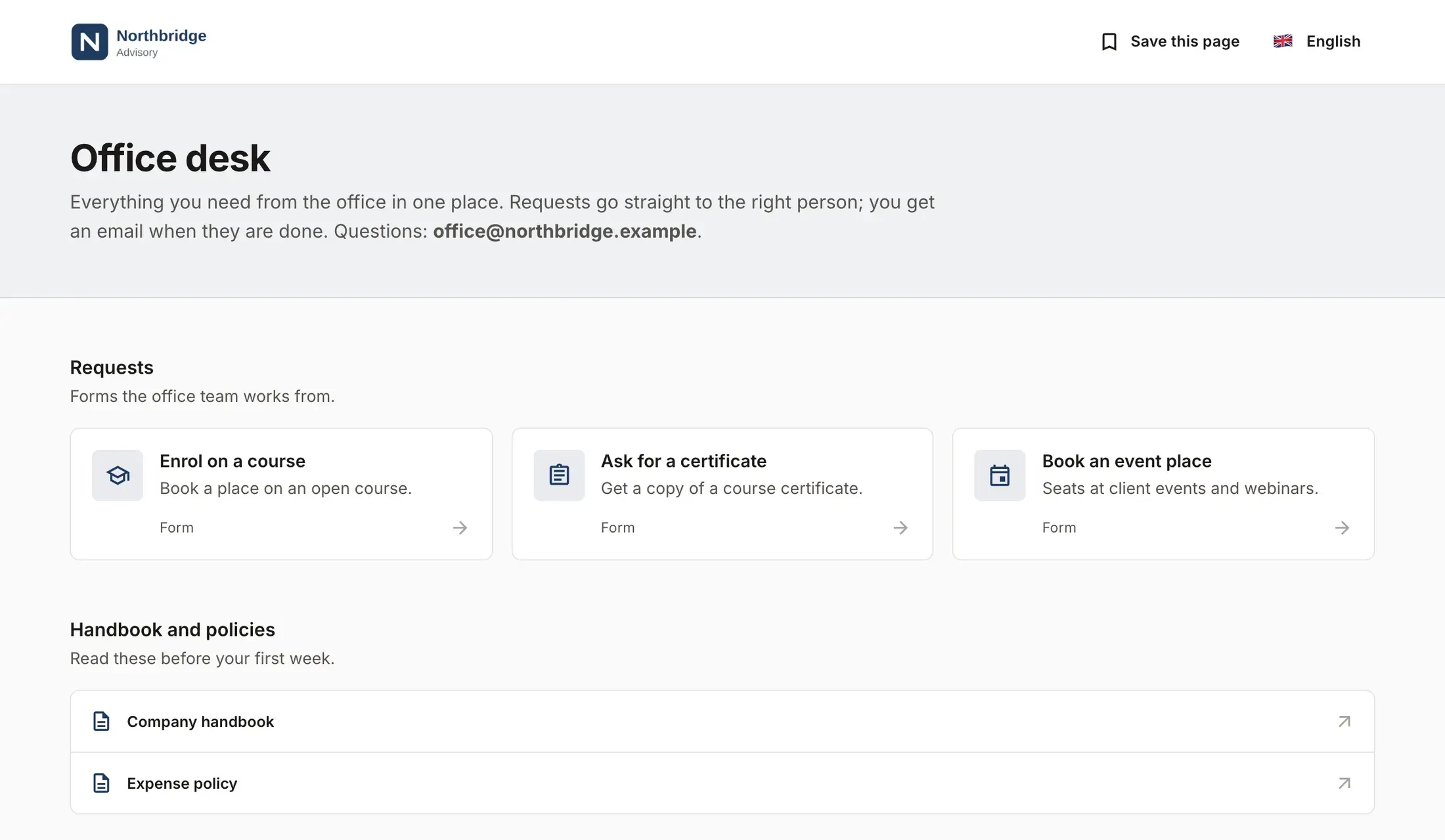
Northbridge Advisory’s office staff used to keep a bookmark for every form they file. Now they open one page, Office desk, with contract generators in one group and requests in another. A client area with the forms of a service, or a branch office’s documents, works the same way.
A portal only points at forms and documents. When a form is switched off, its link leaves the portal by itself and comes back when the form is switched on again, so nobody has to edit the page.
Build the page in an editor
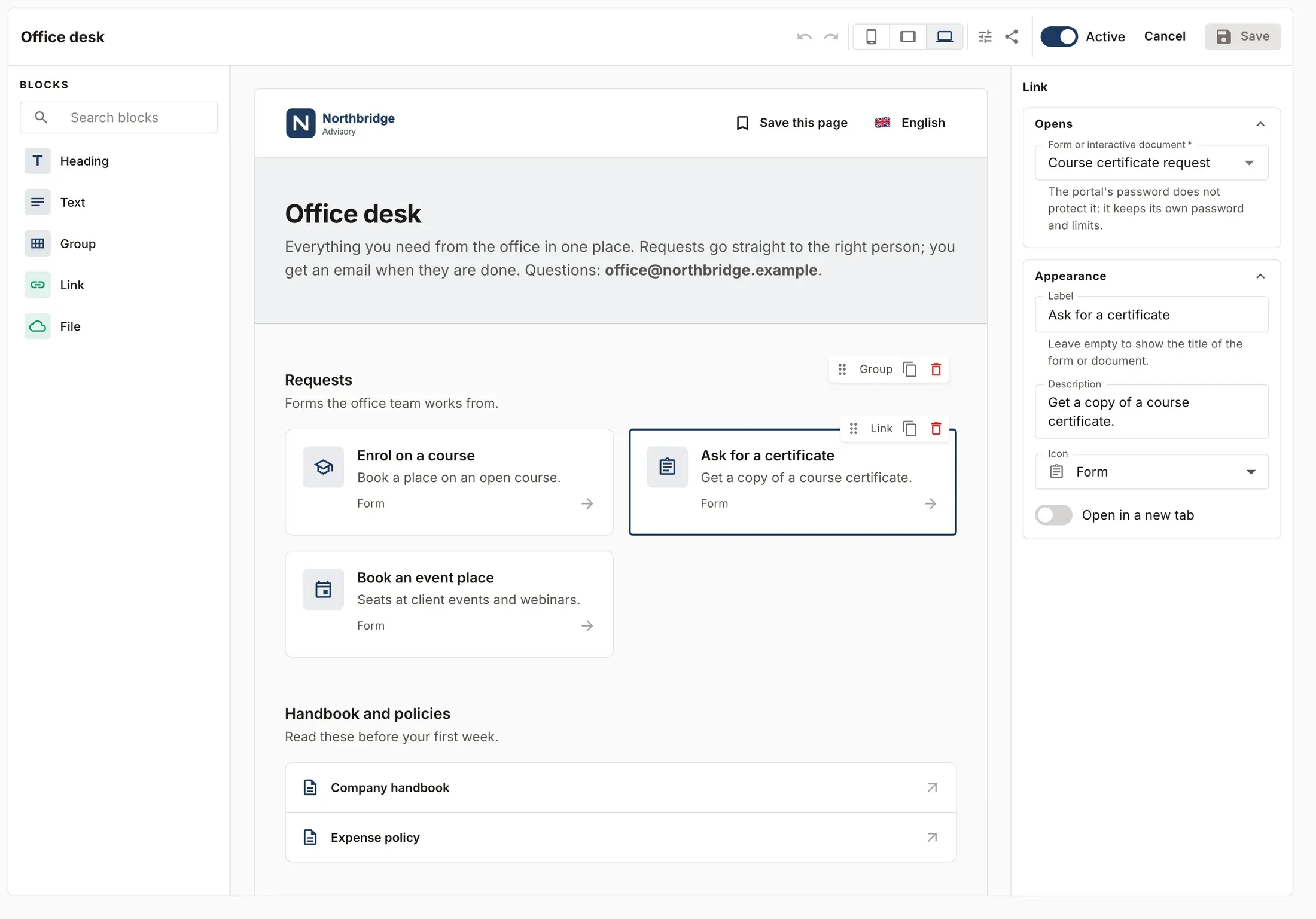
You place headings, text and links on a page, group them as cards or a list, and add a short description and an icon to each card. A link is picked from your forms, interactive documents, quizzes and surveys with a search box, so the list can be long.
A portal opens at your organization’s own subdomain, in your branding, and works on a phone. Share the address, or send it by email, SMS or WhatsApp to a list of people.
- Links to web forms, interactive documents, quizzes and surveys
- Files from a connected drive
- Headings, text and groups shown as cards or as a list
- A copy of a portal starts inactive, so you can check it first
Passwords that say who came in
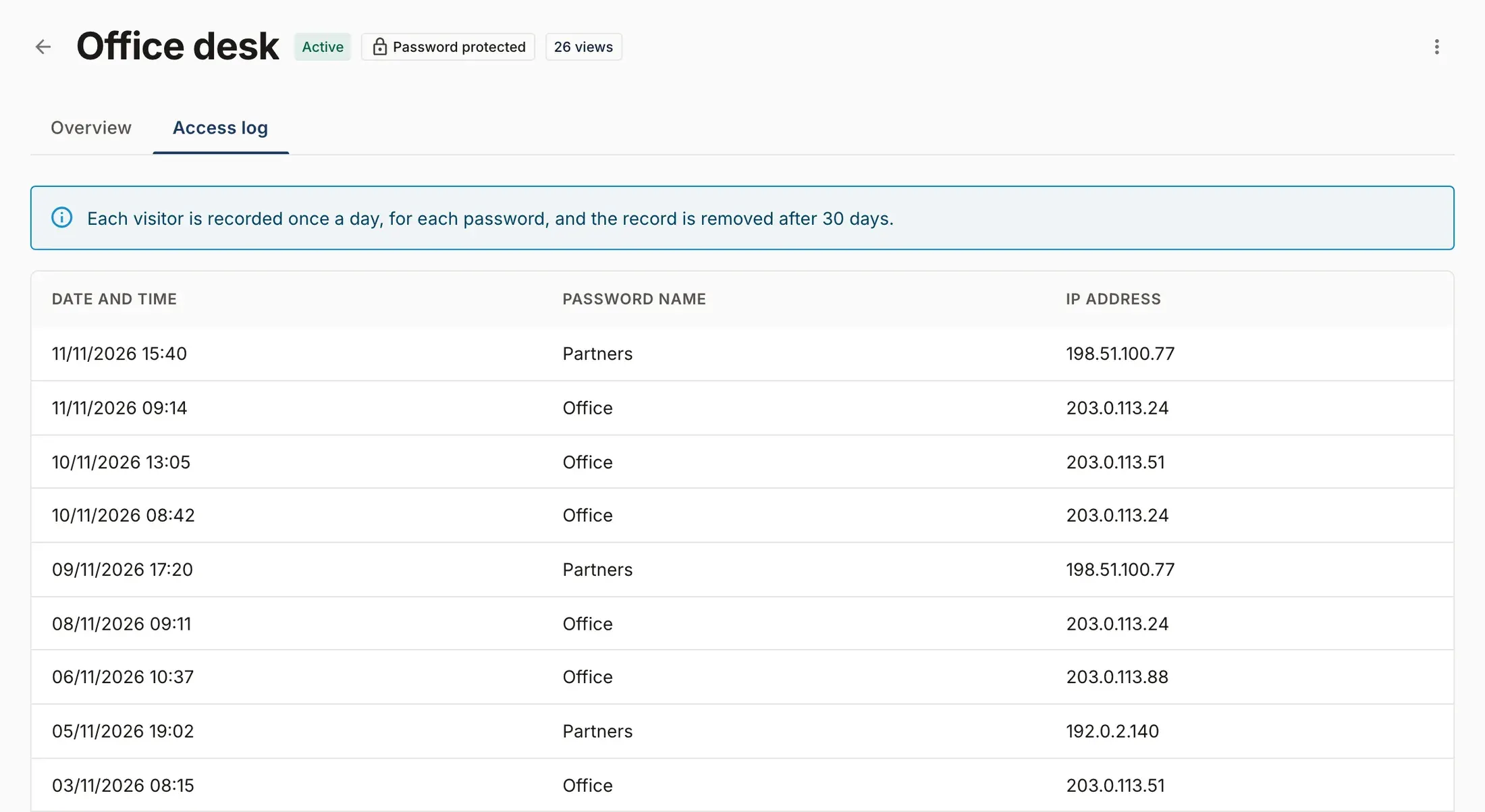
Without a password, anyone with the address can open a portal, and the address is a long random code nobody guesses. For more, give each person or group a password of their own, up to 50 per portal. Any of them opens the page, and the access log shows under which name each visit came in.
A device can stay remembered for 7, 30 or 90 days. If a link reaches the wrong person, generate a new address and the old one stops working at once, also in messages already sent.
Worth knowing before you start
- A portal needs your organization’s subdomain, which you set once in the organization settings.
- A portal’s password guards that page only. Anyone who has a form’s own link opens it without the portal’s password, so a form that must stay private needs a password of its own.
- Plans limit the number of portals: 1 on Free, 3 on Starter, 10 on Pro and 30 on Business.
- Portals are made in the app. The API has no endpoints for them.
Questions people ask
Can I make a portal just for my own team?
Yes. Set passwords and share the address inside the company. A form’s own settings, such as its password, still apply behind the link.
Do people need a Doxtly account to open a portal?
No. An address, and a password if you set one, are enough.
What happens when I delete a form that a portal links to?
The form is deleted, and the deletion dialog names the portals that link to it. The link then disappears from their pages.
In the manual
Where it is used
Start with one document.
Take the contract you retype most often and turn it into a template. The Free plan is enough, and you need no card.