
The emails you send more than twice, designed once
Build a welcome note or an invitation from blocks, with gaps for the data that changes. It leaves from your own mailbox, and you can read later exactly what went out.
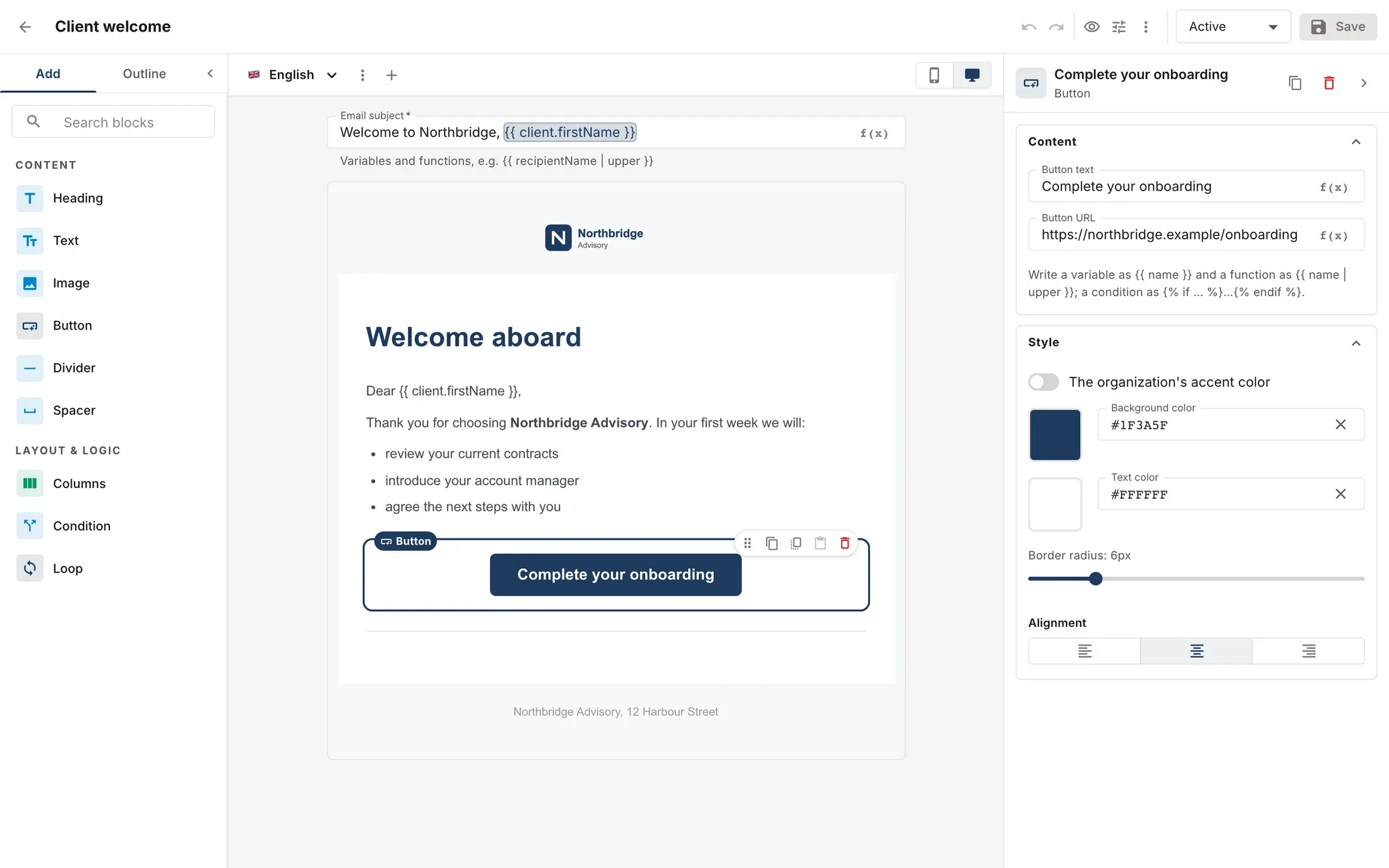
Drag blocks, no HTML needed
You drag blocks onto a sheet that looks like the finished email, and Doxtly turns them into HTML that holds up in Gmail, Outlook and Apple Mail, on a desktop and on a phone.
A Condition block shows a part of the message only to some people, and a Loop block repeats a part for each item on a list, such as the lines of an order.
- Headings, text, images, buttons
- Dividers, spacers and columns
- Conditions and loops
- Variables with a preview on sample data
Three ways out
A template sends nothing by itself. A workflow’s Send email step can use it, with the run’s files attached. A colleague can pick Send link on a form to invite twenty clients at once. Or your own software can call the API.
Each recipient gets a message of their own, and nobody sees who else received it.
Messages ready before you write a word
A new organization has its messages ready: a signature request, a reminder, an approval request and the notices after signing, as an email and a text message, in 14 languages: English, Polish, Spanish, German, Portuguese, French, Italian, Ukrainian, Turkish, Arabic, Hindi, Thai, Japanese and simplified Chinese. Arabic messages run right to left. You can send a document on your first day and change the wording under Messages whenever you want to.
Your own templates can hold a version per language too. SMS and WhatsApp have templates of their own, one text for both channels, in the same languages.
Your mailbox, your reputation
Mail leaves through the account you connect: Gmail, Outlook, your own SMTP server, SendGrid, Mailgun or Amazon SES. Clients see your address, and replies come back to you.
No mailbox yet? Doxtly’s built-in mailbox carries the messages about a package, from Your organization via Doxtly, and a reply reaches the person responsible for the package. Each plan includes a monthly number of those messages, and a party’s row shows whether theirs arrived or bounced.
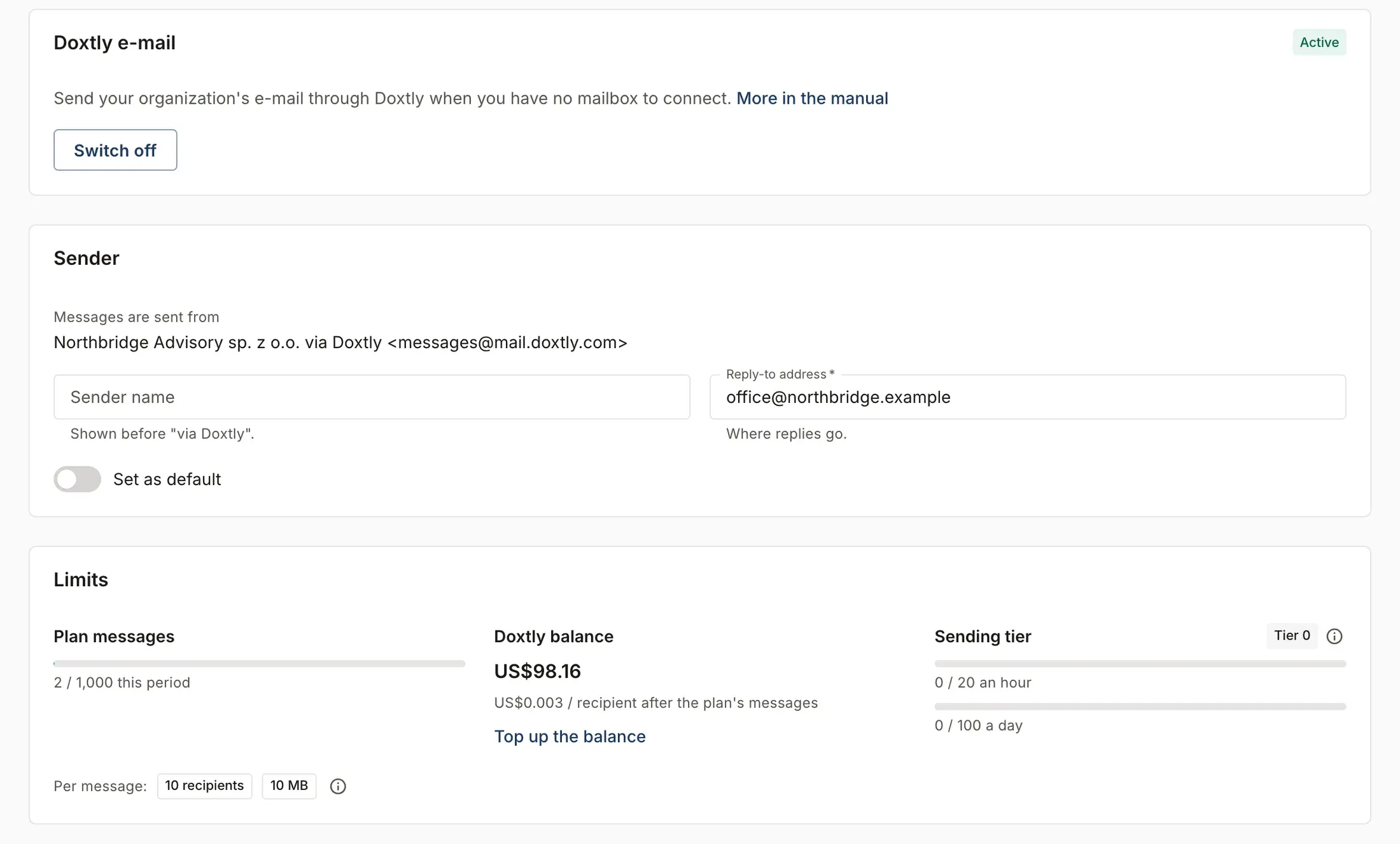
No mailbox to connect? Doxtly e-mail
Every organization has Doxtly e-mail among its integrations, switched off until you switch it on. It sends your workflow emails, links to forms and portals, reminders and signing requests in your own words, under your organization’s name followed by “via Doxtly”, and replies go to an address you choose. For 5 USD every 30 days, your messages go from an address on your own domain instead, such as office@northbridge-advisory.example.
Messages come first out of those your plan includes each month, then out of your prepaid Doxtly balance, at 0.003 USD per recipient. Doxtly e-mail itself has no monthly fee. You can switch it on with a paid plan after its trial, or with a Doxtly balance your organization bought.
- Sending limits that grow as your messages are delivered without trouble
- A footer with an unsubscribe link in every message
- Addresses that bounced or unsubscribed are left out by themselves
- For messages people expect: no newsletters, no bought lists
A record of what went out
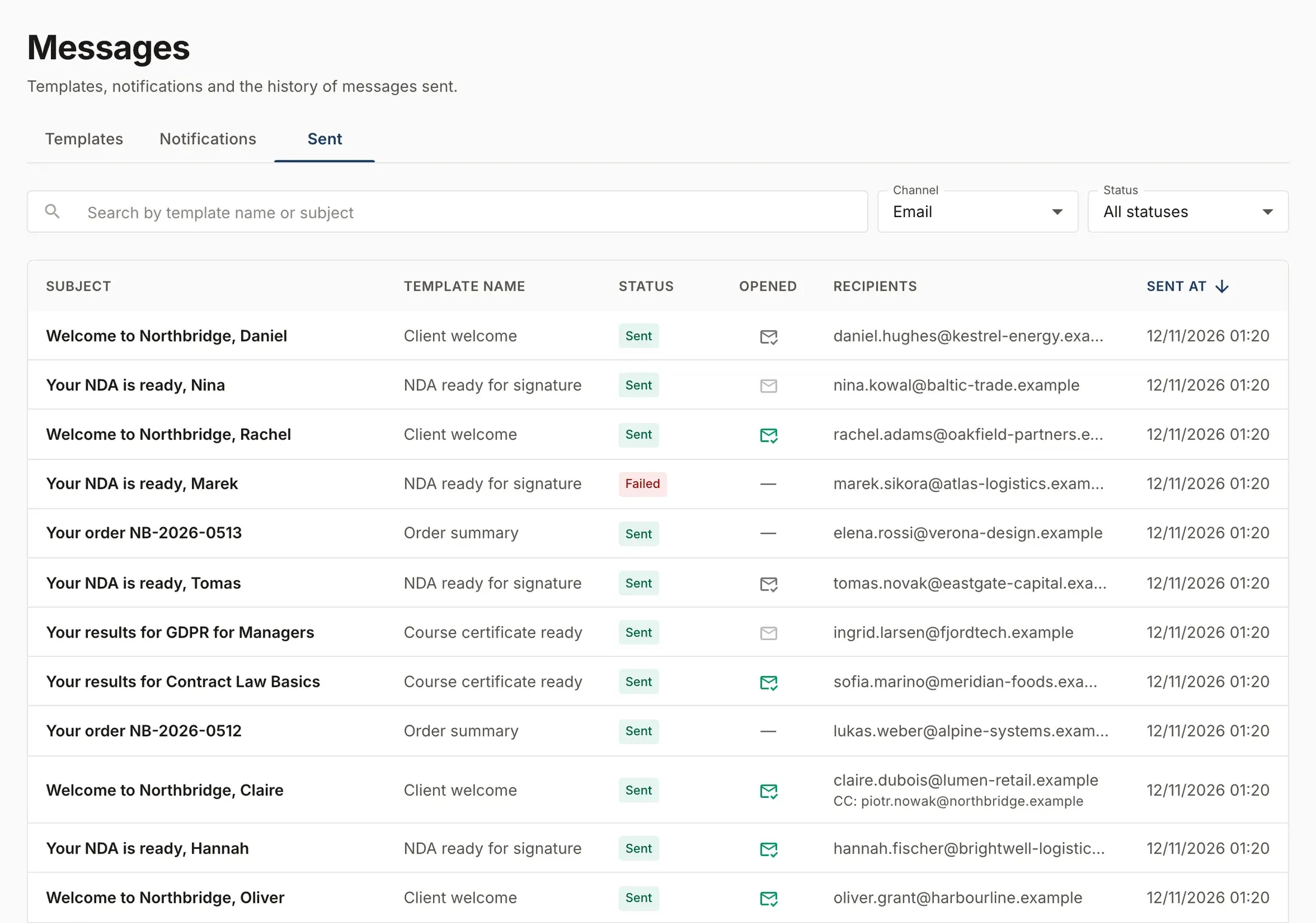
Sent emails lists every message with its status, its recipient and whether it was opened, and you can read it exactly as it left. That settles “I never got it” in a minute, and a failed send shows up on the dashboard.
Worth knowing before you start
- Forms, portals and the Send email step need an active email integration: your own mailbox, or Doxtly e-mail once you switch it on. Doxtly’s built-in mailbox carries only the standard messages about a package.
- This is for transactional messages to people you work with, not a newsletter tool with lists and unsubscribe handling.
- Attachments can total up to 25 MB per email.
- Tracking opens may need the recipient’s consent under GDPR and ePrivacy rules. You decide whether a template tracks them.
Questions people ask
Which address do the emails come from?
From the mailbox on your email integration, such as your Gmail, Outlook or SMTP account. Messages about a package can also go from Doxtly’s built-in mailbox, as Your organization via Doxtly. With Doxtly e-mail switched on, your messages go under your organization’s name “via Doxtly”, or from an address on your own domain.
Can I attach a generated PDF?
Yes. The Send email step attaches every file the run holds by default, or the ones you pick.
Can I see if a client opened the email?
Yes, for templates that track opens. Sent emails shows what is known about each message.
Start with one document.
Take the contract you retype most often and turn it into a template. The Free plan is enough, and you need no card.