
The fee is paid before the paperwork moves on
A workshop place paid as the form is sent, a retainer paid once the engagement letter is signed. The money goes to your own provider account, and nothing starts until it is there.
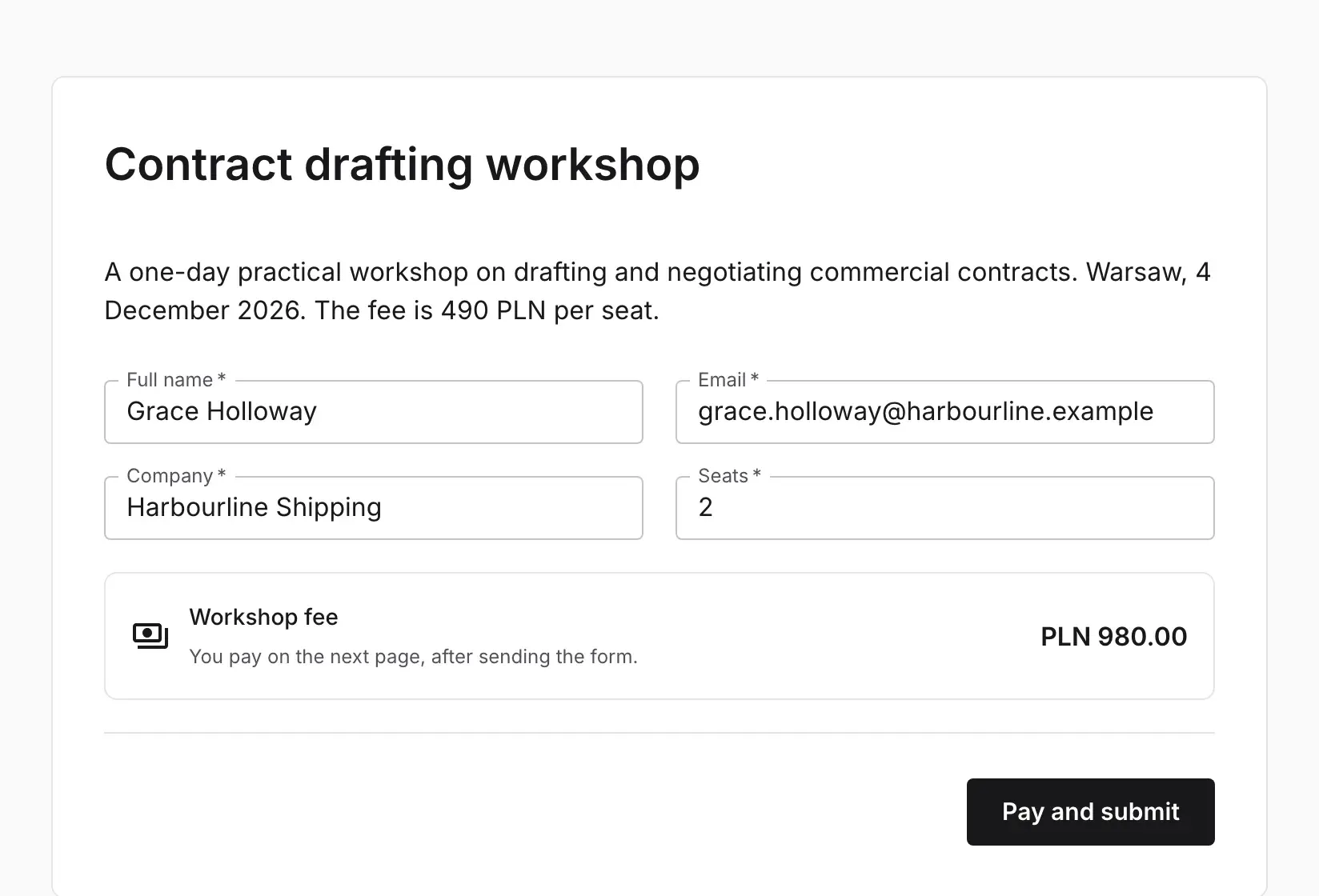
Paid as the form is sent
Northbridge Advisory, an example consulting firm, sells places on its workshops through a form. Add a Payment element and set the amount: a fixed fee, or one worked out from the answers, such as the number of seats times the price. The button at the end becomes Pay and submit, and the participant pays on the provider’s page with BLIK, a fast transfer, a card, a wallet or a PayPal account, whatever your account offers.
Doxtly works the amount out again on the server, so nobody can change it in the browser, and it never sees a card number: the payer types it on the provider’s page.
Signed, then paid
A party of a signing package can be asked to pay as part of signing: the client signs the engagement letter and pays the retainer, the tenant signs the lease and pays the deposit. Switch on Pays after signing for the party, by hand or in a workflow that works the amount out from its data.
Once they have signed, their page asks them to pay. The package waits for the money, reminders tell them what is still due, and the next step’s parties are asked to sign only after the payment. See e-signatures.
Nothing starts until the money is in
A form that takes a payment waits for it. Until the provider confirms, the submission is Awaiting payment: no workflow runs and it does not use up your plan. Once paid, the contract or the confirmation goes out as usual. A payment left unpaid for 24 hours expires and starts nothing, and one the provider confirms after that is refunded automatically.
Doxtly asks the provider itself whether a payment was made, so a page left open never waits for long, and a payment counts once however often the provider reports it.
- A workflow trigger for a payment that succeeds, fails or is refunded, and for a party who pays at signing
- The same events for your other systems through outgoing webhooks
- Test mode with every provider, where no real money moves
Every payment on one page, refunds included
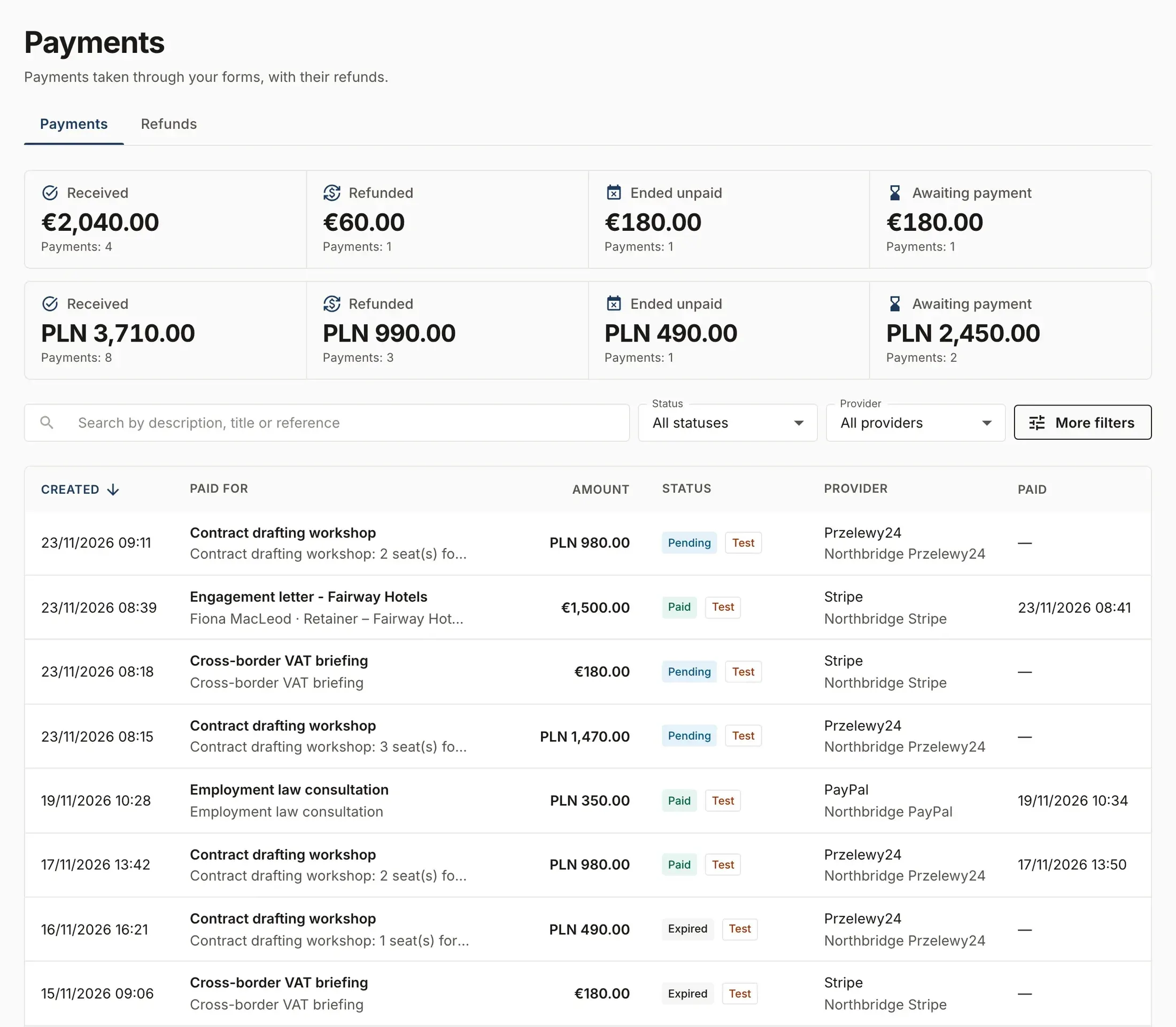
The Payments page lists every payment with what it was for, its amount, status and provider, and filters by form, provider, integration and test or live. A payment’s page shows each attempt and each refund.
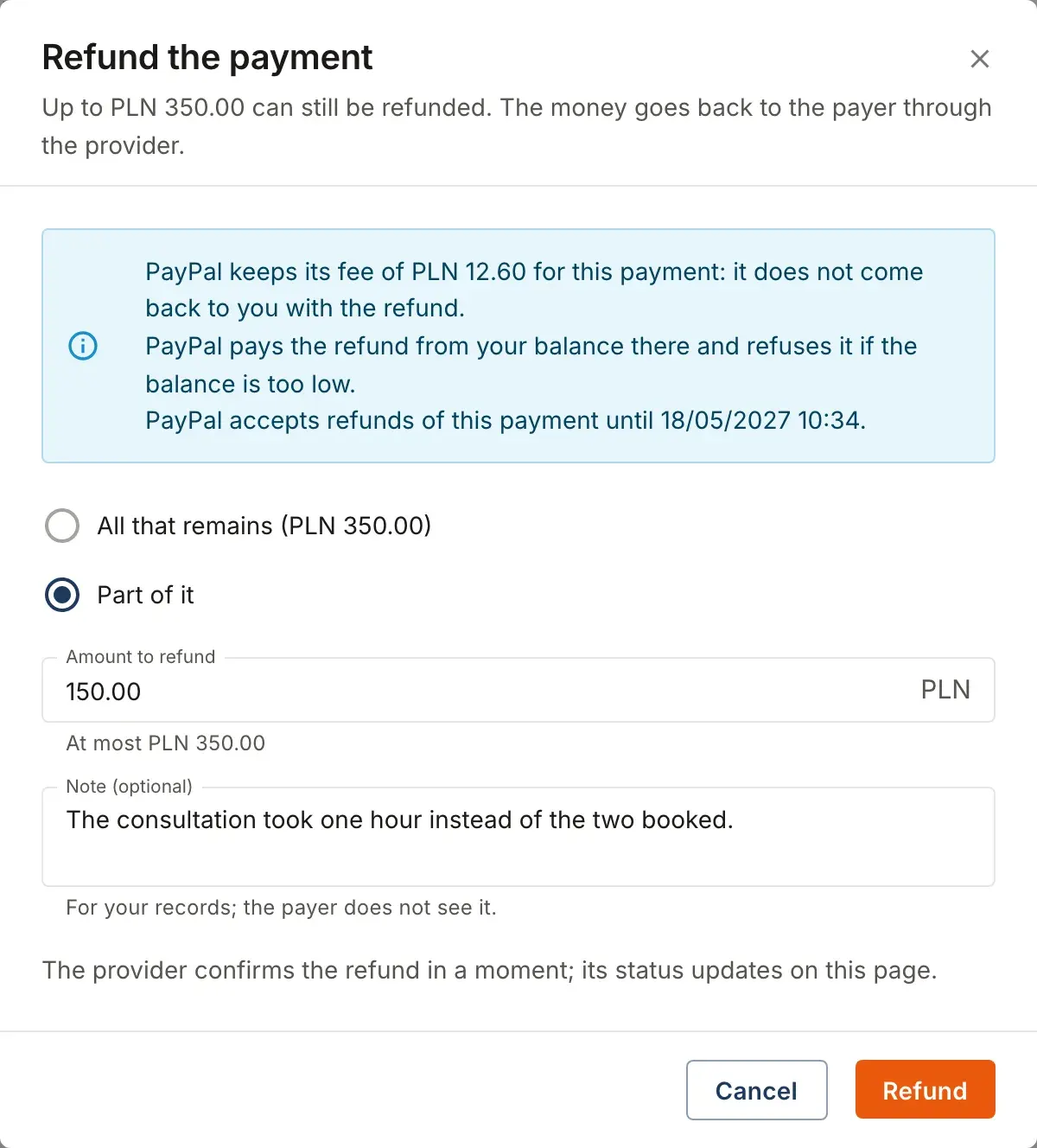
When a participant cancels, press Refund and give back all that remains or part of it. The provider returns the money to the card or account it came from, and the window tells you first what the provider keeps, such as its fee. Seeing payments and refunding them are two permissions, View payments and Refund payments, so a member can follow payments without being able to give money back.
Worth knowing before you start
- Payments are part of the Starter, Pro and Business plans.
- You need your own account at Przelewy24, Stripe, PayU or PayPal. Its fees are between you and the provider; Doxtly takes none.
- A form that takes a payment can’t be placed on an interactive document.
- These are your clients paying you. Your Doxtly subscription is a separate matter, paid on the Subscription page.
Questions people ask
Does Doxtly take a fee from payments?
No. The money goes straight to your own Przelewy24, Stripe, PayU or PayPal account, and your organization is the seller. Only the provider charges its fees, under your agreement with it.
Which payment methods can people use?
Whatever your provider account offers: with Przelewy24, BLIK, fast transfers and cards; with Stripe, cards, wallets and local methods; with PayU, BLIK, online transfers and cards; with PayPal, PayPal accounts and cards.
What if someone does not pay?
A form’s submission waits for 24 hours and then expires, starting nothing. A party who signed and did not pay keeps their signature, and can start a new payment from their link until the package’s deadline.
Can I try it without real money?
Yes. Make an integration in test mode with the sandbox of Przelewy24, PayU or PayPal, or Stripe’s test mode, and test payments carry a Test chip.
Where it is used
Start with one document.
Take the contract you retype most often and turn it into a template. The Free plan is enough, and you need no card.