
Forms that feed your paperwork, not your inbox
Drag fields onto a canvas, publish on a link or on your own website, and let each answer go straight into documents and workflows.
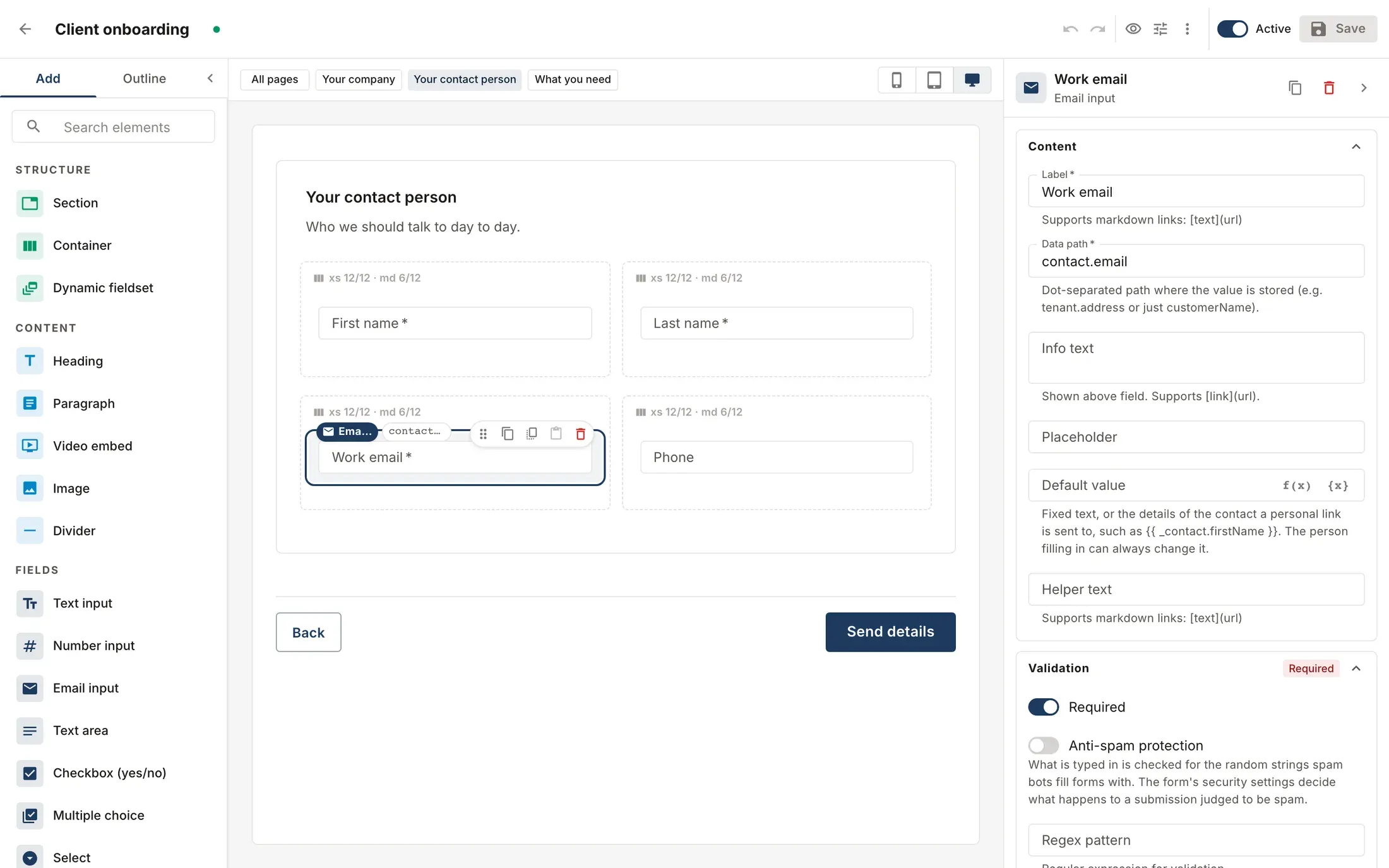
Build it by dragging, or describe it
The designer has what a real intake form needs. Questions appear only when an earlier answer calls for them. Long forms split into steps with a progress bar. A list of people or products can grow row by row, and a total can work itself out while someone types. While you build, the designer has the whole window, so the form and its settings fit side by side even on a laptop.
You can also describe the form in a sentence to Doxie, the AI assistant in Doxtly, or ask her to check it against a contract template, and she draws the fields for you. She shows the form first, and nothing changes until you apply it.
Already have a form somewhere else? On a paid plan, paste its public address and Doxtly builds a draft from its pages, fields and options, for you to review before anyone sees it. Duplicate any of your forms to start the next one from it.
A form, an email template, an interactive document or a workflow travels as one file to another organization, a client’s own Doxtly account for one. On the way in, Doxtly asks which of that organization’s integrations, drives, templates and forms to use, suggests the likely ones, and brings the pictures along. A password or a secret never travels. Download the file or save it straight to a connected drive, and import one from either.
- Text, numbers, email, dates and times, choices, sliders
- File uploads and a drawn or typed signature
- A drawing field: a sketch on a white canvas, or marks over your own picture, such as damage on a car, marked with a pen, typed words, rectangles and circles
- Ratings with stars, faces or numbered buttons, and a photo taken with the phone’s camera
- Rows people can add themselves, up to the number you set
- Calculated values, worked out again when the form is sent
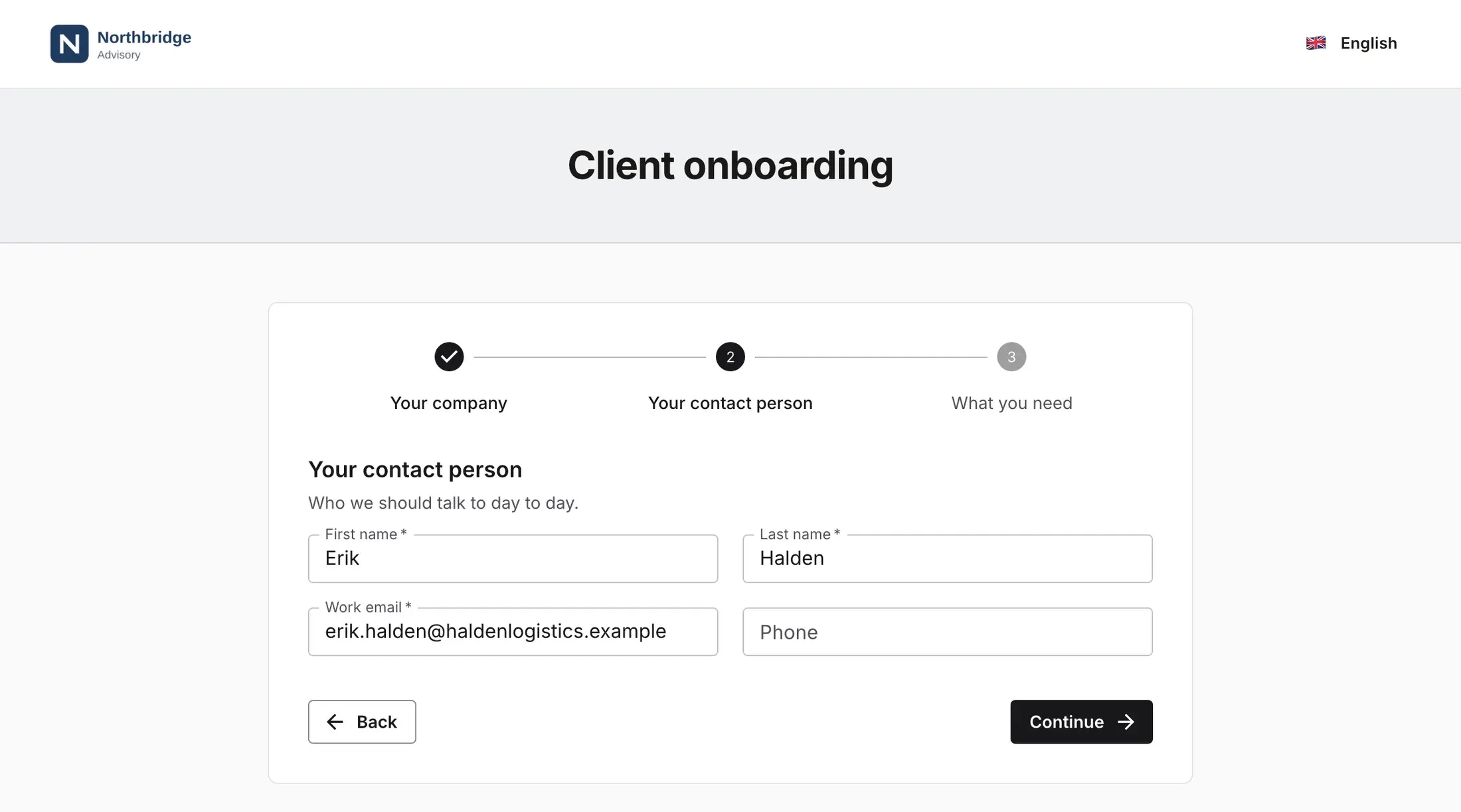
Forms that use your own data
A Dynamic value works out a result while someone types. For a price by plan or a discount by amount, switch it to Cases and fill in one row for each answer, with no formula to write.
A data source reads a spreadsheet or a JSON file on your connected drive. A select can offer its rows as options, and dates already booked disappear from the form, so a place in a course can’t be sold twice.
- Allowed dates: no days in the past, only working days, blocked holidays or a list of the only days on offer
- QR codes and barcodes drawn from what was typed, such as a link to check an order
- Values from a sheet, used in a formula or a list of options
On a link, or inside your own site
Every form has a public link you can send to anyone, and a QR code of it to download for print. The page opens under your logo. To keep visitors on your site, paste the embed script, use an iframe, or install a plugin for WordPress, Joomla, Drupal or Magento and place forms without code. If a link leaks, generate a new address and the old one stops working at once.
For a form meant for one client, send it from their contact with Send to fill in: they get a personal link, with their details already filled in, that expires and can be revoked.
Your form keeps your look. Pick a theme from your organization’s library under Themes: one of seven built-in ones, or your own with your colours, font and CSS. The same themes dress your interactive documents, quizzes and surveys, on every plan, and changing a theme restyles every page shown in it. A link can also carry values, such as the campaign someone came from, and they are stored with the submission.
Locks for bots and strangers
A public form is an open door, so you pick the locks it needs: a password, a list of websites allowed to load it, blocked addresses, reCAPTCHA, a honeypot, rate limits and filtering of gibberish.
Some protection is always on. Each visit gets a one-time session, so a double click cannot send a form twice, and a form sent faster than a person could fill it in is refused. The session renews itself while the page is open, so a form left open over lunch still goes through, and a reload keeps what was typed.
Take the payment as the form is sent
Add a Payment element and the form asks for money: a fixed amount, or one worked out from the answers, such as the number of seats times the price. The visitor clicks Pay and submit and pays on the page of Przelewy24, Stripe, PayU or PayPal, with whatever your account offers: BLIK, a fast transfer, a card, a wallet or a PayPal account. Doxtly works the amount out again on the server, so nobody can change it in the browser.
The money goes straight into your own Przelewy24, Stripe, PayU or PayPal account. Your organization is the seller: Doxtly takes no fee and never sees a card number. A submission waits until it is paid and only then starts its workflows, so the contract or the confirmation goes out once the money is in. One left unpaid for 24 hours expires and starts nothing.
Every payment is on the Payments page, with its attempts and refunds. You give money back there, in full or in part, and a payment that arrives after its time has run out is refunded automatically. Try it all first in test mode, where no real money moves. A payment can also be asked for at signing: payments has the whole story.
- A fixed amount, or a formula over the answers
- Przelewy24: BLIK, fast transfers and cards; Stripe: cards, wallets and local payment methods; PayU: BLIK, online transfers and cards; PayPal: PayPal accounts and cards
- A workflow trigger for a payment that succeeds, fails or is refunded
- Test mode with every provider
When the page itself matters: interactive documents
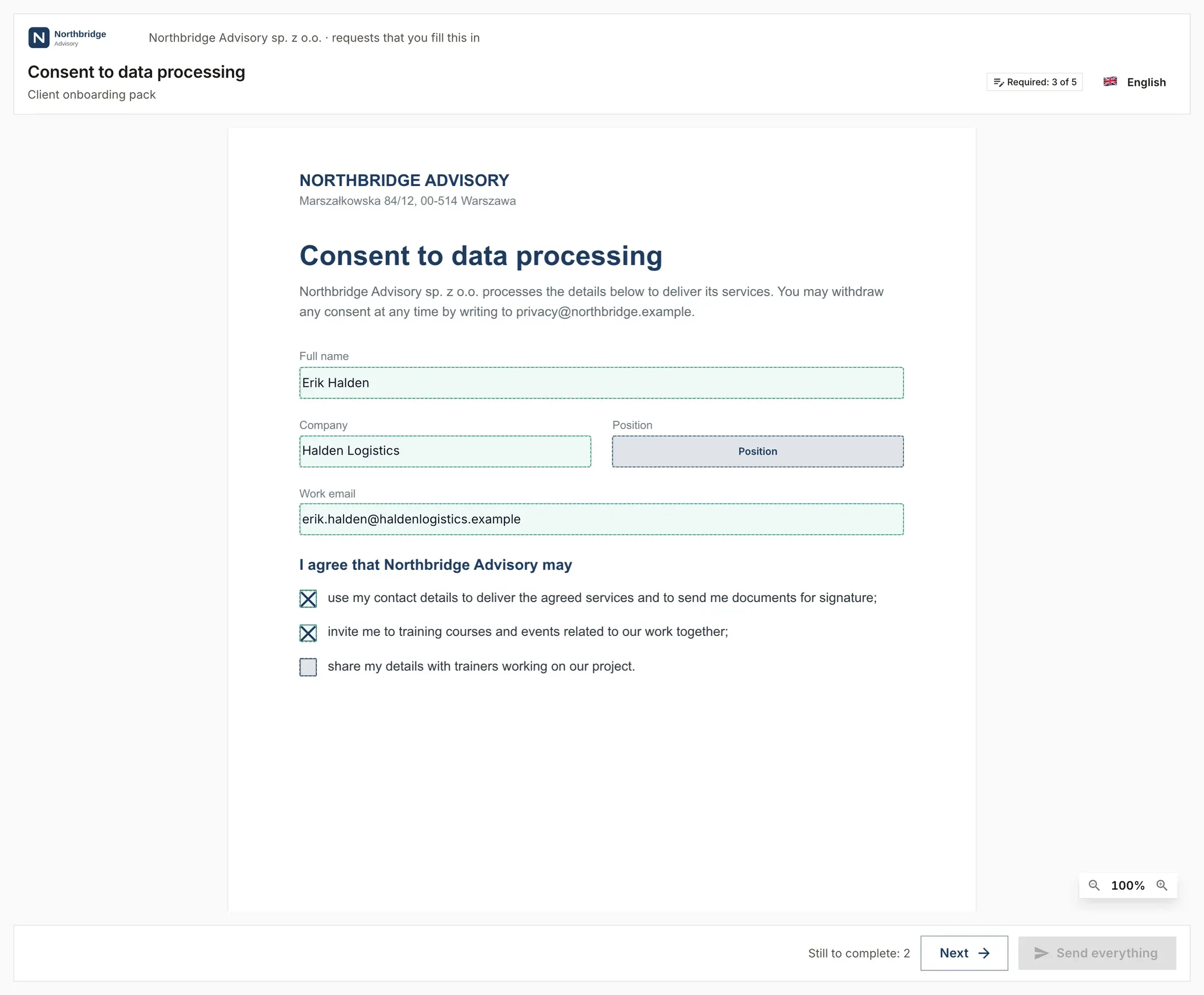
Some paperwork has to look like the original: a consent form, a bank mandate, an enrolment pack. An interactive document puts your PDF pages and web forms behind one link. People fill the marked areas right on the page and send everything with one button.
You get the filled PDFs and the values behind them, and any workflow waiting for them starts.
Answers that go somewhere
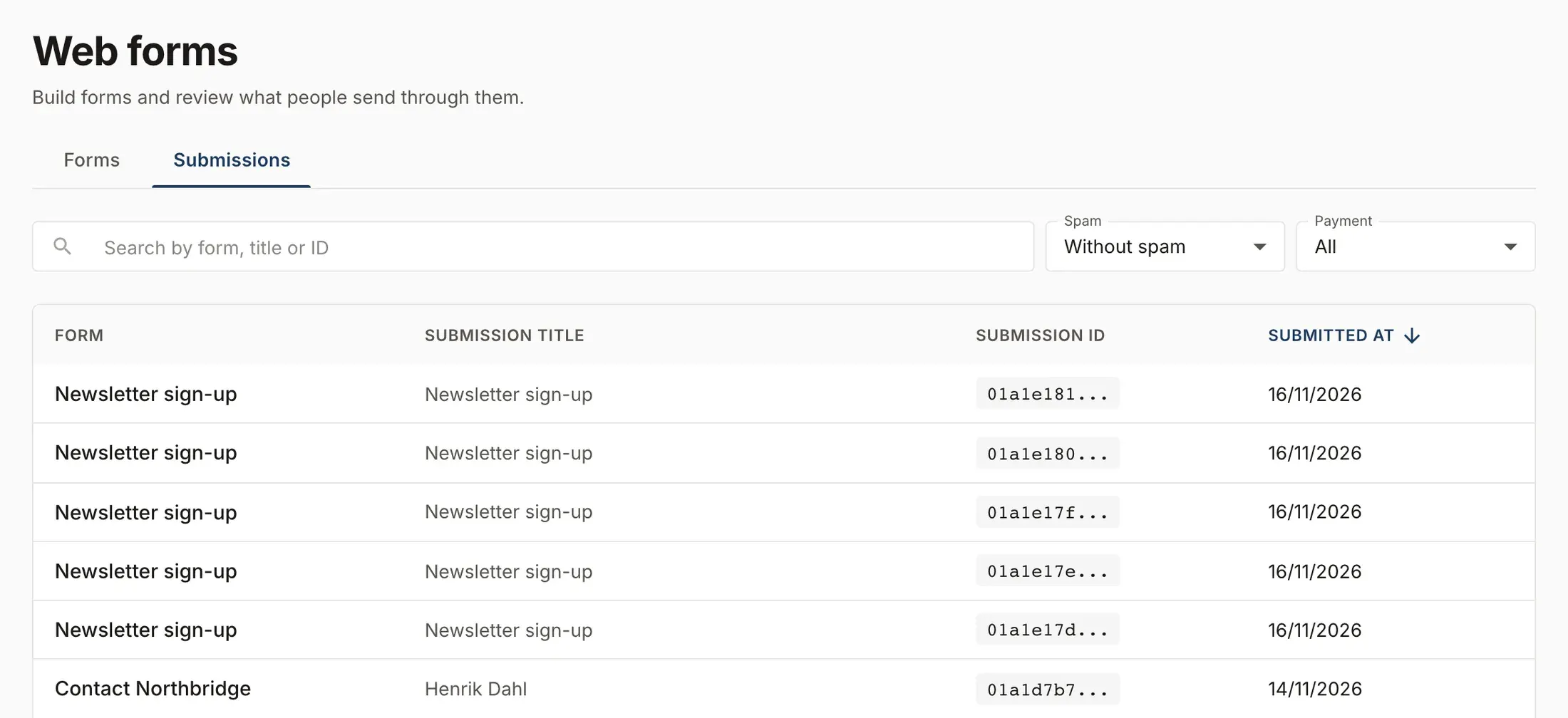
Each submission is kept with its uploaded files, and can start a workflow that writes a contract, adds a row to a spreadsheet or emails your team. If a client misspells their company name, you can allow the form to be edited and fix the one submission, with the change on record.
Switch on Results for a form, such as a feedback form after a workshop, and its answers are summed up question by question: a bar for each option, the average rating, ages in ranges, and short answers such as towns grouped however they were typed. Download it as CSV for a spreadsheet.
Worth knowing before you start
- The submissions list has no export of every answer. Results download the answers to the questions they sum up as CSV; the rest leaves through a workflow into a spreadsheet, or through the API.
- A signature field on a form stores a picture of a signature. It suits a consent or a delivery note. For a signature with evidence behind it, send the document for e-signing.
- A form password is one word shared by everyone who has it. It does not tell you who someone is.
- Payments are part of the paid plans, Starter and up. A form that takes a payment can’t be placed on an interactive document.
Questions people ask
Can I put a Doxtly form on my WordPress, Joomla, Drupal or Magento site?
Yes. A free plugin for each of them lets you place a form without code. On any other site you paste a script or an iframe.
Can a form match my brand?
Yes. Give the form a theme (colours, font and your own CSS, shared across your organization), and it applies wherever the form appears, on its link and when embedded.
What is the difference between a form and an interactive document?
A form shows fields on a page in your styling. An interactive document shows your real PDF pages, plus forms if you add them, and produces the filled PDFs. Neither one is a legal signature: that is what signing packages are for.
Do people need an account to fill in a form?
No. Anyone with the link can fill it in, unless you protect the form with a password.
Can a form take a payment?
Yes, on the Starter, Pro and Business plans. Connect your own Przelewy24, Stripe, PayU or PayPal account and add a Payment element. The visitor pays on the provider’s page after sending the form, the money goes to your account, and Doxtly takes no fee.
In the manual
Where it is used
Start with one document.
Take the contract you retype most often and turn it into a template. The Free plan is enough, and you need no card.