
An order form on your own letterhead, priced from your own list
A client opens your PDF order sheet in the browser, picks a workshop from a list that comes from your price list, and sees the price and the volume discount work themselves out. You get the filled order.
An order sheet nobody fills in right
Northbridge Advisory, an example consulting firm, sells in-house workshops. Clients used to print a PDF order sheet, fill it in by hand and send back a scan, with prices copied from a price list that had changed since.
The volume discount was a table at the bottom. Someone checked every order with a calculator, and half of them needed a phone call.
How Northbridge makes the order sheet work
The order sheet becomes a template
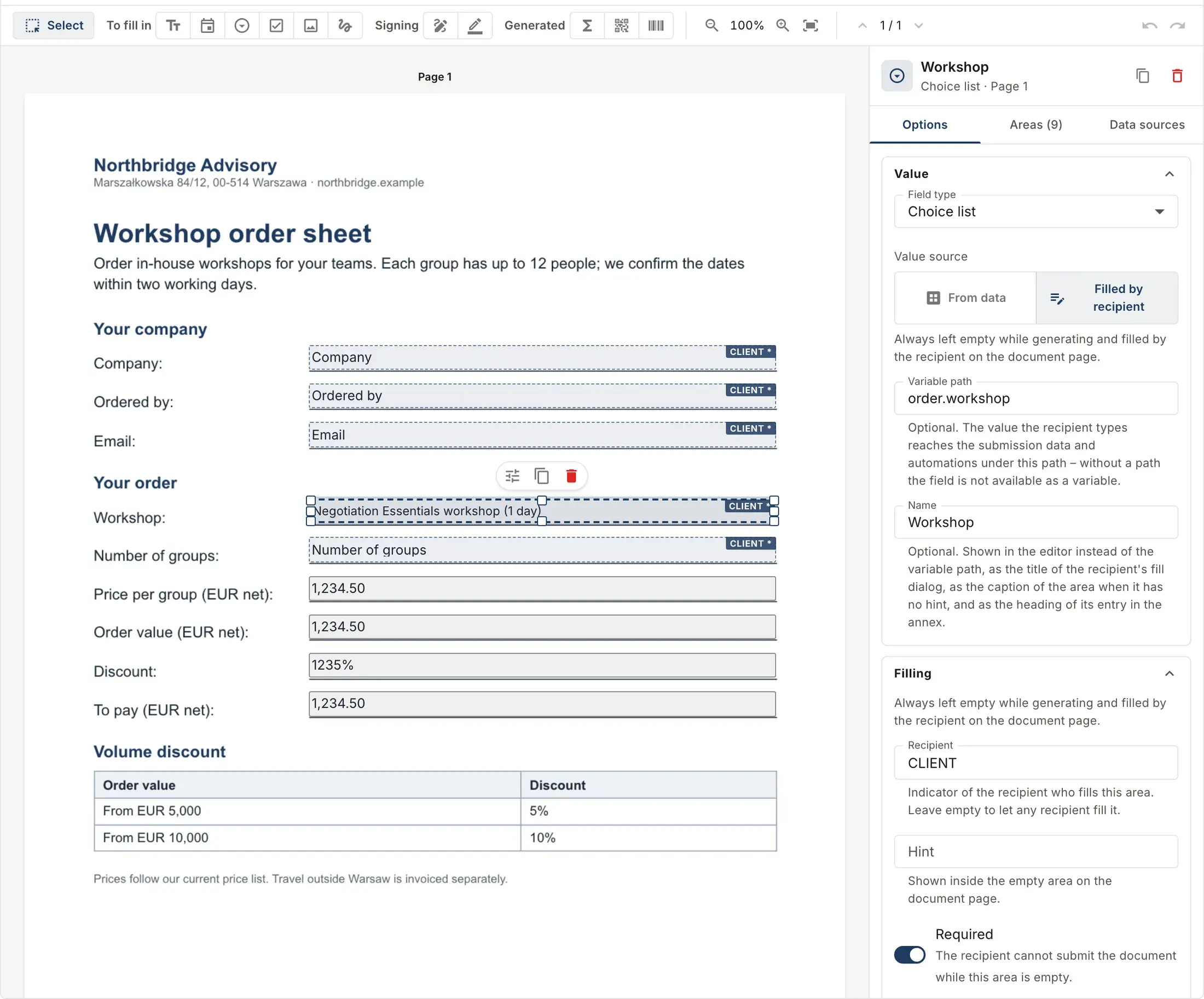
Anna uploads the PDF as a template and draws an area over each blank. The client fills in the company, their name, their email, the workshop and the number of groups. The price, the order value, the discount and the amount to pay are Dynamic values the page works out. The layout stays as it was.
The price list becomes the options
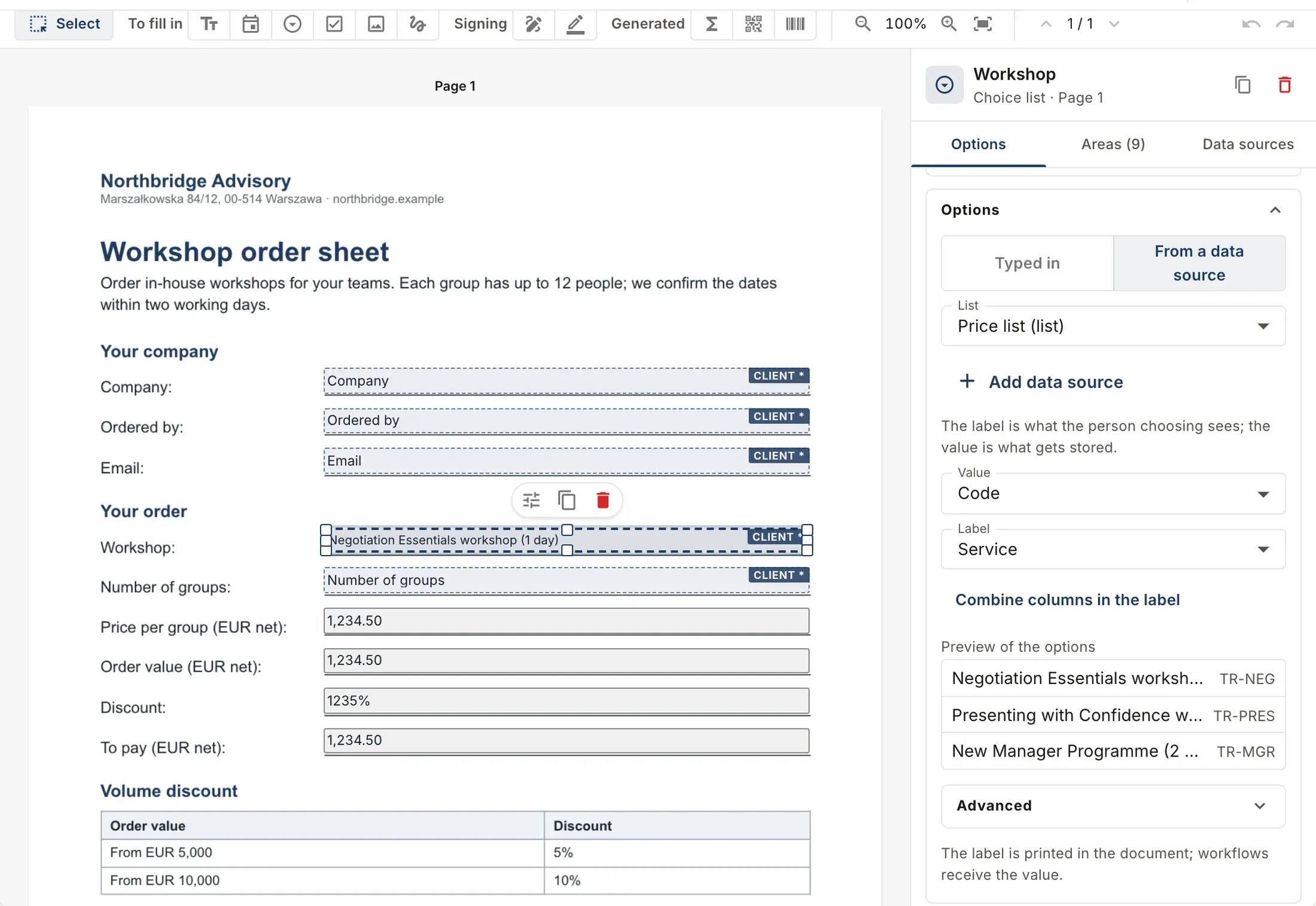
On the editor’s Data sources tab she adds the price list her sales team keeps on the company Google Drive, reading only the rows sold per group. The Workshop Choice list takes its options From a data source: the code as the value, the service as the label. The price per group is a formula that looks the chosen code up in the same list,
LOOKUP(_data.prices, 'Code', order.workshop, 'Price EUR net'), so a change in the sheet reaches the order sheet.
The discount works itself out
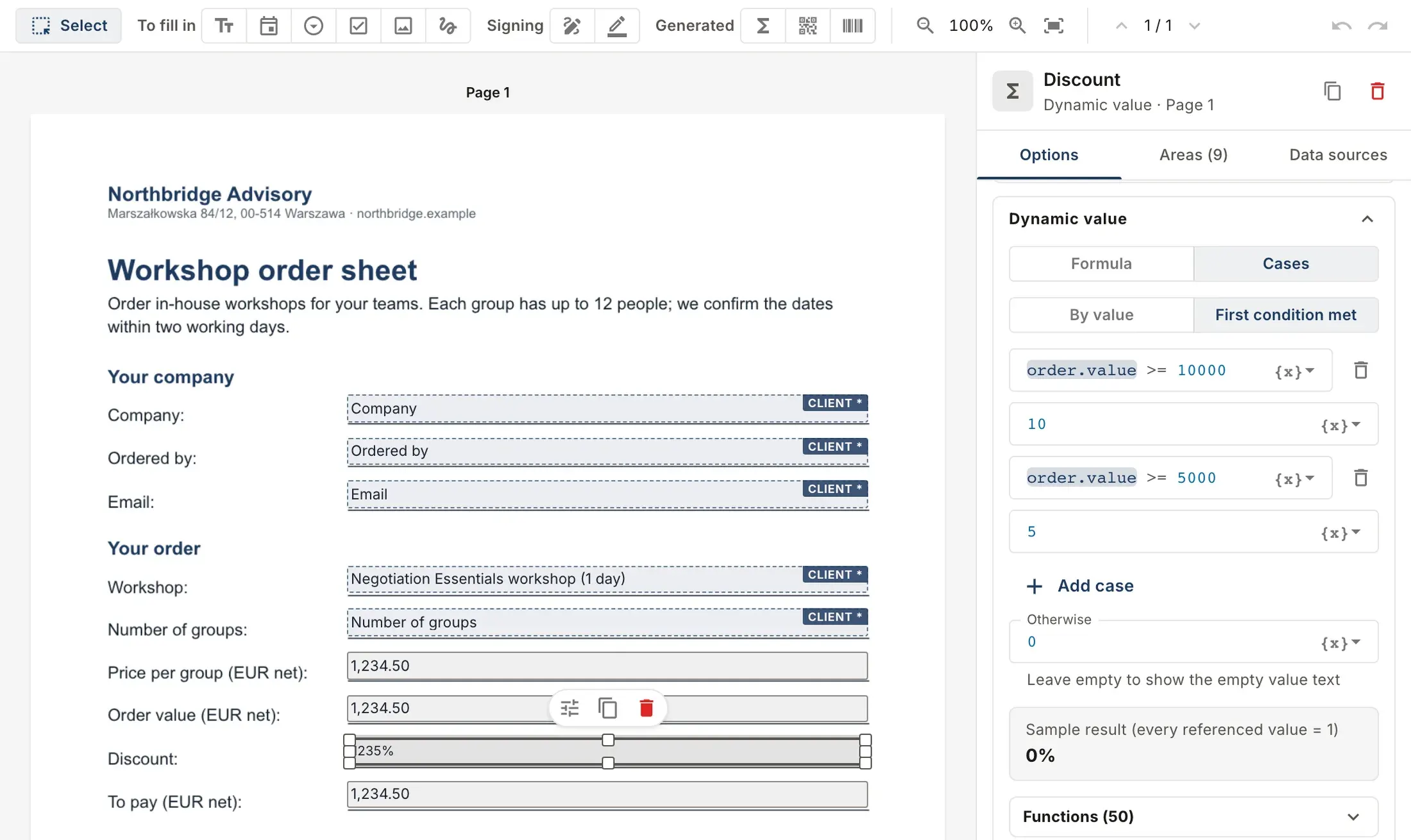
The discount is a Dynamic value written as Cases, First condition met: 10% from an order value of 10,000, 5% from 5,000, and 0 otherwise. No formula to write: Cases keeps it as
IFS(order.value >= 10000, 10, order.value >= 5000, 5, 0).
An interactive document goes on a link
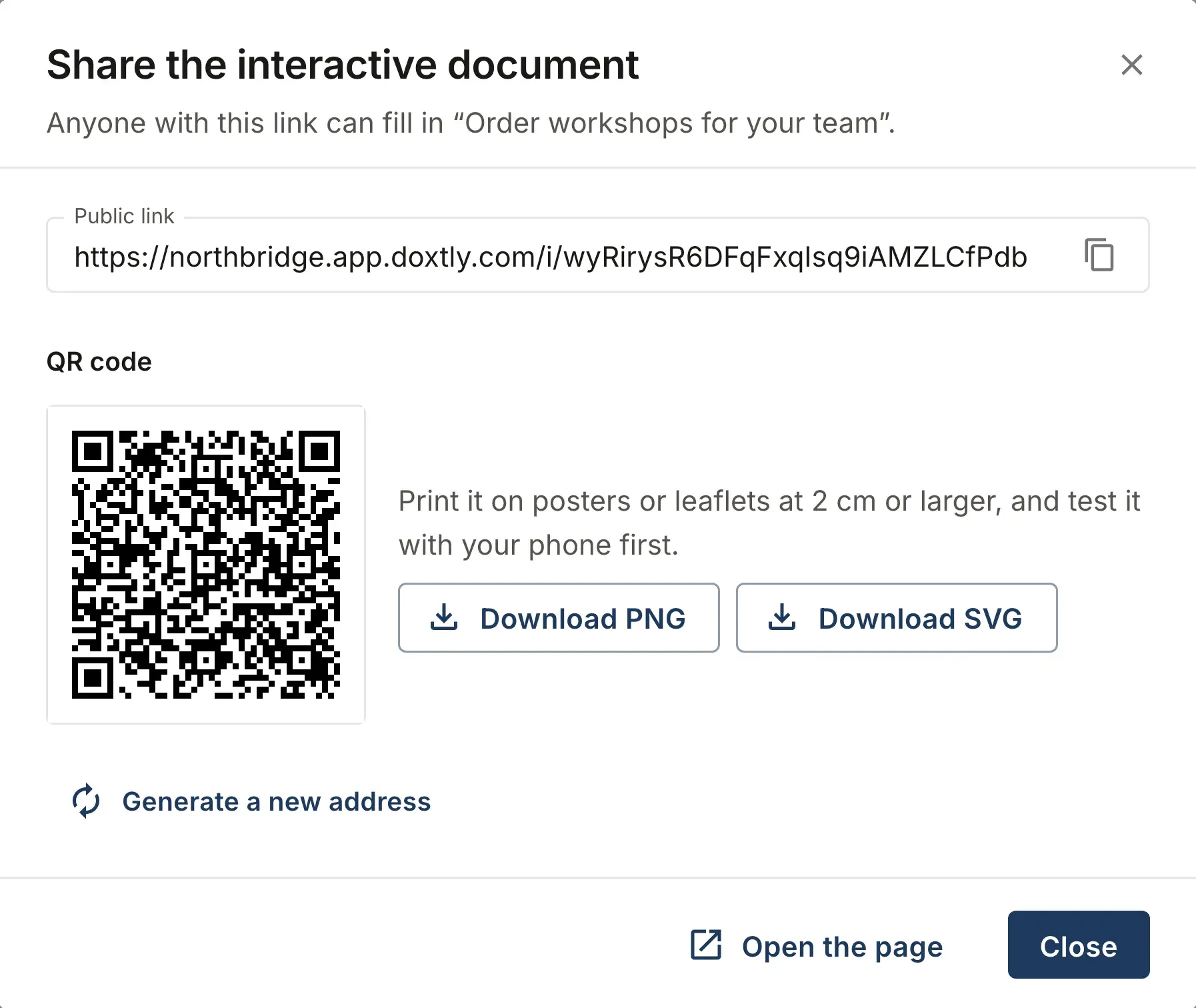
She makes an interactive document from the template, “Order workshops for your team”. Share in its menu gives the link and a QR code, which she sends to clients or puts on a portal or the website.
The client fills it in on the page
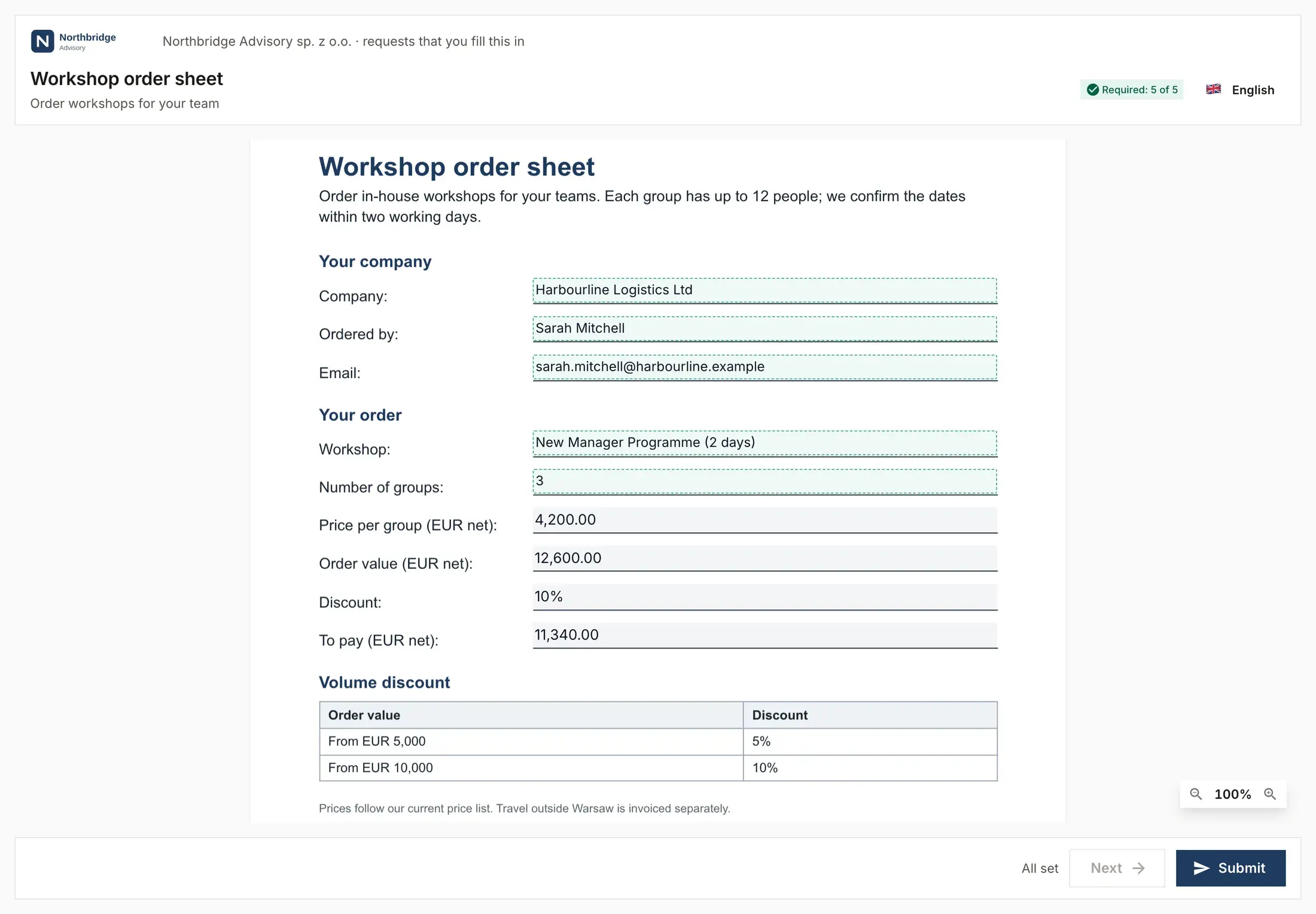
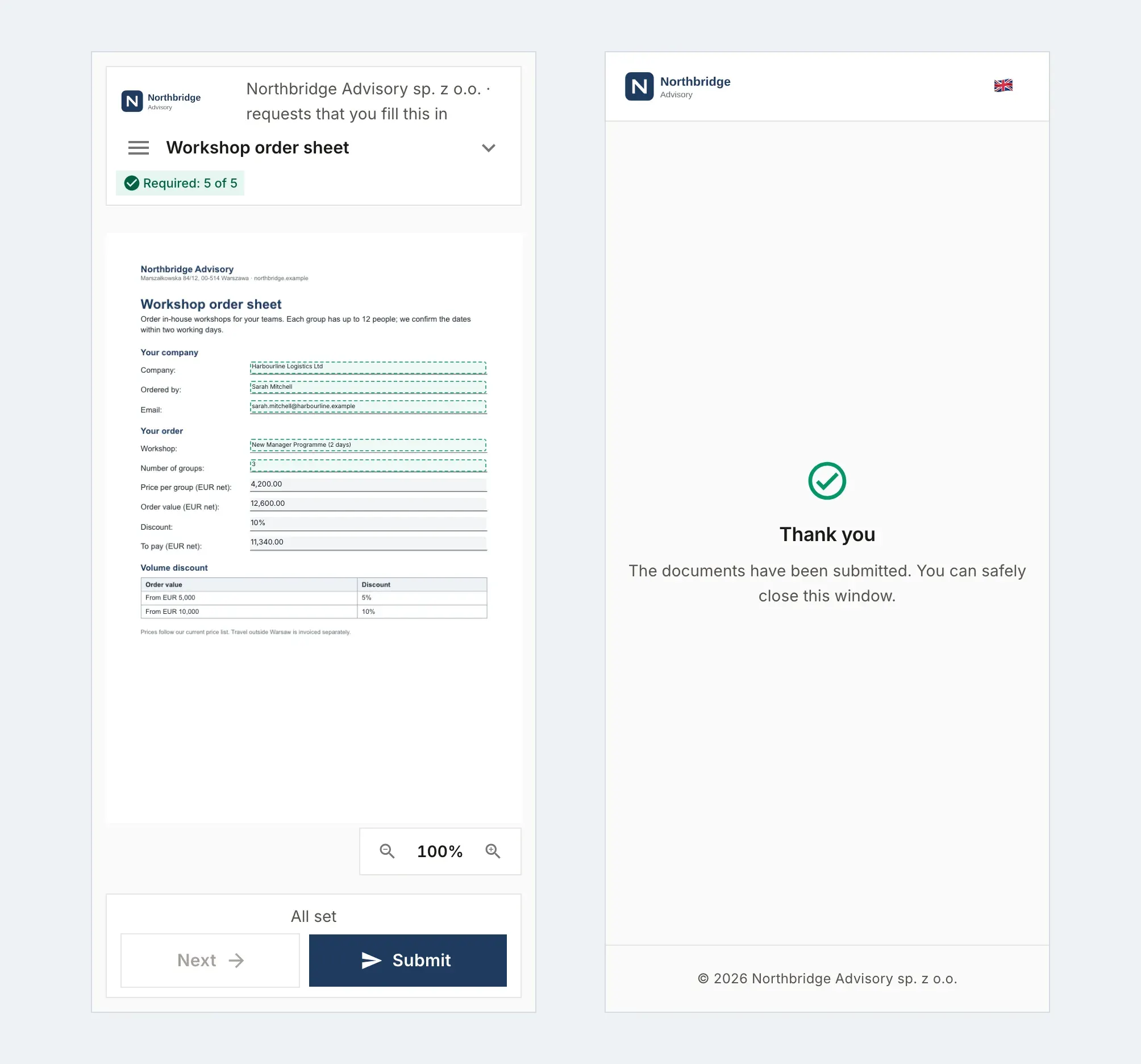
Sarah Mitchell of Harbourline Logistics picks the New Manager Programme and three groups. The page shows 4,200.00 per group, 12,600.00 in all, a 10% discount and 11,340.00 to pay, and she presses Submit. She needs no account.
The order reaches the team
The filled document and its values are stored as a submission of the interactive document, and a workflow can email them to sales, write a row to a sheet, or start a contract.
What Northbridge set up once
- A PDF order sheet as a template, with areas drawn on it
- A connected drive with the price list
- A data source on the template that reads the price list
- An interactive document made from the template
Ways to adapt it
- The same logic on a web form
- A web form has the same Dynamic value with Cases and the same Select from a data source, if you don’t need the PDF.
- A signature at the end
- Add a signature area for the client, and they sign the order on the same page before sending it.
Questions people ask
How does the product list stay current?
It is read from your spreadsheet again at the interval you choose, every 15 minutes by default, so a change there reaches the page.
Do clients need an account to fill it in?
No. They open the link in a browser, fill it in and send it.
Do I need to write a formula?
Not for a discount or a price that depends on one answer. Cases writes it for you, and you can switch to Formula to see it.
Features behind it
Start with one document.
Take the contract you retype most often and turn it into a template. The Free plan is enough, and you need no card.