
Diplomas and certificates on demand, straight from your Excel list
A graduate asks for their certificate on a short form. Doxtly checks the Excel list on your drive, fills in your template and emails the PDF, at any hour, with nobody in the office touching it.
“I lost my certificate, can you send it again?”
Take Northbridge Advisory, the example training firm from our manual. Its inbox will look familiar. After each course someone opens the certificate in Word, types a name, a course and a date, saves a PDF and attaches it to an email. Months later the same people write back: the file is gone, and a new employer wants proof.
Everything the certificate says is already in a spreadsheet. Each request still means finding the row, checking that the person passed and retyping it all. That is a few minutes every time, the office is only there in working hours, and a name typed by hand sooner or later comes out misspelled.
What Northbridge builds in Doxtly
A form with two fields
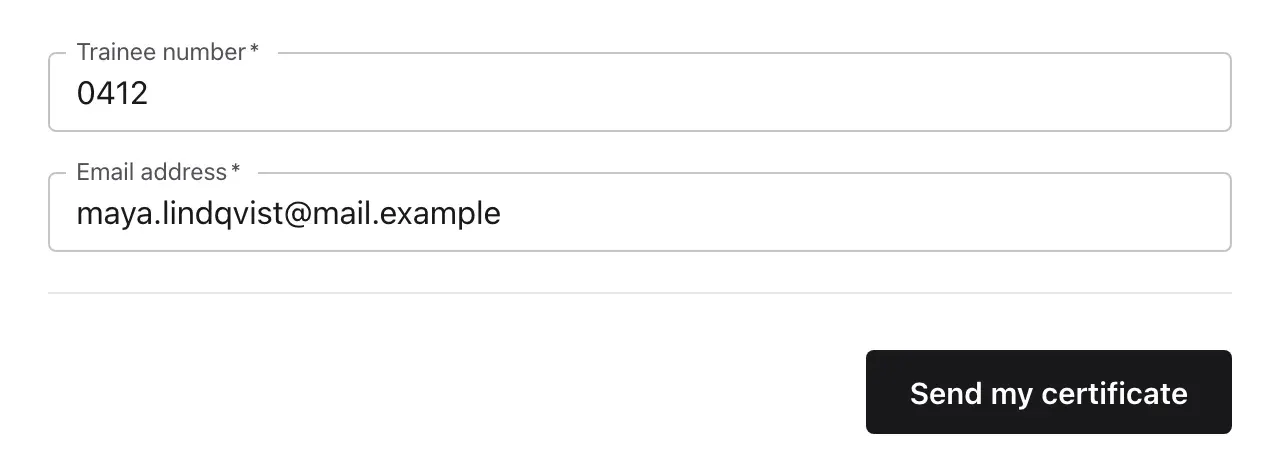
The form “Get your certificate” asks for the trainee number (
trainee_number) and the email address (email), both required. Its link goes on the course page and into the last email of each course, and the success message tells people to check their inbox.
The Excel list stays on the drive
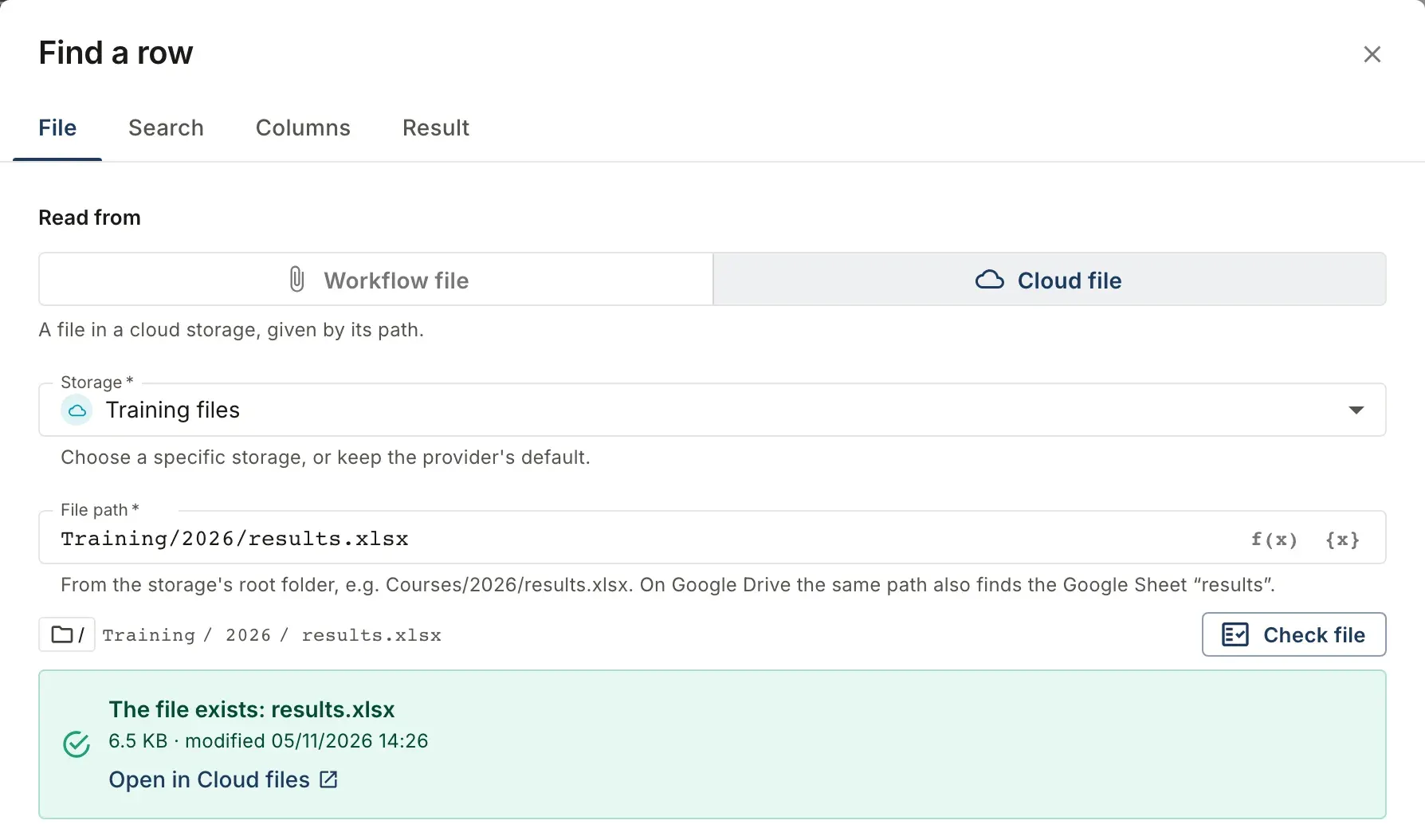
Results live in
Training/2026/results.xlsxon a connected Google Drive, with the columns Trainee number, Email, Full name, Course, Exam date and Score. The office goes on working in that file. Nothing is imported, and each request reads the list as it stands at that moment.
A certificate template in Word
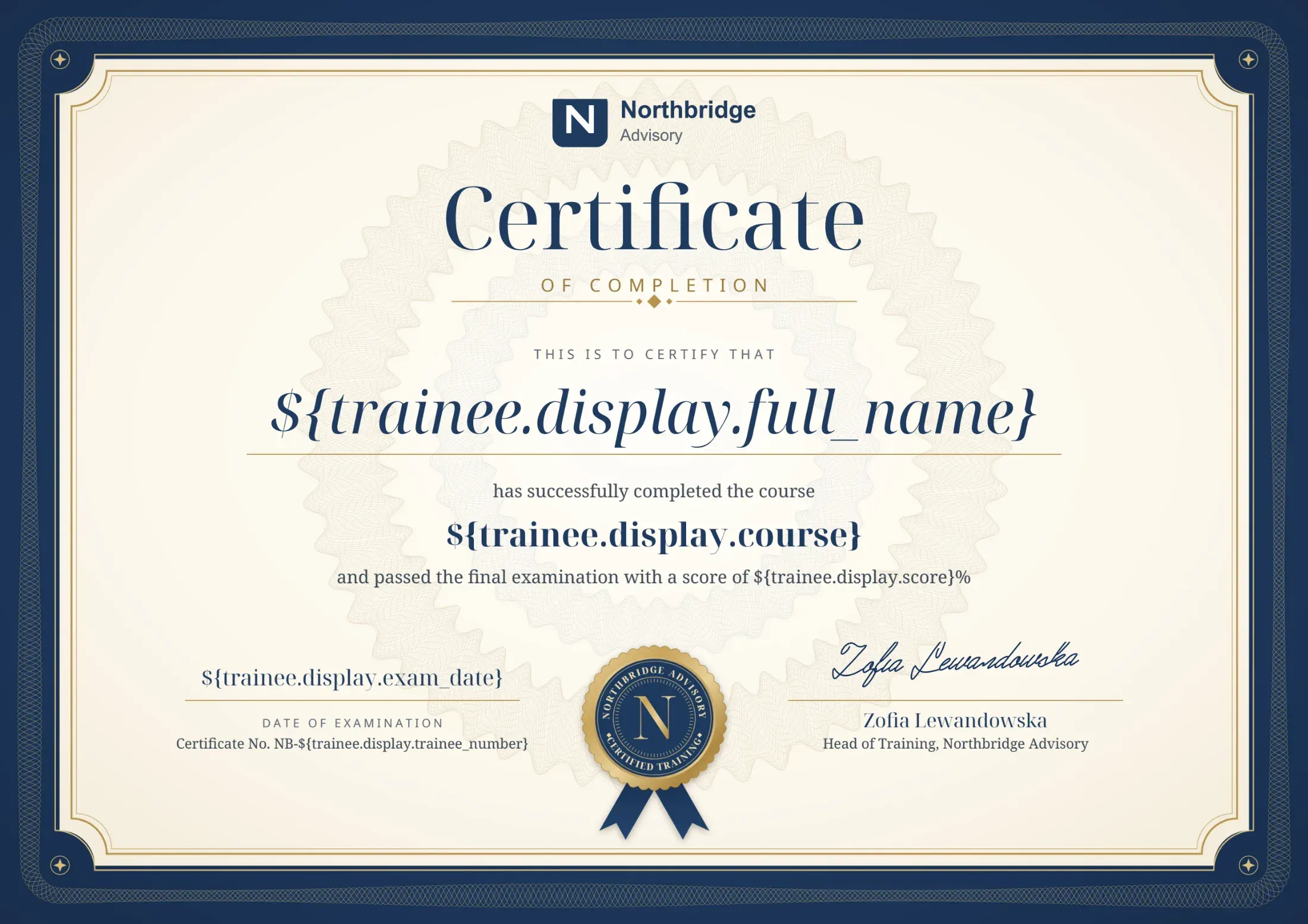
Northbridge types markers into its own Word file:
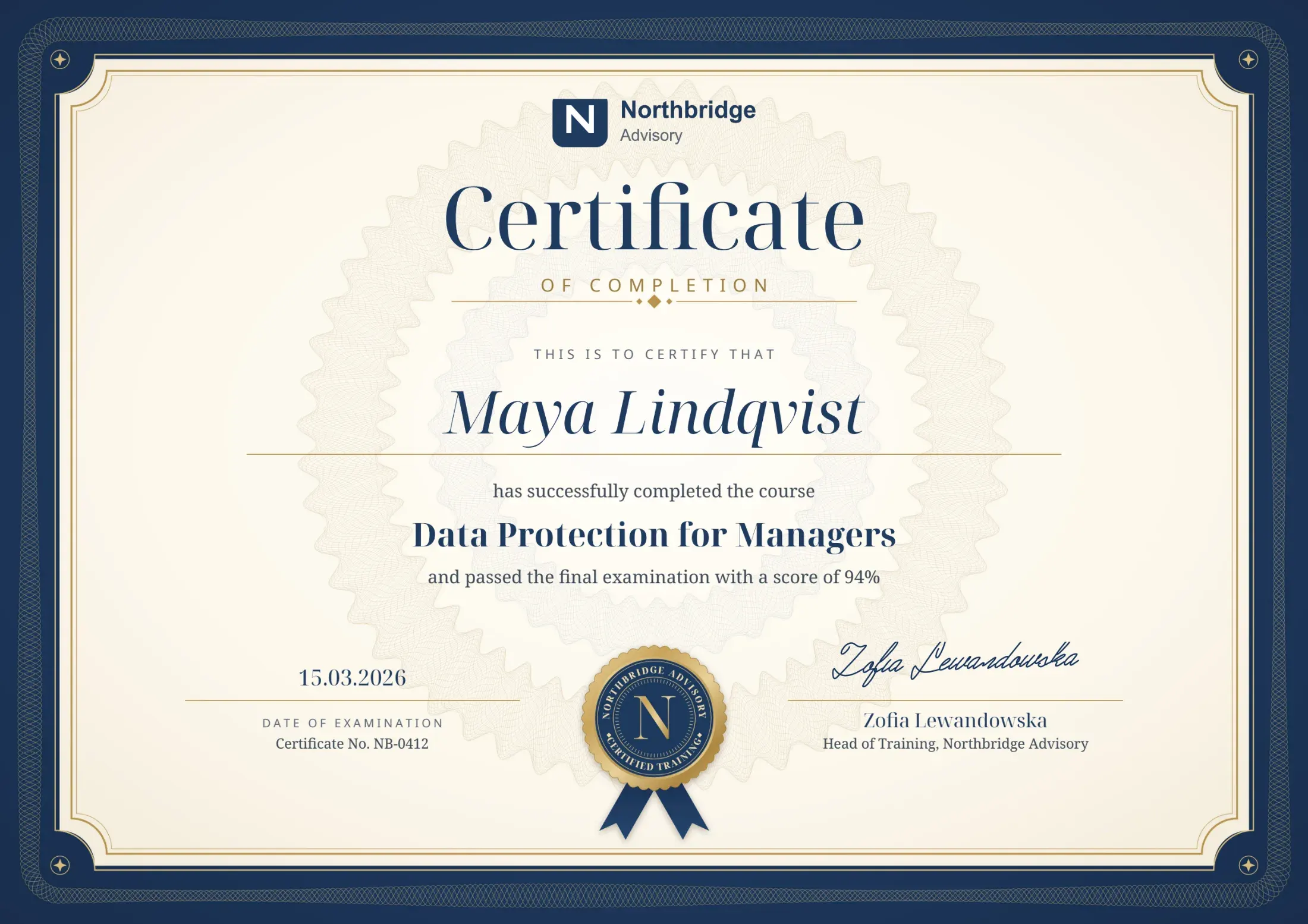
${trainee.display.full_name},${trainee.display.course},${trainee.display.exam_date},${trainee.display.score}and${trainee.display.trainee_number}. The frame, the seal, the logo and the signature of the Head of Training stay as they were designed. The date comes out written for people, as 15.03.2026, and Find a row pads the number back to four digits, as 0412.
A workflow that looks for the row
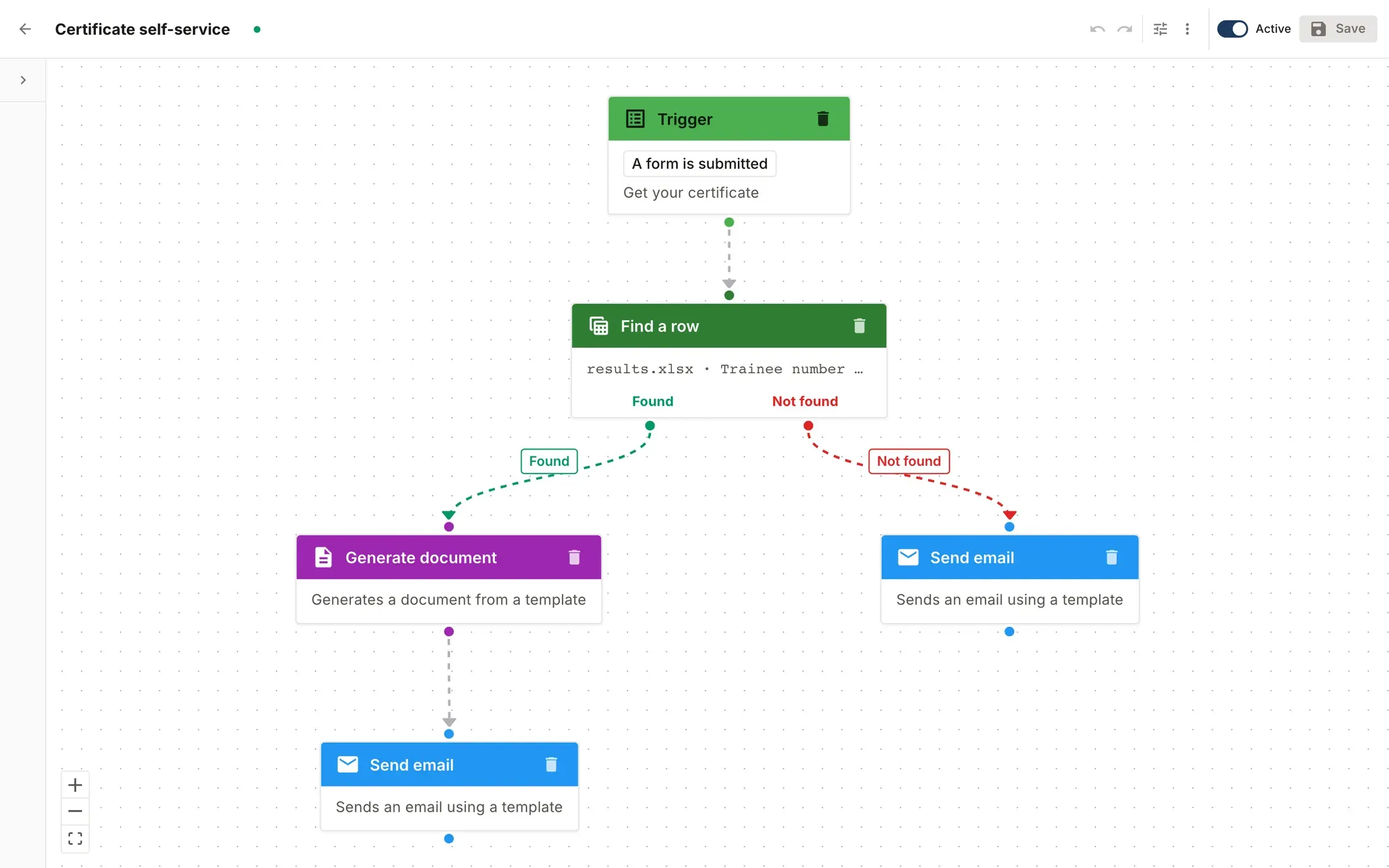
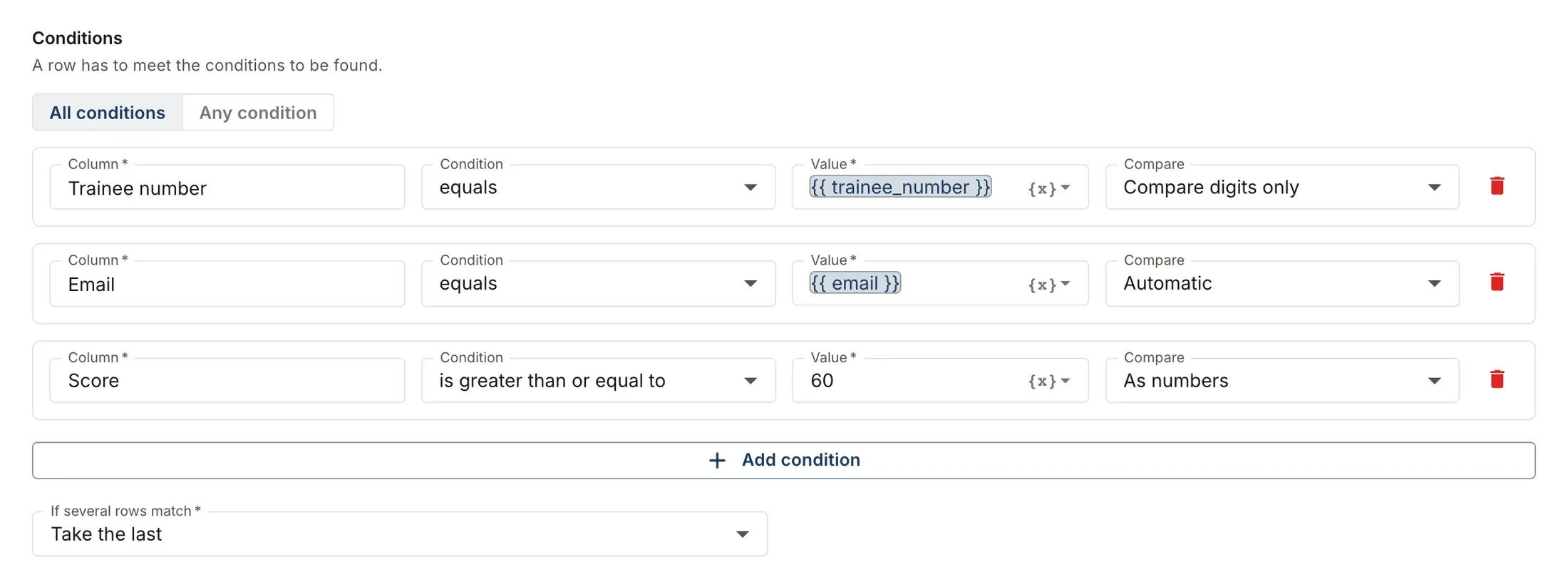
The trigger A form is submitted leads to Find a row. A row has to match three conditions: the number, with Compare digits only so a zero that Excel dropped does no harm, the email, and a score of at least 60. For someone who retook the exam, Take the last gives the newest pass.
Found: the certificate goes out
Generate document fills in the template and names the file
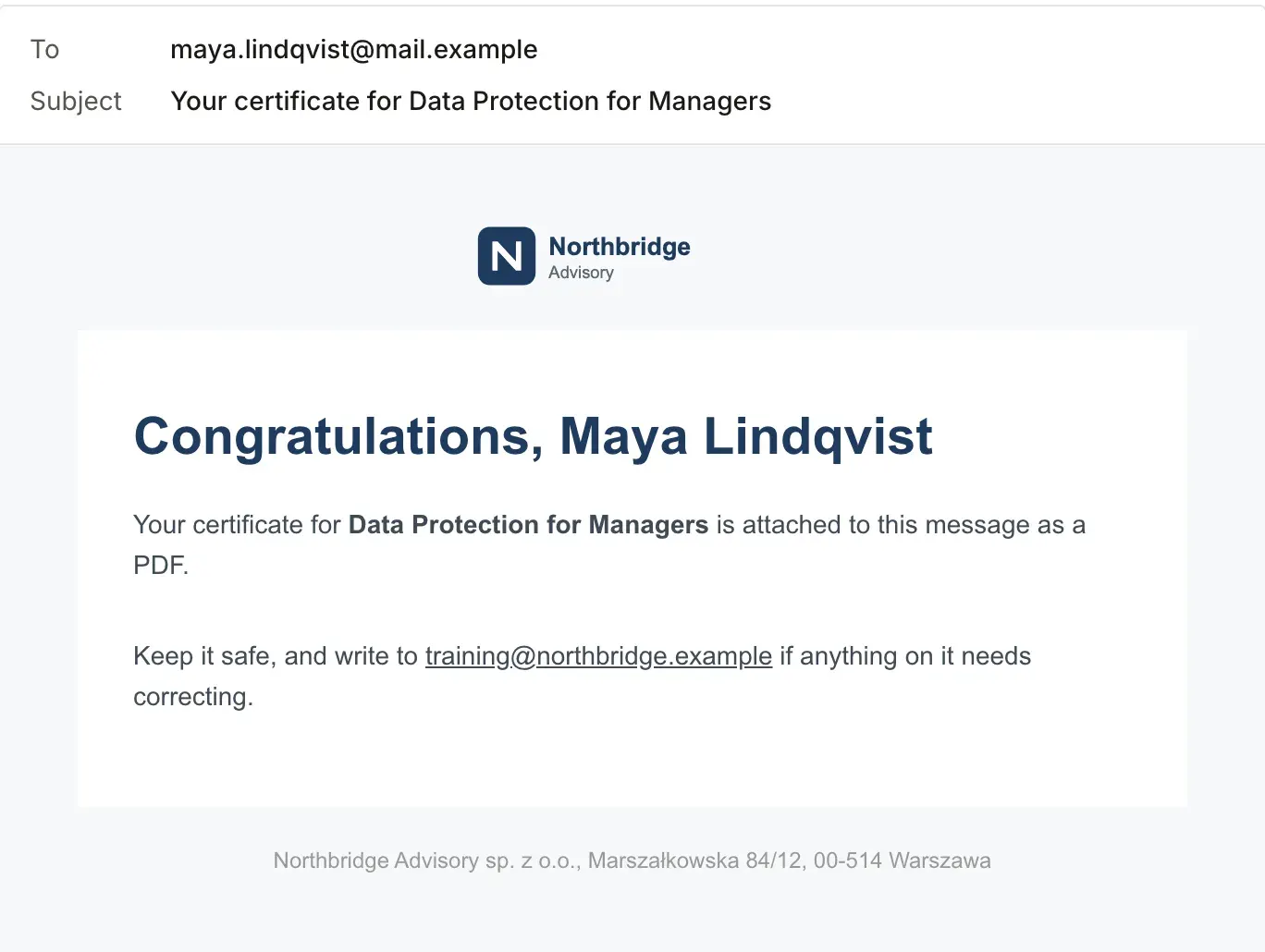
Certificate-{{ trainee.display.full_name }}.pdf. Send email attaches it and sends it to{{ trainee.row.email }}, the address from the list.Not found: a polite reply
A second email goes to the address typed on the form. It says no passed exam was found for those details and how to reach the office, which gets a copy in CC. It reveals nothing about who is on the list.
What Northbridge gets
Maya Lindqvist finished her course in March and needs proof for a new job. She fills in the form on a Sunday evening, and moments later the PDF is in her inbox. On Monday the office deals only with the requests the list could not answer, and a copy of every certificate waits under Generated files.
What you set up once
- A connected Google Drive, OneDrive, SharePoint, Dropbox or Box, with your list on it
- A short form that asks for a number and an email address
- A certificate template: your Word file with markers
- An email integration, and two email templates: one with the certificate, one for “not found”
- A workflow that connects them, with the search set to your columns
Ways to adapt it
- A different certificate for each course
- Put a Switch on
trainee.row.courseafter the Found output, with one Generate document step per course. - A designed diploma
- Draw it in Figma or Illustrator and use it as an SVG template, with a QR code if you like. SVG templates come with the Starter plan and above.
- A record of what was issued
- Add Write to a sheet after the email, and each certificate gets a row on an “Issued” tab of the same file.
- A new list every year
- The file path can hold variables:
Training/{{ _execution.date | first(4) }}/results.xlsxfollows the year on its own. - The form on your website
- Embed it on the course page with a script, an iframe or the WordPress plugin.
- A certificate that can be checked
- Send the certificate for signing in a package instead of attaching it, and the sealed copy gets a short link and a QR code. Anyone who receives it can check it without an account.
Questions people ask
Will Doxtly see a sheet I already have on Google Drive?
It depends on the connection. One that covers only the files added through Doxtly can’t see a file put straight on the drive. Upload the sheet once on the Cloud files page, and your team goes on working in that copy.
Can someone get another person’s certificate?
They would need both the number and the email address on your list, and the PDF only ever goes to the address on your list. To keep bots away as well, add reCAPTCHA and rate limits to the form.
Does this work with Google Sheets, or only with Excel?
Both. Doxtly reads XLSX, old .xls, ODS, CSV and TSV files from Google Drive, OneDrive, SharePoint, Dropbox or Box, and Google Sheets from Google Drive. It cannot read password-protected workbooks, so save a copy without the password first. One file can be up to 25 MB.
What happens when we correct something in the list?
The next request sees it, because every run reads the file again. There is no import to repeat. Your change only has to be saved on the drive.
Excel removed the leading zeros from our numbers. Is that a problem?
No. With Compare digits only, a graduate who types 0412 still finds the cell that holds 412. The same setting ignores spaces and dashes. To print the number with its zeros, set the column to Text on the Columns tab and pad it with zeros.
Is a certificate made this way signed?
It is a PDF from your template, so a stamp or a signature image in your Word file prints like the rest of the page, but it carries no electronic signature. For that, add a signing step, which puts a person back in the loop. Diplomas that must follow a form set by law, such as state school certificates, are not a job for this workflow.
Can I see who asked and what was sent?
Yes. Each request is a run marked as found or not found, each message is under Sent emails, and with Save in application on, each PDF stays under Generated files for you to download.
Does the plan limit how many certificates I can issue?
Each plan has monthly limits. One request counts as a form submission, a workflow run and an email, plus a generated document when the row is found. The Free plan is enough to build and test all of this. Pricing shows the current limits.
Features behind it
In the manual
Start with one document.
Take the contract you retype most often and turn it into a template. The Free plan is enough, and you need no card.