
Contracts that write themselves from your own template
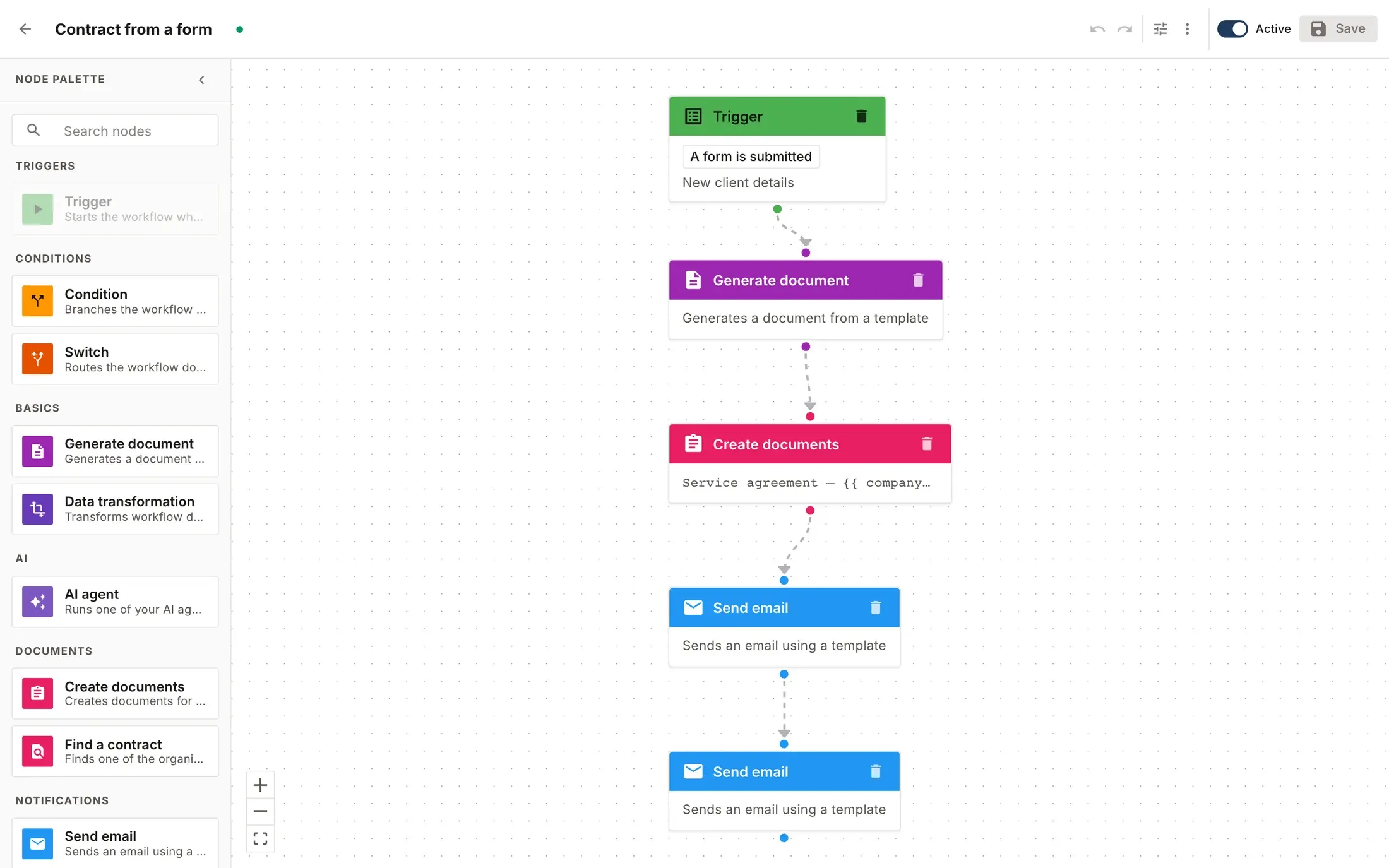
A new client fills in your form, and moments later they have a service agreement to sign, with their details already in it. Nobody on your team retypes a name, and a partner countersigns from the same package.
Copy, paste, and hope page four is right
Someone opens last month’s agreement, saves it under a new name and starts typing over it. It works until the old client’s name survives in a footer, or the fee stays from a different deal.
The contract is the same every time except for a few values. Those values already exist in the form, the email or the CRM they came from, so typing them again is the only part of the job that can go wrong.
How it runs
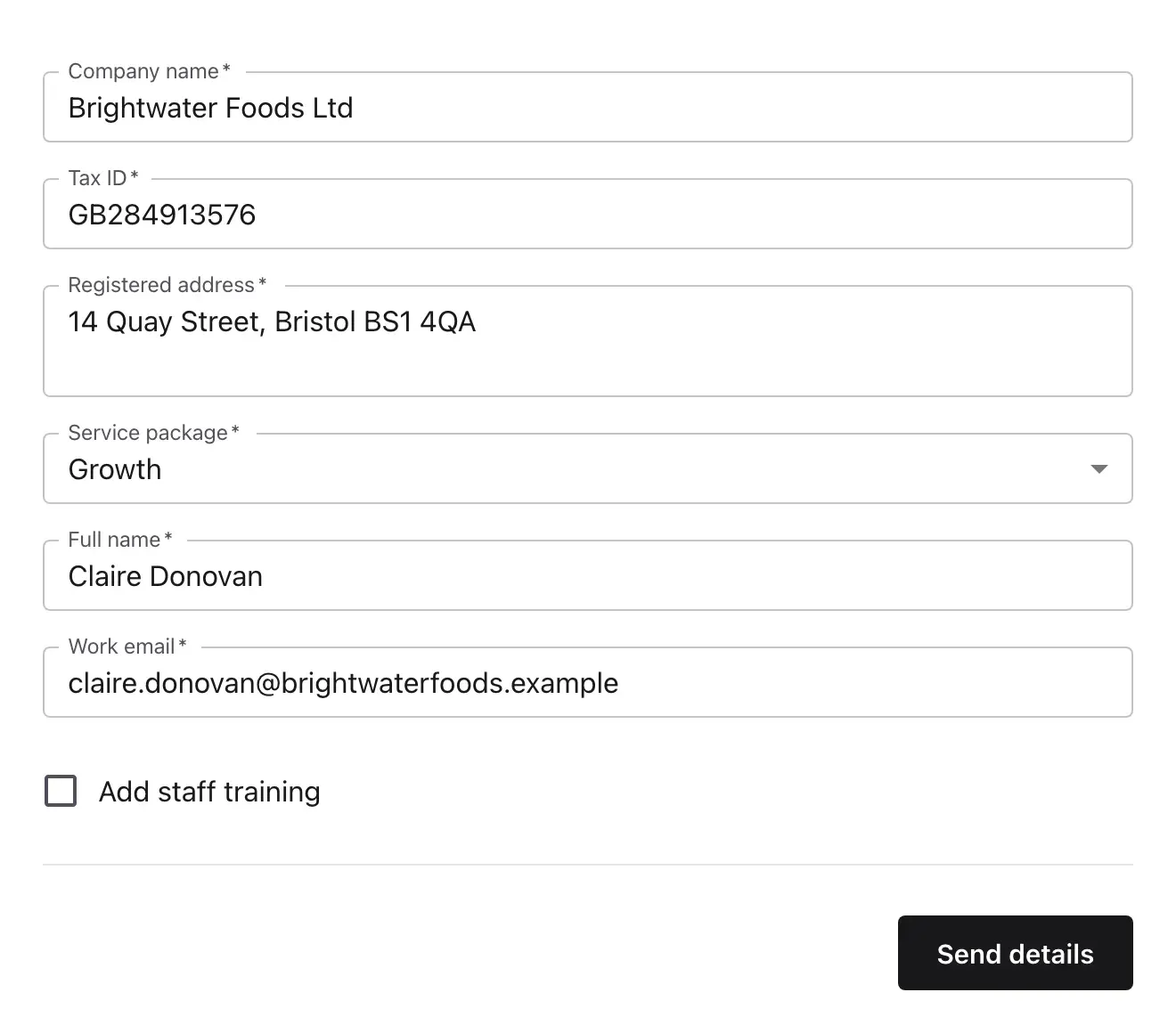
The client fills in your form
Company name, tax ID, contact person, whatever the contract needs. They do it on a link or on your website, where a WordPress plugin can place the form.
The workflow writes the contract
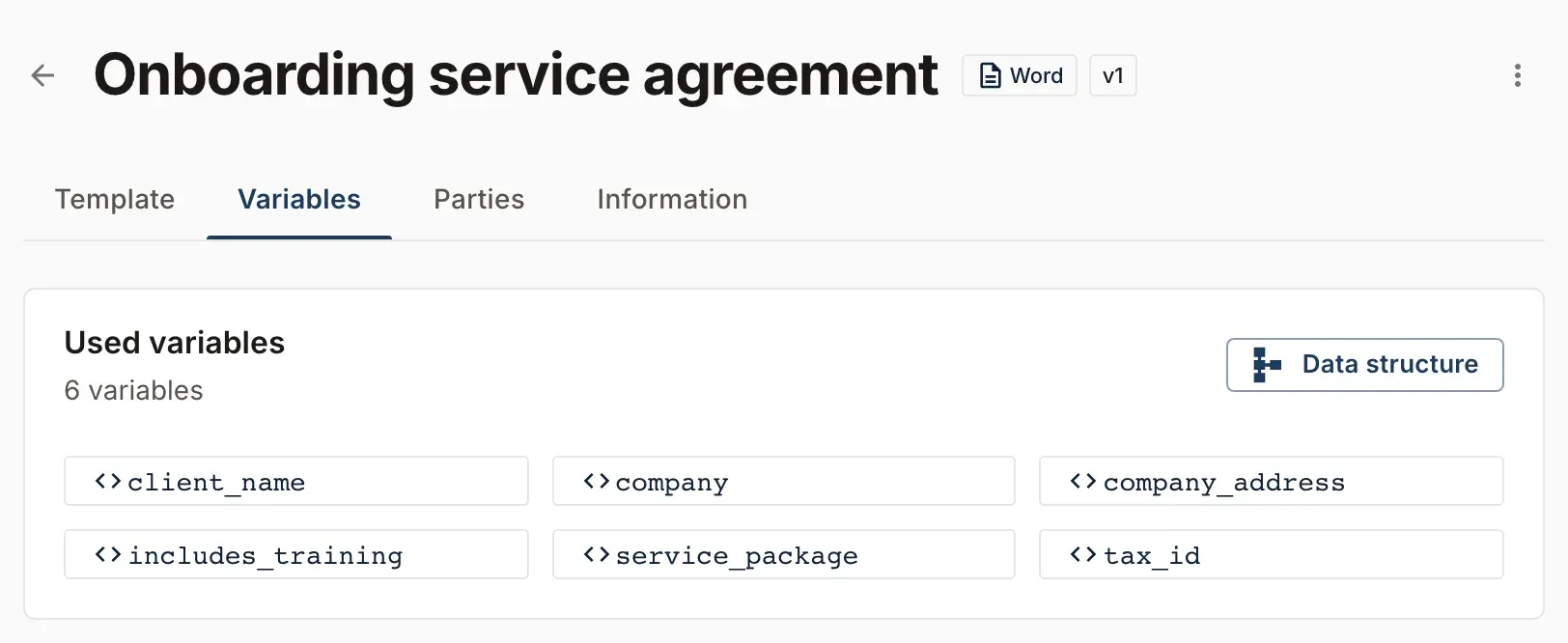
Generate document writes the contract from your Word template. A form field called
client_namelands wherever your file says${client_name}.
Each party gets a signing link
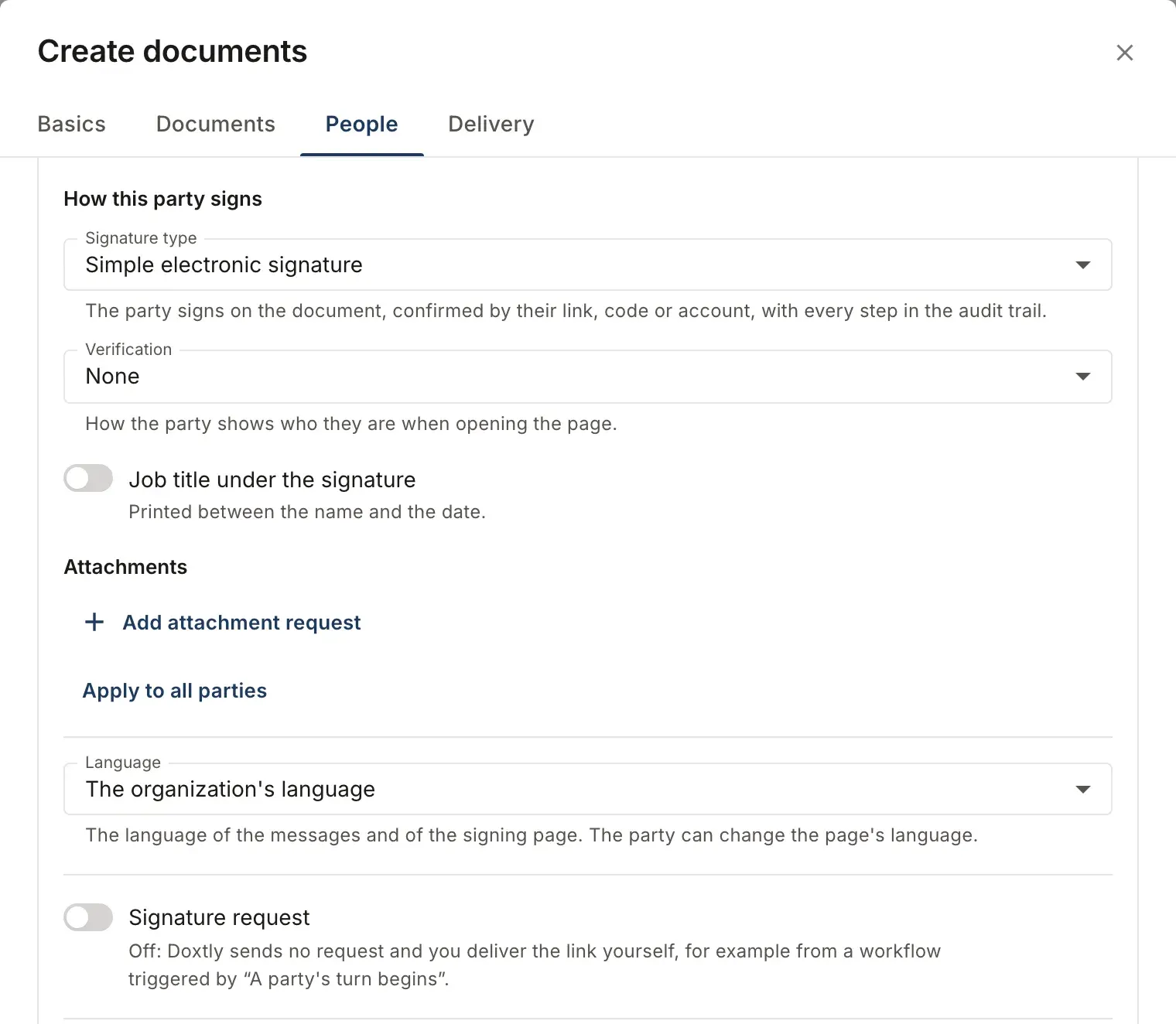
Create documents makes that contract a signing package, and your email steps deliver one link per party. Signature request is off for both parties on the step’s People tab, so those emails are the only ones they get. The client can also go straight from the form to the signing page.
You see where it stands
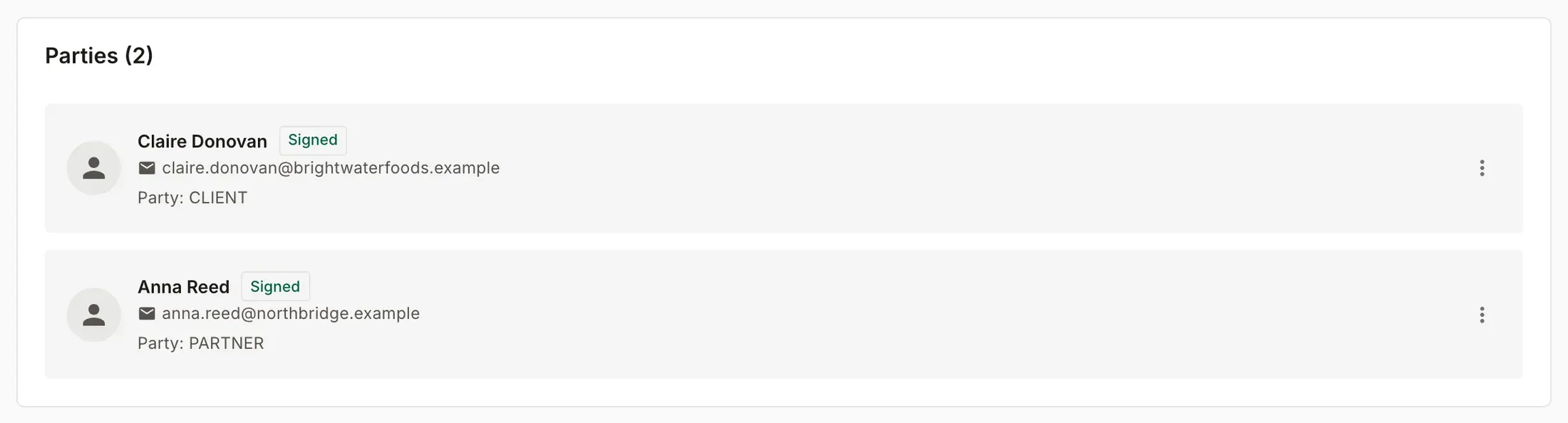
The package shows who has opened it and who has signed. Whatever waits on you appears on your dashboard.
The last signature seals it
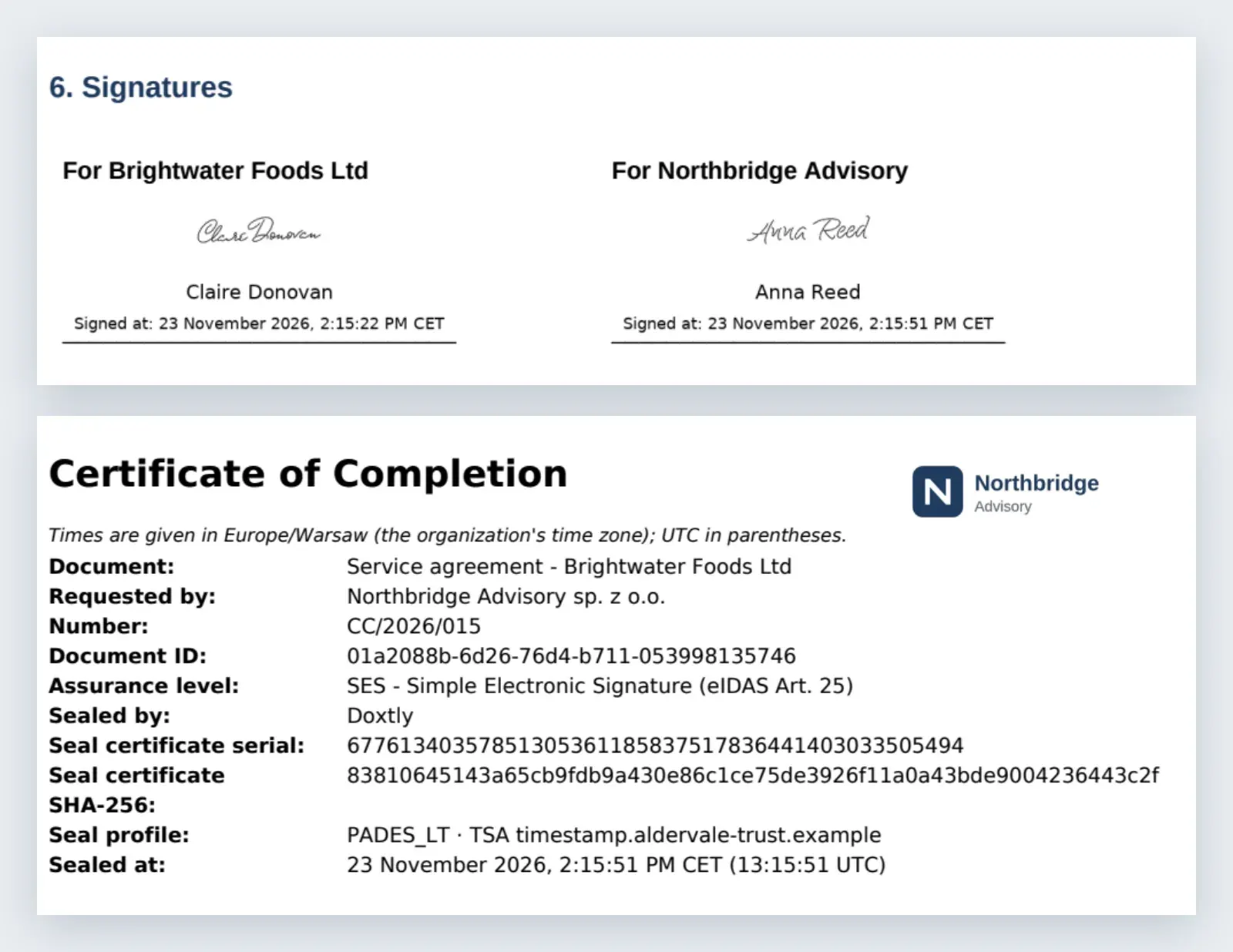
The PDF gets its seal and a Certificate of Completion. A further workflow can then file it on your drive or tell accounting.
What you set up once
- A form that collects what the contract needs
- A template: your Word file with markers, or a PDF with areas drawn on it, which goes straight to Create documents
- A document type, such as “Client contracts”
- An email integration, and a template for each signing email
- A workflow that connects them
Ways to adapt it
- Different contracts for different clients
- Put a Condition or a Switch before the signing step, for instance on the fee. Or keep one Word template with optional clauses, and let the numbering follow.
- A stricter identity check
- Ask for a one-time code by email, SMS or WhatsApp before signing.
- Started by your CRM
- Replace the form with a webhook, so a deal marked as won sends the agreement.
- A deadline and reminders
- Give the package a deadline on the Create documents step, and up to five reminders that go out after sending or before the deadline. If somebody has lost the message, Send the signing link again on the package page sends it once more.
Questions people ask
Can I keep my contract in Word?
Yes. You type markers into your file and upload it, or keep it on a connected Google Drive, OneDrive, SharePoint, Dropbox or Box, where Doxtly picks up each new version.
What if the client makes a typo on the form?
If the form allows editing, you can correct the submission, with the change on record. If the contract already went out, run the workflow again to create a fresh package.
Is the contract legally valid?
A Doxtly signature is a simple electronic signature with evidence recorded, which suits NDAs, service agreements and order confirmations. A party can also sign with a qualified certificate of their own, for a contract the law requires in written form. For anything high-stakes, ask your lawyer.
Does the plan limit how many contracts I can make?
Each plan has a monthly number of generated documents, signature packages and workflow runs. A document that failed to generate does not count. Pricing shows the current limits.
Start with one document.
Take the contract you retype most often and turn it into a template. The Free plan is enough, and you need no card.