
Generate PDF documents from your own system, by API or webhook
Your CRM, shop or booking system already holds the data. Send it to Doxtly, and your own template becomes a finished PDF, handed back in the API response or emailed to your client by a workflow. Nobody retypes a thing.
The data is in your system, and someone still retypes it
Take Northbridge Advisory, the training firm we use as an example. Its courses are booked and paid for in a booking system its own developer built. Every paid order needs a confirmation for the buyer’s accounts team: the course, the date, the participants and the amount.
The booking system can’t produce a decent PDF, so someone in the office copies each order into a Word file, saves it, attaches it and sends it. On a busy Monday the orders wait until the afternoon, and a misspelled participant comes back as a phone call.
The developer could build PDFs into the booking system, but then every change of wording becomes a programming job. Northbridge wants the office to keep looking after the document in Word, and the system to send nothing but the data.
How Northbridge built it, step by step
The office turns the confirmation into a template
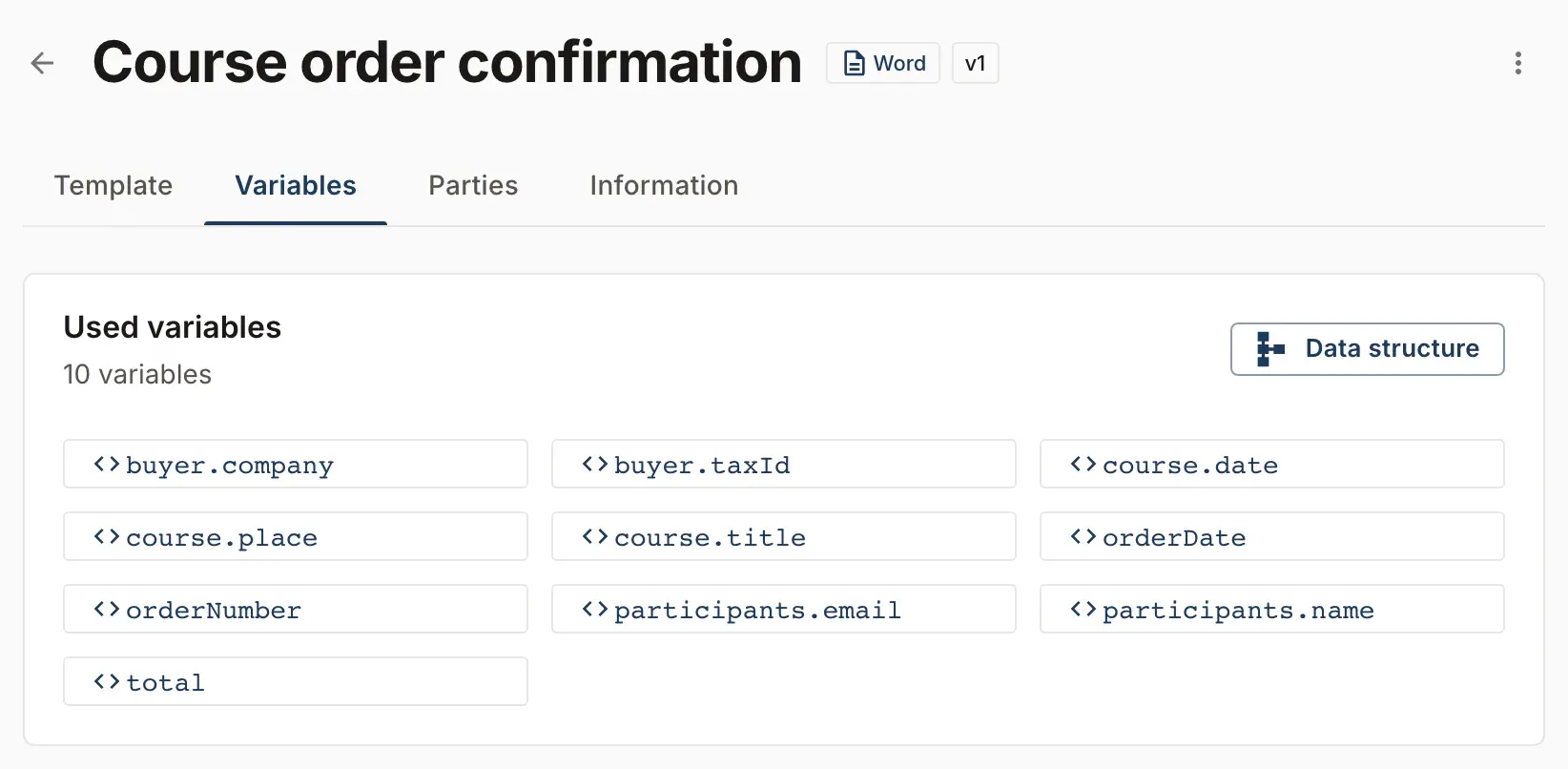
They type markers into their Word file where the details change, such as
${buyer.company}, plus one table row with${participants.name}that repeats for every participant. Then they upload it as a Word template. From now on, new wording is a new upload and the code stays as it is.
They create a webhook for paid orders
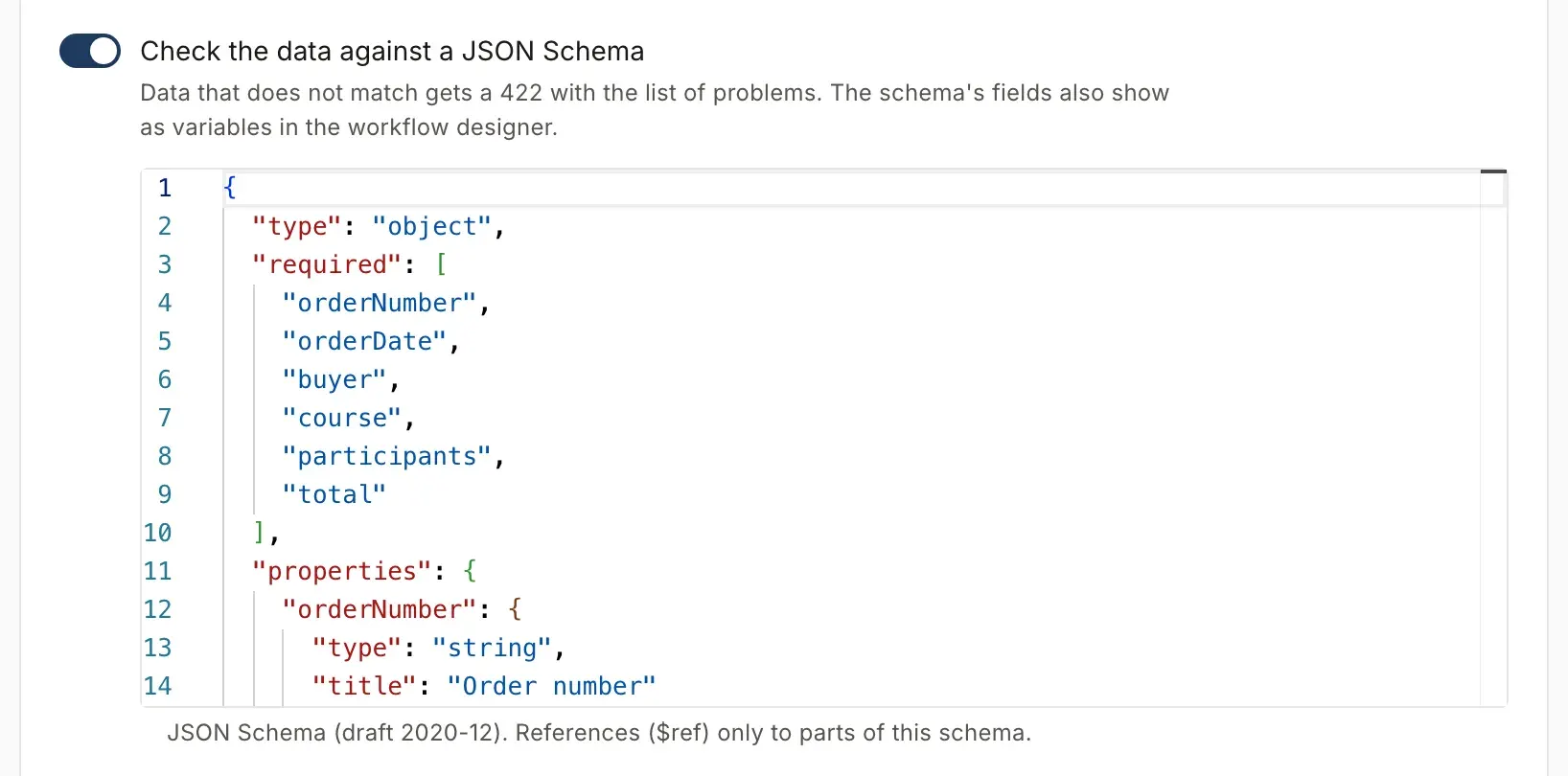
A webhook is a private address that another system sends data to. Course orders gets its own address and a secret token. They paste in a JSON Schema describing an order, so a request with a field missing is refused with a list of what’s wrong, and the order’s fields show up by name in the workflow designer.
They build the workflow
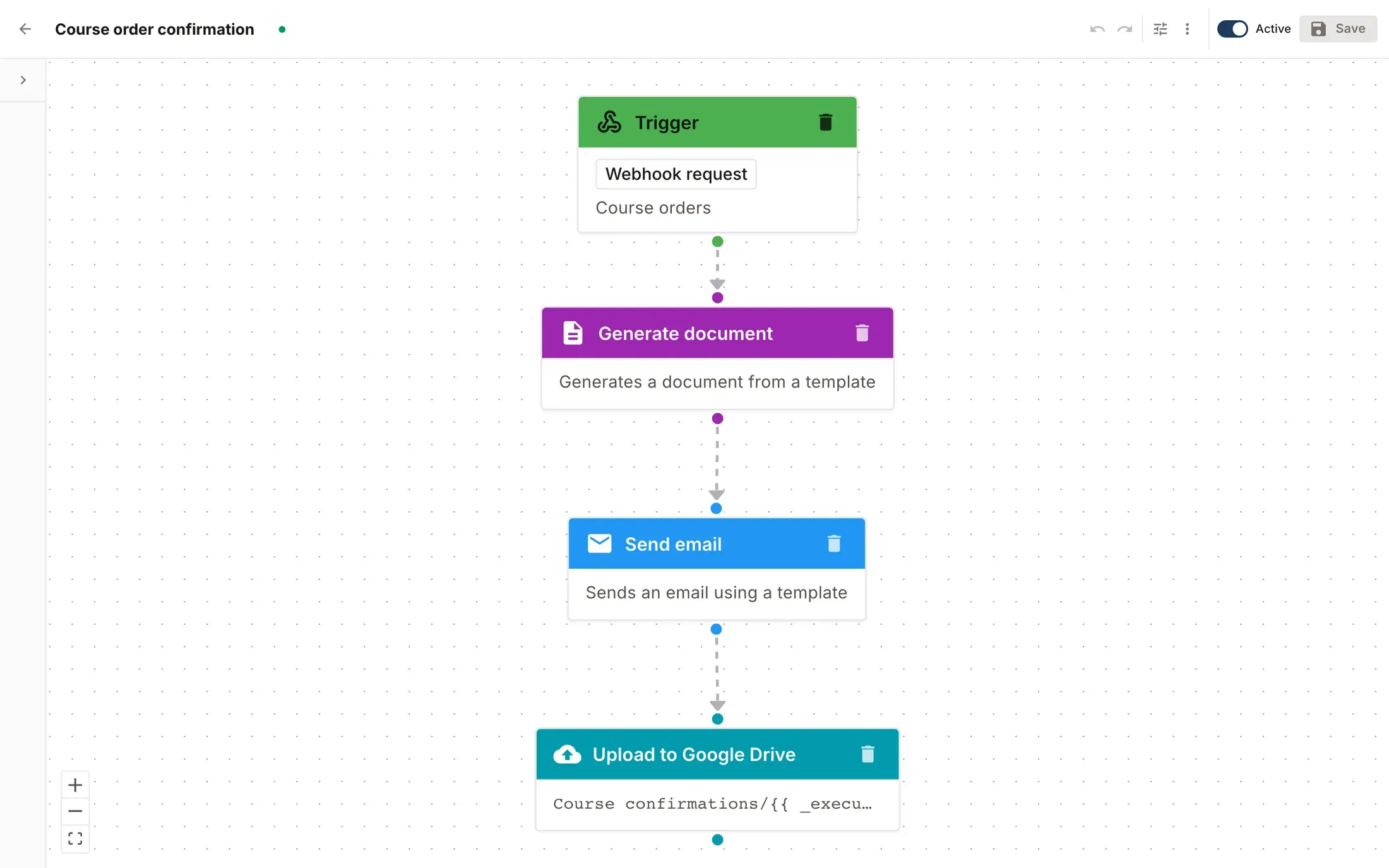
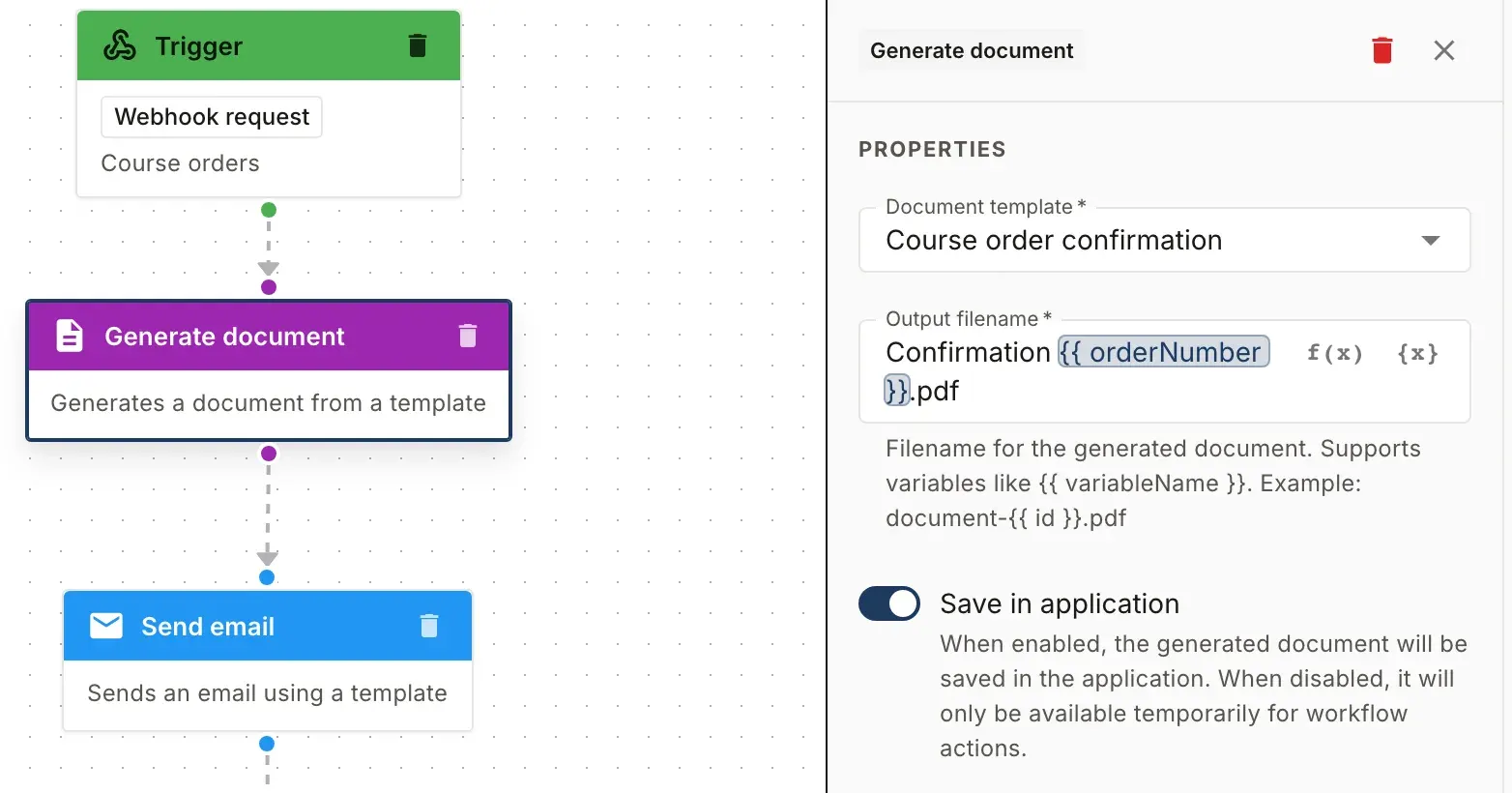
The trigger is Webhook request on Course orders. Generate document fills the template and names the file
Confirmation {{ orderNumber }}.pdf. Send email goes to{{ buyer.email }}with the PDF attached, and Upload to Google Drive files a copy under the month.
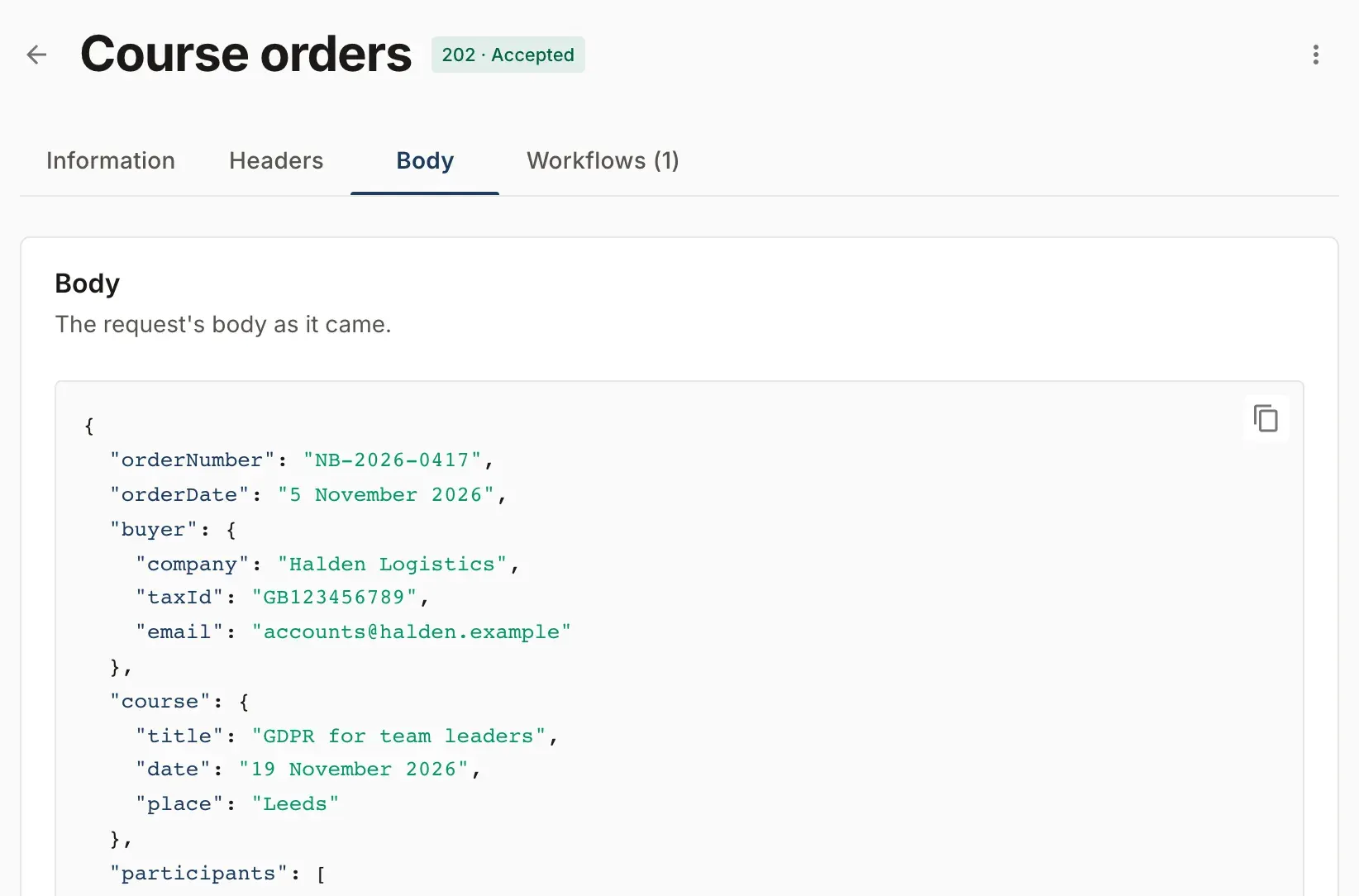
The booking system sends each paid order
The developer adds one request at the moment of payment: a
POSTto the webhook’s address, with the token in a header and the order as JSON. Doxtly answers202straight away and the workflow runs after that. AnIdempotency-Keyheader such asNB-2026-0417-paidmakes a repeated call harmless, so a network hiccup can’t send a buyer two confirmations.
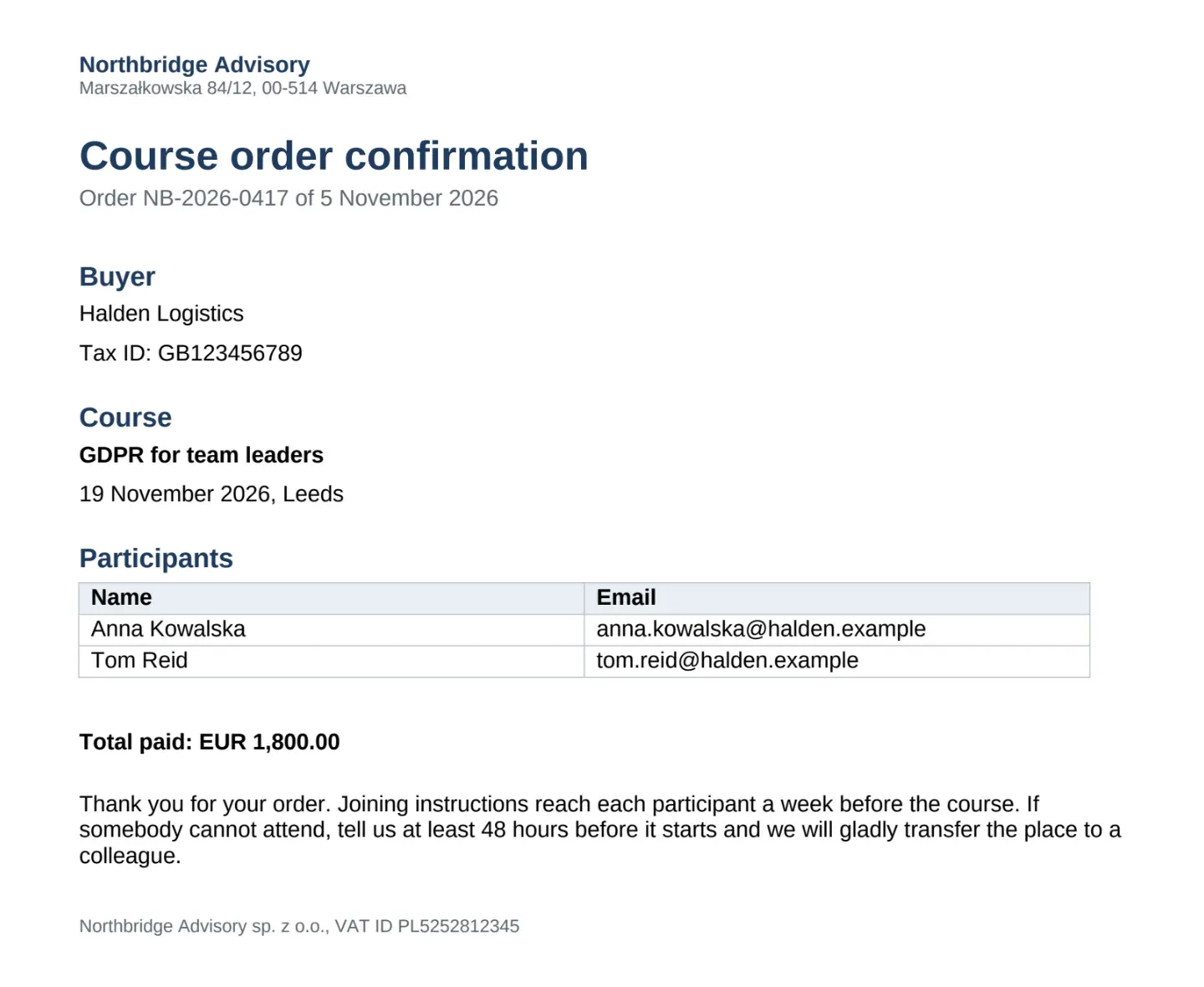
The buyer has the PDF, and the office has the log
A paid order now means a confirmation in the buyer’s inbox and a copy on the drive, with nobody in the office involved. Every call is on the Requests tab with what it brought, how it was answered and the run it started.
Staff get a copy on demand through the API
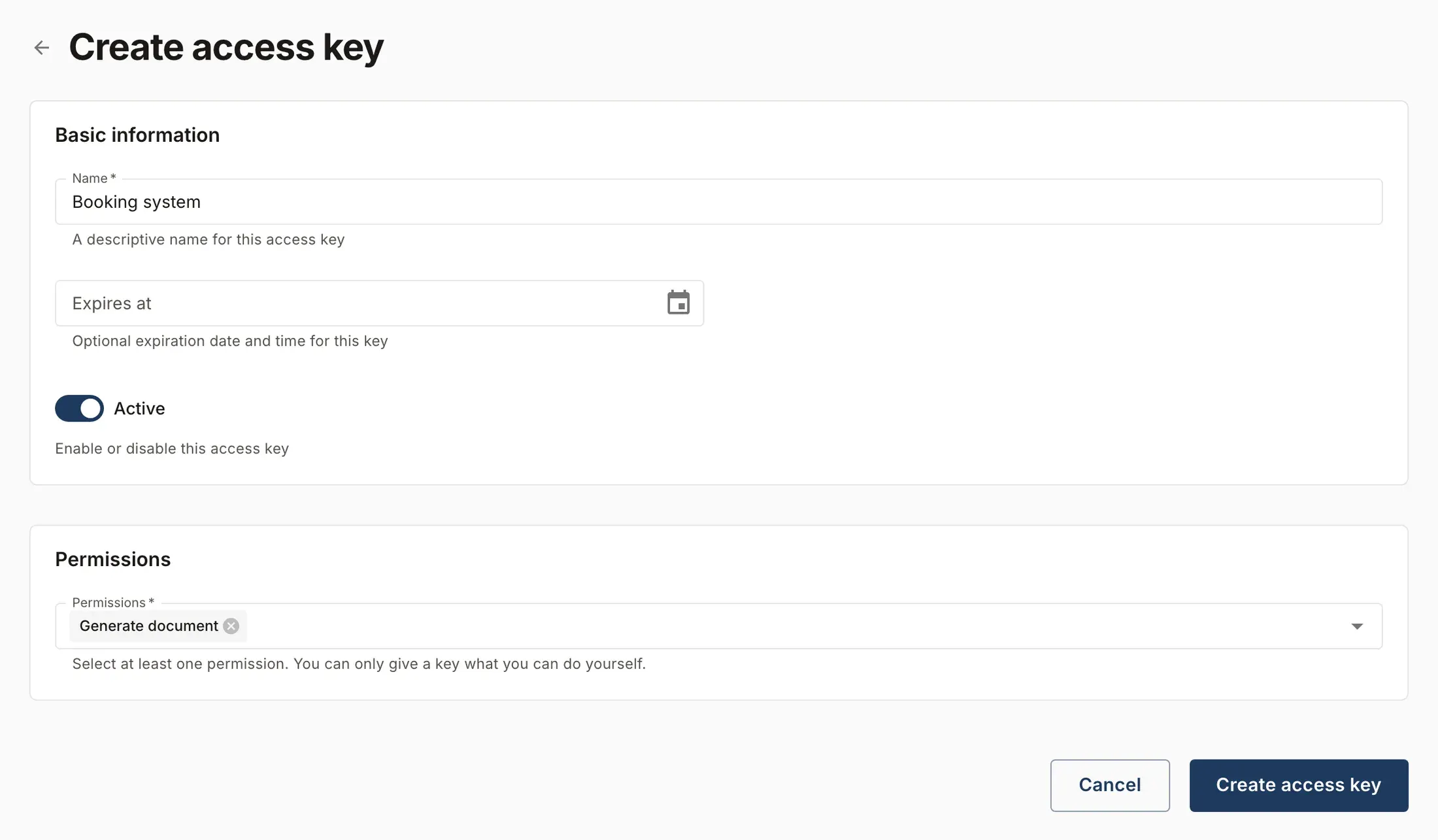
Sometimes the file is needed on the spot, for a Download confirmation button on the order screen. An access key holding only the Generate document permission lets the booking system call
POST /v1/generatewith the template’s ID and the same data. The response is the PDF itself.
What you set up once
- A template: your Word file with markers, or a PDF with areas drawn on it
- A webhook, with a JSON Schema of the data your system sends
- An email integration, and an email template for the message
- A workflow that connects them, and a Google Drive integration if you keep copies there
- For direct API calls, an access key with only the permissions it needs
API or webhook, and other ways to run it
- Choose the API when you need the file back
- The call waits until the document is ready and returns it, as a PDF or as base64 inside JSON. Your system decides what happens to it next.
- Choose a webhook when the document has further to go
- The caller only hands over the data. The workflow then emails, files or sends the PDF for signature, and you can change those steps without touching your system’s code.
- A shop or CRM instead of your own code
- Many programs can call a webhook from their settings, under a name like webhooks or notifications. If yours signs its requests, as GitHub and Shopify do, Doxtly can check the signature.
- A signature on the document
- Add Create documents after Generate document, and a won deal in your CRM can send the agreement out for signing.
- A locked PDF
- Set a password built from the data, such as the client’s number, in the workflow step or in the API’s
passwordfield.
Questions people ask
Should I use the API or a webhook?
Use the API when your system needs the PDF in the response, for example behind a download button. Use a webhook when the document should go somewhere after it’s made, such as an email or a drive. You can use both with one template, as Northbridge does.
Do I need a developer?
Someone has to point your system at Doxtly. If your shop or CRM has a webhook setting, that can be a few fields to fill in, and the webhook’s page gives you a ready curl command to test with. Calling the API from your own software takes a developer, and Calling a webhook is the page to send them.
Can a webhook send the PDF back to my system?
Not in its answer. A webhook replies as soon as it has taken the request, before the workflow runs. If your system needs to know the result, the workflow can call it with a Webhook step. If it needs the file itself, use the API.
What happens if my system sends the same order twice?
If the webhook call carries an Idempotency-Key header, a repeat within a day gets the first answer and starts nothing, so no second document goes out. The API has no such check: each call makes a new document.
What if a field is missing from the data?
A webhook with a JSON Schema refuses the request with 422 and lists the problems. The API answers 400 and names the missing variables. If a workflow step fails on missing data, the run stops there and people who may view workflows get a notification.
Which templates can I use, and what comes out?
Word and PDF templates work on every plan, and SVG templates from Starter up. All of them come out as a PDF.
Is the API included in my plan, and how many documents can I generate?
API access is on every plan, including Free. Each plan has a monthly number of generated documents and workflow runs, and a document that failed to generate doesn’t count. Pricing shows the current limits.
Does Doxtly keep the documents and the data I send?
You decide about the file. Through the API it’s kept only with persist: true, and in a workflow only with Save in application on. Without that, only a record of the generation stays. A webhook can also be set not to keep the content of its requests, though a workflow run keeps the data it received.
Features behind it
In the manual
Start with one document.
Take the contract you retype most often and turn it into a template. The Free plan is enough, and you need no card.