Access keys
An access key is how your own software proves it may talk to your organization’s data through the API. You might have one for the CRM that generates service agreements, another for the script that copies survey answers into your reporting tool, and a third for a partner’s system that starts a workflow through a webhook.
Available when: you hold View access keys (Manage access keys to create, change or delete them)
A key belongs to the organization, not to whoever made it. It keeps working when that person changes role, is deactivated or leaves, and the app keeps their name beside the key for information only.
Finding your keys
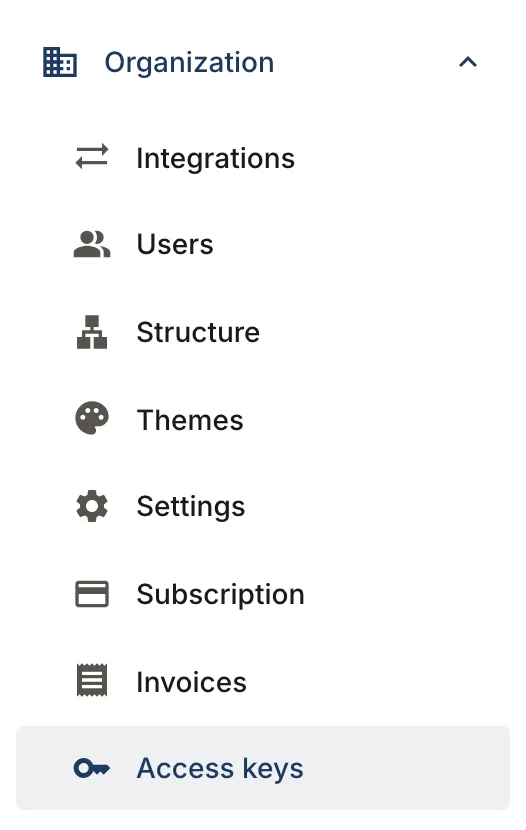
Section titled “Finding your keys”Open Organization → Access keys in the left menu. The entry is hidden if your role does not hold View access keys. The Access keys tile on the dashboard counts your keys and leads to the same list.
If there are no keys yet, the page says No access keys and offers New access key to whoever may create one. That button also sits at the top of the list, beside Download API description (OpenAPI), which saves the OpenAPI description of every operation a key can call. Both are there only for people who may manage access keys.
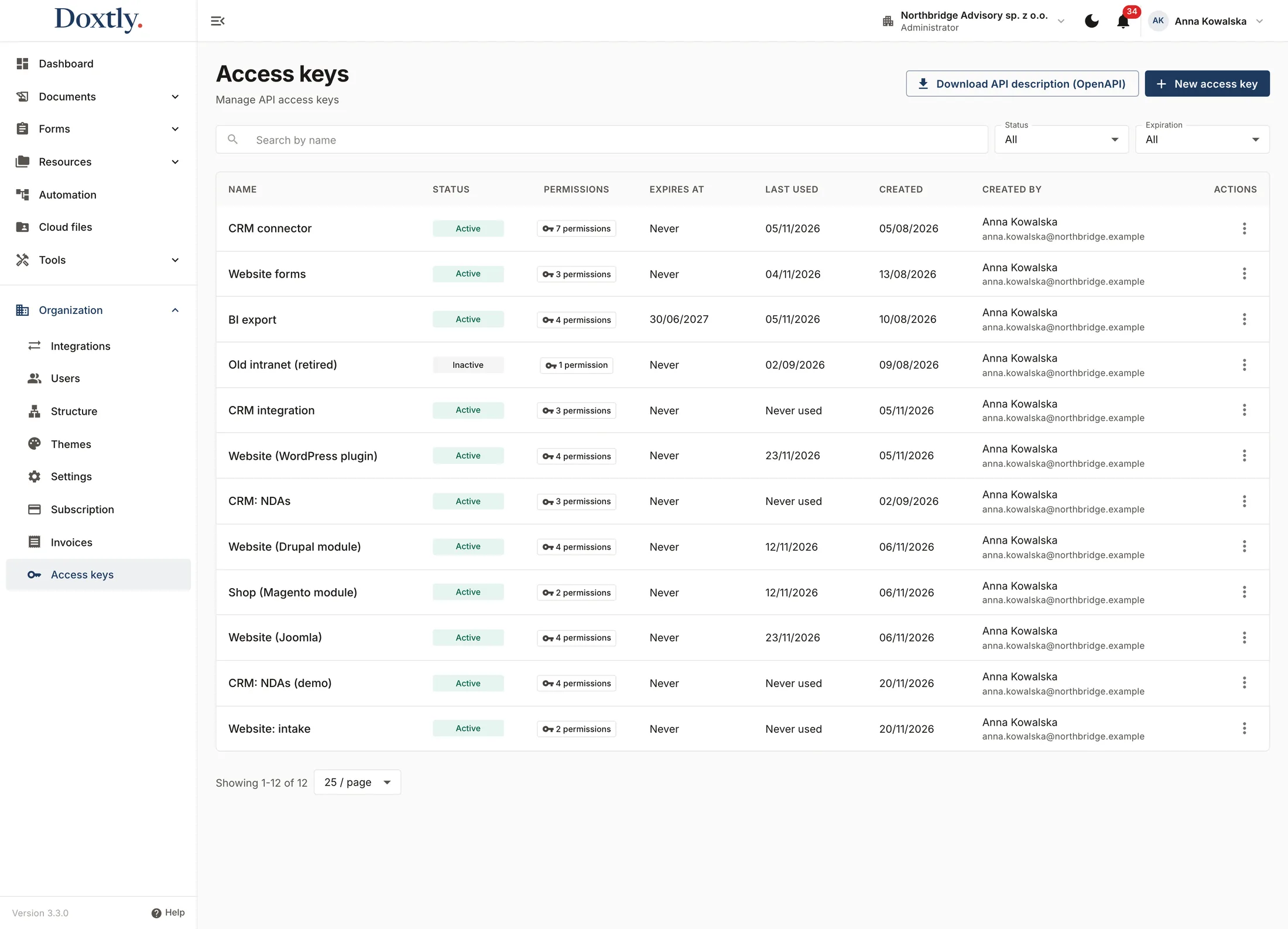
| Column | What it shows |
|---|---|
| Name | The name you gave the key. |
| Status | Active or Inactive, plus a red Expired tag once the expiry date has passed. An expired key can still read Active: the two are separate, and either one stops it. |
| Permissions | How many permissions the key holds. |
| Expires at | The expiry date, or Never. |
| Last used | When the key last signed in, or Never used. |
| Created | When the key was made. |
| Created by | The person’s name and email address as they were at the time. If their account is gone, the name stays, marked (account deleted). A dash means nobody is on record. |
| Actions | The menu of actions, for those who may manage keys. |
Click a column heading to sort. A second click reverses the order and a third clears it. Permissions, Created by and Actions do not sort. Under the list you choose how many keys a page shows: 10, 25 (the starting value) or 50. On a phone, the table becomes a list of cards with the same details, and there is no sorting.
Last used counts every call made with a working key and the right secret, including calls that were then refused because the key lacked a permission, and calls to webhooks where the key was accepted. A call with a wrong secret, or with a disabled or expired key, doesn’t count. The date is updated at most once a minute.
Filtering the list
Section titled “Filtering the list”
| Filter | Options |
|---|---|
| Search by name | Finds keys by their name. |
| Status | All, Active, Inactive. |
| Expiration | Not expired, Expired, All. |
Filters appear as chips under the bar. Remove one with its cross, or use Clear all, which also puts Expiration back on Not expired. If nothing matches, the page says No results and offers Clear all filters. Your filters, sorting and page live in the page address, so you can bookmark a view or send it to a colleague.
Creating a key
Section titled “Creating a key”Available when: you hold Manage access keys
-
Click New access key.
-
Enter a Name that says what the key is for, up to 100 characters. “CRM: service agreements” will mean more in a year than “Key 3”. Names don’t have to be unique, but you will want them to be.
-
Set Expires at if the key should stop on its own, or leave it empty for a key that never expires. The date and time must be in the future.
-
Leave the Active switch on, or turn it off to prepare a key now and enable it later.
-
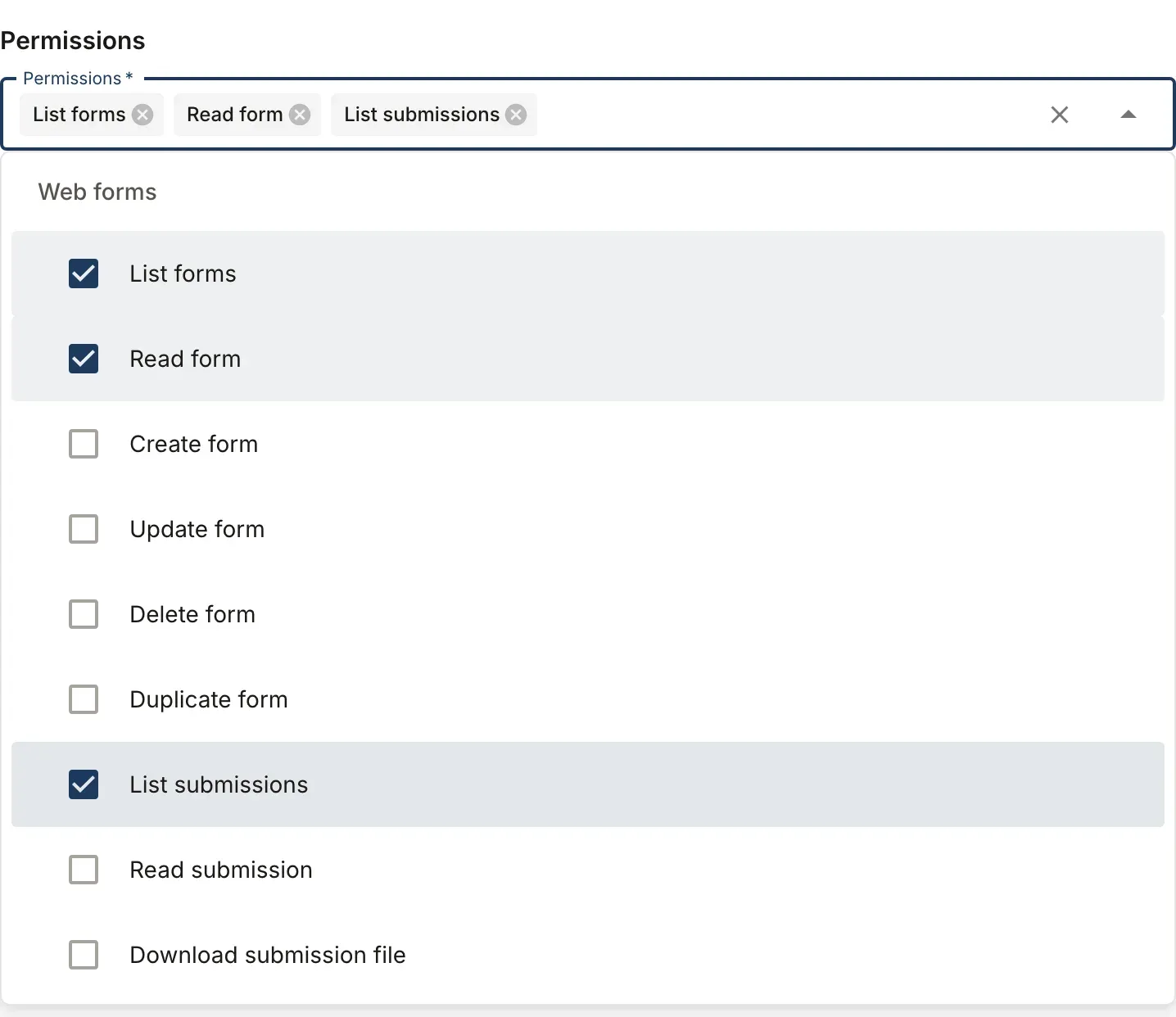
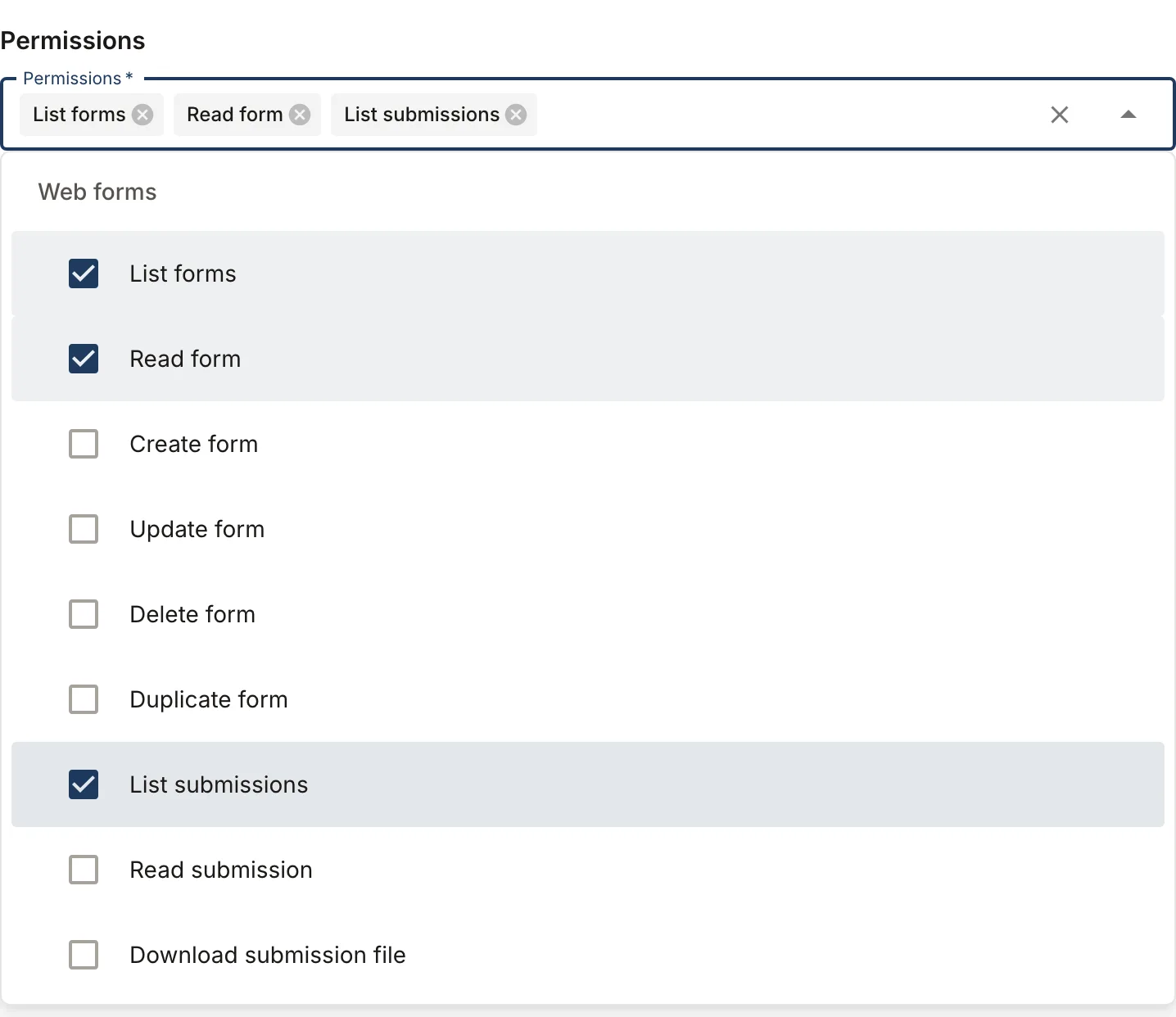
Under Permissions, tick what the key may do. You need at least one, and you can only tick what your own role allows. Options are grouped by area, and you can type to narrow the list.
-
Click Create access key.
-
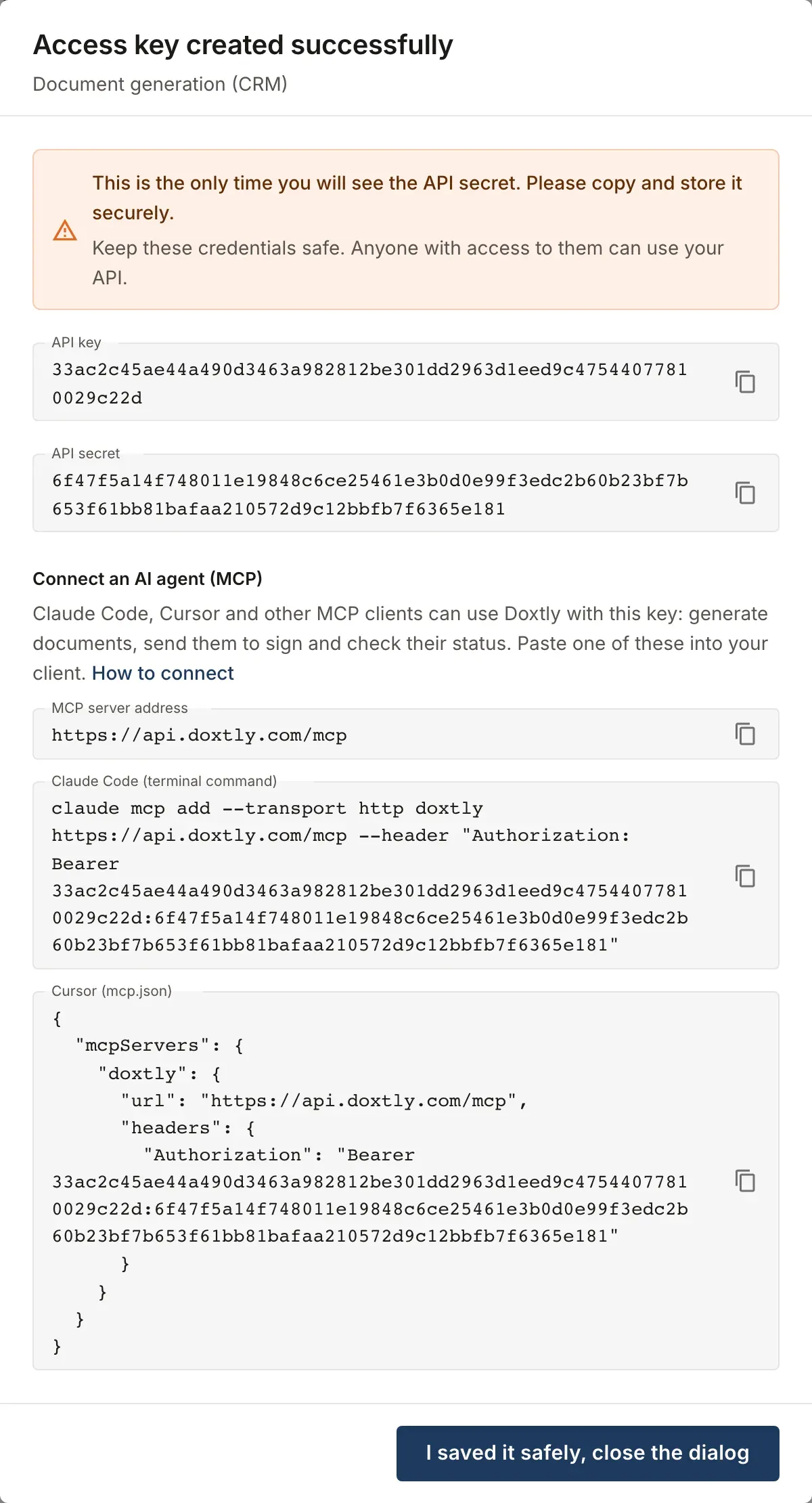
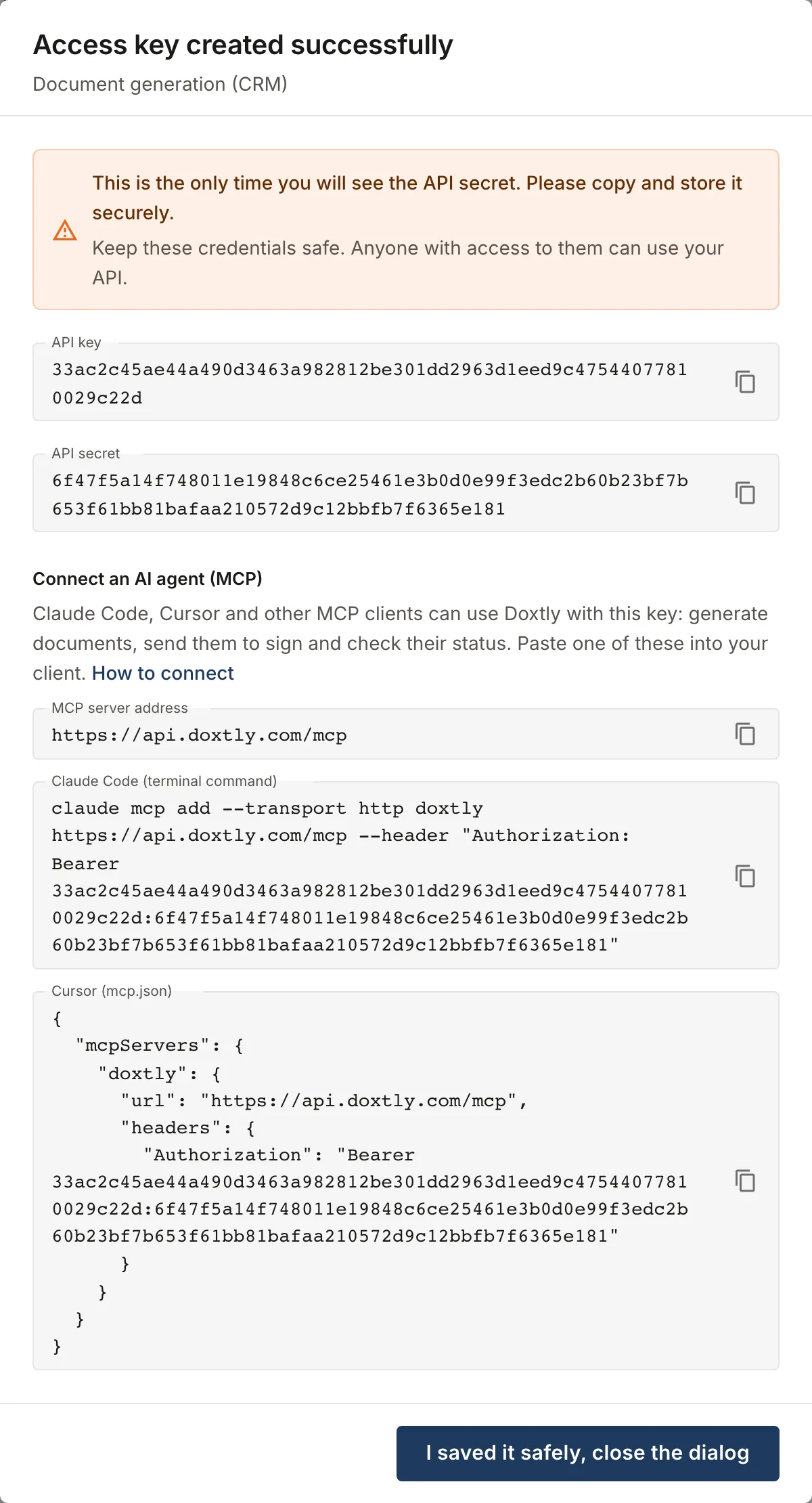
Copy the API key and the API secret, and put them somewhere safe. Below them, Connect an AI agent (MCP) has the MCP server’s address and the configuration for Claude Code and Cursor with this key in it, for an AI agent to use. Then click I saved it safely, close the dialog.
Viewing a key
Section titled “Viewing a key”Click a row to open the key. Basic information repeats the list’s details and adds the API key itself, masked to its first and last four characters. The eye icon reveals it and the copy icon copies it. The secret is not there: a note reminds you it was displayed only once.
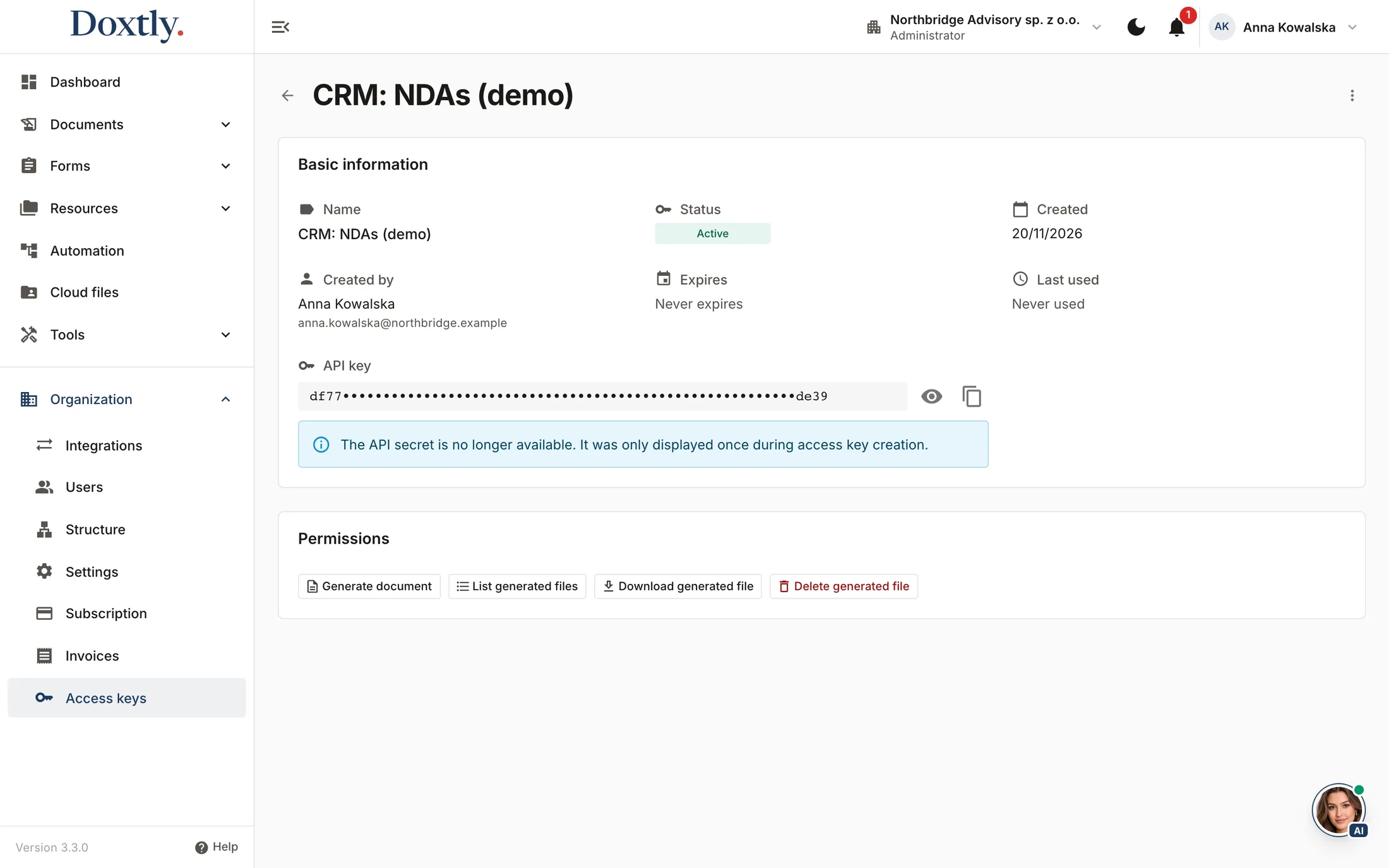
Permissions lists what the key holds, one chip each. Those that delete data are red, so you can see at a glance which keys can do damage.
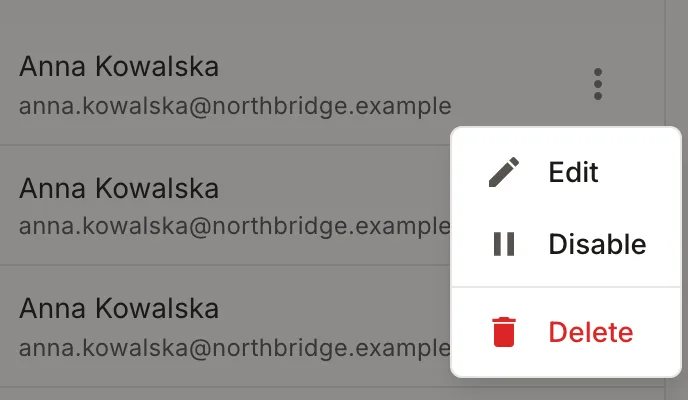
The menu in the page header holds the same actions as the menu on a list row: Edit, Disable or Enable, and Delete. It appears only if you hold Manage access keys.
Editing a key
Section titled “Editing a key”Edit opens the same form as creation, where you can change the name, expiry, status and permissions. Click Save changes and the new settings apply from the next request. The API key and secret stay the same, so the integration needs no change.
A new date in Expires at must lie in the future: any other past date is refused with The expiry date has to be in the future. The date a key already has can stay as it is, though, even if it has passed. So you can rename an expired key or take permissions from it, and it stays expired. To bring it back, move its date forward or clear the field.
Disabling and enabling
Section titled “Disabling and enabling”Disable stops a key at once, and Enable brings it back with its key, secret and permissions unchanged. A disabled key’s calls answer 401 with This API key is inactive or expired. Use this when you suspect a leak, or when a partner’s contract is on hold and you may need the key again.
Enabling does not undo an expiry: an expired key stays stopped until you change its date. Enabling also takes more access than disabling, as you can only give what you hold explains.
Expiry
Section titled “Expiry”A key with an expiry date stops working at that moment, on its own, and calls answer the same 401 as for a disabled key. Nobody is notified beforehand, so note the date in your own calendar if an integration depends on the key. To keep it going, edit the key and move the date or clear it.
Deleting a key
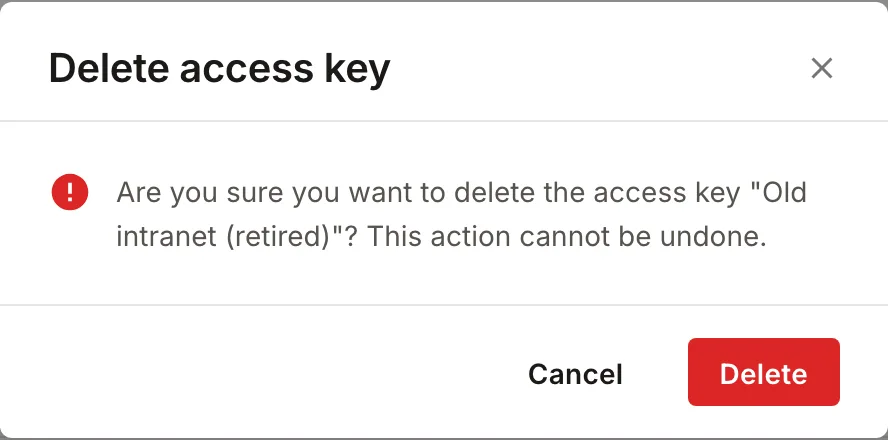
Section titled “Deleting a key”Delete asks you to confirm, naming the key, and then removes it for good. Calls with it answer 401 straight away, and it cannot be brought back. If you are unsure whether something still uses a key, watch Last used for a while first, because a disabled key’s date stands still. Disabling is then the safe test: if nothing breaks, delete the key.
Records of what the key did stay, but they lose the link to it: the Access key column in generated files and the Access key field on webhook requests go empty. A webhook set to access key authentication goes on accepting any other key that holds Call webhooks.
Rotating a key
Section titled “Rotating a key”There is no button that issues a new secret for an existing key, and you cannot read an old one. To rotate, you overlap two keys, so nothing stops in the meantime:
-
Create a new key with the same permissions, for example “CRM: service agreements 2026”.
-
Put the new key and secret into your integration and deploy it.
-
Watch Last used. Once the new key shows activity and the old one has gone quiet, Disable the old key.
-
If nothing breaks after a few days, Delete it.
Read the key you are using
Section titled “Read the key you are using”GET /v1/access_key tells a program which key it is using: the key’s id and name, the organization it belongs to, and the codes of the permissions it holds. Any working key may call it, without a permission of its own. Use it to check a connection right after the key and secret are entered, or to show which organization an integration is connected to. A request made from a signed-in session gets 404.
curl 'https://api.doxtly.com/v1/access_key' \ -H "X-Api-Key: $DOXTLY_API_KEY" \ -H "X-Api-Secret: $DOXTLY_API_SECRET"Response 200:
{ "id": "01a1d59f-c762-7ddf-8b7a-04e91c7a6a22", "name": "Accounting system: events", "organizationId": "01a1aaef-8959-73ca-b6e7-d19c0e49272f", "organizationName": "Northbridge Advisory sp. z o.o.", "resources": [ "get_outgoing_webhooks", "read_outgoing_webhook", "create_outgoing_webhook", "update_outgoing_webhook", "delete_outgoing_webhook", "get_outgoing_webhook_deliveries", "resend_outgoing_webhook_delivery", "send_test_event", "get_event_types", "get_event_samples" ]}| Field | Meaning |
|---|---|
id |
The key’s identifier. |
name |
The key’s name. |
organizationId |
The organization’s identifier. |
organizationName |
The organization’s company name, or its name or email when it has none. |
resources |
The permissions of the key, by code. |
Who can do what
Section titled “Who can do what”| Action | What you need |
|---|---|
| See the list and open keys, including the API key itself | View access keys |
| Create, edit, enable, disable, delete | Manage access keys |
| Download the API description (OpenAPI) | Manage access keys |
Of the built-in roles, Administrator, Manager and Member hold both, and Viewer holds only View access keys.
Both permissions cover all of the organization’s keys, whoever created them. Keys cannot be managed through the API: a key can never create or change another key.
You can only give what you hold
Section titled “You can only give what you hold”The one moment a person’s own access counts for a key is when they give it something. Each key permission depends on a role permission, shown in the tables below, and you may add a permission to a key only if your role holds that role permission. Otherwise, one person could hand themselves more through a key than their role allows.
In the Permissions drop-down this looks as follows:
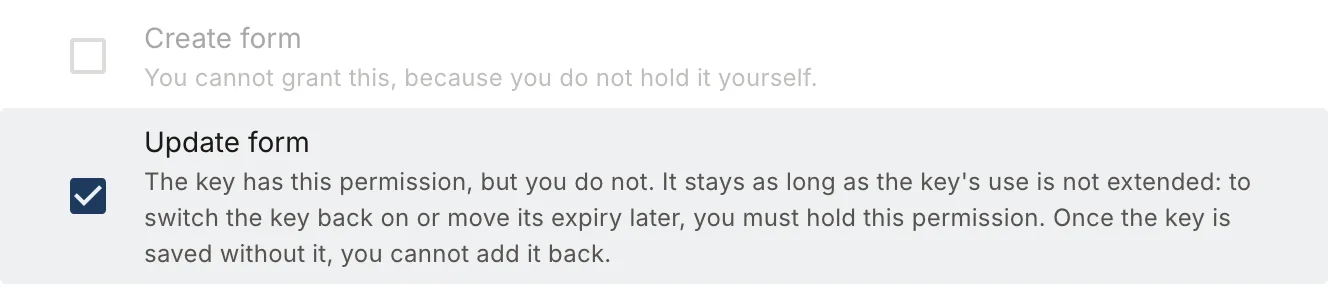
- A permission you cannot give is greyed out, with You cannot grant this, because you do not hold it yourself.
- A permission already on a key that you do not hold yourself stays selected, with the note The key has this permission, but you do not. It stays as long as the key’s use is not extended: to switch the key back on or move its expiry later, you must hold this permission. Once the key is saved without it, you cannot add it back.
So someone with less access can still rename a key, disable it or take permissions away, even from a key that has expired. Bringing a key back is stricter. Enabling a disabled key, or moving a key’s expiry later or removing it, gives the key its power again or for longer, so you must then hold every role permission behind everything the key carries. If you do not, the save is refused with You cannot give the key access to "…": you do not have it yourself., naming the first such permission.
For example, a project manager at Northbridge whose role can’t manage forms may still rename “Website: intake” or switch it off. If the key holds Update form, only someone who holds Manage forms can switch it back on.
After that, the person is out of the picture. If your role later loses a permission, keys you made keep theirs.
Examples from Northbridge Advisory
Section titled “Examples from Northbridge Advisory”| Integration | Key name | Permissions |
|---|---|---|
| The CRM generates an NDA when a deal opens, keeps the PDF it gets back, and can fetch saved copies later | CRM: NDAs | Generate document, List generated files, Download generated file |
| A nightly script copies satisfaction survey answers into reporting | Reporting: survey export | List submissions, Read submission |
| A partner’s system starts the onboarding workflow | Partner: onboarding webhook | Call webhooks |
| A one-off migration of templates, with an expiry date next Friday | Migration: templates | Create template, Update template |
| A script publishes an enrolment form for each new course and emails the link to the participants | Training: course forms | Create form, Send form links |
| The CRM sends clients an interactive document for their invoice details, then collects what they sent and their files | CRM: invoice details | Send interactive document links, List interactive document submissions, Download interactive document submission file |
| A status page warns the team when a workflow fails, and shows which step broke | Monitoring: workflow runs | List workflow executions, Read workflow execution |
| The accounting system collects each day’s workshop payments and their refunds | Accounting: payments | List payments, Read a payment |
| Support looks up why a partner’s webhook call was refused | Support: webhook requests | List webhook requests, Read a webhook request |
| A script files each invoice in the client’s folder on the company drive | Finance: drive archive | Browse cloud files, Upload files to the cloud |
| The training system emails a certificate to everyone who passes | Training: certificates | Read email template, Send emails from email templates |
Permissions that work together
Section titled “Permissions that work together”Most permissions stand alone: each opens its own endpoints and nothing else. A few also change what another permission can do, and those are easy to miss when you put a key together.
A key counts as holding a role permission when at least one of its own permissions rests on it, which is what the last column of the tables below shows. Download cloud files rests on View cloud files, for instance, so it is enough wherever a call checks for View cloud files. This opens no extra endpoints: every endpoint still asks for its own permission.
| What the key does | What it also needs | Without that |
|---|---|---|
| Creates a template from a file in a drive, or points a template at another file | Browse cloud files or Download cloud files | 403 |
| Adds or changes a workflow step that reads from a drive | Browse cloud files or Download cloud files | 403 naming the step |
| Adds or changes a workflow step that writes to a drive | One of the two above, plus Upload files to the cloud or Manage cloud files (folders, moving, deleting) | 403 naming the step |
| Saves an export to a drive instead of downloading it | The export’s own permission, plus Upload files to the cloud | 403 |
| Reads a form with Read form | A permission that rests on Manage forms, such as Update form, to see its password | The password comes back as null |
| Reads an interactive document with Read interactive document | A permission that rests on Manage interactive documents, to see its password | The password comes back as null |
| Asks which workflows use a path in a drive, with Browse cloud files | A permission that rests on View workflows and their runs, such as List workflows | Only a count |
No permission lets a key add an AI agent step to a workflow or change the settings of one.
One permission does more than its name suggests. Read template includes checking a template’s cloud file, and that check can bring in a new version of the file. It cannot approve a new PDF, which takes Update template.
Every permission
Section titled “Every permission”Permissions are matched to endpoints one by one, so a key needs exactly those listed for the calls it makes. The Code is the permission’s technical name, handy when you discuss a key with a developer. The last column is the role permission you must hold to give it.
Some work is done only in the app, by a signed-in person, and no key permission opens it: among it, importing forms, email templates, interactive documents and workflows from a file (a key exports them: Export forms, Export email templates, Export interactive documents, Export workflows), everything about a CRM integration: reading its fields and pipelines, and searching and bringing in its people; and setting up, reading and removing a quiz’s or a survey’s results sheet (/v1/quizzes/{id}/results-sheet-workflow, /v1/surveys/{id}/results-sheet-workflow), which makes workflows: a key makes them through the workflows’ own endpoints. A person’s own sign-in methods - connecting and disconnecting Google, Microsoft or Facebook - are theirs alone, in their session.
File templates and generated files
Section titled “File templates and generated files”| Permission | Code | Opens | To give it you hold |
|---|---|---|---|
| List templates | get_templates |
GET /v1/templates |
View file templates and generated files |
| Read template | read_template |
GET /v1/templates/{id}, its data_structure and party_indicators, and POST /v1/templates/{id}/source/check |
View file templates and generated files |
| Download template file | download_template |
GET /v1/templates/{id}/download and GET /v1/templates/{id}/source/pending/download |
View file templates and generated files |
| Create template | create_template |
POST /v1/templates |
Manage file templates |
| Update template | update_template |
PUT /v1/templates/{id}, PUT /v1/templates/{id}/contact_bindings, DELETE /v1/templates/{id}/source, POST /v1/templates/{id}/source/review, and the template’s data_sources and their refresh |
Manage file templates |
| Delete template | delete_template |
DELETE /v1/templates/{id} |
Manage file templates |
| Duplicate template | duplicate_template |
POST /v1/templates/{id}/duplicate |
Manage file templates |
| Convert Word documents to PDF templates | convert_word_to_pdf_template |
POST /v1/templates/pdf-conversions |
Manage file templates |
| Generate document | generate_document |
POST /v1/generate |
Manage file templates |
| List generated files | get_generated_files |
GET /v1/generated_files |
View file templates and generated files |
| Read generated file | read_generated_file |
GET /v1/generated_files/{id} |
View file templates and generated files |
| Download generated file | download_generated_file |
GET /v1/generated_files/{id}/download |
View file templates and generated files |
| Delete generated file | delete_generated_file |
DELETE /v1/generated_files/{id} |
Manage file templates |
Reference: Templates and Generated files.
Web forms
Section titled “Web forms”| Permission | Code | Opens | To give it you hold |
|---|---|---|---|
| List forms | get_forms |
GET /v1/forms |
View forms and submissions |
| Read form | read_form |
GET /v1/forms/{id} |
View forms and submissions |
| Create form | create_form |
POST /v1/forms |
Manage forms |
| Update form | update_form |
PUT /v1/forms/{id}, and the form’s data_sources and their refresh |
Manage forms |
| Delete form | delete_form |
DELETE /v1/forms/{id} |
Manage forms |
| Duplicate form | duplicate_form |
POST /v1/forms/{id}/duplicate |
Manage forms |
| Export forms | export_form |
GET /v1/forms/{id}/export |
View forms and submissions |
| List submissions | get_submissions |
GET /v1/submissions, GET /v1/forms/{id}/results, GET /v1/forms/{id}/results/answers, GET /v1/forms/{id}/results/groups, GET /v1/forms/{id}/results/export and POST /v1/forms/{id}/results/export/drive |
View forms and submissions |
| Read submission | read_submission |
GET /v1/submissions/{id} |
View forms and submissions |
| Read submission history | get_submission_revisions |
GET /v1/submissions/{id}/revisions |
View forms and submissions |
| Download submission file | download_submission_file |
GET /v1/submissions/{id}/files/{fileId} |
View forms and submissions |
| Delete submission | delete_submission |
DELETE /v1/submissions/{id} |
Manage forms |
| Send form links | send_form_link |
POST /v1/forms/{id}/send-link |
Manage forms |
| View saved form reports | get_form_reports |
GET /v1/forms/{id}/reports |
View forms and submissions |
| Manage saved form reports | manage_form_reports |
POST /v1/forms/{id}/reports, PUT and DELETE /v1/forms/{id}/reports/{reportId}, PUT and DELETE /v1/forms/{id}/reports/{reportId}/share |
Manage forms |
Interactive documents
Section titled “Interactive documents”| Permission | Code | Opens | To give it you hold |
|---|---|---|---|
| List interactive documents | get_interactive_documents |
GET /v1/interactive-documents |
View interactive documents and submissions |
| Read interactive document | read_interactive_document |
GET /v1/interactive-documents/{id} |
View interactive documents and submissions |
| Create interactive document | create_interactive_document |
POST /v1/interactive-documents |
Manage interactive documents |
| Update interactive document | update_interactive_document |
PUT /v1/interactive-documents/{id} |
Manage interactive documents |
| Delete interactive document | delete_interactive_document |
DELETE /v1/interactive-documents/{id} |
Manage interactive documents |
| Duplicate interactive document | duplicate_interactive_document |
POST /v1/interactive-documents/{id}/duplicate |
Manage interactive documents |
| Export interactive documents | export_interactive_document |
GET /v1/interactive-documents/{id}/export |
View interactive documents and submissions |
| List interactive document submissions | get_interactive_document_submissions |
GET /v1/interactive-document-submissions |
View interactive documents and submissions |
| Read interactive document submission | read_interactive_document_submission |
GET /v1/interactive-document-submissions/{id} |
View interactive documents and submissions |
| Download interactive document submission file | download_interactive_document_submission_file |
GET /v1/interactive-document-submissions/{id}/files/{fileId} |
View interactive documents and submissions |
| Delete interactive document submission | delete_interactive_document_submission |
DELETE /v1/interactive-document-submissions/{id} |
Manage interactive documents |
| Send interactive document links | send_interactive_document_link |
POST /v1/interactive-documents/{id}/send-link |
Manage interactive documents |
Reference: Forms, Form submissions, Interactive documents and Interactive document submissions.
Quizzes
Section titled “Quizzes”| Permission | Code | Opens | To give it you hold |
|---|---|---|---|
| List quizzes | get_quizzes |
GET /v1/quizzes |
View quizzes, attempts and results |
| Read quiz | read_quiz |
GET /v1/quizzes/{id} |
View quizzes, attempts and results |
| Create quiz | create_quiz |
POST /v1/quizzes |
Manage quizzes |
| Update quiz | update_quiz |
PUT /v1/quizzes/{id} |
Manage quizzes |
| Delete quiz | delete_quiz |
DELETE /v1/quizzes/{id} |
Manage quizzes |
| Duplicate quiz | duplicate_quiz |
POST /v1/quizzes/{id}/duplicate |
Manage quizzes |
| Export quizzes | export_quiz |
GET /v1/quizzes/{id}/export; the examiner notes only with an operation of Manage quizzes or Grade attempts as well |
View quizzes, attempts and results |
| Send quiz links | send_quiz_link |
POST /v1/quizzes/{id}/send-link |
Manage quizzes |
| List quiz attempts | get_quiz_attempts |
GET /v1/quizzes/{id}/attempts |
View quizzes, attempts and results |
| Read quiz access lists | get_quiz_access_list |
GET /v1/quizzes/{id}/recipients, GET /v1/quizzes/{id}/recipients/funnel, POST /v1/quizzes/{id}/recipients/export, POST /v1/quizzes/{id}/recipients/export/drive and GET /v1/quizzes/{id}/access-sheet; the contacts among the recipients need List contacts as well |
Manage quizzes |
| Manage quiz access lists | manage_quiz_access_list |
POST /v1/quizzes/{id}/access-entries, PUT and DELETE /v1/quizzes/{id}/access-entries/{entryId}, POST /v1/quizzes/{id}/access-entries/upload-preview, POST /v1/quizzes/{id}/access-entries/upload, POST /v1/quizzes/{id}/access-sheet/refresh, POST /v1/quizzes/{id}/recipients/revoke and POST /v1/quizzes/{id}/recipients/restore |
Manage quizzes |
| Send quiz invitations | send_quiz_invitations |
POST /v1/quizzes/{id}/distributions, DELETE /v1/quizzes/{id}/distributions/{distributionId} and POST /v1/quizzes/{id}/recipients/remind |
Manage quizzes |
| List quiz invitation waves | get_quiz_distributions |
GET /v1/quizzes/{id}/distributions and GET /v1/quizzes/{id}/distributions/{distributionId} |
View quizzes, attempts and results |
| Export and erase a person’s quiz data | manage_quiz_person_data |
GET /v1/quizzes/people/export and POST /v1/quizzes/people/erase; finding the person as a contact needs an operation of contacts as well, such as List contacts |
Manage quizzes |
| List quiz access logs | get_quiz_access_logs |
GET /v1/quizzes/{id}/access-logs |
View quizzes, attempts and results |
| Read quiz attempts with answers | read_quiz_attempt |
GET /v1/quizzes/{id}/attempts/{attemptId}, GET /v1/quizzes/{id}/grading/questions/{questionId}/answers |
Grade attempts |
| Grade quiz attempts | grade_quiz_attempt |
PUT /v1/quizzes/{id}/attempts/{attemptId}/grades, POST /v1/quizzes/{id}/attempts/{attemptId}/device-release, POST /v1/quizzes/{id}/grading/questions/{questionId}/accept-suggestions |
Grade attempts |
| Download quiz certificates | read_quiz_certificate |
GET /v1/quizzes/{id}/attempts/{attemptId}/certificate-address, POST /v1/quizzes/{id}/attempts/{attemptId}/certificate/drive |
View quizzes, attempts and results |
| Download quiz answer sheets | read_quiz_answer_sheet |
GET /v1/quizzes/{id}/attempts/{attemptId}/answer-sheet, POST /v1/quizzes/{id}/answer-sheets, GET /v1/quizzes/{id}/answer-sheets/{printId} |
View quizzes, attempts and results |
| Read and export quiz summaries | get_quiz_summary |
GET /v1/quizzes/{id}/summary, GET /v1/quizzes/{id}/summary/export, POST /v1/quizzes/{id}/summary/export/drive, POST /v1/quizzes/{id}/summary/exports, POST /v1/quizzes/{id}/summary/exports/drive, GET /v1/quizzes/{id}/summary/exports/{exportId}, GET /v1/quizzes/{id}/summary/items |
View quizzes, attempts and results |
| Read quiz results | get_quiz_results |
GET /v1/quizzes/{id}/results, POST /v1/quizzes/{id}/results/query, POST /v1/quizzes/{id}/results/crosstab, GET /v1/quizzes/{id}/results/quotas, GET /v1/quizzes/{id}/results/answers, GET /v1/quizzes/{id}/results/groups, GET /v1/quizzes/{id}/analyses, GET /v1/quizzes/{id}/analyses/answers |
View quizzes, attempts and results |
| Release quiz results to participants | release_quiz_results |
POST /v1/quizzes/{id}/attempts/release |
Grade attempts |
| Read grading scales | get_grading_scales |
GET /v1/grading_scales, GET /v1/grading_scales/presets, GET /v1/grading_scales/{id} |
View quizzes, attempts and results |
| Create, change and archive grading scales | manage_grading_scales |
POST /v1/grading_scales, PUT and DELETE /v1/grading_scales/{id} |
Manage quizzes |
| View quizzes’ reference material for AI grading | get_quiz_grading_reference |
GET /v1/quizzes/{id}/grading/reference |
Manage quizzes |
| Change quizzes’ reference material for AI grading | manage_quiz_grading_reference |
PUT /v1/quizzes/{id}/grading/reference, POST …/refresh |
Manage quizzes |
| View what waits for grading in quizzes | get_quiz_grading_queue |
GET /v1/quizzes/{id}/grading/queue |
Grade attempts |
| Regrade quiz attempts | regrade_quiz |
POST /v1/quizzes/{id}/regrade/preview, POST /v1/quizzes/{id}/regrade |
Grade attempts |
| Download examiner copies of quiz answer sheets | read_quiz_examiner_sheet |
GET /v1/quizzes/{id}/attempts/{attemptId}/examiner-sheet |
Grade attempts |
| Export quiz attempts | export_quiz_results |
GET /v1/quizzes/{id}/results/export, POST /v1/quizzes/{id}/results/export/drive, POST /v1/quizzes/{id}/results/exports, POST /v1/quizzes/{id}/results/exports/drive, GET /v1/quizzes/{id}/results/exports/{exportId}, GET /v1/quizzes/{id}/results/report.pdf, POST /v1/quizzes/{id}/results/report/drive |
View quizzes, attempts and results |
| View saved quiz reports | get_quiz_reports |
GET /v1/quizzes/{id}/reports |
View quizzes, attempts and results |
| Manage saved quiz reports | manage_quiz_reports |
POST /v1/quizzes/{id}/reports, PUT and DELETE /v1/quizzes/{id}/reports/{reportId}, PUT and DELETE /v1/quizzes/{id}/reports/{reportId}/share |
Manage quizzes |
| Import questions from files | import_quiz_questions |
POST /v1/quizzes/questions/import |
Manage quizzes |
| Read the quiz question library | get_quiz_question_bank |
GET /v1/quizzes/question-bank, POST /v1/quizzes/question-bank/copies, POST …/question-bank/export, POST …/question-bank/export/drive, GET …/question-bank/template |
View quizzes, attempts and results |
| Manage the quiz question library | manage_quiz_question_bank |
POST /v1/quizzes/question-bank, PUT and DELETE /v1/quizzes/question-bank/{id}, POST …/question-bank/import, POST …/question-bank/delete, POST …/question-bank/tags |
Manage quizzes |
| Manage the AI analysis of quizzes | manage_quiz_analyses |
PUT /v1/quizzes/{id}/analyses/themes and PUT /v1/quizzes/{id}/analyses/settings |
Manage quizzes |
Reference: Quizzes.
Surveys
Section titled “Surveys”| Permission | Code | Opens | To give it you hold |
|---|---|---|---|
| List surveys | get_surveys |
GET /v1/surveys |
View surveys, responses and results |
| Read survey | read_survey |
GET /v1/surveys/{id} |
View surveys, responses and results |
| Create survey | create_survey |
POST /v1/surveys |
Manage surveys |
| Update survey | update_survey |
PUT /v1/surveys/{id} |
Manage surveys |
| Delete survey | delete_survey |
DELETE /v1/surveys/{id} |
Manage surveys |
| Duplicate survey | duplicate_survey |
POST /v1/surveys/{id}/duplicate |
Manage surveys |
| Send survey links | send_survey_link |
POST /v1/surveys/{id}/send-link |
Manage surveys |
| List survey responses | get_survey_responses |
GET /v1/surveys/{id}/attempts |
View surveys, responses and results |
| Read survey responses with answers | read_survey_response |
GET /v1/surveys/{id}/attempts/{attemptId} |
View surveys, responses and results |
| Read survey access lists | get_survey_access_list |
GET /v1/surveys/{id}/recipients, GET …/recipients/funnel, POST …/recipients/export, POST …/recipients/export/drive, GET …/access-sheet |
Manage surveys |
| Manage survey access lists | manage_survey_access_list |
POST, PUT, DELETE /v1/surveys/{id}/access-entries…, POST …/access-sheet/refresh, POST …/recipients/revoke, POST …/recipients/restore |
Manage surveys |
| Send survey invitations | send_survey_invitations |
POST /v1/surveys/{id}/distributions, DELETE …/distributions/{distributionId}, POST …/recipients/remind |
Manage surveys |
| List survey access logs | get_survey_access_logs |
GET /v1/surveys/{id}/access-logs |
View surveys, responses and results |
| Read survey results | get_survey_results |
GET /v1/surveys/{id}/results, POST …/results/query, POST …/results/crosstab, GET …/results/quotas, GET …/results/answers, GET …/results/groups, GET /v1/surveys/{id}/analyses, GET /v1/surveys/{id}/analyses/answers, GET /v1/surveys/{id}/summary |
View surveys, responses and results |
| List survey invitation waves | get_survey_distributions |
GET /v1/surveys/{id}/distributions, GET …/distributions/{distributionId} |
View surveys, responses and results |
| Export and erase a person’s survey data | manage_survey_person_data |
GET /v1/surveys/people/export, POST /v1/surveys/people/erase |
Manage surveys |
| Download survey response sheets | read_survey_response_sheet |
GET /v1/surveys/{id}/attempts/{attemptId}/answer-sheet, POST /v1/surveys/{id}/answer-sheets, GET /v1/surveys/{id}/answer-sheets/{printId} |
View surveys, responses and results |
| Export surveys | export_survey |
GET /v1/surveys/{id}/export |
View surveys, responses and results |
| Export survey responses | export_survey_results |
GET /v1/surveys/{id}/results/export, POST /v1/surveys/{id}/results/export/drive, POST /v1/surveys/{id}/results/exports, POST /v1/surveys/{id}/results/exports/drive, GET /v1/surveys/{id}/results/exports/{exportId}, GET /v1/surveys/{id}/results/report.pdf, POST /v1/surveys/{id}/results/report/drive |
View surveys, responses and results |
| View saved survey reports | get_survey_reports |
GET /v1/surveys/{id}/reports |
View surveys, responses and results |
| Manage saved survey reports | manage_survey_reports |
POST /v1/surveys/{id}/reports, PUT and DELETE /v1/surveys/{id}/reports/{reportId}, PUT and DELETE /v1/surveys/{id}/reports/{reportId}/share |
Manage surveys |
| Import survey questions from files | import_survey_questions |
POST /v1/surveys/questions/import |
Manage surveys |
| Read the survey question library | get_survey_question_bank |
GET /v1/surveys/question-bank, POST /v1/surveys/question-bank/copies, POST …/question-bank/export, POST …/question-bank/export/drive, GET …/question-bank/template |
View surveys, responses and results |
| Manage the survey question library | manage_survey_question_bank |
POST /v1/surveys/question-bank, PUT and DELETE /v1/surveys/question-bank/{id}, POST …/question-bank/import, POST …/question-bank/delete, POST …/question-bank/tags |
Manage surveys |
| Manage the AI analysis of surveys | manage_survey_analyses |
PUT /v1/surveys/{id}/analyses/themes and PUT /v1/surveys/{id}/analyses/settings |
Manage surveys |
Reference: Surveys.
Integrations
Section titled “Integrations”| Permission | Code | Opens | To give it you hold |
|---|---|---|---|
| List learning platforms | get_lti_platforms |
GET /v1/lti/platforms |
View integrations |
| Read a learning platform | read_lti_platform |
GET /v1/lti/platforms/{id} |
View integrations |
| Register learning platforms | create_lti_platform |
POST /v1/lti/platforms |
Manage integrations |
| Update learning platforms | update_lti_platform |
PUT /v1/lti/platforms/{id} |
Manage integrations |
| Delete learning platforms | delete_lti_platform |
DELETE /v1/lti/platforms/{id} |
Manage integrations |
Reference: Learning platforms (LTI).
Automation
Section titled “Automation”| Permission | Code | Opens | To give it you hold |
|---|---|---|---|
| List workflows | get_workflows |
GET /v1/workflows |
View workflows and their runs |
| Read workflow | read_workflow |
GET /v1/workflows/{id} |
View workflows and their runs |
| Create workflow | create_workflow |
POST /v1/workflows |
Manage workflows |
| Update workflow | update_workflow |
PUT /v1/workflows/{id} and PUT /v1/workflows/{id}/category |
Manage workflows |
| Delete workflow | delete_workflow |
DELETE /v1/workflows/{id} |
Manage workflows |
| Duplicate workflow | duplicate_workflow |
POST /v1/workflows/{id}/duplicate |
Manage workflows |
| Export workflows | export_workflow |
GET /v1/workflows/{id}/export |
Manage workflows |
| Rerun workflow execution | rerun_workflow_execution |
POST /v1/workflow_executions/{id}/rerun |
Manage workflows |
| List workflow executions | get_workflow_executions |
GET /v1/workflow_executions |
View workflows and their runs |
| Read workflow execution | read_workflow_execution |
GET /v1/workflow_executions/{id} |
View workflows and their runs |
| List workflow categories | get_workflow_categories |
GET /v1/workflow_categories |
View workflows and their runs |
| Create workflow category | create_workflow_category |
POST /v1/workflow_categories |
Manage workflow categories |
| Update workflow category | update_workflow_category |
PUT /v1/workflow_categories/{id} |
Manage workflow categories |
| Delete workflow category | delete_workflow_category |
DELETE /v1/workflow_categories/{id} |
Manage workflow categories |
Webhooks
Section titled “Webhooks”| Permission | Code | Opens | To give it you hold |
|---|---|---|---|
| List webhooks | get_webhooks |
GET /v1/incoming_webhooks |
View webhooks and their requests |
| Read a webhook | read_webhook |
GET /v1/incoming_webhooks/{id} |
View webhooks and their requests |
| Create a webhook | create_webhook |
POST /v1/incoming_webhooks |
Manage webhooks |
| Update a webhook | update_webhook |
PUT /v1/incoming_webhooks/{id} |
Manage webhooks |
| Delete a webhook | delete_webhook |
DELETE /v1/incoming_webhooks/{id} |
Manage webhooks |
| List webhook requests | get_webhook_requests |
GET /v1/incoming_webhook_requests |
View webhooks and their requests |
| Read a webhook request | read_webhook_request |
GET /v1/incoming_webhook_requests/{id} |
View webhooks and their requests |
| Delete a webhook request | delete_webhook_request |
DELETE /v1/incoming_webhook_requests/{id} |
Manage webhooks |
| Call webhooks | call_webhooks |
Calling /v1/webhooks/{id} for the organization’s webhooks set to Access key authentication |
View webhooks and their requests |
| List outgoing webhooks | get_outgoing_webhooks |
GET /v1/outgoing_webhooks |
View webhooks and their requests |
| Read an outgoing webhook | read_outgoing_webhook |
GET /v1/outgoing_webhooks/{id} |
View webhooks and their requests |
| Create outgoing webhooks | create_outgoing_webhook |
POST /v1/outgoing_webhooks |
Manage webhooks |
| Update outgoing webhooks | update_outgoing_webhook |
PATCH /v1/outgoing_webhooks/{id} |
Manage webhooks |
| Delete outgoing webhooks | delete_outgoing_webhook |
DELETE /v1/outgoing_webhooks/{id} |
Manage webhooks |
| List outgoing webhook deliveries | get_outgoing_webhook_deliveries |
GET /v1/outgoing_webhooks/{id}/deliveries |
View webhooks and their requests |
| Resend outgoing webhook deliveries | resend_outgoing_webhook_delivery |
POST /v1/outgoing_webhooks/{id}/deliveries/{deliveryId}/resend |
Manage webhooks |
| Send test events | send_test_event |
POST /v1/outgoing_webhooks/{id}/test |
Manage webhooks |
| Read the event catalogue | get_event_types |
GET /v1/event_types |
View webhooks and their requests |
| Read sample events | get_event_samples |
GET /v1/event_types/{eventType}/samples |
View webhooks and their requests |
Reference for automation and webhooks: workflows, incoming webhooks and outgoing webhooks.
Cloud files
Section titled “Cloud files”| Permission | Code | Opens | To give it you hold |
|---|---|---|---|
| Browse cloud files | get_cloud_files |
Under /v1/cloud_files/storages: GET the list, GET needs_reconnect, and for a drive GET {id}/items, GET {id}/item, GET {id}/quota, GET {id}/usages and POST {id}/spreadsheet_inspect; also POST /v1/data_sources/preview |
View cloud files |
| Download cloud files | download_cloud_file |
GET /v1/cloud_files/storages/{id}/content |
View cloud files |
| Upload files to the cloud | upload_cloud_file |
POST /v1/cloud_files/storages/{id}/files and POST /v1/cloud_files/storages/{id}/blank_files |
Manage cloud files |
| Manage cloud files (folders, moving, deleting) | manage_cloud_files |
POST /v1/cloud_files/storages/{id}/folders, POST /v1/cloud_files/storages/{id}/move (which also renames) and DELETE /v1/cloud_files/storages/{id}/item |
Manage cloud files |
Email templates
Section titled “Email templates”| Permission | Code | Opens | To give it you hold |
|---|---|---|---|
| List email templates | get_email_templates |
GET /v1/email_templates and GET /v1/standard_messages |
View email templates and sent emails |
| Read email template | read_email_template |
GET /v1/email_templates/{id}, its data_structure, and GET /v1/email_templates/{id}/pictures/{key} |
View email templates and sent emails |
| Create email template | create_email_template |
POST /v1/email_templates |
Manage email templates |
| Update email template | update_email_template |
PUT /v1/email_templates/{id}, its purpose_default and restore, and PUT /v1/standard_messages/{purpose} |
Manage email templates |
| Delete email template | delete_email_template |
DELETE /v1/email_templates/{id} |
Manage email templates |
| Duplicate email template | duplicate_email_template |
POST /v1/email_templates/{id}/duplicate |
Manage email templates |
| Export email templates | export_email_template |
GET /v1/email_templates/{id}/export |
View email templates and sent emails |
| List sent emails | get_email_submissions |
GET /v1/email_submissions |
View email templates and sent emails |
| Read sent email | read_email_submission |
GET /v1/email_submissions/{id} |
View email templates and sent emails |
| Send emails from email templates | send_email |
POST /v1/email_templates/{id}/send |
Manage email templates |
Reference: Cloud files, Email templates and Sending emails.
SMS and WhatsApp templates
Section titled “SMS and WhatsApp templates”| Permission | Code | Opens | To give it you hold |
|---|---|---|---|
| List SMS and WhatsApp templates | get_text_message_templates |
GET /v1/text_message_templates |
View SMS and WhatsApp templates and sent messages |
| List the SMS and WhatsApp messages sent | get_text_message_sendings |
GET /v1/text_message_sendings |
View SMS and WhatsApp templates and sent messages |
| Read SMS or WhatsApp template | read_text_message_template |
GET /v1/text_message_templates/{id} |
View SMS and WhatsApp templates and sent messages |
| Create SMS or WhatsApp template | create_text_message_template |
POST /v1/text_message_templates |
Manage SMS and WhatsApp templates |
| Update SMS or WhatsApp template | update_text_message_template |
PUT /v1/text_message_templates/{id}, its purpose_default and restore |
Manage SMS and WhatsApp templates |
| Delete SMS or WhatsApp template | delete_text_message_template |
DELETE /v1/text_message_templates/{id} |
Manage SMS and WhatsApp templates |
Reference: SMS and WhatsApp templates.
Document packages
Section titled “Document packages”| Permission | Code | Opens | To give it you hold |
|---|---|---|---|
| List document packages | get_document_packages |
GET /v1/document_packages and GET /v1/document_packages/matching_ids |
View documents |
| Read a document package | read_document_package |
GET /v1/document_packages/{id} |
View documents |
| Download a package document | download_package_document |
GET /v1/documents/{id}/files/{fileId}, GET /v1/document_packages/{id}/documents/{documentId}/pdf |
View documents |
| Download an audit certificate | download_audit_certificate |
GET /v1/documents/{id}/audit-certificate |
View documents |
| Read a package batch | read_package_batch |
GET /v1/document_package_batches/{id} |
View documents |
| Read the identity checks of a package | read_package_identity_checks |
GET /v1/document_packages/{id}/identity-checks |
View documents |
| Start a package export | create_package_export |
POST /v1/document_package_exports, POST .../preview |
View documents |
| Read a package export | read_package_export |
GET /v1/document_package_exports, GET .../{id}, GET .../{id}/parts/{number}, POST .../{id}/parts/{number}/drive |
View documents |
| List the notes on a package | get_package_notes |
GET /v1/document_packages/{id}/notes |
View documents |
| Create a package draft | create_document_package |
POST /v1/document_packages |
Manage documents |
| Change a package draft | update_draft_package |
PATCH /v1/document_packages/{id} and its draft, uploads, documents, segments, recipients, batch, send_readiness |
Manage documents |
| Send a package | send_document_package |
POST /v1/document_packages/{id}/send |
Manage documents |
| Copy a package | clone_document_package |
POST /v1/document_packages/{id}/clone |
Manage documents |
| Void a package | void_document_package |
POST /v1/signing_document_packages/{id}/void |
Manage documents |
| Delete a package | delete_document_package |
DELETE /v1/document_packages/{id} |
Manage documents |
| Send a signing request again | resend_signing_request |
POST .../resend_signing_link |
Manage documents |
| Change a package deadline | update_package_deadline |
PATCH /v1/document_packages/{id}/deadline |
Manage documents |
| Change package reminders | update_package_reminders |
PUT /v1/document_packages/{id}/reminders |
Manage documents |
| Retry preparing a package for qualified signatures | retry_package_freeze |
POST /v1/signing_document_packages/{id}/retry-freeze |
Manage documents |
| Change the responsible person | change_package_responsible |
PATCH .../responsible, GET /v1/document_package_types/responsible_candidates |
Manage documents |
| Run bulk actions on packages | start_package_bulk_action |
POST /v1/document_package_bulk_actions, GET .../{id} |
Manage documents |
| Replace a party | reassign_package_party |
POST .../recipients/{id}/reassign |
Manage documents |
| Release a department party | release_package_party |
POST .../recipients/{id}/release |
Manage documents |
| Change a party access password | update_party_access_code |
POST .../recipients/{id}/access-code |
Manage documents |
| Read a signing link | read_signing_link |
GET .../recipients/{id}/signing-link |
Manage documents |
| Write a note on a package | create_package_note |
POST /v1/document_packages/{id}/notes |
Manage documents |
| Update a note on a package | update_package_note |
PATCH /v1/document_packages/{id}/notes/{noteId} |
Manage documents |
| Delete a note on a package | delete_package_note |
DELETE /v1/document_packages/{id}/notes/{noteId} |
Manage documents |
| Change a contract’s term | update_contract_term |
PUT /v1/document_packages/{id}/contract_term |
Manage documents |
| Create an annex to a contract | create_annex |
POST /v1/document_packages/{id}/annexes |
Manage documents |
| Add a document signed outside Doxtly | add_signed_document |
POST /v1/document_packages/signed |
Manage documents |
| Import documents signed outside Doxtly from a sheet | import_signed_documents |
POST /v1/signed_document_imports and its sheet, files, mapping, preview, start and deletion |
Manage documents |
| Follow an import of signed documents and its rows | read_signed_document_import |
GET /v1/signed_document_imports/{id}, its rows and report |
Manage documents |
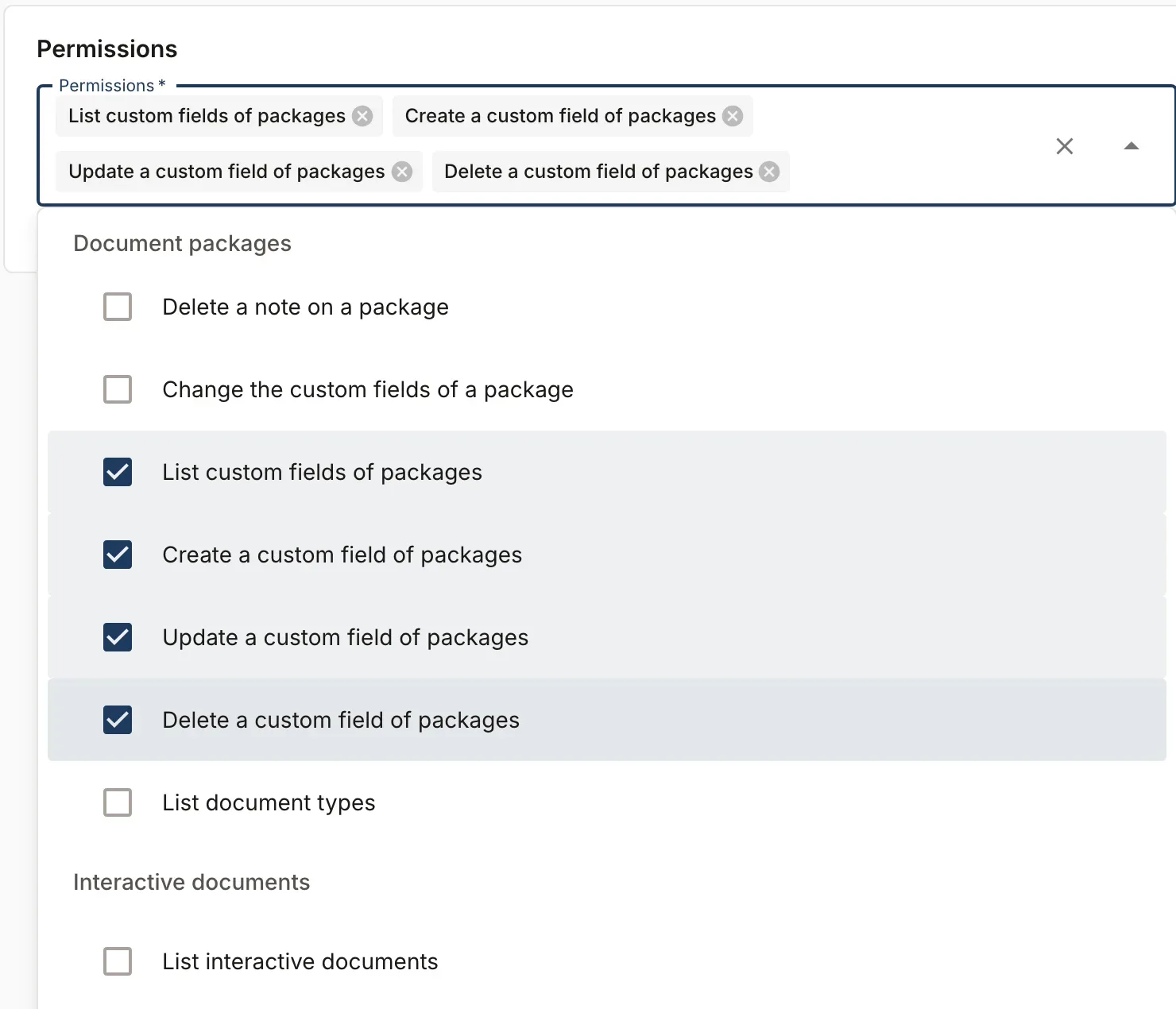
| List custom fields of packages | get_package_custom_fields |
GET /v1/custom_fields?subject=document_package and the usage of a field of packages |
View documents |
| Create a custom field of packages | create_package_custom_field |
POST /v1/custom_fields with subject: document_package |
Manage custom fields of packages |
| Update a custom field of packages | update_package_custom_field |
PATCH /v1/custom_fields/{id} of a field of packages, and PUT /v1/custom_fields/order with subject: document_package |
Manage custom fields of packages |
| Delete a custom field of packages | delete_package_custom_field |
DELETE /v1/custom_fields/{id} of a field of packages |
Manage custom fields of packages |
| List document types | get_document_package_types |
GET /v1/document_package_types |
View document types |
| Change the custom fields of a package | update_package_custom_fields |
PATCH /v1/document_packages/{id}/custom_fields |
Manage documents |
Contacts
Section titled “Contacts”| Permission | Code | Opens | To give it you hold |
|---|---|---|---|
| List contacts | get_contacts |
GET /v1/contacts |
View contacts |
| Read a contact | read_contact |
GET /v1/contacts/{id} and its photo |
View contacts |
| List the notes on a contact | get_contact_notes |
GET /v1/contacts/{id}/notes |
View contacts |
| List the documents of a contact | get_contact_documents |
GET /v1/contacts/{id}/documents |
View contacts |
| Read the history of a contact | get_contact_history |
GET /v1/contacts/{id}/history |
View contacts |
| List contact types | get_contact_types |
GET /v1/contact_types |
View contacts |
| Create a contact | create_contact |
POST /v1/contacts |
Manage contacts |
| Update a contact | update_contact |
PATCH /v1/contacts/{id} and its earlier_addresses (adding and removing) |
Manage contacts |
| Delete a contact | delete_contact |
DELETE /v1/contacts/{id} |
Manage contacts |
| Write a note on a contact | create_contact_note |
POST /v1/contacts/{id}/notes |
Manage contacts |
| Update a note on a contact | update_contact_note |
PATCH /v1/contacts/{id}/notes/{noteId} |
Manage contacts |
| Delete a note on a contact | delete_contact_note |
DELETE /v1/contacts/{id}/notes/{noteId} |
Manage contacts |
| Create a contact type | create_contact_type |
POST /v1/contact_types |
Manage contact types |
| Rename a contact type | update_contact_type |
PATCH /v1/contact_types/{id} |
Manage contact types |
| Delete a contact type | delete_contact_type |
DELETE /v1/contact_types/{id} |
Manage contact types |
| List companies | get_companies |
GET /v1/companies |
View contacts |
| Read a company | read_company |
GET /v1/companies/{id} |
View contacts |
| List the documents of a company | get_company_documents |
GET /v1/companies/{id}/documents |
View contacts |
| Create a company | create_company |
POST /v1/companies |
Manage contacts |
| Update a company | update_company |
PATCH /v1/companies/{id} |
Manage contacts |
| Delete a company | delete_company |
DELETE /v1/companies/{id} |
Manage contacts |
| List custom fields | get_custom_fields |
GET /v1/custom_fields and a field’s usage, of contacts and companies |
View contacts |
| Create a custom field | create_custom_field |
POST /v1/custom_fields, of contacts and companies |
Manage custom fields |
| Update a custom field | update_custom_field |
PATCH /v1/custom_fields/{id} and PUT /v1/custom_fields/order, of contacts and companies |
Manage custom fields |
| Delete a custom field | delete_custom_field |
DELETE /v1/custom_fields/{id}, of contacts and companies |
Manage custom fields |
| Read sensitive values | read_sensitive_custom_fields |
GET /v1/contacts/{id}/sensitive_fields, GET /v1/companies/{id}/sensitive_fields, GET /v1/document_packages/{id}/sensitive_fields (with a permission to read the package), and giving sensitive values when saving |
View sensitive values |
| List personal links | get_personal_links |
GET /v1/contacts/{id}/personal_links, GET /v1/companies/{id}/personal_links; links to quizzes only with List quiz attempts as well, links to surveys only with List survey responses |
View contacts |
| Send personal links | send_personal_link |
POST /v1/contacts/{id}/personal_links, POST /v1/companies/{id}/personal_links, POST /v1/contacts/personal_links; the key needs Send form links, Send interactive document links, Send quiz links or Send survey links as well, for what the link opens |
View contacts |
| Revoke personal links | revoke_personal_link |
POST /v1/personal_links/{id}/revoke; with the same right to send the link of what it opens |
View contacts |
Reference: Contacts, Companies, Contact types and Custom fields.
Payments
Section titled “Payments”| Permission | Code | Opens | To give it you hold |
|---|---|---|---|
| List payments | get_payments |
GET /v1/payments, its filter_options and stats |
View payments |
| Read a payment | read_payment |
GET /v1/payments/{id} |
View payments |
| List refunds | get_payment_refunds |
GET /v1/payments/refunds |
View payments |
| Refund a payment | refund_payment |
POST /v1/payments/{id}/refunds |
Refund payments |
Reference: Payments. Connecting a payment provider happens only in the app.
Themes
Section titled “Themes”| Permission | Code | Opens | To give it you hold |
|---|---|---|---|
| Read themes of public pages | get_public_themes |
GET /v1/public_themes, GET /v1/public_themes/{id} |
Any of View forms and submissions, View quizzes, attempts and results, View surveys, responses and results, View interactive documents and submissions, or Manage themes |
| Create, change and delete themes of public pages | manage_public_themes |
POST /v1/public_themes, PUT and DELETE /v1/public_themes/{id}, PUT /v1/public_themes/default, GET /v1/public_themes/{id}/usage |
Manage themes |
Reference: Themes of public pages. Choosing a form’s, a quiz’s or a survey’s theme is part of creating or updating it, with that resource’s own permission.
Where keys show up elsewhere
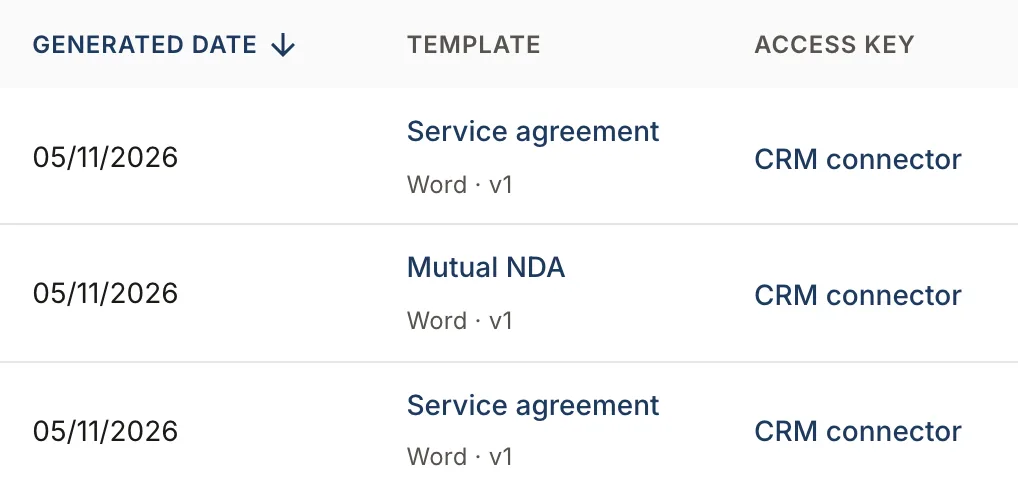
Section titled “Where keys show up elsewhere”- The Access key column in the generated files list says which key made a file. If you hold View access keys, the name opens the key, and the search box of that list finds files by key name too. That is the quickest way to answer “what did this integration do last week?”
- The Access key field on a webhook request says which key called.
- The webhook form links here from its Access key authentication option.
- The dashboard counts your keys for those who hold View access keys.