

Document generated trigger
This trigger starts a run each time a document is generated from one template. Use it to do the same thing with a document however it was made: your CRM creates certificates through the API, a workflow creates them after a course, and both should be mailed and archived the same way.
Always available
What starts it
Section titled “What starts it”A successful generation from the template, by either route:
- a call to the API;
- a Generate document step of a workflow.
A generation that fails starts nothing.
Settings
Section titled “Settings”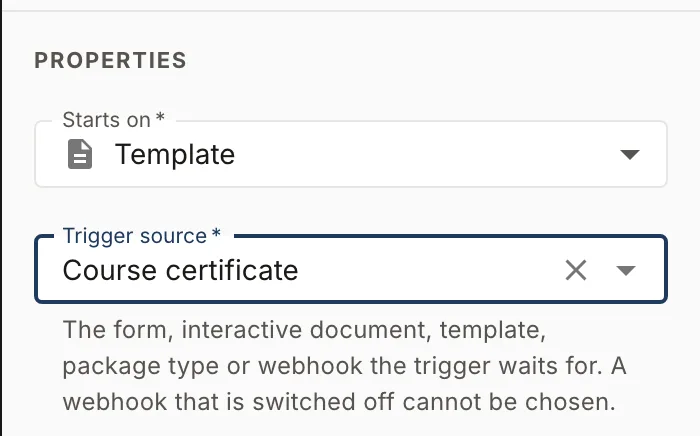
| Setting | What it does |
|---|---|
| Trigger source | The template to wait for. Required. |
What later steps get
Section titled “What later steps get”Values
Section titled “Values”The data the document was generated from. Every variable the template requires is there, because generation refuses data that lacks one. A variable the template treats as optional, such as a PDF data area under a condition, may be missing.
A document made by a Generate document step carries that run’s data: its fields, its trigger block, the results of earlier steps. The picker therefore lists, under Generated document data, the template’s variables and then what the workflows generating this template pass on.
This trigger adds no block of its own. A document made by a workflow may still carry that workflow’s _submission or _package.
Metadata and link parameters
Section titled “Metadata and link parameters”_metadata holds the metadata that came with the request, with the template’s own laid over it: where both name a value, the template wins. _params holds the link parameters of the run that generated the document, so a document generated through the API usually has none.
The picker groups these as Generated document data, Link parameters, Metadata and This run.
One file, under Trigger document: the generated PDF. It knows its template, so a later Create documents step keeps the template’s open areas for its recipients to fill in. A document with a password arrives protected, as it was handed out.
The run gets the file even when the generation didn’t save it, for example with Save in application off in a Generate document step. The run’s page then has no generation to name.
A sample
Section titled “A sample”A course certificate, generated through the API:
{ "participant": { "fullName": "Jonas Berg", "email": "jonas@haldenlogistics.example" }, "course": { "title": "Data protection for managers", "date": "2026-10-28" }, "_metadata": { "issuer": "Northbridge Advisory" }, "_execution": { "id": "…", "eventId": "…", "workflowId": "…", "triggeredAt": "…", "date": "2026-11-05" }}Mind the loop
Section titled “Mind the loop”A workflow listening to a template shouldn’t generate that same template, or it starts itself again and again. Doxtly stops such a loop at the chain limits, but by then it has spent runs and document generations from your plan.
Example: mail every certificate
Section titled “Example: mail every certificate”Northbridge’s training system generates certificates through the API. A workflow on this trigger, with Course certificate as the source, has a single Send email step: it goes to {{ participant.email }} with Trigger document attached. Nobody has to remember to send them, whichever system issued the certificate.