

Emails in several languages
An email template can hold a version in each of Doxtly’s 14 languages, the same ones the application speaks: Polish, English, Spanish, German, Portuguese, French, Ukrainian, Thai, Chinese (Simplified), Hindi, Arabic, Japanese, Turkish and Italian. An Arabic version is written and sent right to left. The name, the status and the attachments are the template’s; the subject and the body belong to each version. Your plan counts templates, so a second language costs nothing.
Writing a version
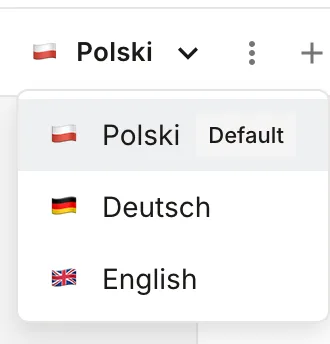
Section titled “Writing a version”Open a template in the designer. The language button at the start of the bar above the canvas shows the version you’re editing, with its flag and its name in its own language, such as Polski or Deutsch. Click it to open another version, as in the form and quiz designers. The list marks the Default version, the one a message falls back to when nothing else decides.
- The + icon beside it, Add language, lists the languages the template has no version in yet. The new version starts as a copy of the one you have open, so you translate rather than build again.
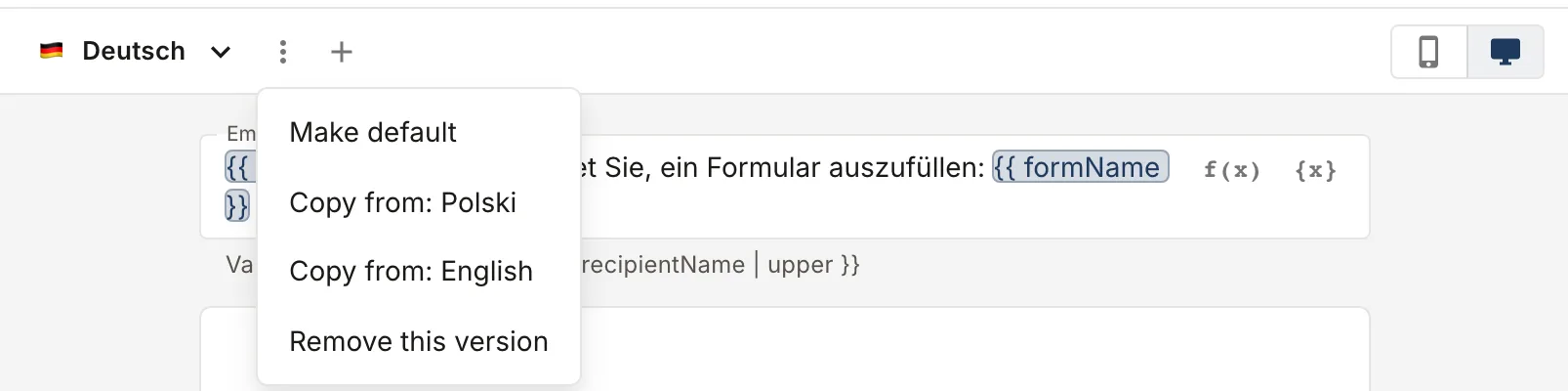
- The three dots, More for the version, open what touches the open version:
| Menu item | What it does |
|---|---|
| Make default | Makes the open version the default. Not shown on the default version itself. |
| Copy from: a language | Replaces the open version with a copy of that one, after you confirm. There is one item for each other version. |
| Restore original text | Only on a default message: puts back Doxtly’s own text in this language, after you confirm. |
| Remove this version | Removes the open version, after you confirm. The default version can’t be removed. |
A default message keeps the languages Doxtly wrote it in: it has no Add language, and its versions can’t be removed.
Switching versions keeps what you wrote in the others. Save once, and every version is saved together.
Choosing the language of a message
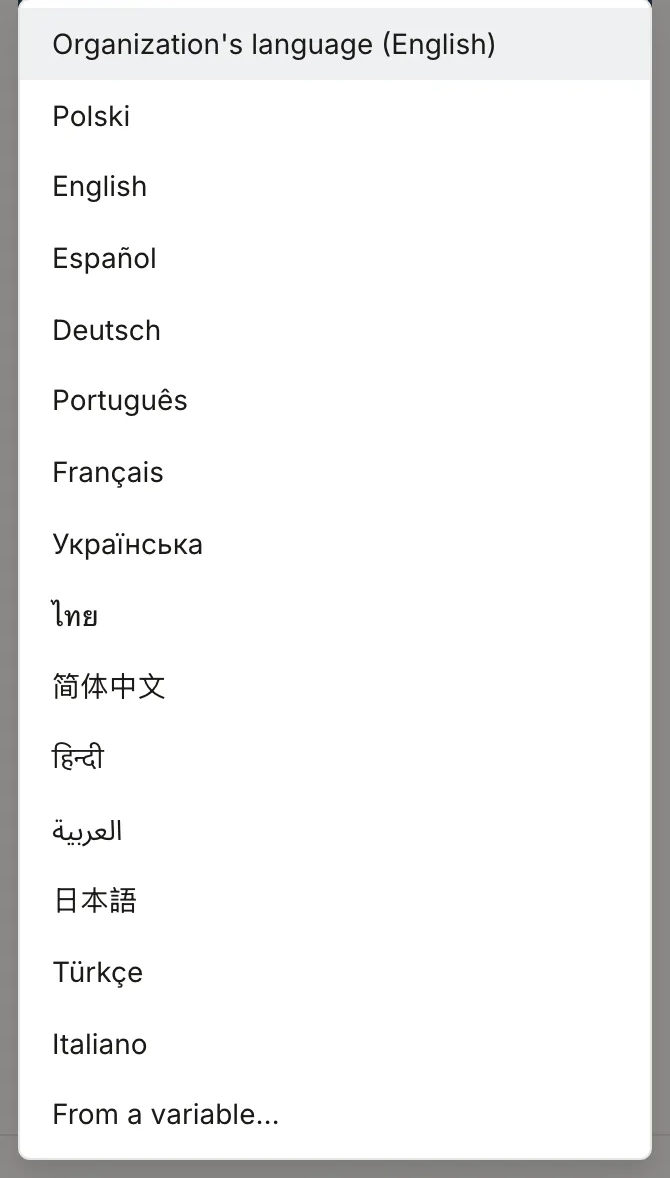
Section titled “Choosing the language of a message”Wherever you pick a template - the Send email workflow step, Send link on a form or an interactive document, a request to sign, a reminder, or the API - a Language field sits under it:
| Choice | What goes out |
|---|---|
| Recipient’s language | The language of the person it goes to. The default wherever there is a recipient. |
| Organization’s language | Your organization’s language. The default where there is no recipient, such as a workflow email to a fixed address. |
| One of the languages | Always that one. |
| From a variable… | The language named by a variable, for example {{ _submission.language }}, with a fallback you choose. |
If the template has no version in that language, the default version goes out instead and the record of the message says so. A deadline in the message is written in the language the message goes out in.
Using this in practice
Section titled “Using this in practice”Northbridge Advisory writes its service agreement request in Polish and English. A client whose party language is English gets the English version, a Polish client the Polish one, and a client whose language has no version gets the default, Polish. The signing page they land on follows the same language and they can switch it there. See Languages on the signing page.
Seeing which language went out
Section titled “Seeing which language went out”The page of a sent email names its language, and a workflow’s run shows the language of each step and whether the fallback was used.