

Upload to OneDrive
Upload to OneDrive saves the run’s files into a OneDrive folder. Pick it when your firm lives in Microsoft 365 and you want generated contracts, signed PDFs or form attachments to appear where your people already look.
Available when: the organization has an active OneDrive integration, and your role has View cloud files and Manage cloud files
This is the Upload to the cloud node started on OneDrive. On the canvas it is titled Upload to OneDrive. Settings, path rules and failure behaviour are the same on every provider, and the main page explains each one. Without an active integration the palette entry is greyed out and says No active OneDrive integration. Connect OneDrive in the integrations. If your role lacks one of those permissions, the entry says Adding this step requires permissions your role does not have: and names them.
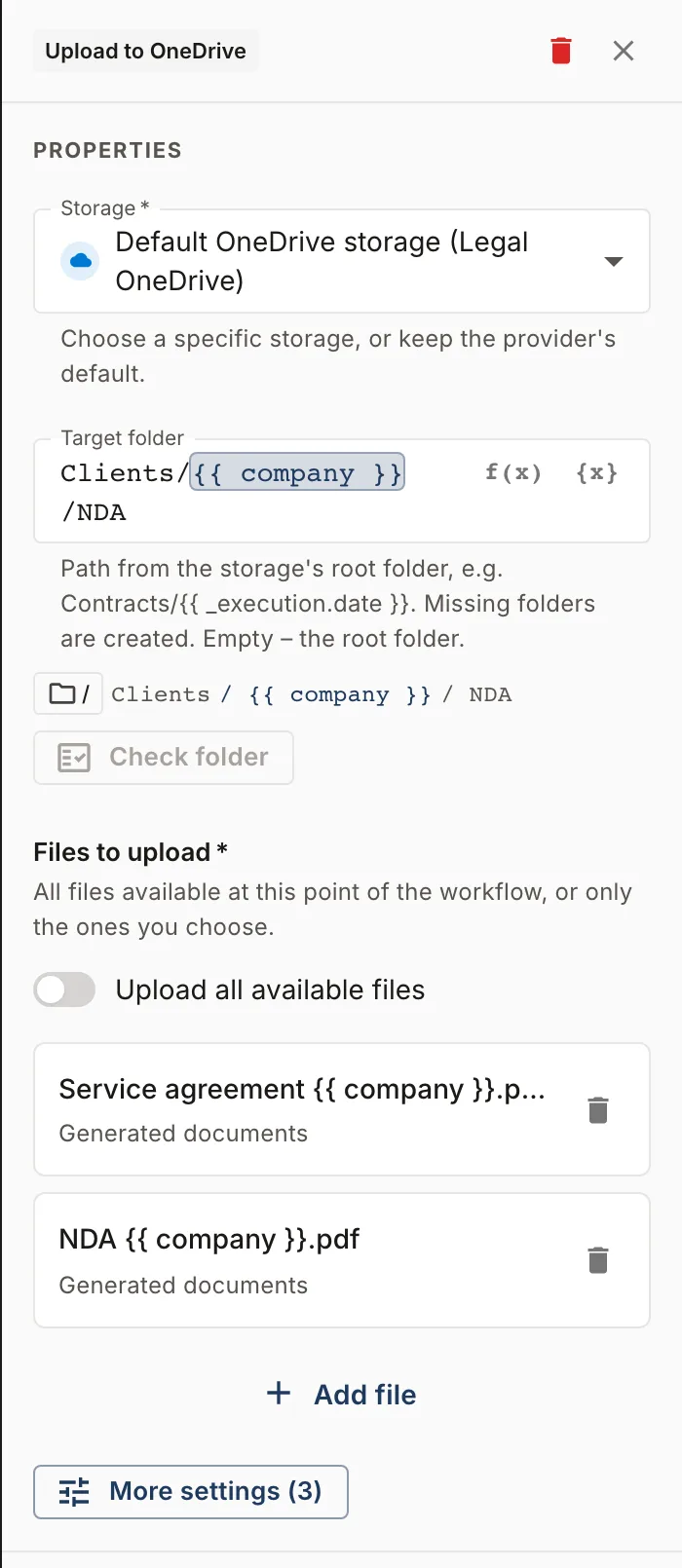
Settings
Section titled “Settings”| Setting | Allowed values | Default |
|---|---|---|
| Storage | Default OneDrive storage, one named storage, or a storage of another provider, which moves the node there | Default OneDrive storage |
| Target folder | A path from the storage’s root folder, may contain variables | Empty: the root folder |
| Files to upload | Upload all available files, or chosen files | All available files |
| File name (More settings) | Text with variables, or empty to keep each file’s name | Empty |
| If a file with this name exists (More settings) | Keep both (add a number), Replace, Skip the file, Stop with an error | Keep both (add a number) |
| If there are no files to upload (More settings) | Stop with an error, Skip this step | Stop with an error |
| A slash in a variable creates a folder (More settings) | On, off. Only on nodes from the old upload nodes. | On for those nodes |
Variables in these fields can carry operations and functions, such as {{ id | first(8) }} or {{ nickname ?? firstName }}: click a variable and then Operations, or use f(x).
Word and Excel files stay Word and Excel files, ready to open in Microsoft 365, so the conversion switch that Google Drive has is not offered here.
What Doxtly can see on your OneDrive
Section titled “What Doxtly can see on your OneDrive”A OneDrive connection sees everything inside the root folder chosen for the integration, whoever put it there. Check folder therefore finds folders your colleagues made by hand, and the node uploads into them. Nothing outside the root folder can be reached.
What it produces, and what can go wrong
Section titled “What it produces, and what can go wrong”The node adds no variable and no file. Apart from a storage it cannot use and an empty variable in the folder or file name, it fails only when every file failed, or when there was nothing to upload and it is set to Stop with an error. The full table is under When something goes wrong.
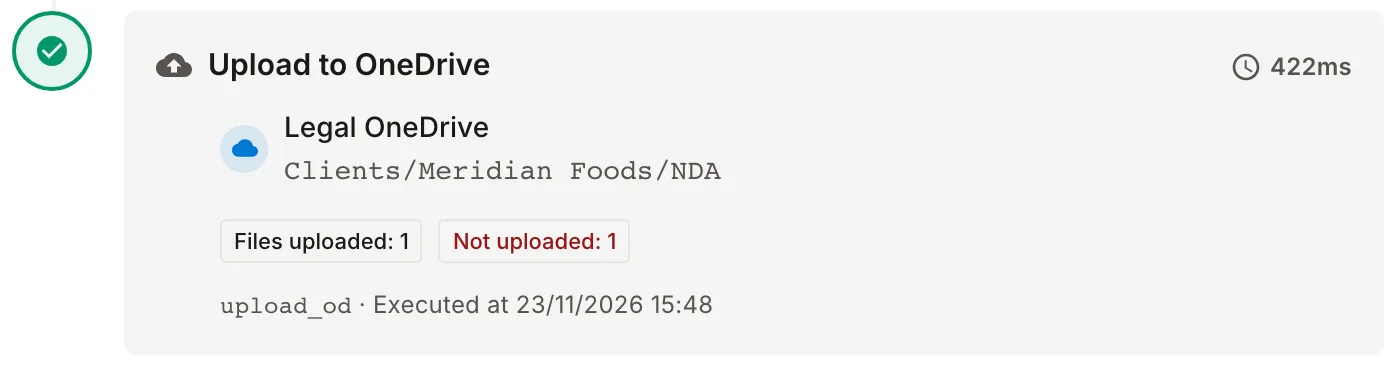
Example
Section titled “Example”A law firm wants each client’s NDA in that client’s folder, and a re-signed NDA should replace the old one.
| Setting | Value |
|---|---|
| Target folder | Clients/{{ company }}/NDA |
| Files to upload | The generated NDA |
| File name | NDA {{ company }} |
| If a file with this name exists | Replace |
| If there are no files to upload | Stop with an error |
A run for Acme Ltd writes Clients/Acme Ltd/NDA/NDA Acme Ltd.pdf, and the next run for Acme Ltd replaces it.