

Role and permissions
This tab answers one question: what may I do here? Say a consultant at Northbridge Advisory can’t find the invoices a colleague talks about. One look here shows that Subscription and billing isn’t among her permissions, so she knows what to ask for and whom to ask. You can read the tab but not change it. Your access is set by whoever manages people in your organization.
Open your profile and choose Role & permissions. The card is headed Access.
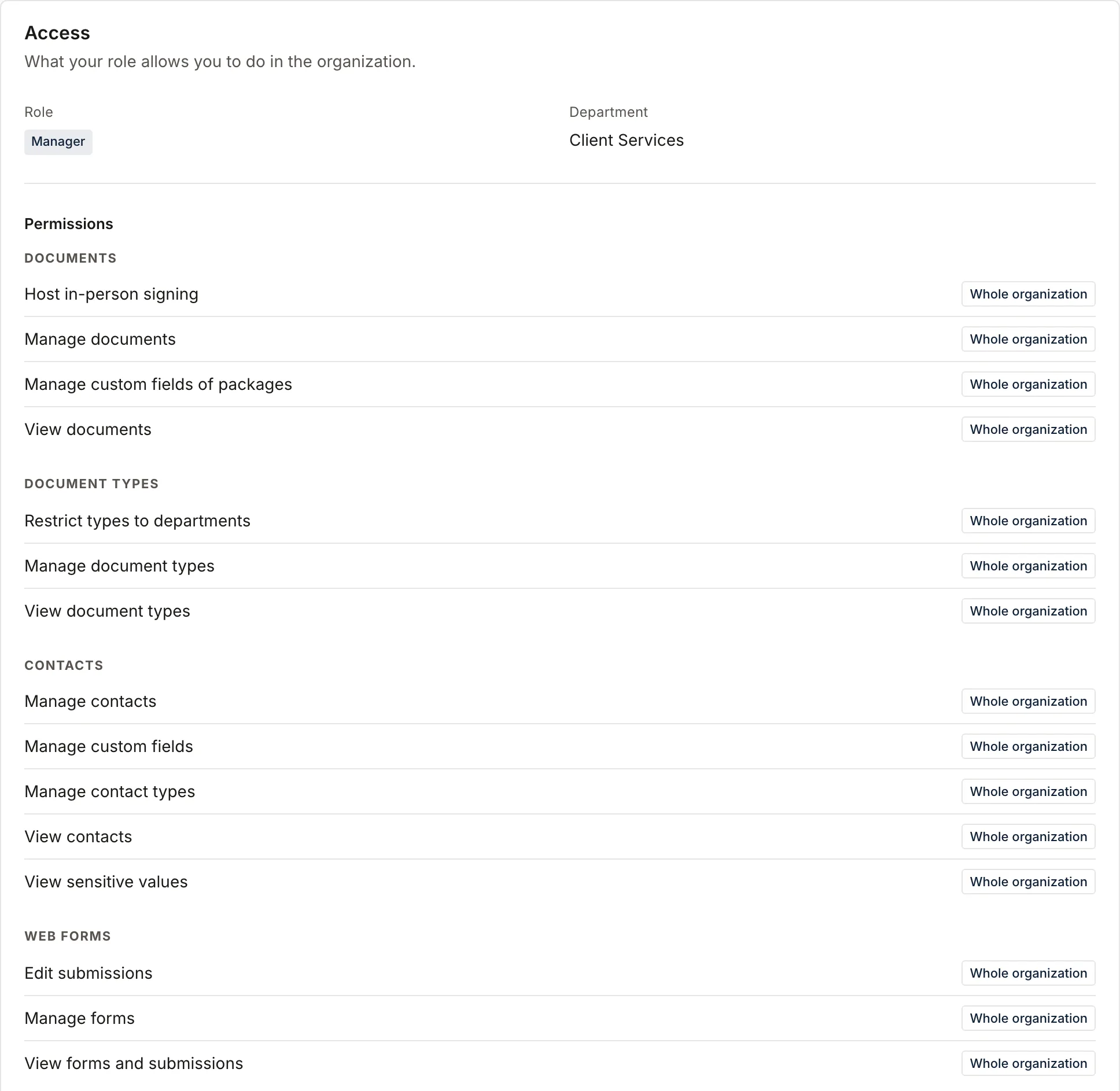
What the tab shows
Section titled “What the tab shows”| Part | What it tells you |
|---|---|
| Role | Your role in this organization. The four built-in roles appear as coloured labels. A role your organization made itself has an outlined label. |
| Department | The department you belong to, or Not assigned to a department. |
| Permissions | Everything your role grants, grouped by the part of Doxtly it belongs to: Documents, Web forms, File templates, Automation and so on, in the same order as the role editor. A group you hold nothing in is left out. |
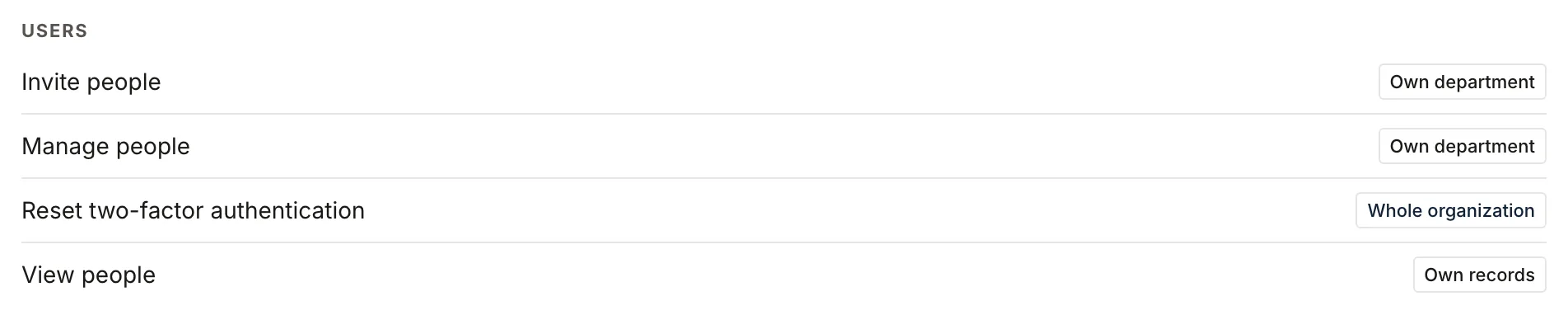
Beside each permission, a label gives its reach:
| Reach | What you can get to |
|---|---|
| Own records | Your own entry and nothing else. Only View people can have this reach. |
| Own department | Records of your department. If you are in no department, you reach nothing this way. |
| Whole organization | Everything of that kind. This label is the coloured one, so wide access stands out. |
So View documents at Own department means that someone in Client Services at Northbridge Advisory sees packages of the types open to Client Services or to everyone, and not those open only to the Training team. Most permissions come only at Whole organization, because forms, templates and workflows belong to the company as a whole.
If your role grants nothing, the tab says Your role grants no permissions. You can still open the documents you are a party to. That is intended: somebody invited only to sign can do just that.
What depends on it
Section titled “What depends on it”- The sidebar and dashboard. What you may not open is left out, so a missing entry usually means a missing permission.
- Your notifications. Most notices go only to people who can act on them, so a role decides what you are told, even with every switch on.
- Other organizations. The tab shows the organization you are working in. In another one you may have a different role altogether.
Getting more access
Section titled “Getting more access”Ask someone who manages people in your organization, and name the permission you are missing: it saves them guessing. They change your role or department on the Users page, and a person who manages roles can change what a role grants on the Roles page. The list of every permission and what it does is there too.