

Installing the plugin
Doxtly Forms adds an editor button, a site module and a tag to Joomla, so a form you built in Doxtly can sit on any page of your site. This page takes you from download to a published form, and covers updating and removing the plugin.
Before you start
Section titled “Before you start”| You need | Details |
|---|---|
| Joomla | 5.4 or newer, including Joomla 6 |
| PHP | 8.1 or newer, with the sodium extension |
| A Joomla user who can install extensions | Usually a Super User |
| A Doxtly form set to Active | See Forms. A form that is not active shows Form not found on the page. |
API access, which the optional access key uses, is part of every plan. The plugin is translated into Polish, Spanish, German, Portuguese, French, Ukrainian, Thai, Chinese (simplified), Hindi, Arabic, Japanese, Turkish and Italian: Joomla users with one of these as their language see its screens in it, and everyone else sees English.
Installing
Section titled “Installing”Get the plugin from the plugin’s page of the Doxtly website. The file is always the latest version, and the page shows its checksum if your company verifies downloads.
-
Download
doxtly-forms-joomla.zip. -
In the Joomla administrator, go to System and, under Install, open Extensions.
-
On the Upload Package File tab, drop the file on the page, or click Or browse for file and choose it. Joomla installs it straight away.
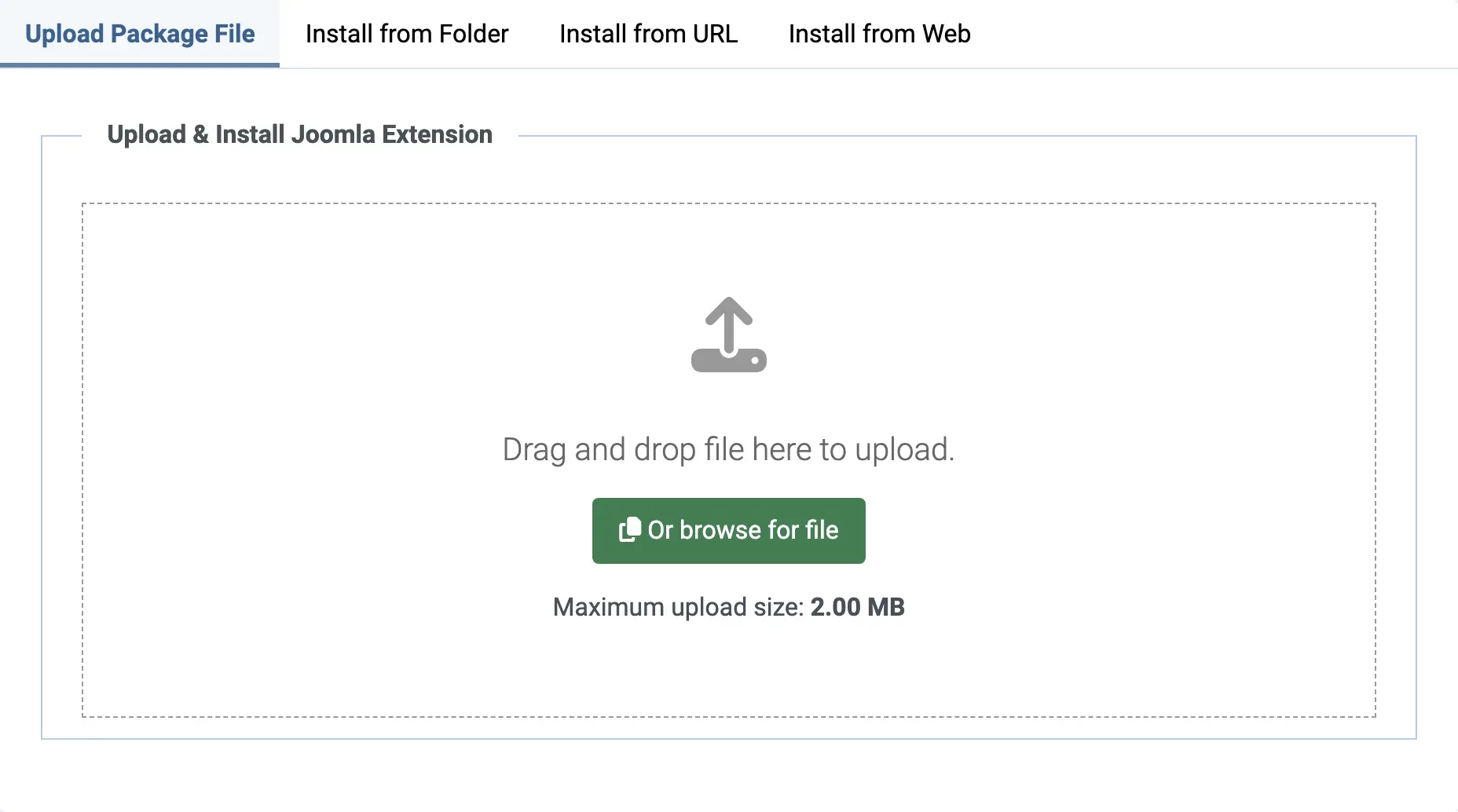
Joomla reports Installation of the package was successful. There is nothing to activate: the two plugins of the package are switched on by the installation.

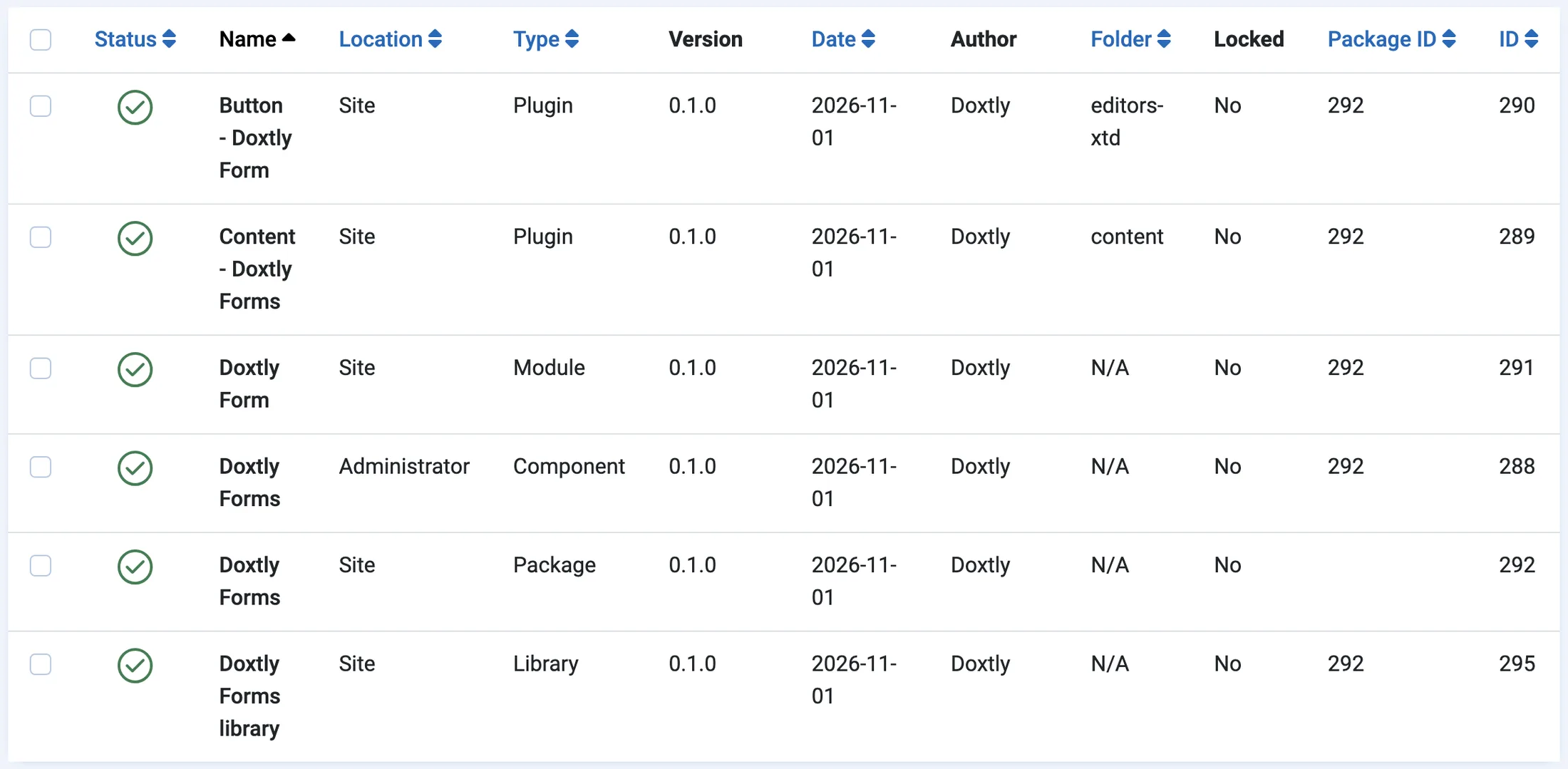
The package puts five parts on your site, and System → Manage → Extensions lists them when you search for “doxtly”. The settings are under Components → Doxtly Forms.
Your first form
Section titled “Your first form”This is the shortest way to a live form. You can add the access key later.
-
If your organization has its own subdomain, open Components → Doxtly Forms, enter your address as the Application URL and click Save changes. Everyone else can skip this: the plugin starts with
https://app.doxtly.com. -
In Doxtly, open the form’s Share dialog and copy its Public link. The ID the plugin asks for is the last part of that link, after
/f/: the form’s public token. -
In Joomla, open an article and put the cursor where the form belongs. Open CMS Content in the editor’s toolbar and choose Doxtly Form.
-
Paste the ID into Form and click Insert.
-
Save the article and open it on your site. The form is there, ready to use.
The editor shows a tag, not the form itself. Open the published page to see the real thing.
Updating
Section titled “Updating”Joomla does not offer updates for this plugin on its own, so look at the plugin’s page from time to time. It shows the current version, and the settings screen shows yours in its top right corner.
-
Download the new
doxtly-forms-joomla.zip. -
Upload it the way you did the first time: System → Install → Extensions, tab Upload Package File.
Joomla installs it over the old version without asking. Your settings, the access key, your modules and the forms on your pages all stay as they were, and a plugin you switched off stays off.
Switching the plugin off and removing it
Section titled “Switching the plugin off and removing it”What stays behind depends on how far you go.
| What you do | Your pages | Settings and access key |
|---|---|---|
| Remove the saved access key in the settings | Forms keep working. Editors enter IDs by hand again. | The key is deleted from Joomla. The addresses stay. |
| Disable the plugin Content - Doxtly Forms | A tag appears on the page as plain text, such as {doxtly_form id="…"}. Doxtly Form modules keep showing their forms, but the lists stop working: see Troubleshooting. |
Kept, so enabling it again restores everything. |
| Uninstall the package | A tag appears as plain text, the same as above. Your Doxtly Form modules are deleted. | Deleted, including the encrypted access key and the cached lists. |
To uninstall, go to System → Manage → Extensions, search for “doxtly”, tick the row Doxtly Forms of the type Package, and choose Actions → Uninstall. The parts go together. Joomla refuses to remove one alone and says The Doxtly Forms library extension is part of a package which does not allow individual extensions to be uninstalled.
Uninstalling leaves two things alone:
- Your articles. The tags stay in their text. If you install the plugin again they work again. Modules have to be added again, and any settings you had need entering once more.
- Your Doxtly account. Forms and submissions are untouched, and the access key is still valid. If you no longer need the key, disable or delete it in Doxtly.