

Delete contact
The Delete contact node removes the contact of an email address, with its notes and history. Use it when someone withdraws their consent or a client’s contract ends. Northbridge Advisory, say, runs a workflow on a webhook from its mailing tool: when someone unsubscribes, this step removes them from the address book. Packages the person is part of are not touched, because a signed document has to stay as it is.
Available when: the View contacts and Manage contacts permissions to set up
You find it in the Contacts group of the palette.
Settings
Section titled “Settings”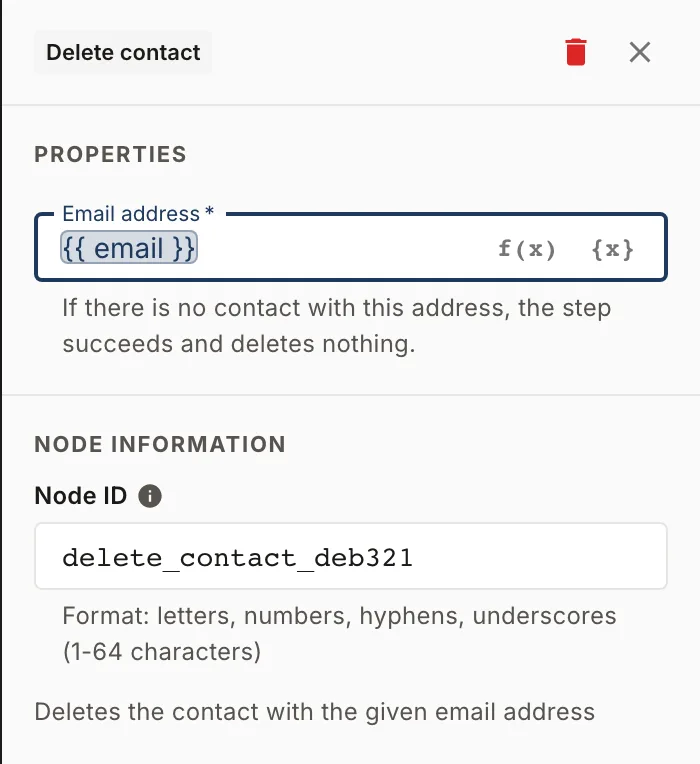
| Setting | What it does |
|---|---|
| Email address | The address of the contact to delete, whatever its letter case. Required, and variables work here. |
On the run’s page
Section titled “On the run’s page”The step’s card says Deleted or Nothing to delete. An address without a contact is a success, so the run goes on. The step fails only when the address comes out empty.
What the deletion takes with it
Section titled “What the deletion takes with it”The contact’s notes, its history and its photo go with it, and this can’t be undone. Deleting a contact starts no Contact saved workflow. The space the photo took is freed, and so is one contact on your plan’s contact limit.