

Nodes
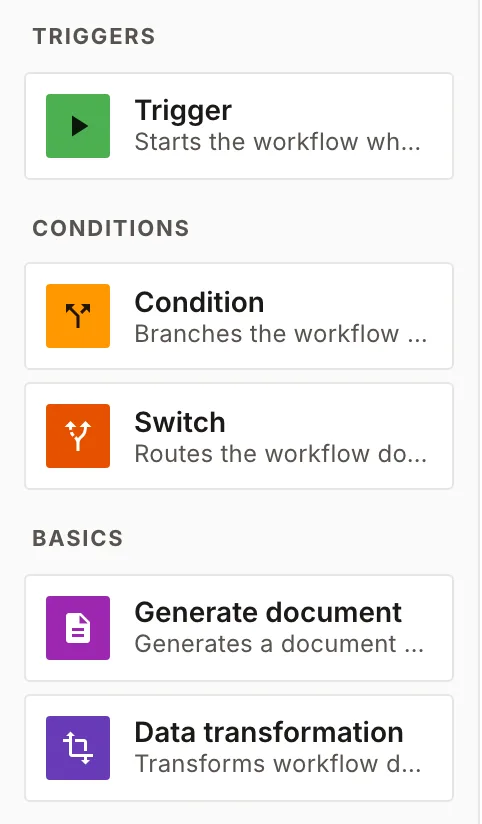
A node is one block on the designer’s canvas. The trigger starts the run, control nodes decide where it goes and what data it carries, and action nodes do the work: they send, generate, store. A workflow for a new client might read: form sent, is the fee above 10,000, generate the right contract, email it.
Always available
The kinds of node
Section titled “The kinds of node”| Kind | Palette group | What it does |
|---|---|---|
| Trigger | Triggers | Starts the run. Exactly one per workflow. |
| Condition | Conditions | Asks a yes or no question, and goes on along True or False. |
| Switch | Conditions | Compares a value with a list of cases, and takes one of many paths. |
| Data transformation | Basics | Rewrites the run’s data with a piece of JavaScript. |
| Action nodes | See below | Do something: send an email, generate a document, write a row. |
Action nodes
Section titled “Action nodes”| Palette group | Nodes |
|---|---|
| Basics | Generate document |
| AI | AI agent |
| Documents | Create documents, Find a contract |
| Notifications | Send email, Send SMS, Send WhatsApp message, Send to a messenger, Webhook |
| Contacts | Save contact, Update contact, Delete contact |
| Quizzes | Send a quiz, Quiz summary, Grade quiz attempt |
| Surveys | Send a survey |
| CRM | Sync a contact with the CRM, Update a deal, Attach files in the CRM, Add a note in the CRM |
| Cloud files | Upload to Google Drive, Upload to OneDrive, Upload to SharePoint, Upload to Dropbox, Upload to Box: the Upload to the cloud node, one entry per provider. Download from Google Drive, Download from OneDrive, Download from SharePoint, Download from Dropbox, Download from Box: the Download from the cloud node. |
| Spreadsheets | Find a row, Load rows, Count rows, Write to a sheet |
Doxie, the AI assistant in Doxtly, can set up the step you have selected in the designer, or write a data transformation’s code. A Webhook step, which can hold secure values, you set up yourself. What she prepares waits for you to apply it, and nothing changes until you save the workflow.