

Your organization
An organization is your company’s space in Doxtly. Everything you build (forms, templates, workflows, documents) belongs to it, and everybody who works there is a member of it. This section is for whoever looks after that space: the people who invite colleagues, decide who may do what, and set the rules for the whole company.
Nothing crosses between organizations. A form, a submission or a person in Northbridge Advisory is invisible from any other organization, even when the same person happens to be in both. That’s why an accountant who serves two client companies can work in both from one sign-in without either company seeing the other’s papers.
Where to find it
Section titled “Where to find it”The Organization group in the sidebar holds everything in this section. Each item shows up only if your role lets you open it, so a colleague may see a shorter list than you do.
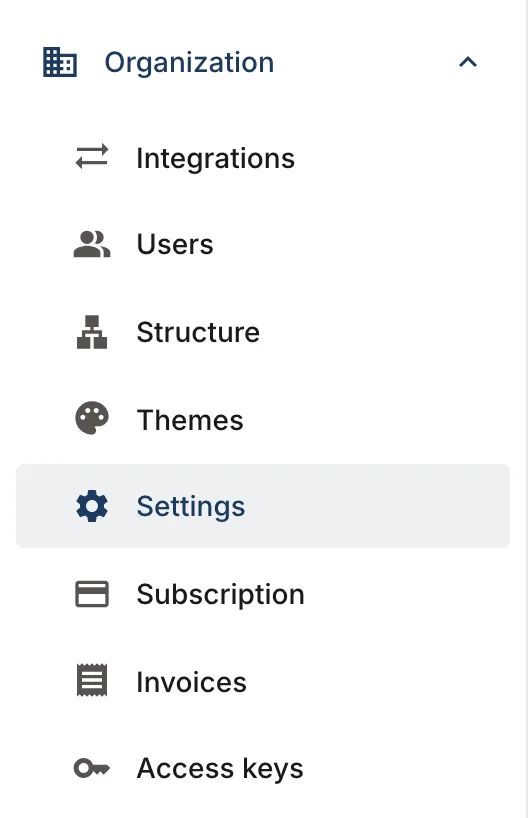
| Sidebar item | What it holds | Who sees it |
|---|---|---|
| Integrations | Connections to other services: email, cloud storage, AI providers and more. See Integrations. | Anyone with View integrations |
| Users | Your colleagues and the invitations waiting for an answer. See Users. | Anyone with View people or Invite people |
| Structure | Departments and roles, one tab each. | Anyone with View departments or View roles |
| Themes | The look and custom CSS of the public pages of your forms, quizzes, surveys and interactive documents. See Themes. | Anyone with Manage themes, or with the view permission of forms, quizzes, surveys or interactive documents |
| Settings | Language, billing data, request limits, data retention, branding and company-wide policies. See Organization settings. | Anyone with View organization settings |
| Subscription | Your plan and how much of it you have used. See Subscription. | Anyone with View subscription and invoices |
| Invoices | What you have paid. See Invoices. | Anyone with View subscription and invoices |
| Access keys | Keys that let other systems call the API. See Access keys. | Anyone with View access keys |
How the pieces fit together
Section titled “How the pieces fit together”Three ideas decide what a person can do.
A role is a set of permissions. Everyone holds exactly one. Doxtly comes with four built-in roles (Administrator, Manager, Member, Viewer), and you can build your own when they don’t fit.
A department is a part of your company, such as Legal or Training. Departments are optional. You only need them when some things should stay within one team.
A reach says how far a permission goes: the person’s own records, their department, or the whole organization. Most permissions only come organization-wide. A few, mainly around people and documents, can be narrowed.
Here is how that looks at Northbridge Advisory. Anna is an Administrator and can do everything. Marek holds a custom role, “Training coordinator”, that lets him invite people into the Training department and nowhere else. Julia is a Viewer: she can read forms and generated certificates but change nothing.
There is one rule behind all of this: nobody can hand out more than they hold. Marek can’t build himself a bigger role, and he can’t invite someone with more access than he has. The roles page explains how that plays out.
Your first hour as an administrator
Section titled “Your first hour as an administrator”The person who founds an organization becomes its first Administrator. Here is a sensible order to set things up.
-
Open Settings and check the language and time zone. They decide the time zone of everyone’s dates, the regional way of writing them for those who read the app in the organization’s language, and the language your organization’s mail goes out in.
-
Fill in the billing data. A paid plan needs the billing address, and the company name you enter is the name your organization goes by.
-
Upload your logo on the Branding section, so your emails carry it.
-
If some work belongs to one team, add departments. Skip this if you are a small firm where everybody sees everything.
-
Look through the built-in roles. Most companies can start with those.
-
Decide how long to keep your data and whether to require two-factor authentication. A firm that handles client contracts usually wants both settled before the first real record comes in.
People in more than one organization
Section titled “People in more than one organization”A person has one Doxtly account and a separate membership in each organization they join. Their password and second factor belong to the account. Their role, department, displayed name, avatar and saved signature belong to the membership, so they can differ from one organization to the next. Nobody in your organization can see which other organizations a colleague belongs to.
Deleting someone from your organization ends that membership. Their account and their other organizations stay as they are. Organizations and people covers switching between organizations and founding a new one.