

Save form submitters as contacts
Northbridge runs an enquiry form and wants every person who sends it in the address book, ready to be picked as a party in a contract later. One step does it, and the contact’s history shows the workflow and the run that wrote it.
Available when: the View contacts and Manage contacts permissions to set up
What you need
Section titled “What you need”A form, here “Enquiry”, with fields such as first_name, last_name, email and phone, and a contact type, here Prospect.
Build it
Section titled “Build it”-
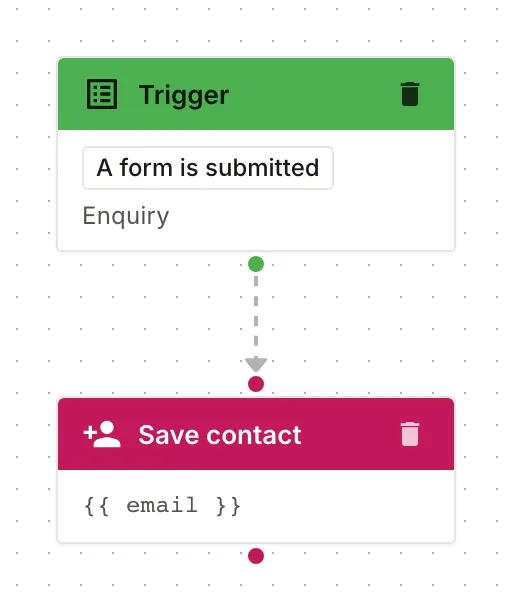
Create a workflow with the trigger A form is submitted on the form.
-
Drop Save contact from the Contacts group and connect it.
-
On Person, set Email address to
{{ email }}and keep Create or update under What to do. Set First name to{{ first_name }}and Last name to{{ last_name }}. -
On Details, set Phone to
{{ phone }}and Contact type to Prospect. -
On Note and result, set Note to
Enquiry sent on {{ _submission.submittedDate }}. -
Save and switch it on.
Check it worked
Section titled “Check it worked”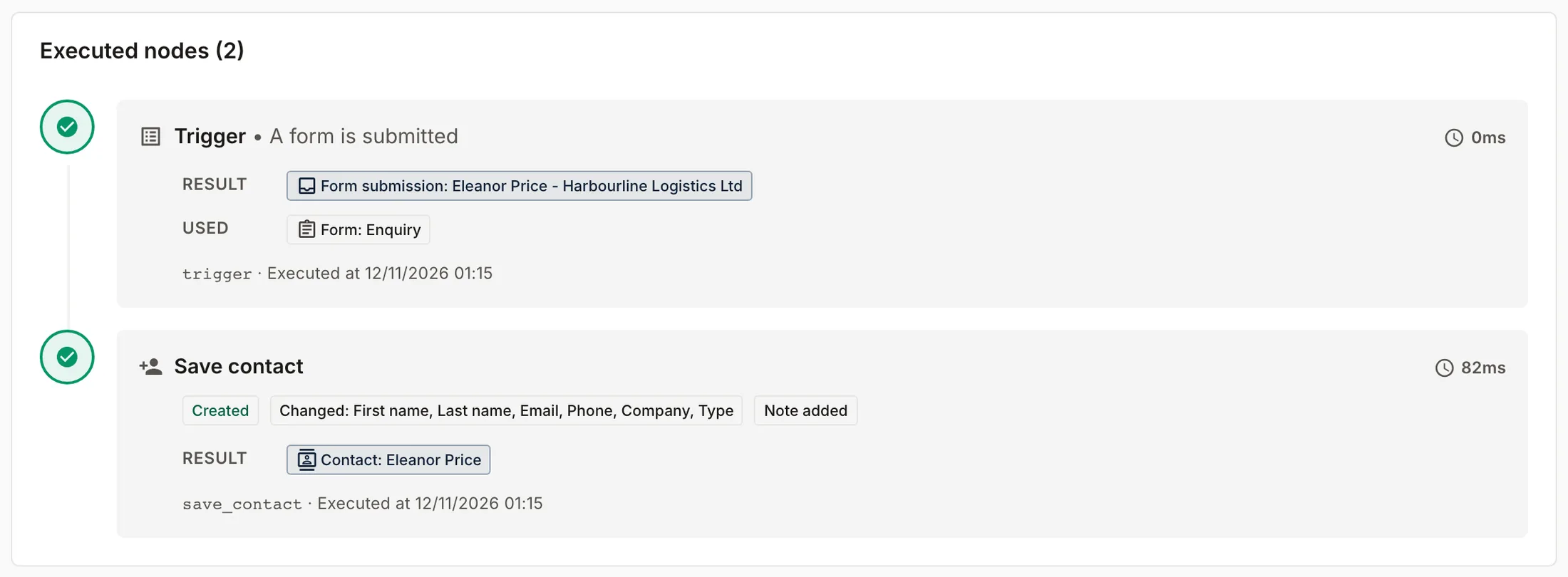
Send the form. On the workflow’s run, the Save contact card says Created and links to the contact. On the contact’s page, History names the workflow and View run opens that run. Send the form again with a new phone number: the card says Updated and lists Phone. Send it once more unchanged: the card says No change, and a further note is added, as the note isn’t empty.