Which AI runs Doxie
Doxie needs an AI to think with. In the app, that is either Doxtly AI, included in your plan, or your organization’s own AI integration, if an administrator assigns one to her. On the website she always runs on Doxtly AI. This page explains the two, how the monthly Doxtly AI limit and the Doxtly balance work together, what AI Mode changes, what the Free plan gets, and what it means when her dot turns grey.
Doxtly AI: the monthly limit, then the balance
Section titled “Doxtly AI: the monthly limit, then the balance”On a paid plan Doxie runs on Doxtly AI without anything to set up. What she uses on it comes from two places, in this order:
- The monthly Doxtly AI limit your plan includes. It starts again on the 1st of every month, and higher plans include more; see Plans and limits.
- The Doxtly balance, money paid in advance by whoever manages the subscription. It is used only once the monthly limit is used up. What is left carries over from month to month and expires 12 months after the last top-up; each top-up keeps all of it for another year.
- When both are used up, Doxie is unavailable until the limit starts again or the balance is topped up. See When Doxie is unavailable.
The two are shown differently, and on purpose:
- The monthly limit is shown as a percentage, such as 42% used, never as an amount. It is Doxtly’s own cost limit for your plan: part of what the plan includes, not money of yours.
- The balance is shown in US dollars. It is your money, paid in advance at Doxtly’s price, so you see exactly how much is left.
Both are on the Balance tab of the subscription, where people with Manage subscription can also top up the balance. Neither is billed as overage.
When the monthly limit is 80% used and there is no balance to go on with, or when the balance runs low, a thin orange line, red once little is left, runs along the top of Doxie’s message box. Point at it, tap it or reach it with Tab to read what is running out. If your role may see the subscription, it also says how much of the limit is used and how much balance is left, with Open the balance in Subscription. In AI Mode Advanced it adds AI Mode Advanced is on, so the limit runs out faster.
Your organization’s own AI integration
Section titled “Your organization’s own AI integration”An organization with its own Anthropic or OpenAI account can run Doxie on it instead. Then her work is billed by your provider, on your key, and counts towards the integration’s monthly budget, not your plan’s Doxtly AI limit or your Doxtly balance.
-
Connect an AI integration under Integrations.
-
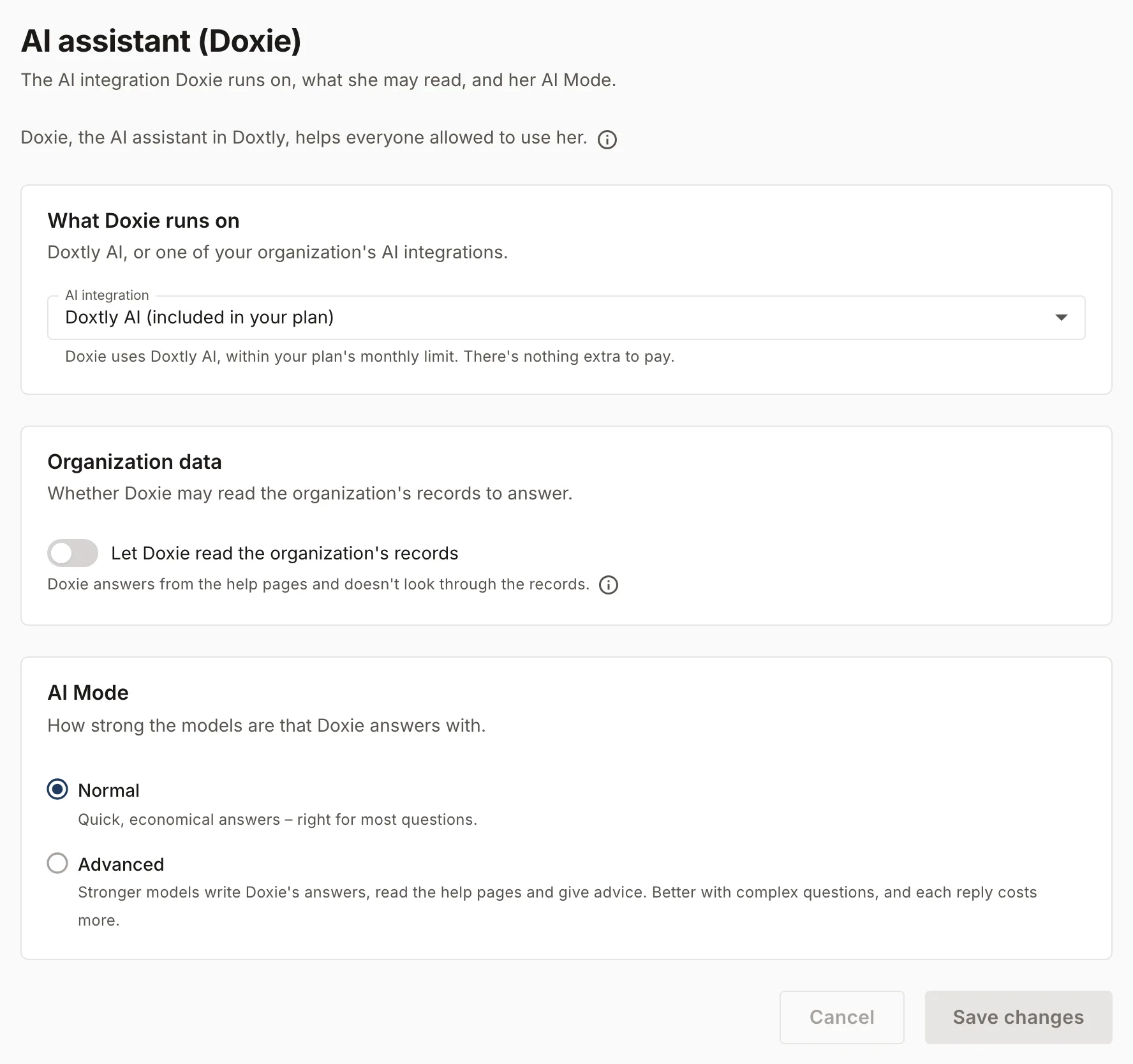
Open the organization settings and AI assistant (Doxie).
-
Under What Doxie runs on, choose the integration in AI integration.
When the integration’s monthly budget is used up, Doxie switches to Doxtly AI if your plan includes it or your organization has a Doxtly balance, until both are used up too. Choose Doxtly AI (included in your plan) to go back.
On the Free plan
Section titled “On the Free plan”The Free plan doesn’t include Doxie on Doxtly AI: the plans say Own AI integration only. But a Free organization may connect an AI integration and assign it to Doxie, and she then works as on any plan. Such an integration serves Doxie alone: AI agents, the AI workflow step and the AI buttons on other pages stay part of the paid plans.
A Doxtly balance bought on a paid plan stays usable after a move to Free, until it expires: Doxie runs on it until it is used up. A Free organization can’t top it up.
AI Mode: Normal or Advanced
Section titled “AI Mode: Normal or Advanced”On the Pro and Business plans, an administrator chooses how strong the AI models are that Doxie answers with, under AI Mode in the organization settings. It applies to everyone in the organization, in the app; on the website Doxie always answers the same way.
- Normal gives quick, economical answers and is right for most questions. Every organization starts here.
- Advanced has stronger models write Doxie’s answers, read the help pages for her and give advice. It does better with complex questions, such as a question in several parts or a choice that depends on your situation, and each answer costs more.
What Advanced costs comes out of the same places as everything else Doxie does: the monthly Doxtly AI limit first, then the Doxtly balance, or the monthly budget of your own AI integration if she runs on one. The limits of your plan don’t change, and neither do the prices of the balance; the limit and the balance simply run out sooner, which is why the card warns you before you save. When too little is left for an answer in Advanced, Doxie gives that answer in Normal rather than use more than is left.
Some of Doxie’s work runs on the stronger model in both modes. When she builds or changes a form, a workflow, a template or a design for you, and when she checks an answer drawn from the help pages, she always uses it.
On Free and Starter, and during the free trial, Advanced can’t be chosen: the card says Available from the Pro plan. Starter’s monthly Doxtly AI limit doesn’t cover even one answer in Advanced. If an organization that chose Advanced is no longer on a paid plan, or moves to a plan without Advanced, Doxie answers in Normal and the card says so. The choice is kept and applies again once the organization is on a paid plan that includes Advanced.
When Doxie is unavailable
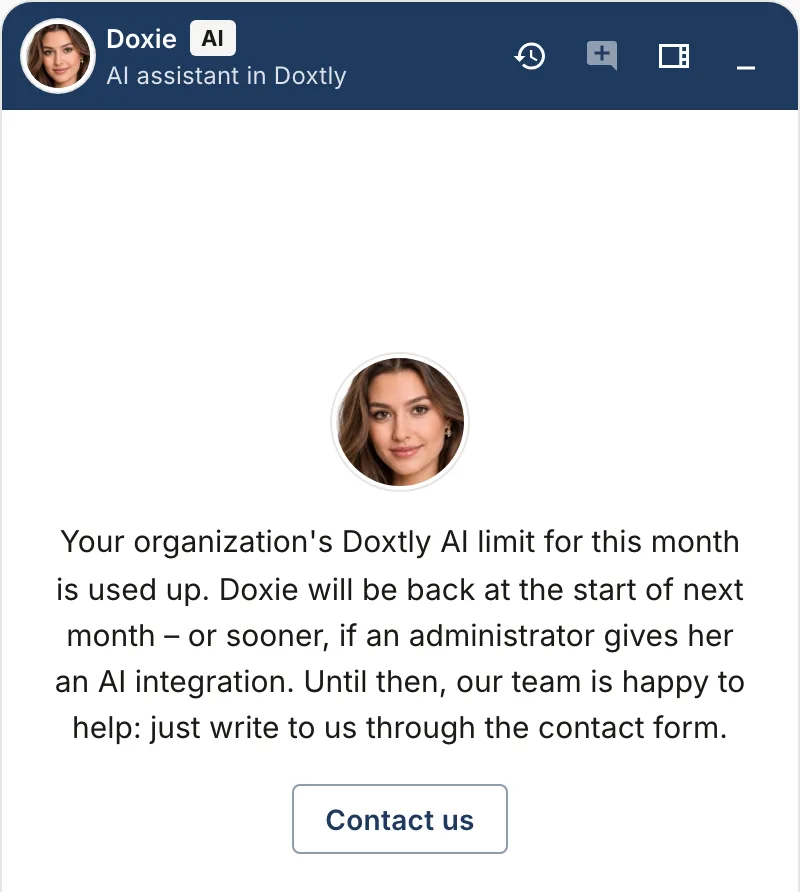
Section titled “When Doxie is unavailable”When Doxie can’t answer, the dot on her button is grey, its tooltip says why, and her panel shows the reason and Contact us, which opens our contact form. Your earlier conversations stay in her Conversations list.
| Doxie says | Why | What helps |
|---|---|---|
| Doxie isn’t switched on for your organization yet… | Neither Doxtly AI nor an integration is available for her. | An administrator assigns her an AI integration. |
| Your plan doesn’t include Doxie on Doxtly AI… | Your organization is on the Free plan, with no integration assigned to her and no Doxtly balance left. | An administrator assigns her an AI integration, or the organization moves to a paid plan. |
| Your organization’s Doxtly AI limit for this month is used up, and there is no Doxtly balance left to continue… | The plan’s monthly limit and the balance are both used up, and so is the budget of an integration assigned to her, if any. | Top up the Doxtly balance, wait for the next month, or an administrator assigns her an integration with budget left. |
When both the monthly limit and the balance are used up, what you see under the message depends on your role. If you hold Manage subscription, Doxie adds You can top up the Doxtly balance, and Doxie answers again as soon as it is credited. with a Top up Doxtly balance button, which opens the Balance tab of the subscription. Everyone else reads Ask an administrator of your organization to top up the Doxtly balance. Neither shows an amount.
Two messages mean something else, and pass by themselves: Doxie is still answering your previous message., and a temporary problem on our side, for which an answer offers Try again. See When an answer doesn’t come.
The AI buttons on other pages
Section titled “The AI buttons on other pages”A few one-click AI tools keep their own buttons, where you need them:
| Button | Where | Page |
|---|---|---|
| Match color to logo | Organization settings, branding | Organization settings |
| Import a form from a link | Forms | Import a form from a link |
| Turn a Word file into a template | File templates | Turn a Word file into a template |
| Write or explain the frequency with AI | The Recurring trigger of a workflow | Recurring |
| Draft with AI | The quiz and survey designers, in the ⋮ menu | Draft with AI |
| Import questions, from a Word file | The quiz and survey designers, in the ⋮ menu | Import questions |
| Analyse with AI | The AI analysis tab of quiz and survey results | AI analysis |
Available when: your role has Use the AI assistants along with the page's own permission; the first four buttons also need a plan with AI agents, and the AI analysis a plan with advanced quiz and survey analytics
They run on what Doxie runs on: the integration assigned to her, or Doxtly AI, which they count towards: the plan’s monthly limit first, then the balance. When neither is available, they say AI isn’t available at the moment….
When one of them fails, its message offers Ask Doxie.

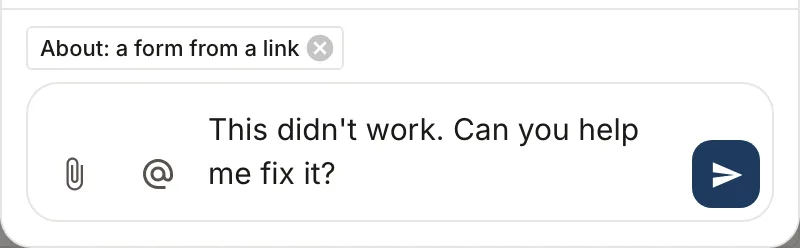
She opens with a chip saying what it was about, such as About: a form from a link, and a message ready to send: This didn’t work. Can you help me fix it? She gets what the button was trying to do and the message you saw, and works out the problem with you.