

Another OpenID Connect provider
Any provider that speaks OpenID Connect can sign your people in to Doxtly: Okta, Keycloak, OneLogin, JumpCloud and others. OpenID Connect is the standard way for an application to ask a provider who somebody is.
Connecting your provider
Section titled “Connecting your provider”- In your provider, create an OpenID Connect web application that uses the authorization code flow and has a client secret.
- Register the redirect address shown in Doxtly under How to set this up, as Redirect URI to register, and allow the scopes
openid,emailandprofile. - In Doxtly, open the Single sign-on section of the organization settings, choose Other OpenID Connect provider, and enter the Issuer URL, Client ID and Client secret. Give the button a name and click Connect.
- Add and verify your domain under Domains, as described in Single sign-on.
- Click Test sign-in and sign in with your own account.
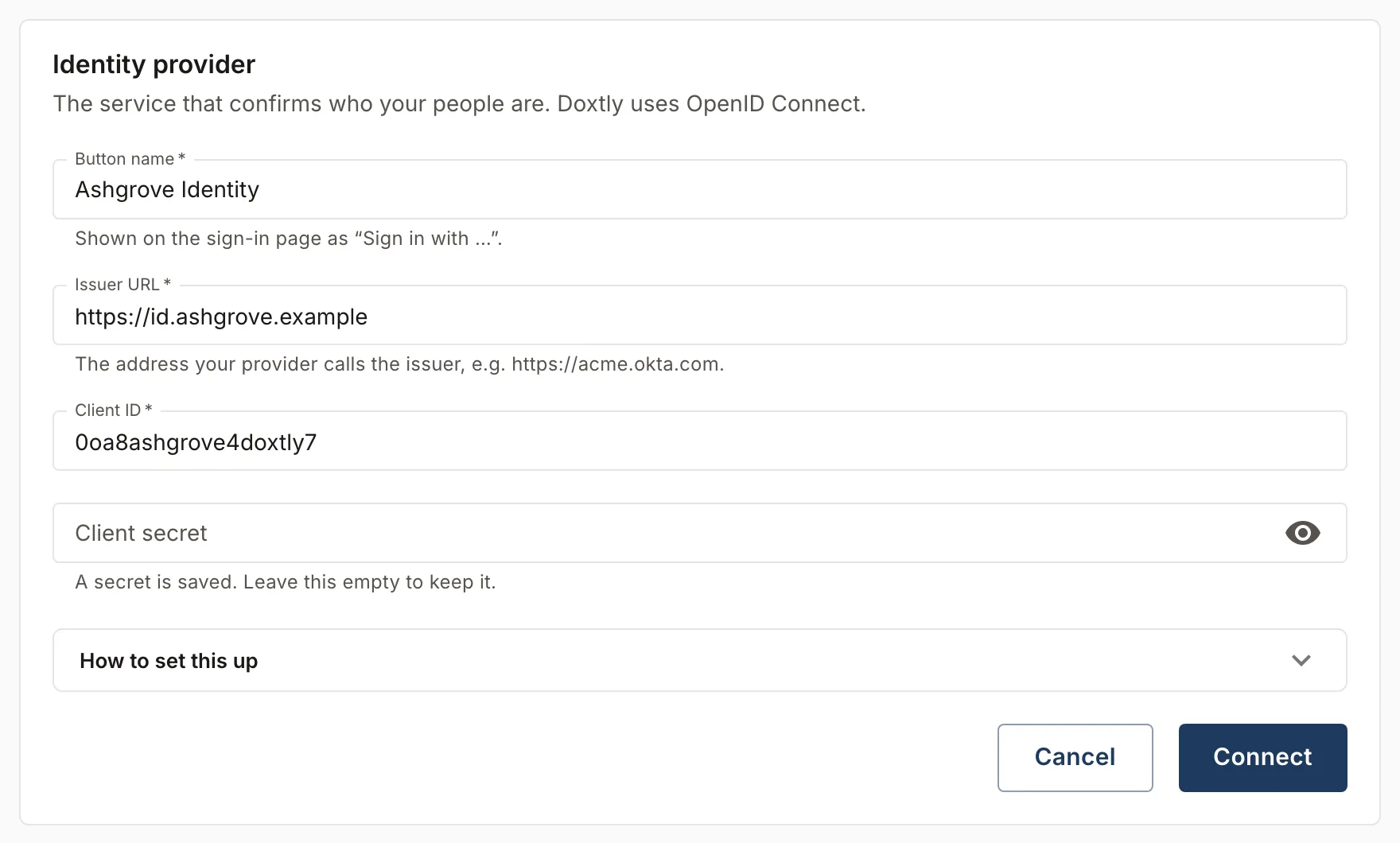
What the fields mean
Section titled “What the fields mean”| Field | What to enter |
|---|---|
| Issuer URL | The address your provider calls the issuer, for example https://acme.okta.com. It must use HTTPS and be reachable from the internet. Doxtly reads the provider’s settings from it. |
| Client ID | The identifier of the application you created. |
| Client secret | Its secret. Once saved it is never shown again; leave the field empty to keep it. |
What your provider must send
Section titled “What your provider must send”Doxtly needs a stable identifier of the person and an email address in a domain you verified. An address the provider marks as not verified does not count. PKCE, the protection against a stolen authorization code, is always used, so your provider must accept it.
When a person acts for somebody else
Section titled “When a person acts for somebody else”Confirming an act in another person’s name asks your provider for a new sign-in, and the provider must report when it happened. If the provider does not, the confirmation fails, so check this before people rely on it.