

Settings and connecting to Doxtly
The module has one settings page. It says where your Doxtly is and, if you want editors to pick forms from a list and find them for a link, holds the access key. Forms on your pages work without a key: it only changes how editors choose them.
Available when: the admin user's role holds the Settings resource of Doxtly Forms
Open Content → Elements → Doxtly Forms. The settings apply to the whole installation, so every website and store view of it uses the same Doxtly and the same key.
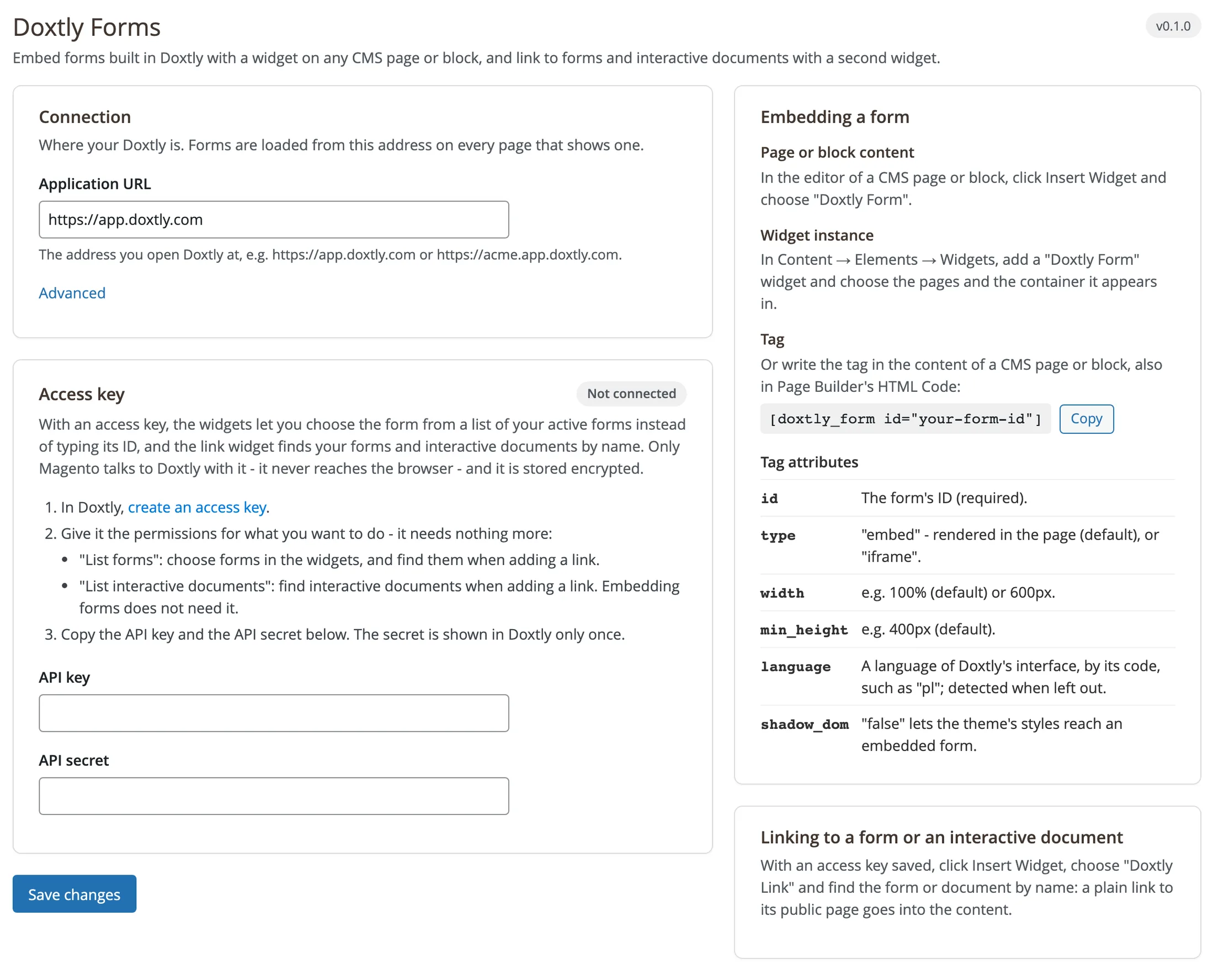
Connection
Section titled “Connection”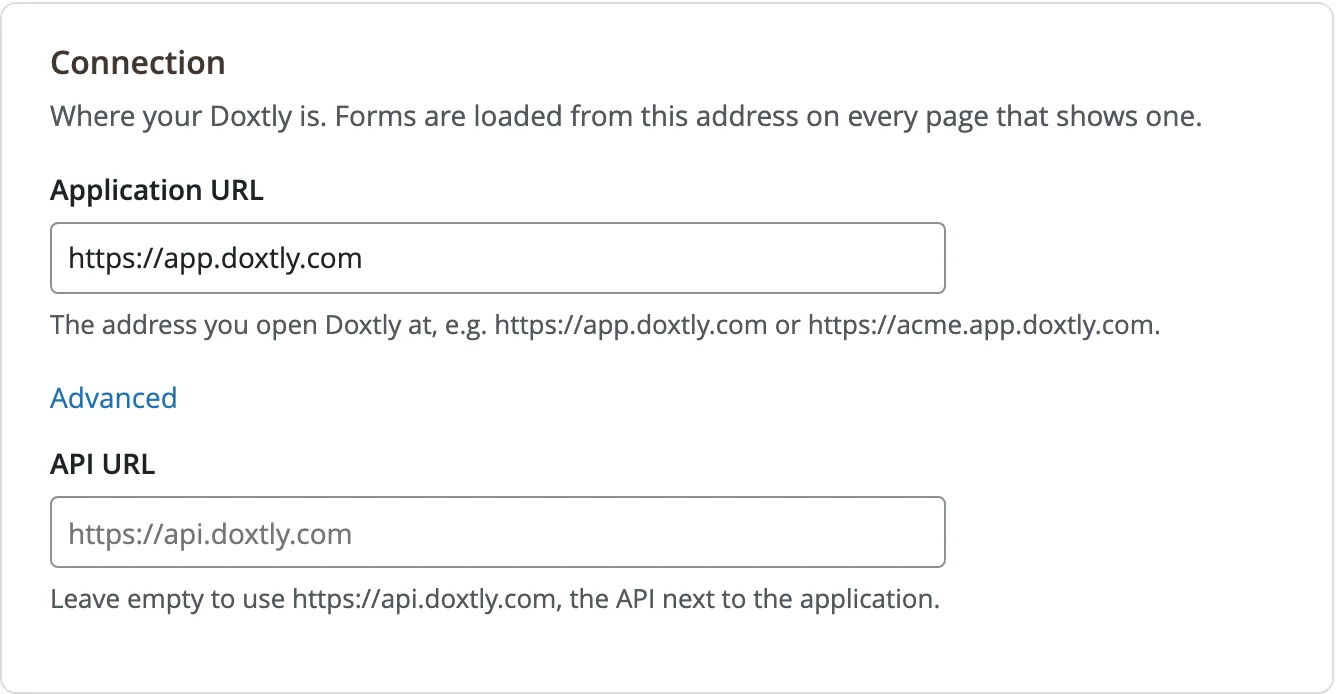
| Field | What it is for | Default |
|---|---|---|
| Application URL | The address you open Doxtly at, such as https://app.doxtly.com, or https://northbridge.app.doxtly.com if your organization has a subdomain. Every page with a form loads it from here. |
https://app.doxtly.com |
| API URL (under Advanced) | Where Magento reads the lists of forms and interactive documents. Leave it empty: the module takes the Application URL and turns its app part into api. |
Worked out from the Application URL |
API URL matters only if your Application URL has no app part in it. The module then opens Advanced by itself and says so. Links found with the link search use the Application URL.
Both must be valid http or https addresses. A trailing slash is removed for you.
Saving another address also cleans Magento’s Page Cache and Blocks HTML output, so that pages with a form go on to the new address at once.
The access key
Section titled “The access key”An access key lets Magento ask Doxtly what it can offer your editors. Without one, they type or paste a form’s ID, and the link search finds nothing. What a key gives depends on its permissions, and you choose only what you need:
| Permission | What editors get | Without it |
|---|---|---|
| List forms | A list of form names in the Doxtly Form widget, and your active forms in the link search | Forms are entered by their ID and the link search doesn’t find them |
| List interactive documents | Your active interactive documents in the link search | Nothing changes for forms. Skip it if you only embed forms. |
| List quizzes, List surveys | A list of your active quizzes and surveys in the Doxtly Quiz or Survey widget, and both in the link search | Quizzes and surveys are placed by their token, and links to them are pasted |
| Read themes of public pages | A list of your Doxtly themes under Doxtly Theme, wherever forms, quizzes and surveys are placed | The theme set in Doxtly is used, or a theme’s ID is typed |
Available when: your Doxtly role holds Manage access keys, to create the key
Keys are part of every plan. A key belongs to the organization and not to a person, so it keeps working when a colleague leaves.
-
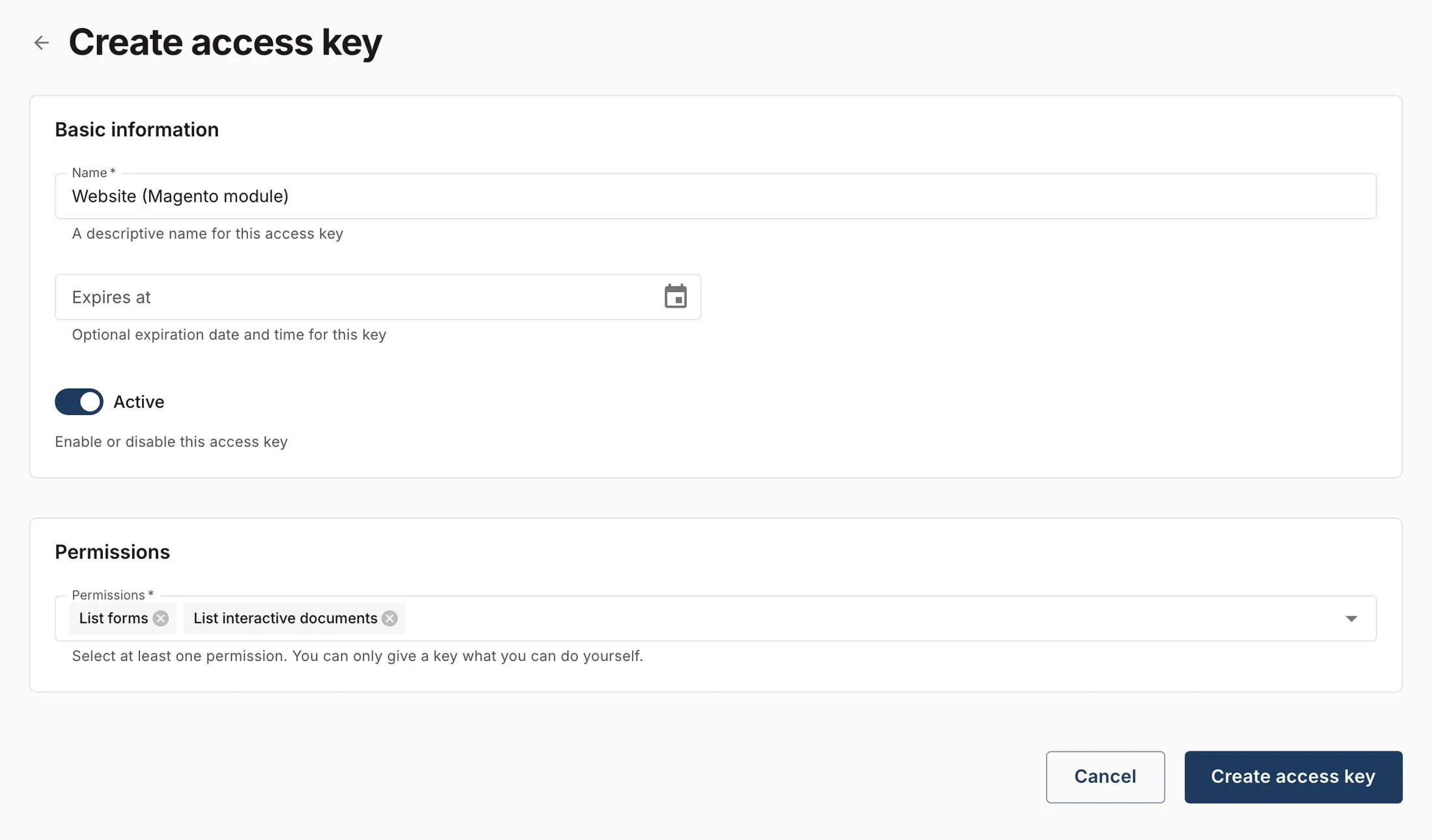
On the settings page, click create an access key. This opens the new key form in Doxtly, at the address you entered as the Application URL.
-
Give the key a name that says what it is for, such as “Website (Magento module)”.
-
Under Permissions, choose List forms. To link to interactive documents as well, add List interactive documents, and for quizzes and surveys List quizzes and List surveys. The module needs no more. You can only give a key what your own role allows.
-
Click Create access key and copy the API key and the API secret. Doxtly shows the secret only once.
-
Back in Magento, paste them into API key and API secret and click Save changes.
The page then checks the connection and tells you what the key can read.
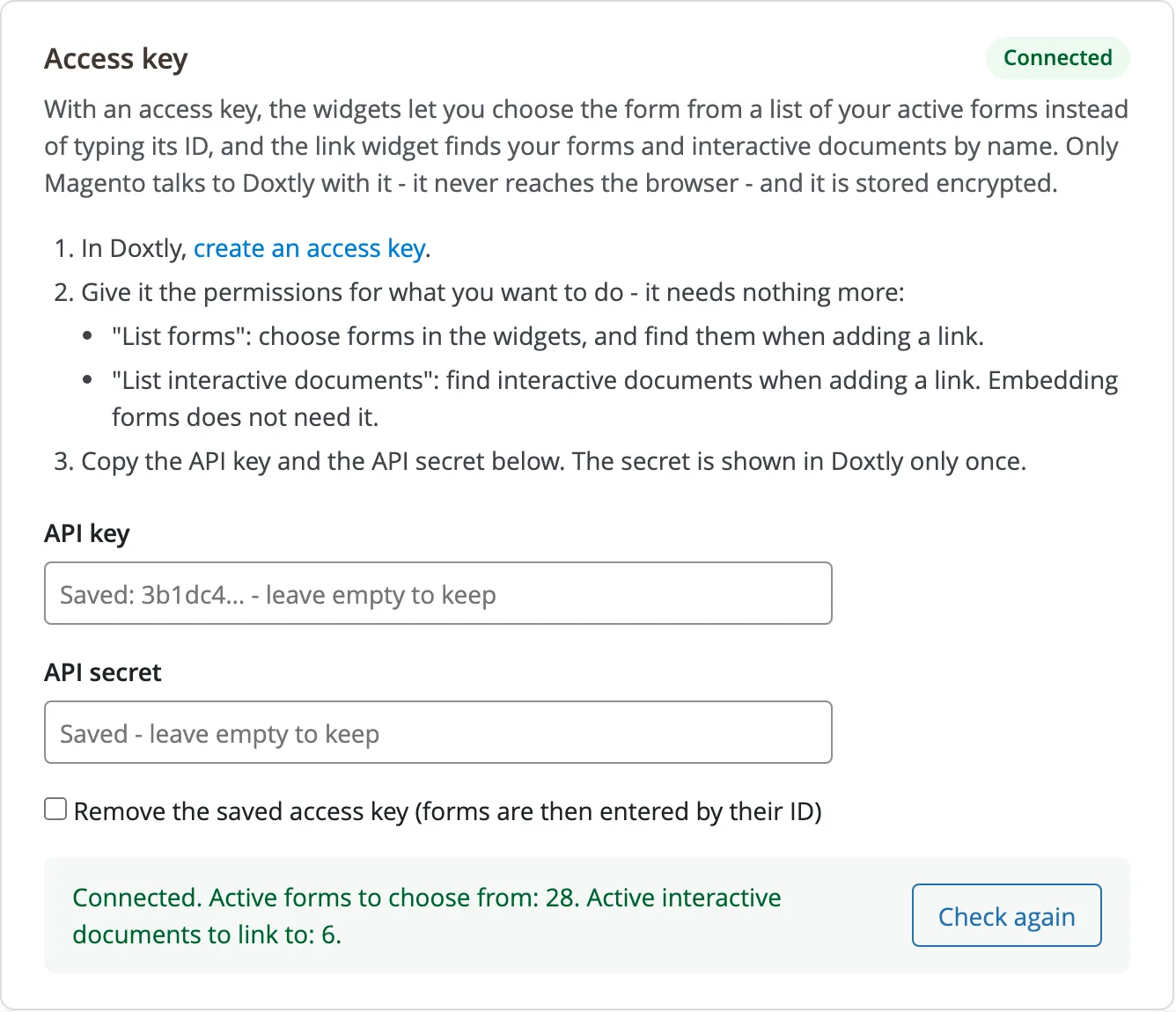
What you need to know about the saved key:
- Only Magento uses it. It never reaches a visitor’s or an editor’s browser. Editors get names, IDs and links through your own admin.
- It is stored encrypted, and the page never shows it again. You see its first few characters so that you can tell which key is saved.
- It can do nothing but read the lists, if you gave it only the permissions above.
bin/magento app:config:dumpkeeps it out ofapp/etc/config.php, the file your developers commit, and writes it toapp/etc/env.phpas Magento does with any sensitive value.- Leave a field empty when you save and the stored value stays. That is how you replace only the secret after rotating a key.
Check again repeats the test straight away, against Doxtly itself. Saving the settings forgets the lists held in Magento, so the next look reads them afresh.
Status
Section titled “Status”The label beside Access key tells you where you stand.
| Label | What it means |
|---|---|
| Not connected | No key is saved. Editors enter forms by their ID. |
| Checking… | The page is reading the lists. |
| Connected | The list of forms was read. The message below it gives the number of active forms and of active interactive documents. If the key lacks List interactive documents, it says so. That is no fault: a store that only embeds forms needs nothing more. |
| Connected, without forms | The key reads interactive documents but lacks List forms, so forms are entered by their ID and the link search doesn’t find them. |
| Connection failed | The list of forms could not be read. The message says why. See Troubleshooting. |
| Cannot be decrypted | The saved key no longer opens. See below. |
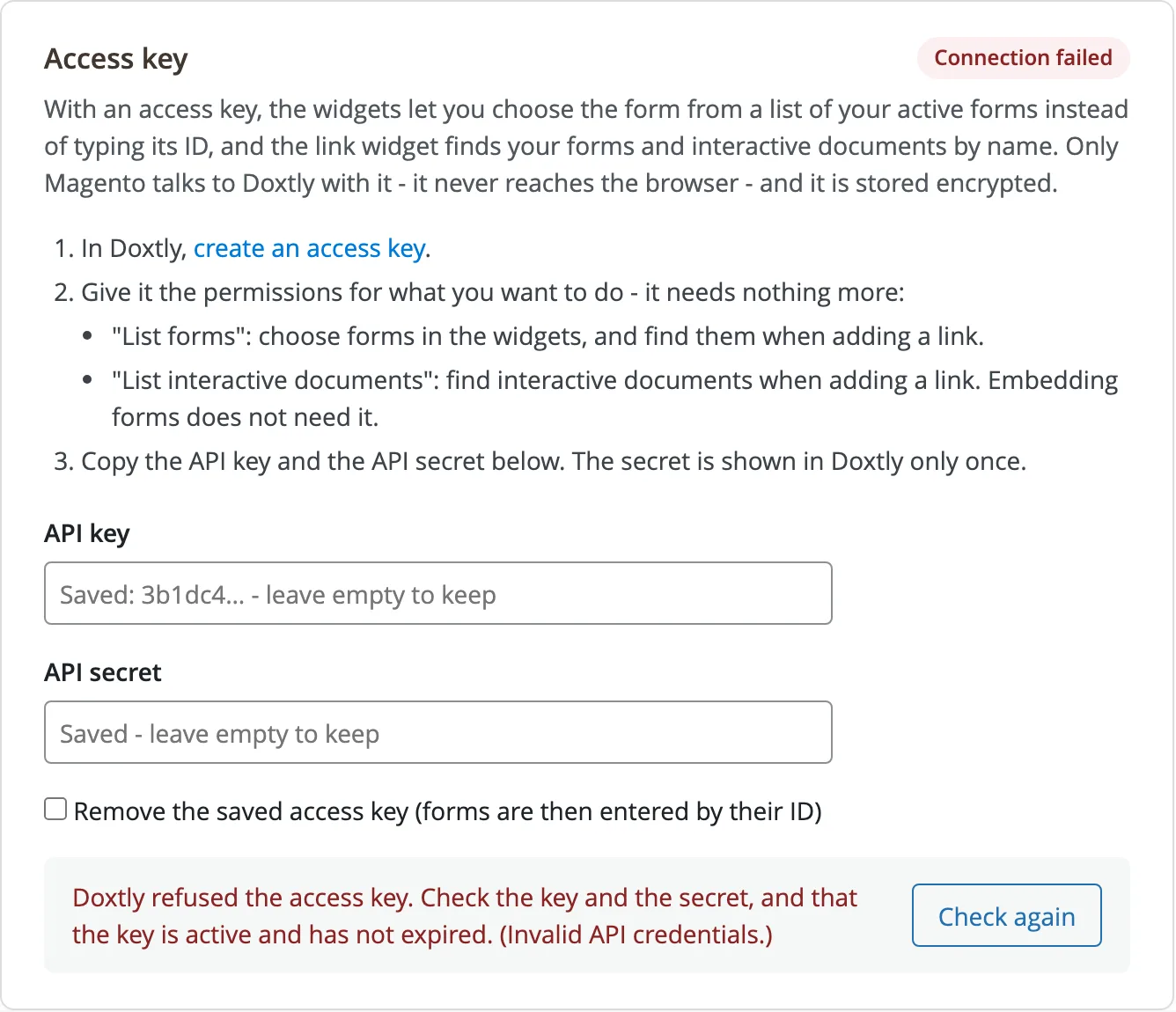
Where the encryption key comes from
Section titled “Where the encryption key comes from”Magento encrypts the access key with a secret that lives outside its database, so a copy of the database alone does not give the key away. That secret is the newest encryption key of your store, in the file app/etc/env.php.
If someone changes the store’s encryption key, for example with bin/magento encryption:key:change, Magento adds a new line to that file. The saved access key stays locked with the old one and is not moved over, because an encryption key is changed when the old one may have leaked. The status changes to Cannot be decrypted, and the editors’ list stops working until you act. Forms on your pages carry on working. Enter the key and the secret again.
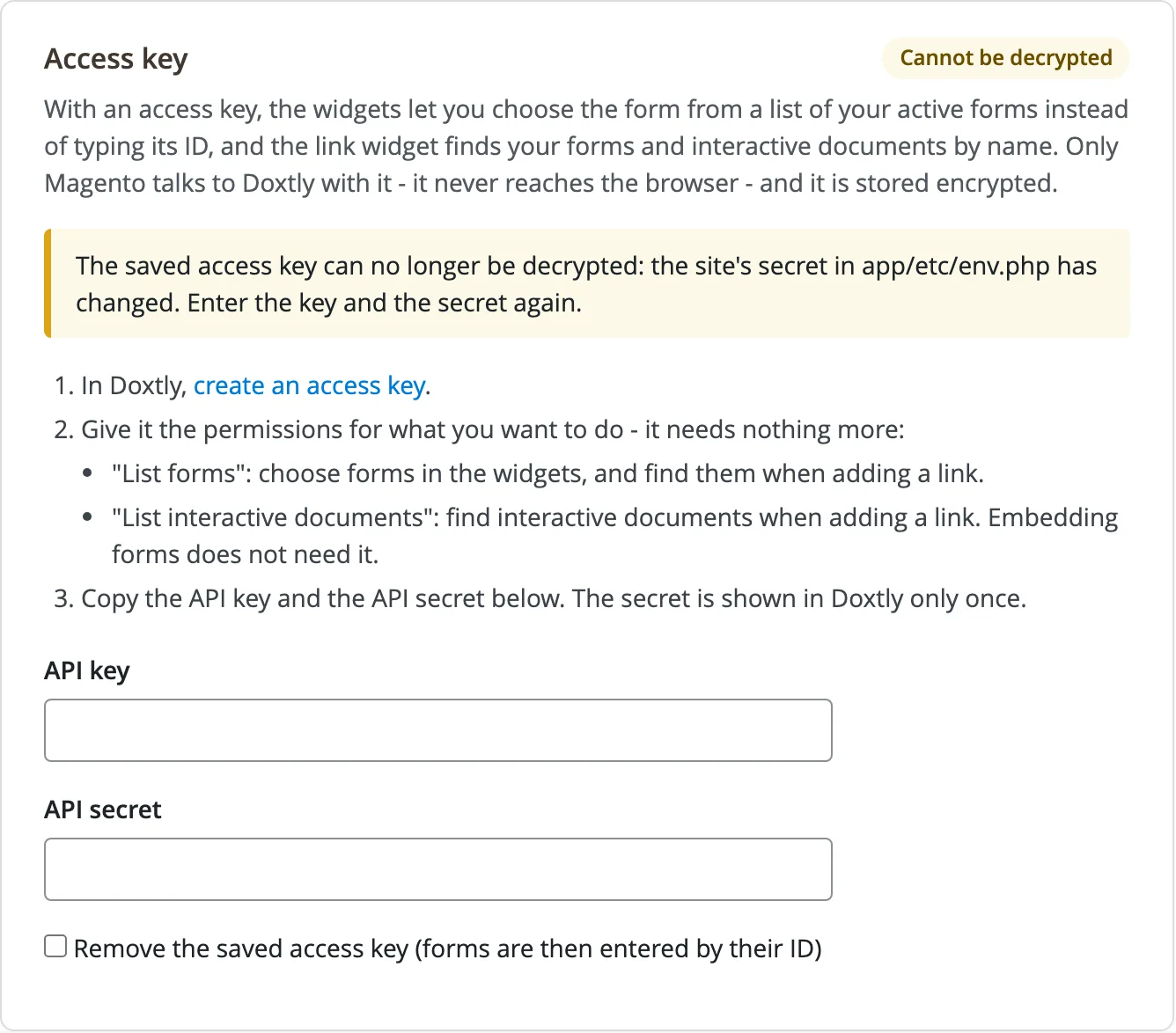
Removing the key
Section titled “Removing the key”Tick Remove the saved access key (forms are then entered by their ID) and click Save changes. Forms already placed on pages keep working. To cut the connection from the other side as well, disable or delete the key in Doxtly.
Embedding a form
Section titled “Embedding a form”The card on the right is a reminder for whoever opens this page: the ways to place a form, a tag with a Copy button and the list of tag attributes. It changes nothing. The copied tag holds a placeholder, so replace your-form-id with a real ID. The card below it, Linking to a form or an interactive document, sums up the link search.
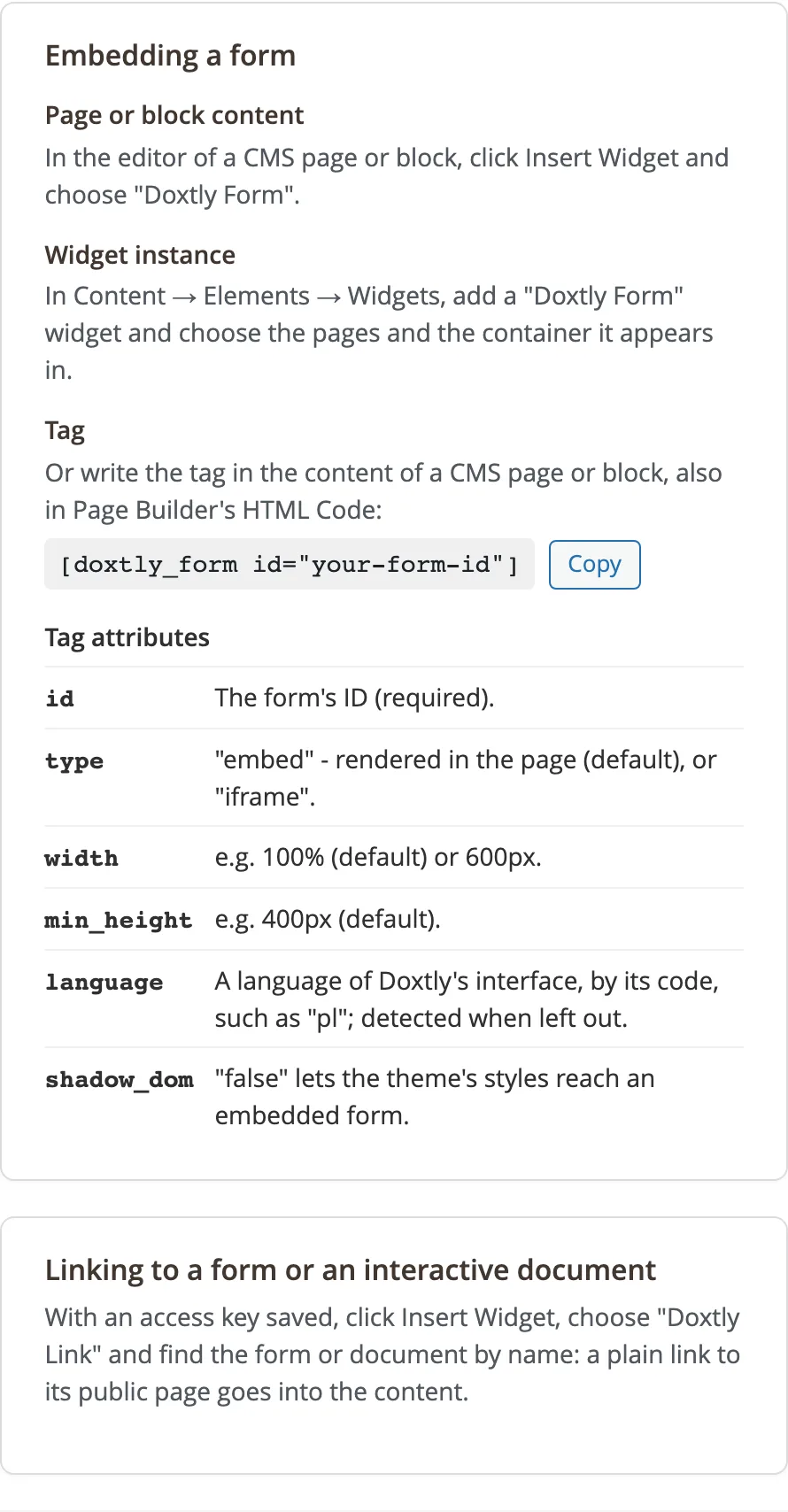
Messages after saving
Section titled “Messages after saving”| Message | What happened |
|---|---|
| Settings saved. | Everything was stored. |
| The settings were not saved: an address is not a valid http(s) URL. | Nothing was stored. Correct the address and save again. |
| The addresses were saved, but the access key was not: enter both the API key and the API secret, without spaces. | The addresses are stored. A key needs both halves, and neither may contain a space. |
Who can do what in Magento
Section titled “Who can do what in Magento”Two resources decide this. You find them under System → Permissions → User Roles, on a role’s Role Resources tab, in Content → Doxtly Forms. A role with Resource Access set to All has both.

| Resource | Gives |
|---|---|
| Settings | This page, its connection check, and an Open the settings link in the editors’ notices |
| Choose forms and links in the editor | The list of forms in the widget and the link search |
Placing a form follows Magento’s own resources: whoever may edit a page may add a widget to it. Someone without Choose forms and links in the editor still can, with a typed form ID, because the field reports that the list could not be read and takes one by hand. Visitors only see the published forms.