

Sign and pay
A party can be asked to pay as part of signing: the tenant signs the lease and pays the deposit, the client signs the engagement letter and pays the retainer. They sign first, then pay on your payment provider’s page, and only then does the package move on.
Available when: your plan includes payments (Starter, Pro and Business)
What you need
Section titled “What you need”- A payment integration, connected and Active: Przelewy24, Stripe, PayU or PayPal. See How payments work.
- A party who signs for themselves. An approver and a department’s party can’t be asked to pay.
Ask a party to pay
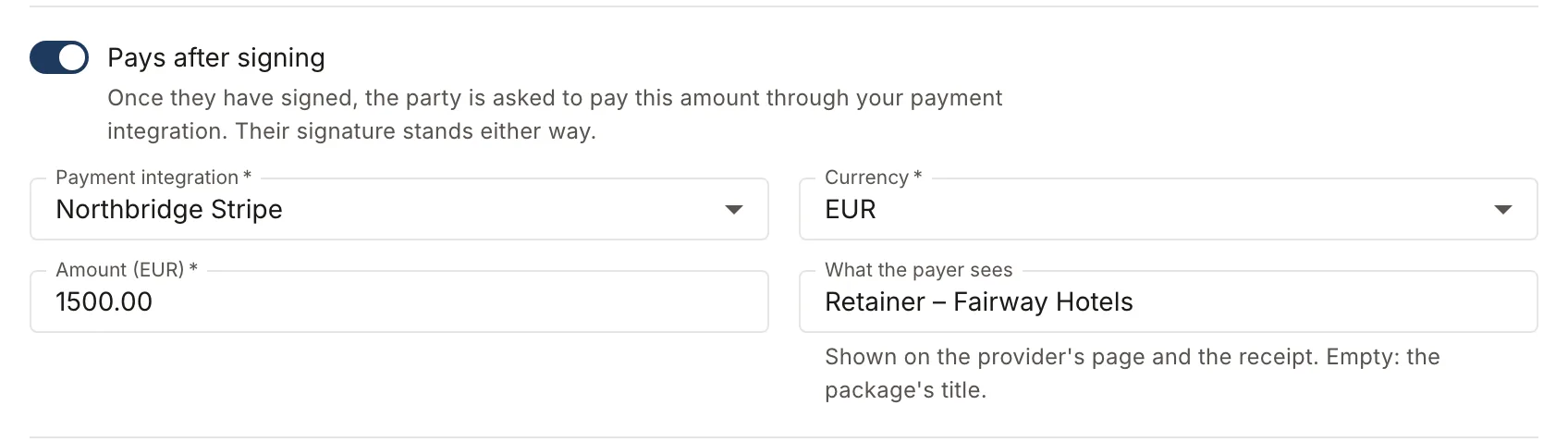
Section titled “Ask a party to pay”On the People tab of a package you make by hand, or in the parties of a Create documents step, open the party and switch on Pays after signing. Then fill in:
| Field | What it does |
|---|---|
| Payment integration | Which of your active payment integrations the money goes through. Your default integration is chosen first. |
| Currency | One of the currencies the integration takes. |
| Amount | How much the party pays, for example 49.90. In a Create documents step it can be a variable, worked out when the documents are created: 1234.50 and 1 234,50 both read as the same amount. |
| What the payer sees | The text on the provider’s page and the receipt. Left empty, it’s the package’s title. |
When the package is sent, Doxtly checks the payment as the provider would: an active integration of your organization, a currency it takes, and an amount between the least and the most it accepts. Przelewy24 sends every payer a receipt, so a party paying through it needs an email address. Anything wrong stops the sending and says which party it’s about, so no party is ever asked for a payment the provider would refuse. A Create documents step is checked when you save the workflow too.
What the party sees
Section titled “What the party sees”- The party signs as usual. Their signature is recorded and the documents are sealed at the last signature, as always.
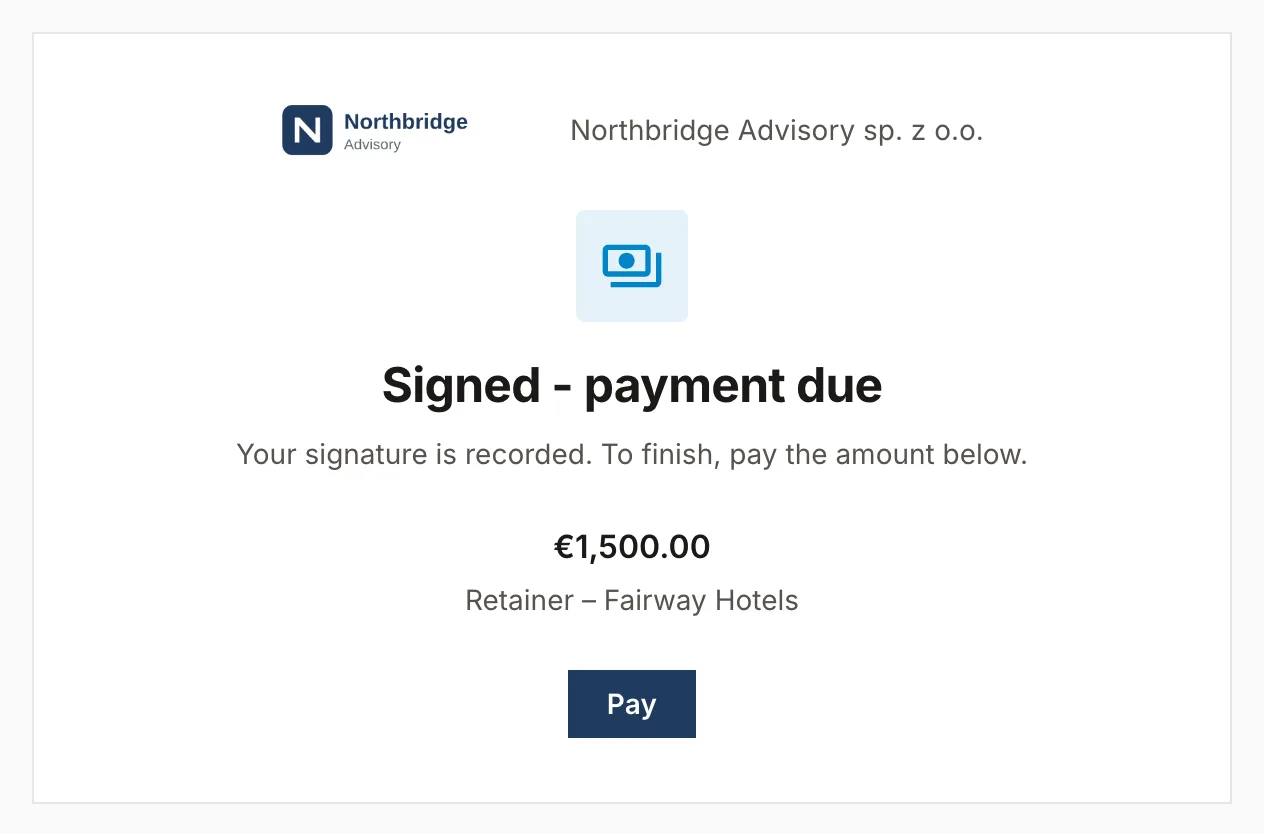
- Instead of the documents, their signing page then says Signed - payment due, with the amount and what it’s for, and a Pay button.
- Pay takes them to the provider’s page, where they pay with whatever your account offers.
- Back on Doxtly’s payment page, they see when the payment is received. Back to the documents takes them back to their signing page in the same browser tab.
A party who leaves before paying finds the Pay button again whenever they open their link, until the package’s deadline. After the deadline the payment can no longer be started, and the page asks them to contact you.
While the package waits
Section titled “While the package waits”The party’s turn isn’t over until they have paid. The package’s reminders go on, and a party who owes is reminded to pay, with the amount, through the Payment reminder default message; sending them their link again sends the same. In a package with a signing order, the next step’s parties are asked to sign only after the payment; a package whose documents are all signed stays In progress until everyone who owes has paid.
On the package’s page, each paying party’s row shows where their payment stands: Pays … after signing before they sign, To pay … once they have signed, and Paid … once the money is in, with the time it came. The payment itself is on the Payments page, which names the party, and its details lead to the package.
When the payment fails
Section titled “When the payment fails”The party has 24 hours from starting a payment to finish it. If it ends unpaid, their signature still stands: the package keeps waiting for the payment, the person responsible for the package gets the notification that the party signed but didn’t pay, and the party can start a new payment from their link.
In workflows and webhooks
Section titled “In workflows and webhooks”Two moments of a package start workflows and send outgoing webhooks: A party pays and A party’s payment fails. Both carry the party, and the payment’s ID, amount, currency and provider.