

Grading scales
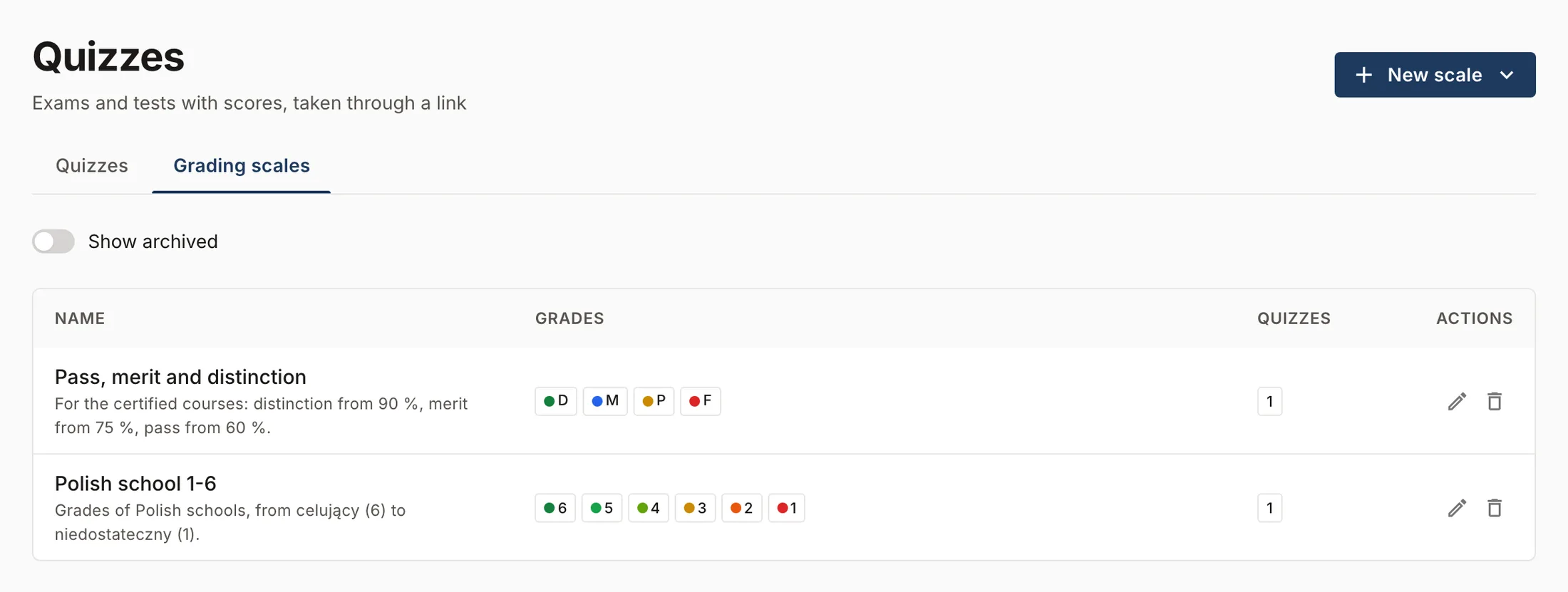
A grading scale turns an attempt’s score into a grade people recognize: a school’s 1 to 6, a university’s 2.0 to 5.0, A to F, Pass and Fail. Your organization keeps its scales in Forms → Quizzes, on the Grading scales tab, and each quiz chooses one in its settings.
How a scale works
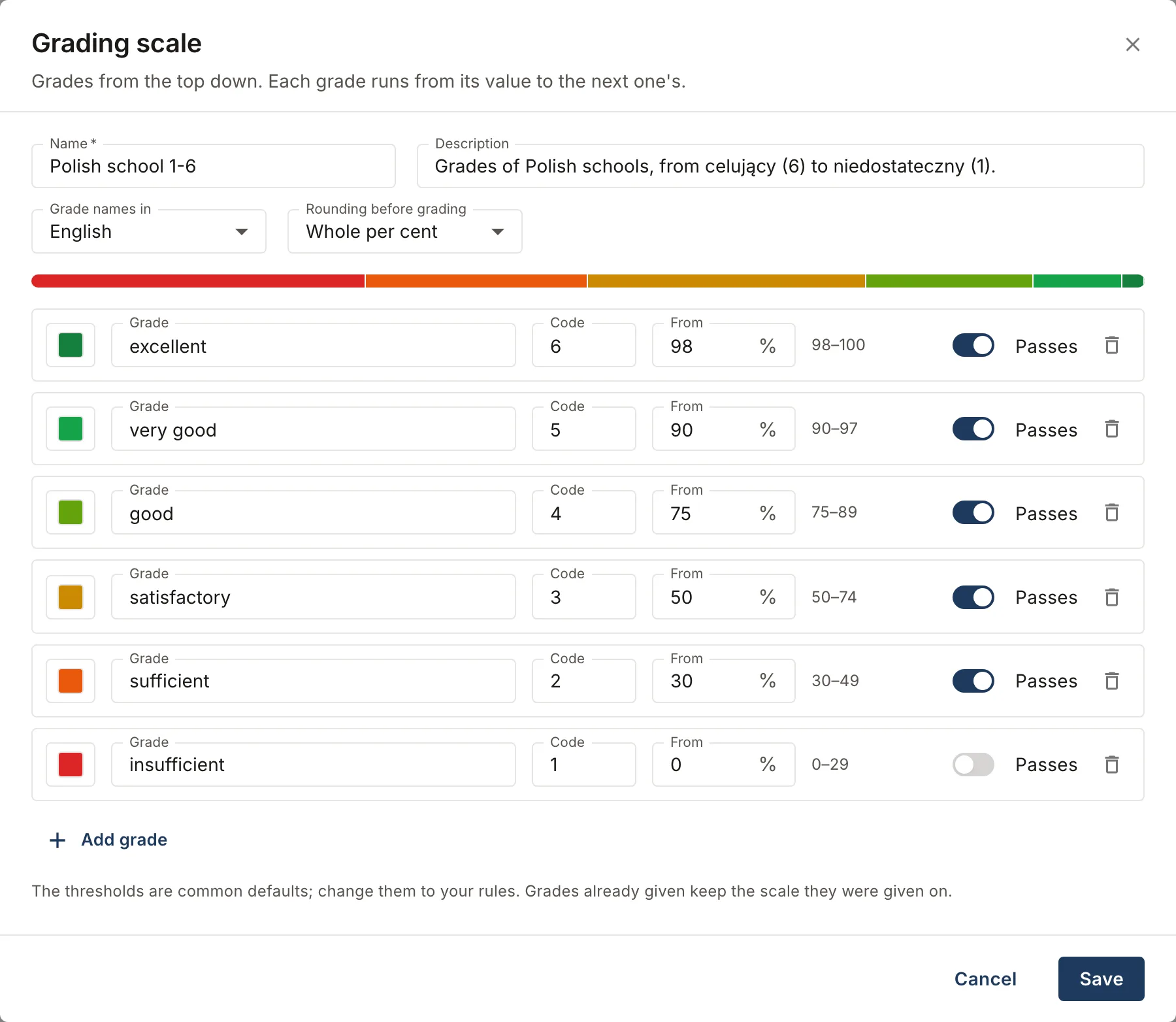
Section titled “How a scale works”Each grade starts at a share of the points, and runs to where the next grade starts. With dostateczny from 50% and dobry from 75%, an attempt with 74.99% is dostateczny and one with 75% is dobry. There are no gaps and no overlaps, because each grade only says where it starts.
The share is rounded before it is graded. Rounding before grading decides how: to a whole per cent, or to one or two decimals, half up. With two decimals, 74.995% becomes 75.00%.
Each grade has:
- a colour, shown on the grade’s chip;
- a name, in as many languages as you like; a person is shown the name in the language of their attempt, or the first one written;
- a short code for tables, such as
4orB+; - where it starts, from 0 to 100%;
- whether it passes, used when the grade decides who passes.
A scale has 2 to 12 grades, and the lowest starts at 0%. The bar above the grades shows them in proportion, so a squeezed or missing grade stands out.
Presets
Section titled “Presets”New scale starts from an empty scale or one of the presets: Polish school 1-6, Polish university 2.0-5.0, letter grades A-F, ECTS A-F, UK degree classes, German school 1-6, Pass / Merit / Distinction, and Pass / Fail. Their thresholds are common defaults, not rules, so change them to your school’s or company’s.
Changing and removing a scale
Section titled “Changing and removing a scale”A change applies to attempts graded after you save. Each attempt keeps the scale it was graded on, so a grade given already never changes on its own.
A scale no quiz uses is deleted. A scale a quiz grades by is archived instead: that quiz keeps it, and no other quiz can choose it. Show archived lists the archived scales.
Who can use it
Section titled “Who can use it”Everyone who can view quizzes can see the scales. Making, changing and archiving them takes the Manage quizzes permission, the same as making quizzes. See Roles.
Through the API
Section titled “Through the API”See Grading scales in the API reference.