
AI that reads the paperwork and leaves the decisions to you
Set up a specialist once: its job, its rules, what it should know. A workflow hands it something to read, and the steps after it decide what happens with the answer.
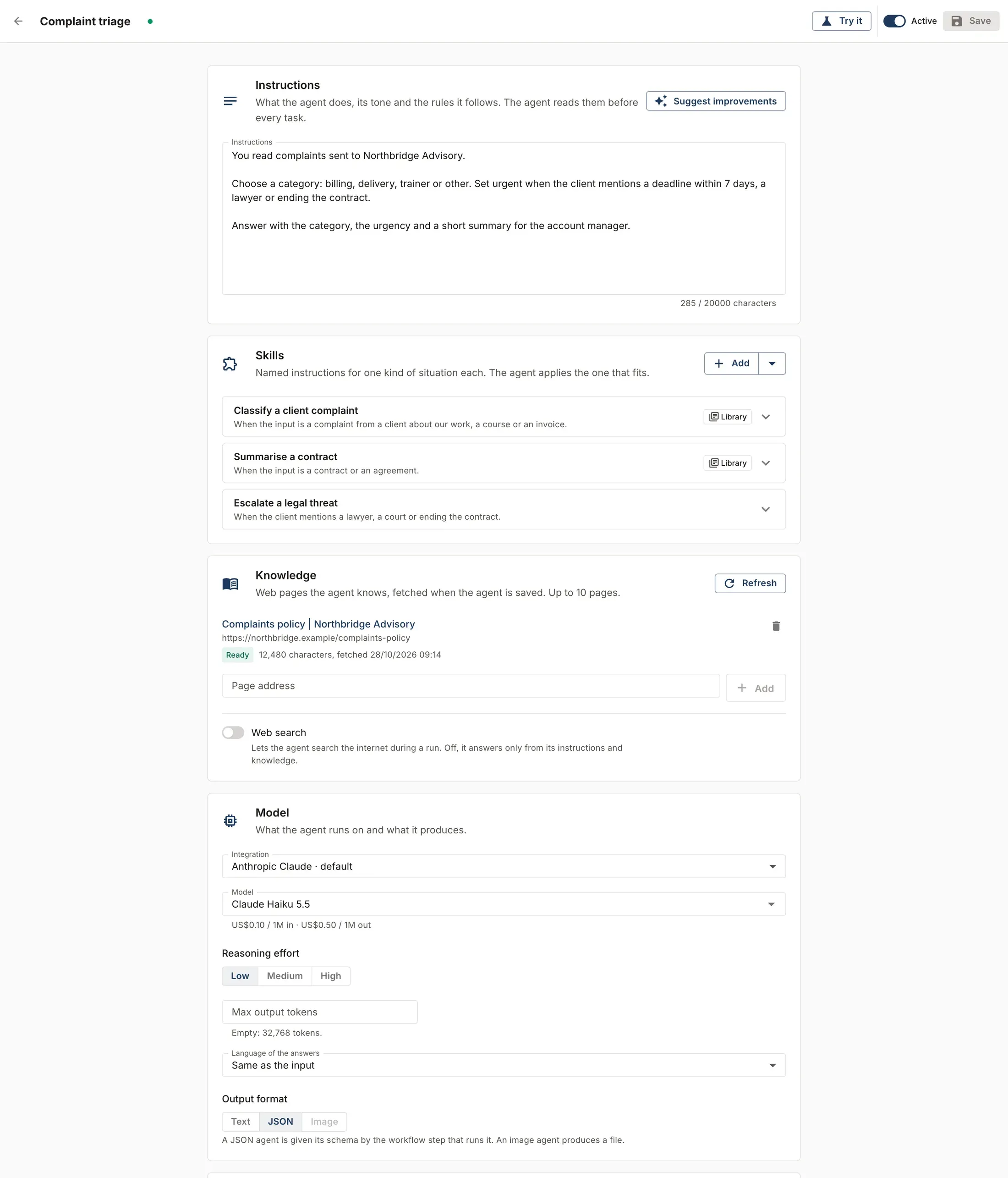
An agent reads and answers. That is all
You give it a request, some named values and optionally files, and it comes back with text, a JSON document or a picture. It cannot send an email, change a record or call another system by itself. The agent proposes a category, and a condition in your workflow decides where the case goes.
- Summarize an onboarding form for the account manager
- Sort a complaint by category and urgency
- Check a signed NDA against your firm’s rules
- Pull billing details out of an invoice request
Built from parts you control
Instructions say what the agent does and how. Skills hold rules for one kind of situation, written for one agent or shared from a library. Knowledge is a list of web pages, such as your terms or price list, fetched when you save so that each run reads the same material. Web search is off until you switch it on.
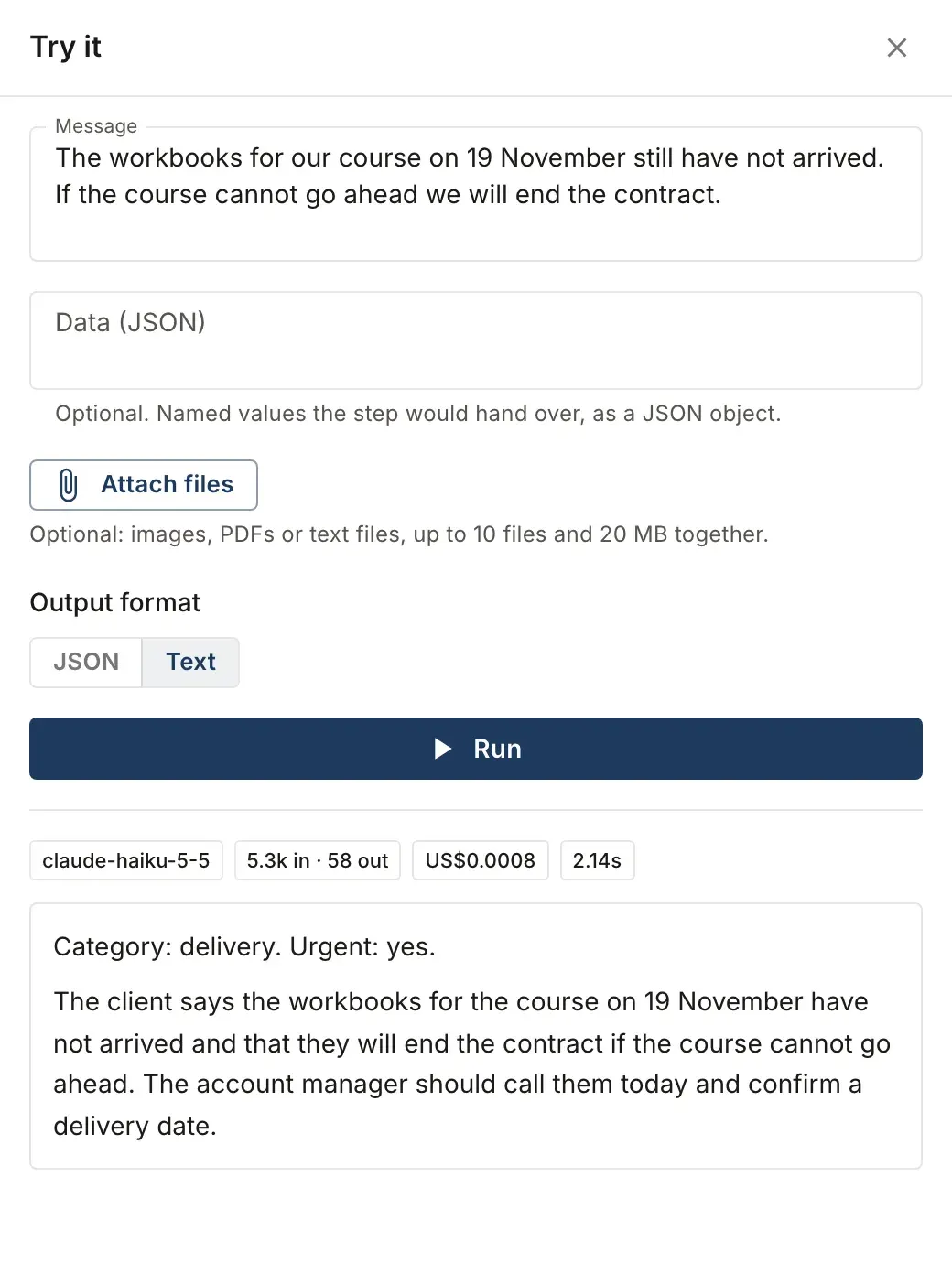
Try it in the builder on real input and see the answer, the tokens and the cost before anything goes live.
Your provider, your bill, a visible cost
Agents run on your own Anthropic or OpenAI account, connected with your API key. Your provider bills you directly, and Doxtly shows calls, tokens and cost per agent and per month. To cap the spending, set a monthly budget on the integration: once it is used up, new runs are refused until the next month.
AI help in the designers
Write with Doxie on an agent’s Instructions, and Write with Doxie or Improve with Doxie on a skill, open Doxie, the AI assistant in Doxtly, with the request ready to send. She drafts the instructions, skills and examples with you and shows the result for you to apply, as she does for forms, PDF template areas and a workflow’s data transformation.
A few buttons do one job each with AI. One turns an ordinary Word file into a template: it asks a few questions, changes only what it can prove, and you review the result, which must give your document back before it can be saved. Another builds a form from the public address of one you already have. In the Branding section of the organization settings one suggests your accent color from your logo, and beside a recurring workflow’s frequency one explains it in plain words or writes it from a sentence such as “every weekday at 8:30”. These buttons and Doxie run on Doxtly AI included in your plan, then on your prepaid Doxtly balance, or on an AI integration your organization assigns to Doxie, so they need no key of your own.
Worth knowing before you start
- Agents need a plan that includes them and an AI integration of your own. The provider’s charges are separate from your Doxtly plan.
- Models can be wrong. Keep a person or a condition step between the answer and anything that matters.
- What you give an agent goes to the provider you chose, so check that their terms fit your data.
Questions people ask
Which AI providers work with Doxtly?
Anthropic and OpenAI, through your own API key.
Can an agent send emails or change my data?
No. An agent only answers. Whatever happens next is a step you put in the workflow.
How do I keep the cost under control?
Doxtly shows what each agent costs, and you can set a monthly budget on the AI integration. When it runs out, new runs are refused until the next month.
Start with one document.
Take the contract you retype most often and turn it into a template. The Free plan is enough, and you need no card.