
Your own Word file, filled in by itself
Keep the layout, clauses and letterhead you already have. Mark the gaps once, and Doxtly writes a finished PDF every time someone needs one.
Three kinds of template, one result
A simple rule: if a lawyer edits the document, use Word. If somebody else owns the form and you only fill it in, use PDF. If a designer drew it, use SVG. Whatever the type, the result is a PDF.
SVG templates need a paid plan. Word and PDF templates are on every plan.
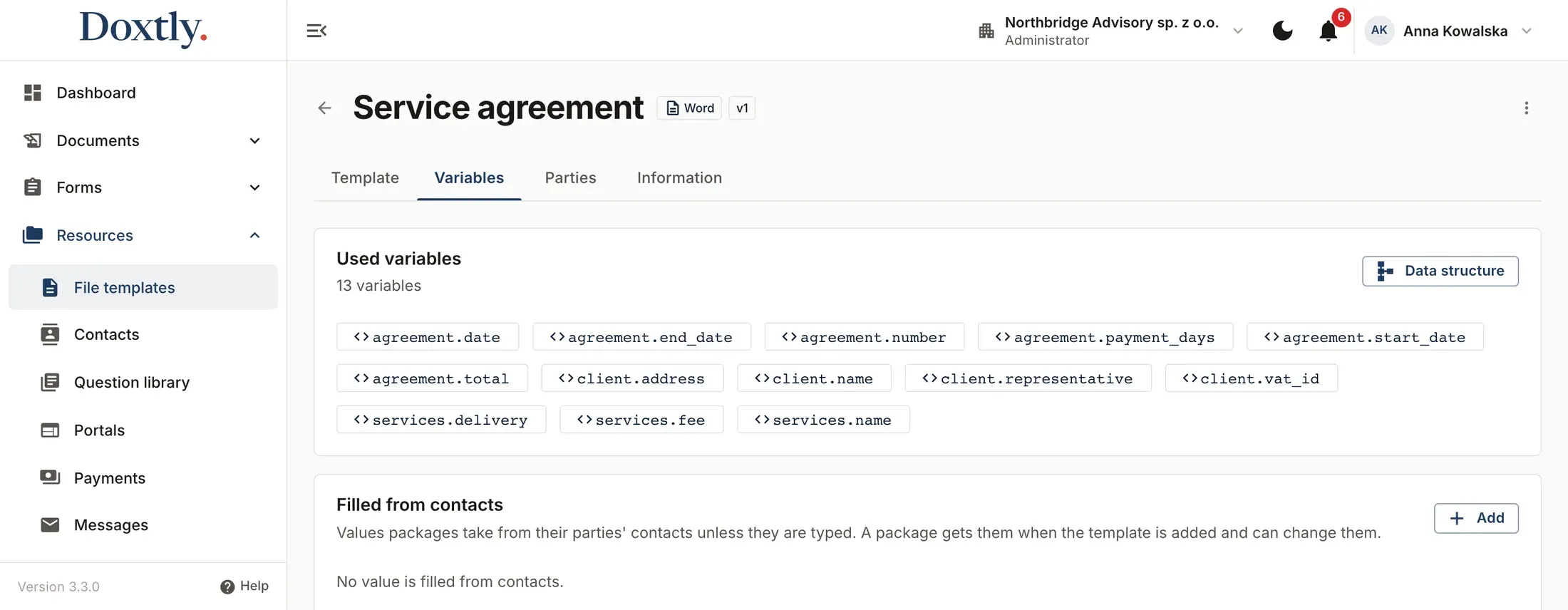
- Word: type markers such as
${client.name}into the text - PDF: draw areas on the pages, and the file stays as it is
- SVG: one designed page, such as a certificate or a voucher, with Twig in its text
Word templates that behave like real contracts
Already have the document? If your plan includes AI, Doxtly turns the Word file into a template for you to review, with your layout untouched.
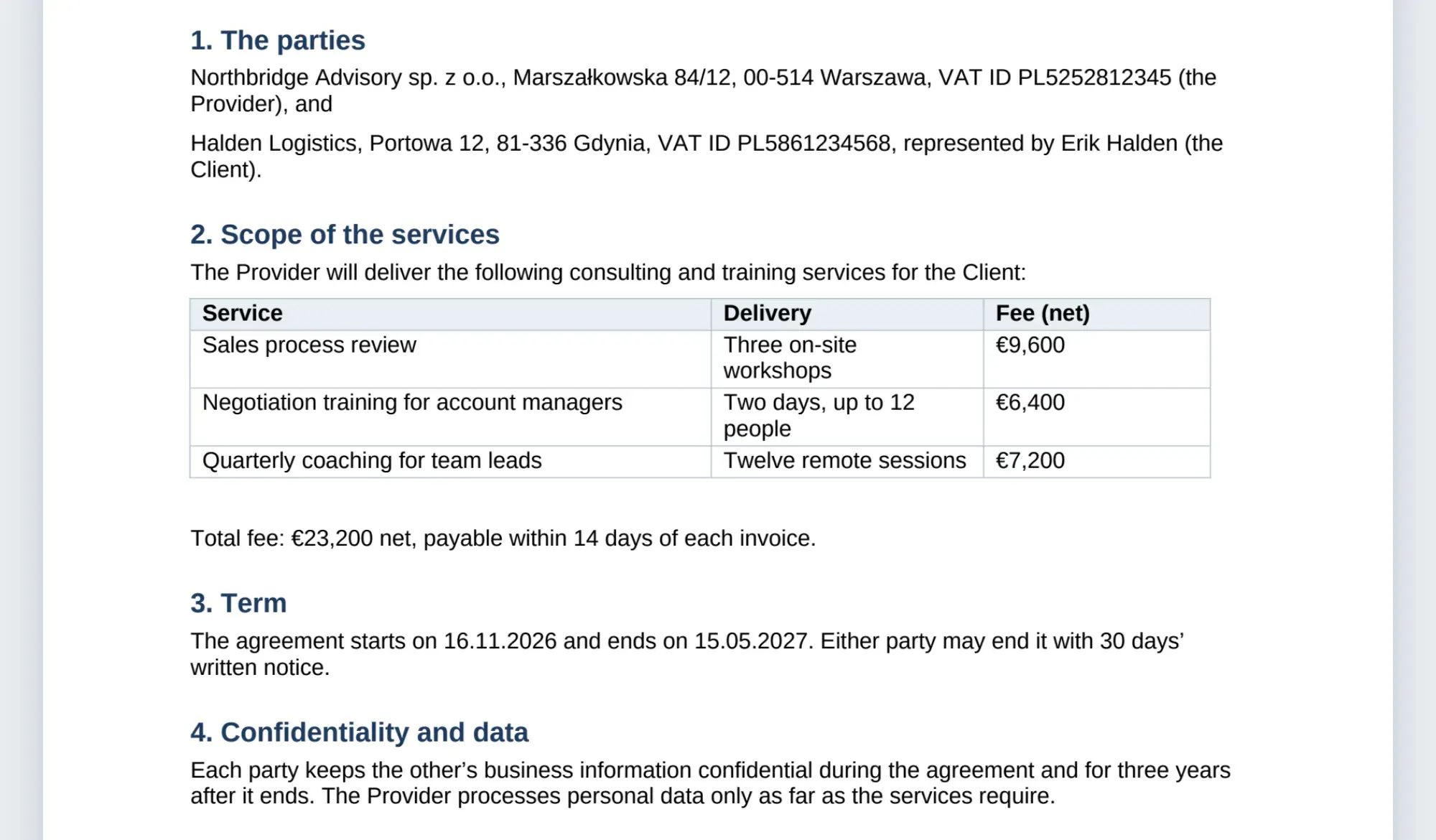
A marker is only the start. Clauses can come and go depending on the data, and numbered clauses renumber themselves when one drops out. A table row repeats for every item on the list, and whole sections can repeat too. A list can sit inside a list, such as the people booked on each course, and each item can carry its own picture and its own conditions.
You can also print tick boxes, pictures, QR codes and barcodes, write dates in the format you choose, and leave a place for each signature with a [SIGNATURE:CLIENT] marker.
In a signing package a document can print the package’s number, such as SA/2026/0142, and take a client’s details from their contact and company, so a contract put together by hand needs nothing retyped.
PDF forms you do not own
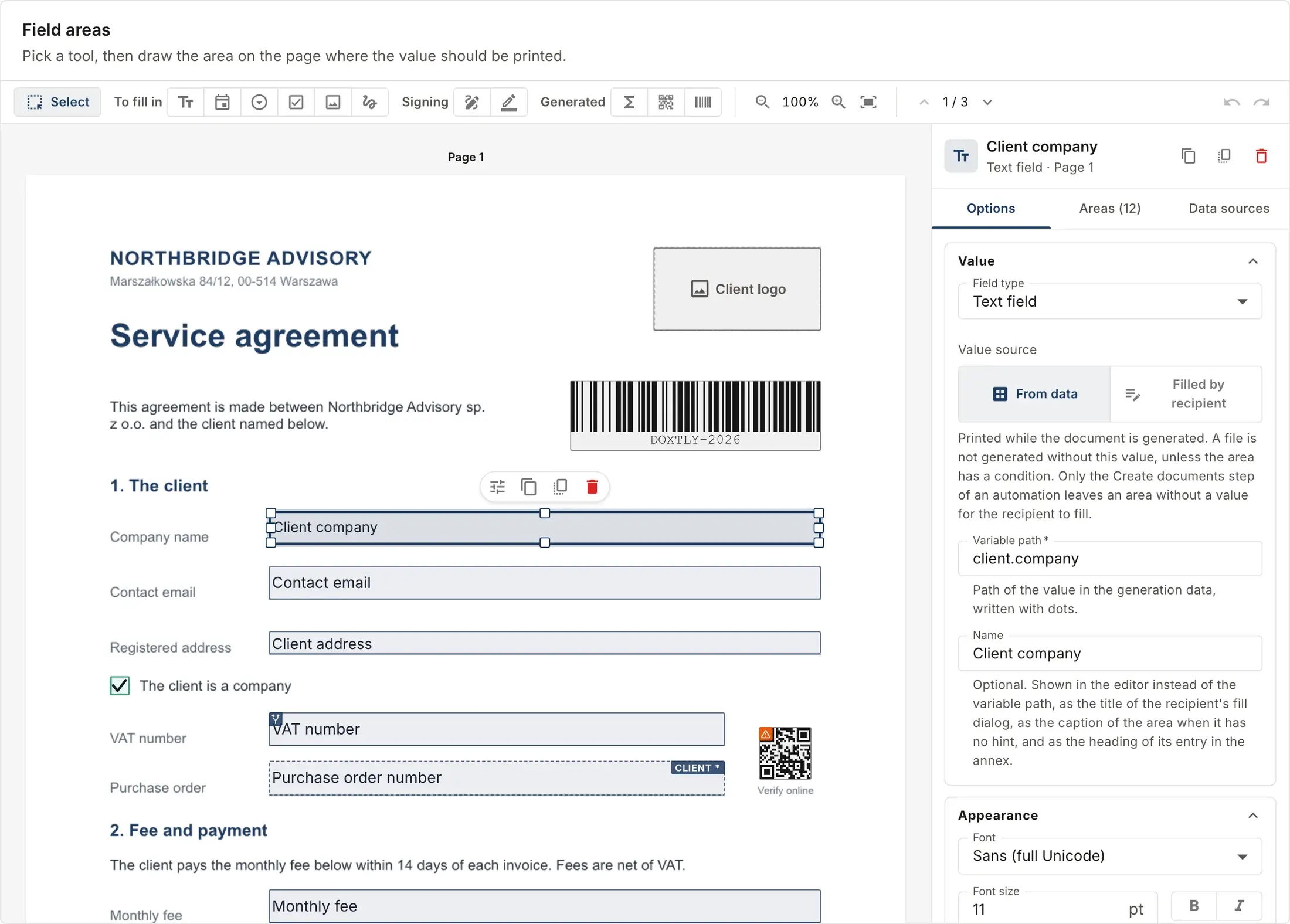
A government form or a bank mandate has to stay exactly as it is. Upload the PDF, draw the areas in the editor, and Doxtly writes into them. Areas can hold text, dates, choice lists, calculated values, drawings, pictures, QR codes and barcodes, and can be left for the recipient to fill in, sign or initial. A Word document works as the starting file too: it is converted to PDF, and you can create areas at the markers it had.
On a form with forty blanks, ask Doxie, the AI assistant in Doxtly: she reads the file and places the areas, for you to apply.
Templates that stay where your team edits them
A template’s file can live on your connected Google Drive, OneDrive, SharePoint, Dropbox or Box. Your legal team goes on editing the NDA where it always has, and Doxtly picks up each new version. A Word or SVG file is taken automatically. A new PDF waits for a person to approve it, because the areas drawn on it may no longer fit.
A Google Doc works as a Word template too, so a contract your team drafts together in Google Docs can generate documents without anyone downloading it. Doxtly takes a new version once the Doc has been left unchanged for five minutes.
Every file on record
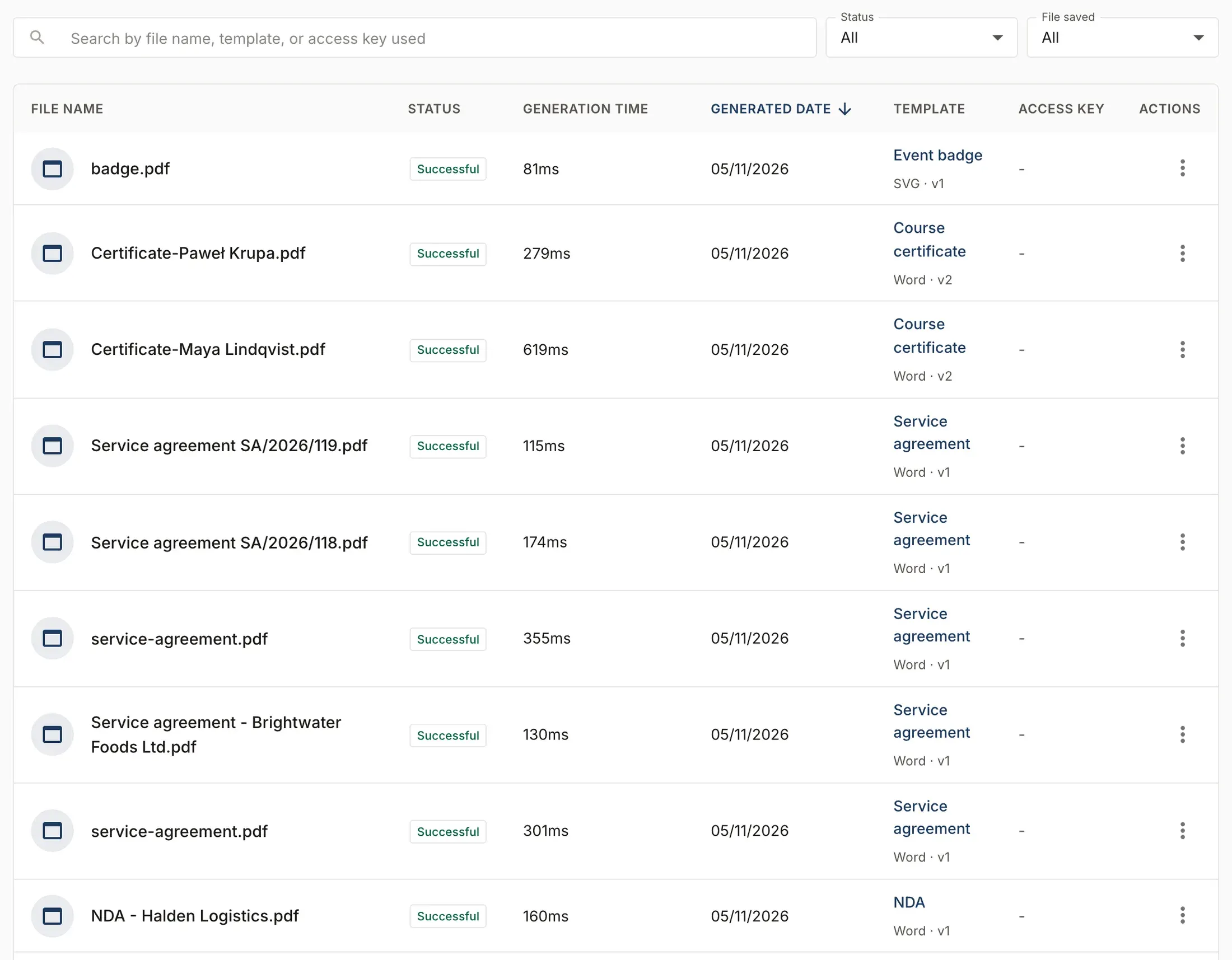
Everything made from a template is listed under Generated files: which template, when, and whether it worked. A file can open only with a password, which a workflow can build from the data of the run. The workflow designer warns you in advance if a template needs a value the step does not have.
Worth knowing before you start
- A template has no “generate” button. Documents come from a workflow step, a signing package, an interactive document or the API.
- A generated document is always a PDF, and it is not made by Word: a font Doxtly does not have is replaced with a similar one. Embed unusual fonts in the Word file to keep them. When you upload a Word file, Doxtly names any font it had to replace.
- A file is kept in your account only if the workflow step says so. Otherwise it lives for that run alone, long enough to be emailed, uploaded or signed.
Questions people ask
Do I have to rebuild my contracts in Doxtly?
No. You keep your Word file and type markers such as ${client_name} where the values belong. The layout, clauses and letterhead stay as they are.
How does a form field reach a template?
By a shared name. A form field with the data path client_name and a template with ${client_name} are connected by nothing else, so one template can serve several forms.
Can a contract change depending on the client?
Yes. A Word template can hold optional clauses that print only when the data calls for them, and the numbering follows.
Can I generate documents from my own software?
Yes. The API takes your data and a template and produces the PDF, and it counts towards your plan as it does in the app.
Start with one document.
Take the contract you retype most often and turn it into a template. The Free plan is enough, and you need no card.