
A safety induction test that marks itself and hands out the certificate
Every new worker takes the safety test through their own link. Doxtly keeps the time, marks the answers, lets those who failed try again the next day and emails a certificate to everyone who passed, with a list HR can check at any time.
Forty paper tests a month, and a binder nobody can search
Cobalt Engineering, a maker of machined parts with 180 people on three shifts, buys its safety induction from Northbridge Advisory, our example consulting and training firm. Every new worker and every agency worker sits a short course on machine guarding, protective equipment and lockout, then a written test.
The tests were on paper. A trainer marked them in the evening, typed the certificates in Word and sent a scan of the list to Cobalt’s HR. Whoever failed had to be found on the shop floor and booked again, and when an auditor asked whether a welder on the night shift had passed, someone went through a binder.
What Cobalt wants is plain: nobody works on a machine before passing, and proof of it for each person, in one place.
What Northbridge sets up, step by step
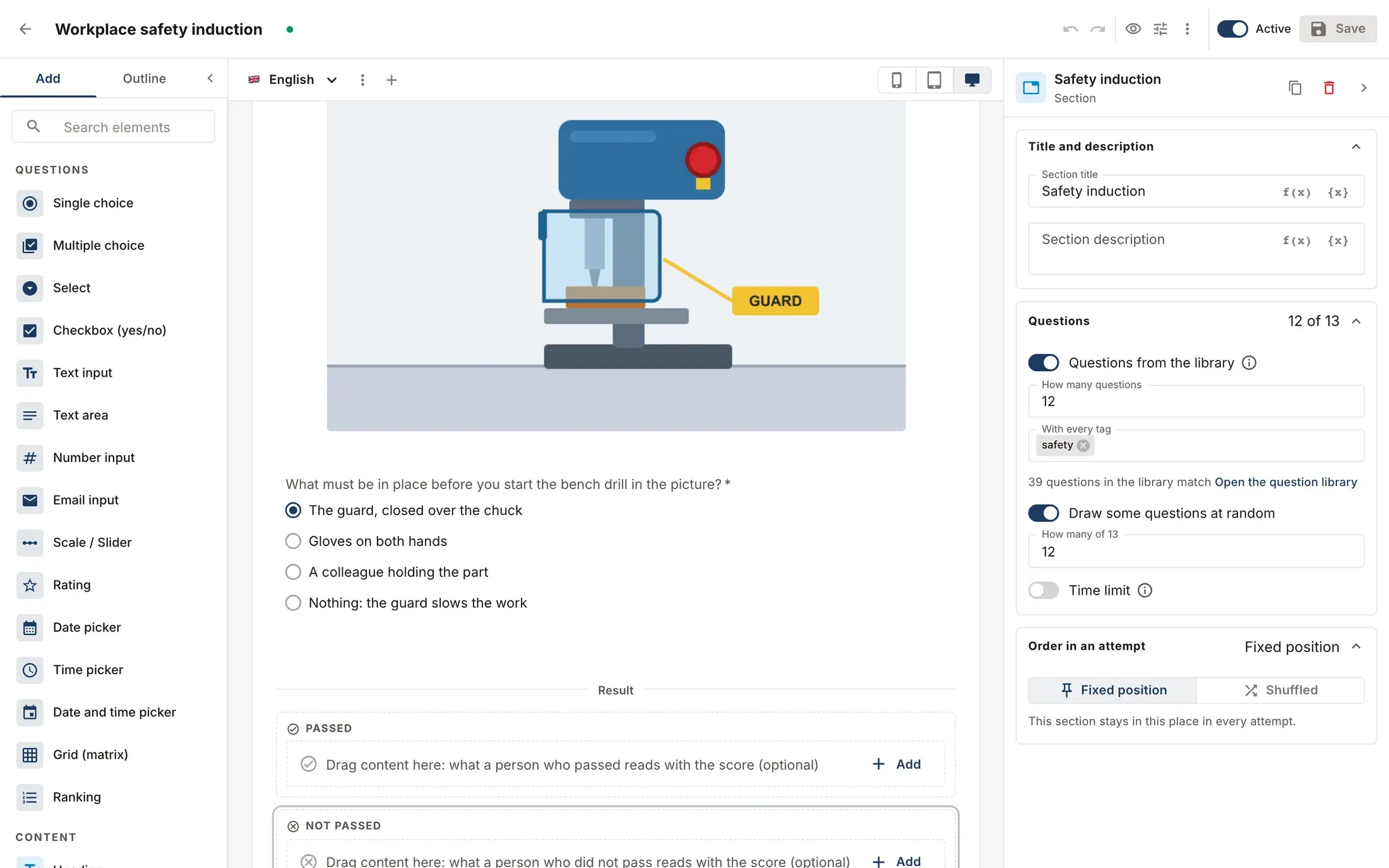
Twelve questions drawn from the library
The induction questions live in the question library, tagged
safety, with pictures of the guards and the warning signs. The quiz “Workplace safety induction” has one section with Questions from the library: How many questions 12, With every tagsafety. With forty questions in the library, two workers sitting side by side get different questions. Each one is a single choice with its correct option marked, worth one point.
A pass mark, a time limit and a fair retake
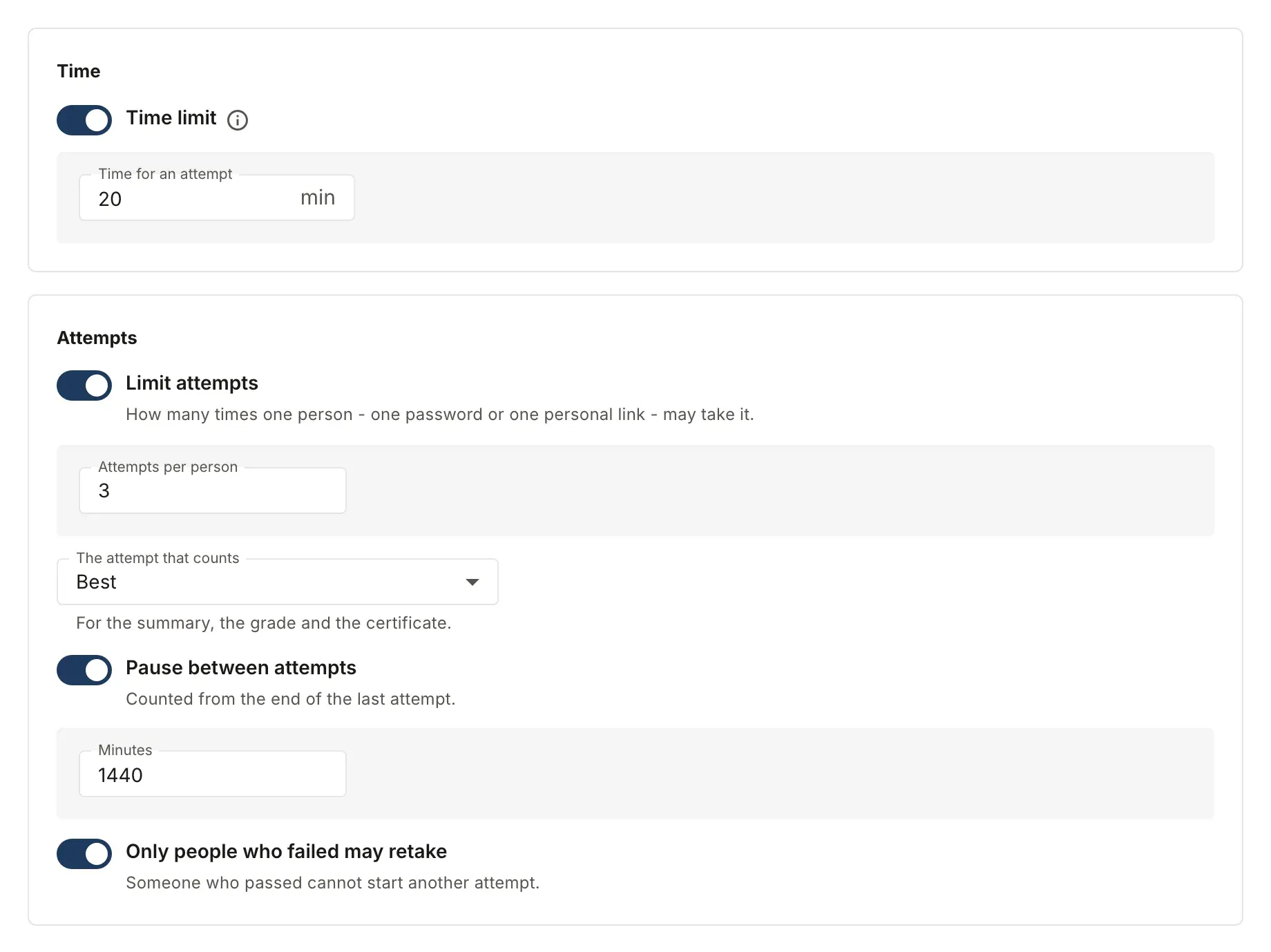
In the settings, under Taking: Time limit 20 minutes, kept by the server, and Limit attempts with 3 Attempts per person. The attempt that counts stays on Best, a Pause between attempts of 1,440 minutes puts a night’s sleep before a retake, and Only people who failed may retake is on. Under Result, the Pass mark is 80 %, and each worker sees The score and the answers at the end, with the explanation of each question.
The workers come from HR’s own sheet
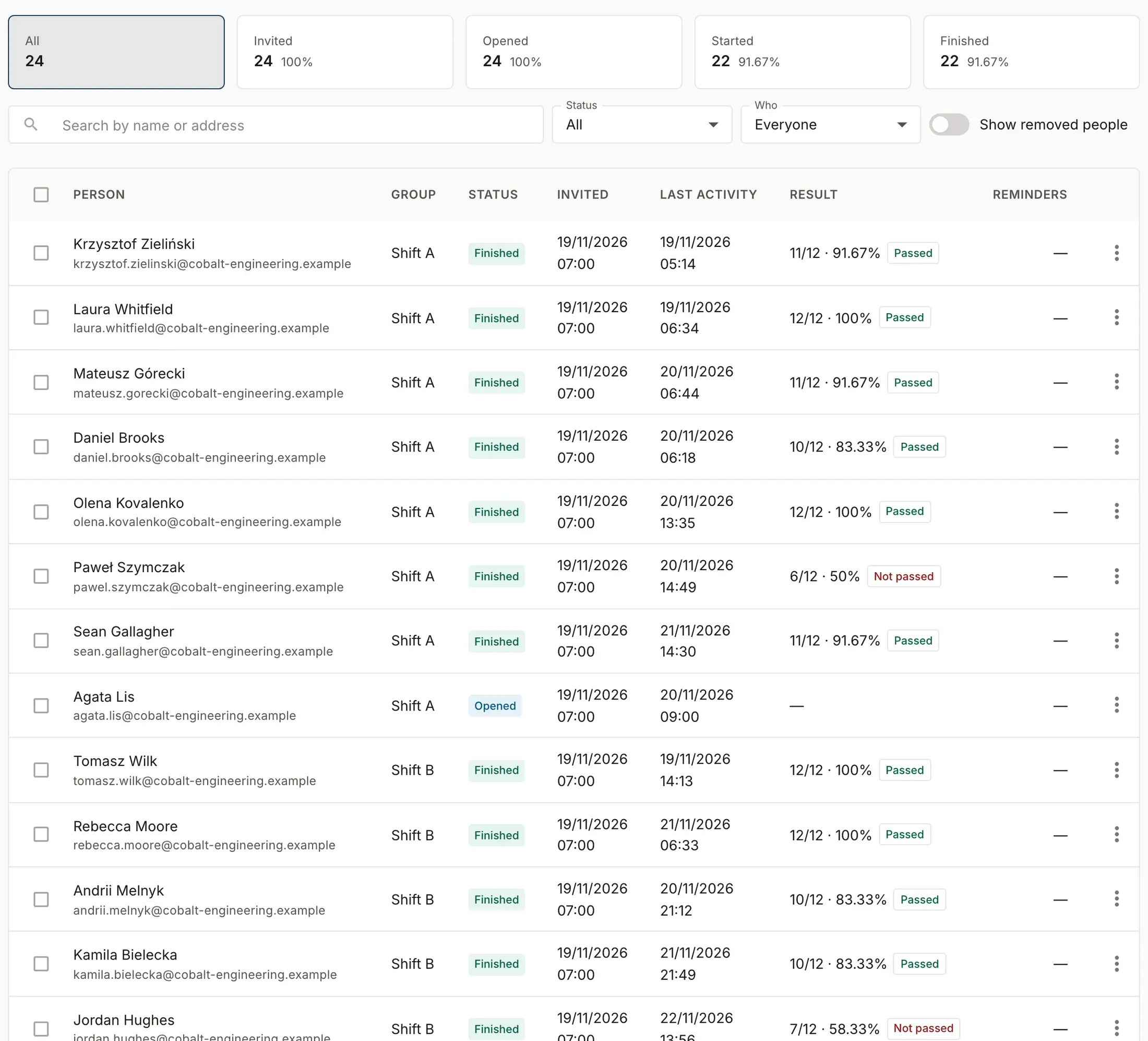
Under Access, Who can take it is Invited people (personal links), and a live sheet takes the list from the spreadsheet Cobalt’s HR keeps in a folder Northbridge shares with them on OneDrive: the e-mail, the name, and the shift as the Group column. Send new people their link as soon as they appear in the sheet is on, so a worker added on Monday morning has the test in their inbox before the course ends.
A deadline, reminders and a word to the supervisor
The invitations carry a Deadline 7 days ahead and two Reminders, on day 2 and day 5, to those who haven’t finished. A workflow on the quiz’s A quiz recipient does not respond event runs once for each worker who still hasn’t finished when the deadline passes, and emails Cobalt’s shift supervisor their name, with
{{ _person.group }}saying which shift to look in.
A certificate for everyone who passed
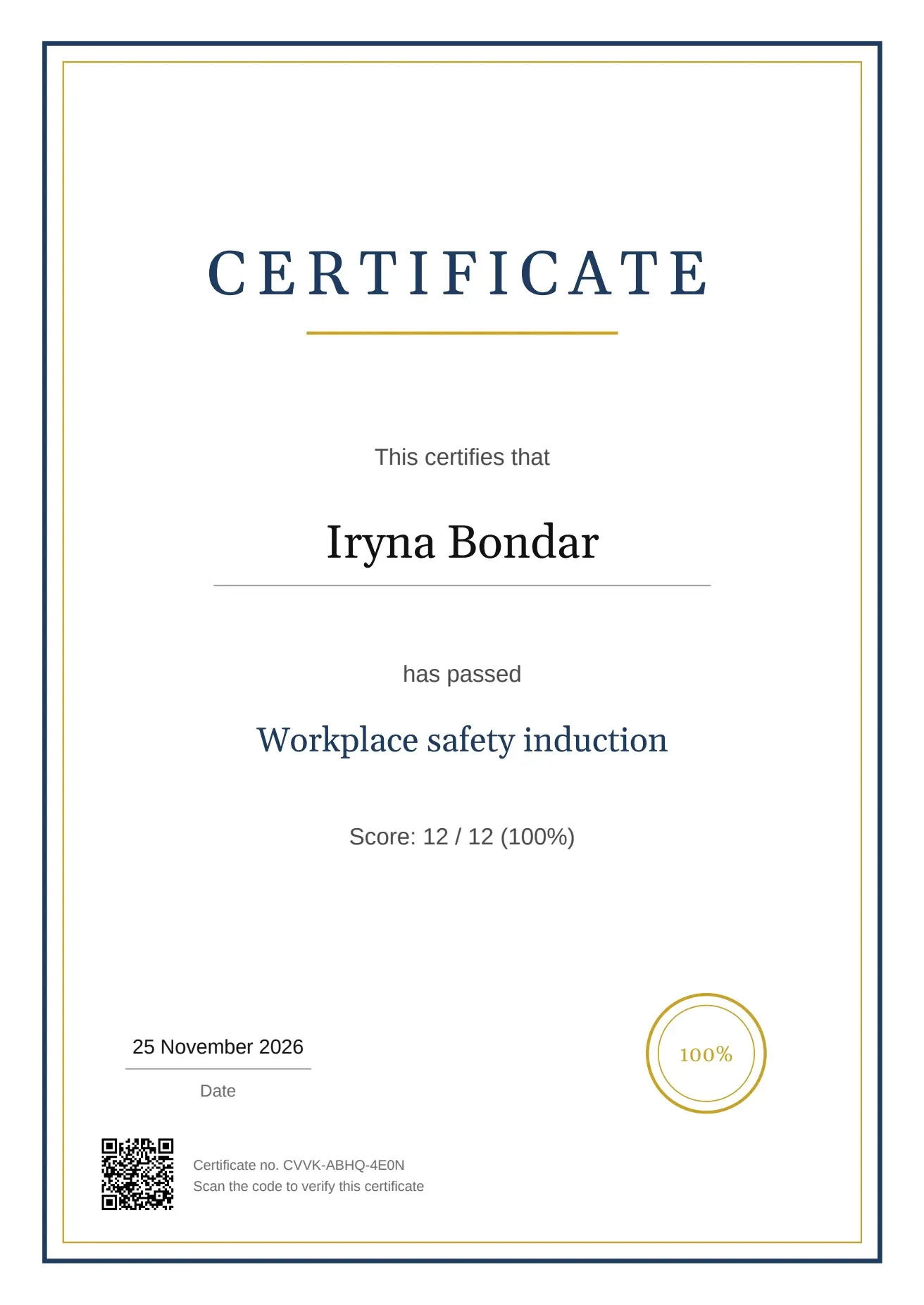
In the Certificate section, Northbridge picks a Design and an E-mail with the certificate, then Create the certificate workflow makes the template and the workflow in one go: on A quiz attempt is finished with Outcome set to Passed, it generates the certificate and emails it to the worker. The result page offers it for download at once. Seal the certificate is on, and the QR code on it opens the certificate’s public check, so an auditor can confirm it without calling anyone.
One list for HR
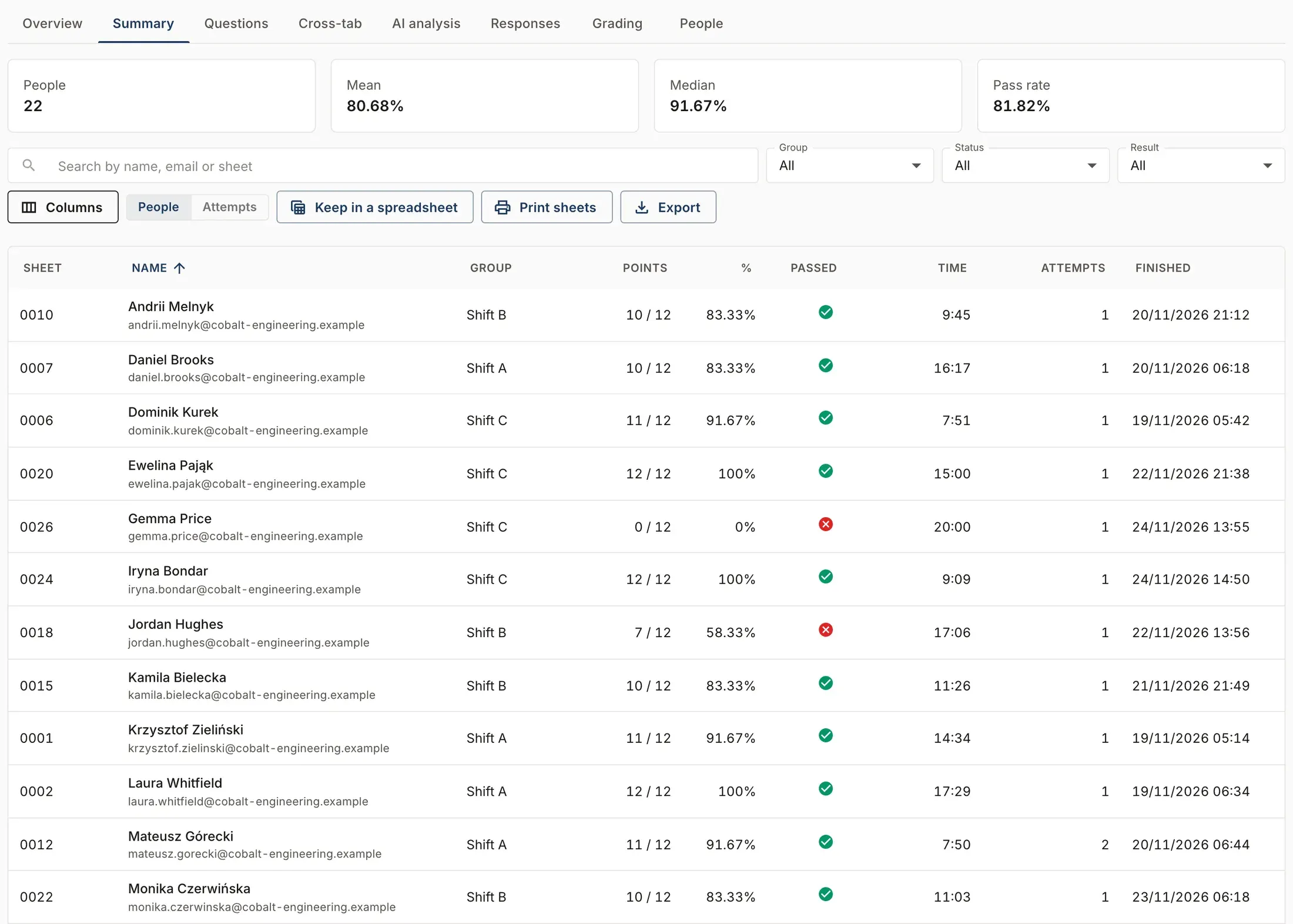
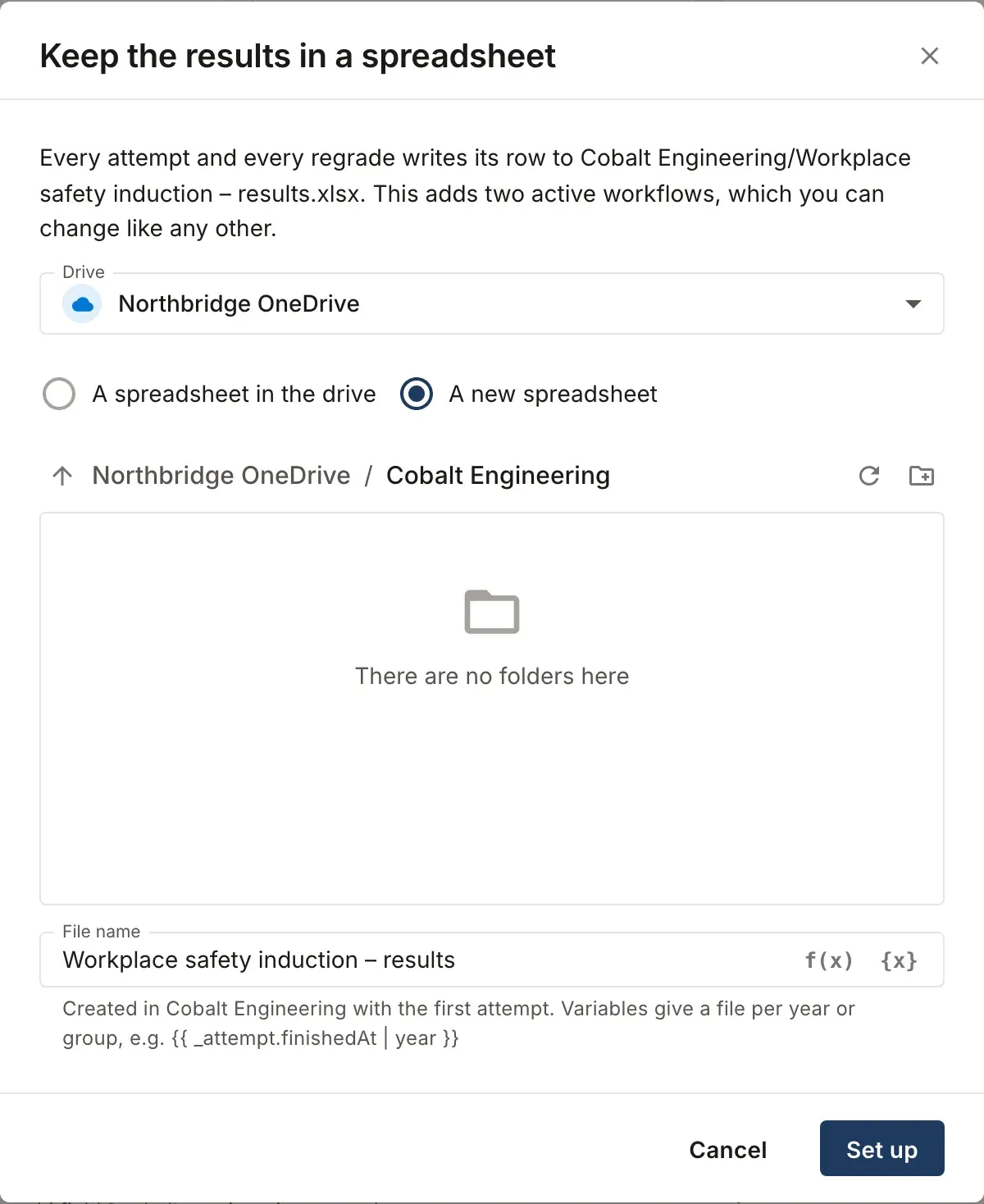
The Summary tab of the results is the class list: one row per worker by the attempt that counts, with the shift, the score, Passed or Failed and the attempts used, and the Result filter shows who may not go on the floor yet. Keep in a spreadsheet writes a row for every finished attempt into a file in the folder HR opens, and puts it right if an attempt is regraded.
What you set up once
- The safety questions in the question library, tagged by topic
- A quiz that draws from them, with a time limit, a pass mark and the retake rules
- A connected cloud drive with the workers’ sheet, or a file to upload the people from
- The certificate workflow, made from the quiz’s Certificate section
- An email integration for the invitations, reminders and certificates
Ways to adapt it
- A yearly refresher
- Duplicate the quiz each year with Also copy its workflows on. The copy keeps every setting and goes on drawing from the same library, now with the questions you added. It starts inactive, and so do its workflows: switch them on when the new year’s course begins.
- Workers without a company e-mail
- Choose People with their own passwords instead. Add each worker with their name, leave the password empty, and Doxtly makes one up for the trainer to hand over on paper. The test is then taken on a tablet in the training room.
- Several languages on the floor
- Add a language version of the quiz, Polish or Ukrainian for instance, and translate the library’s questions too. Each worker takes it in the language of their browser, and the results count every version together.
- What it is not good for
- The test checks knowledge, not skill. A practical check at the machine still needs a trainer, and the quiz records only that the written part was passed. A certificate has no expiry date in Doxtly either: put the next refresher in your own calendar, or in a sheet a workflow reads.
Questions people ask
Can a worker see the answers before taking the test?
No. The correct answers and the explanations never reach the page before the attempt is sent, even for someone reading the page’s code. With Forward only, a question once left can’t be changed either.
What if someone’s time runs out in the middle?
The server keeps the time, so the attempt is sent with the answers given when it runs out, and the result page says why. Changing the computer’s clock changes nothing.
Who counts as one person when retakes are limited?
With an access list, a person is really a person: their attempts are counted together on any browser or device. On an open link a second browser counts as someone new, which is why this setup uses personal links.
Can Cobalt’s HR see the results in Doxtly itself?
Yes, with an account in your organization and a role that has View quizzes, attempts and results but not Grade attempts. They see the list and the scores, and never open the answers. The spreadsheet on the drive needs no account at all.
How does an auditor know a certificate is genuine?
They scan its QR code. The page shows who it was issued to, for which quiz, the result, the date and whether it is sealed, and they can drop the PDF on the page to compare it with the one issued.
Which plan do I need?
Every plan has quizzes and the question library; the plans differ in how many quizzes you keep and how many attempts start each month. The live sheet counts as one of your plan’s data sources, and the certificate is an SVG template, which comes with the paid plans. Pricing shows the current limits.
Start with one document.
Take the contract you retype most often and turn it into a template. The Free plan is enough, and you need no card.