
An exam taken on screen, with a signed paper record of every attempt
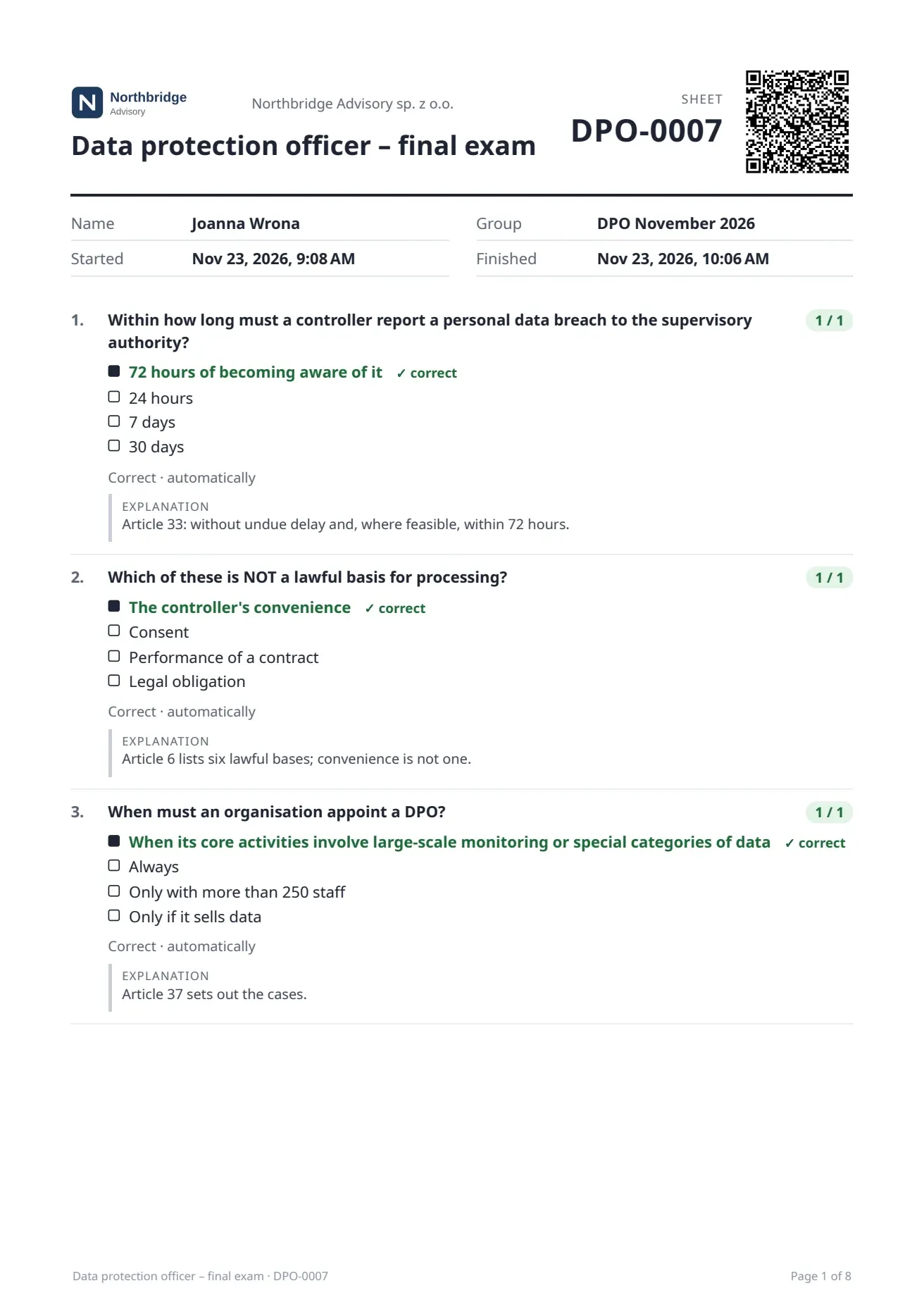
Participants take the exam on tablets in the classroom. Afterwards Doxtly prints a numbered answer sheet for each of them, with lines for the participant and the examiner to sign, and a QR code that leads back to the attempt. The paper goes in the file the auditor checks.
The auditor wants paper, the trainers want their evenings back
Northbridge Advisory, our example consulting and training firm, runs a five-day course for data protection officers. It ends in a written exam, and the professional body that recognises the course audits Northbridge once a year: for every certificate, it wants the signed exam paper behind it.
So the exam stayed on paper. Two trainers marked forty papers by hand after each course, added up the points twice and copied the results into a spreadsheet. A paper filed in the wrong folder meant an afternoon of searching before the audit.
What Northbridge wants is the marking and the results of an online exam, without giving up the signed paper the auditor asks for.
What Northbridge sets up, step by step
The exam, numbered
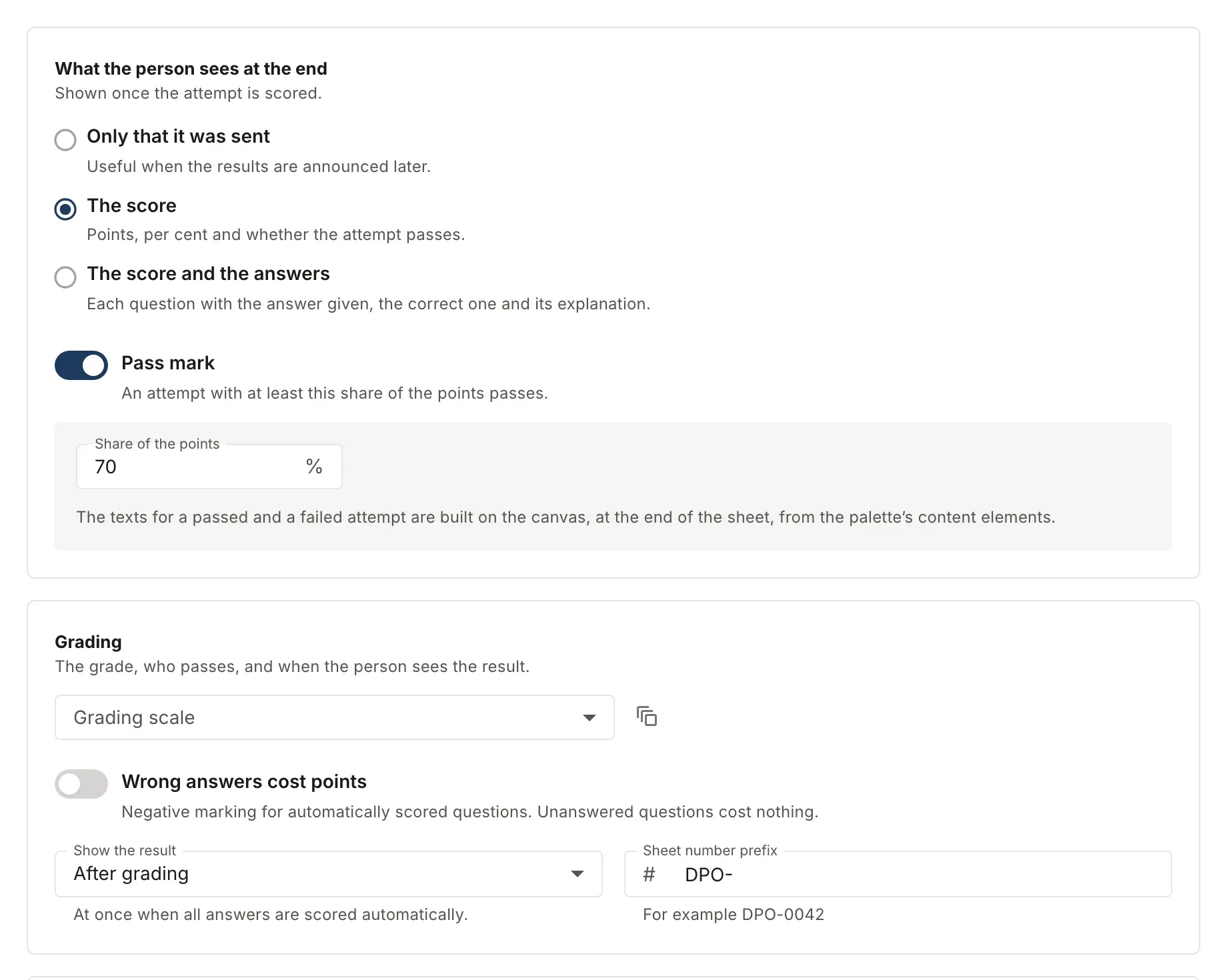
The quiz “Data protection officer – final exam” has 30 questions, a Time limit of 60 minutes and a Pass mark of 70 %. In the Result section, the Sheet number prefix
DPO-numbers every attempt in the order it starts: DPO-0001, DPO-0002 and on.
What the sheet shows
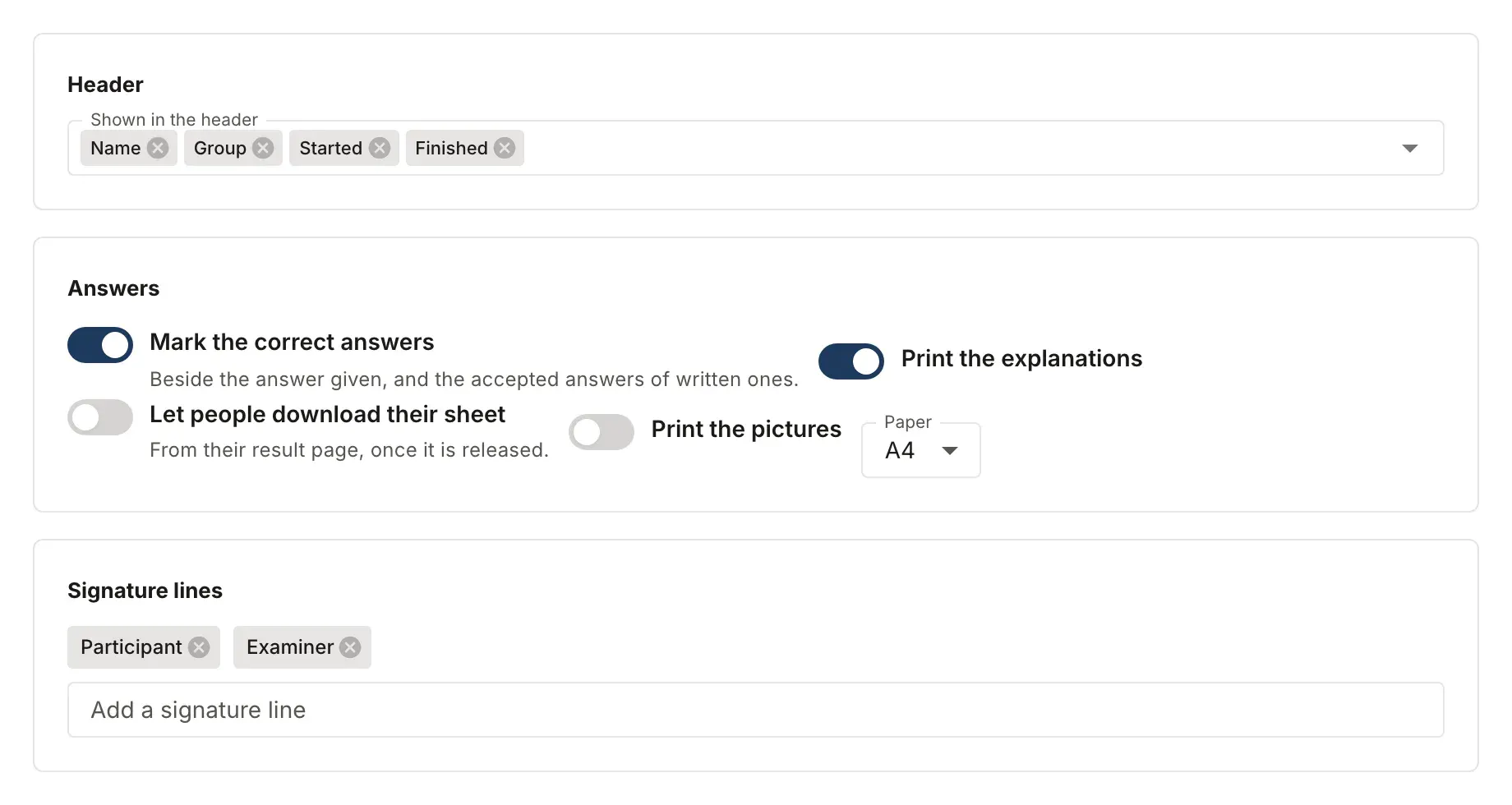
The Answer sheet section chooses what the header shows (the name, the group, when the attempt started and finished), marks the correct answers, prints each question’s explanation, and adds two Signature lines, Participant and Examiner, on A4 paper. The sheet number stands at the top of every sheet in large type.
Only the course’s participants, only during the exam
Under Access, People with their own passwords: the course’s participants are on the list, in the group DPO November 2026, and each finds a card with their password on the desk. In Schedule, the quiz opens at 9:00 on the last day and closes at 11:00, so nobody starts it the night before.
One click prints the class set
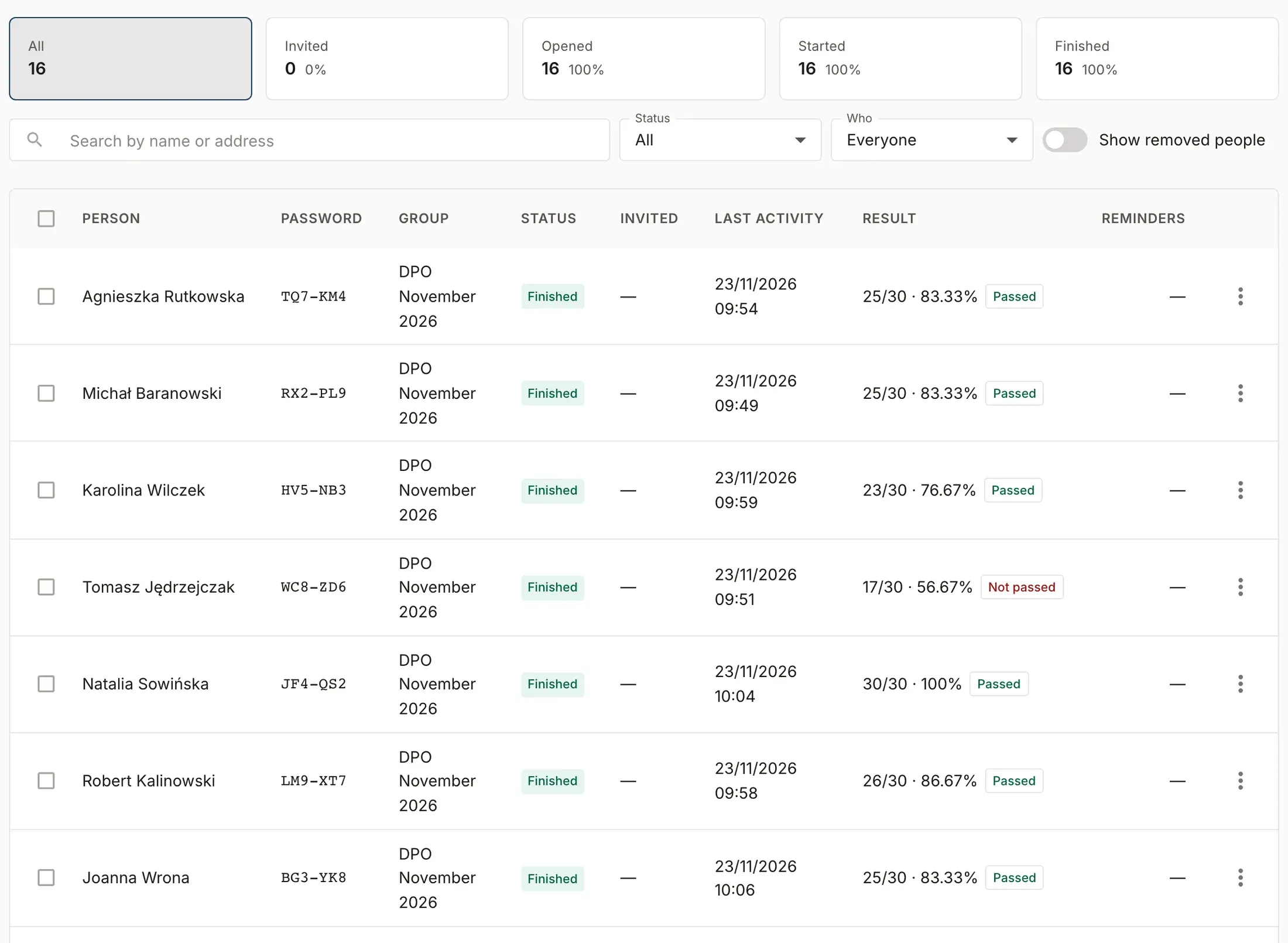
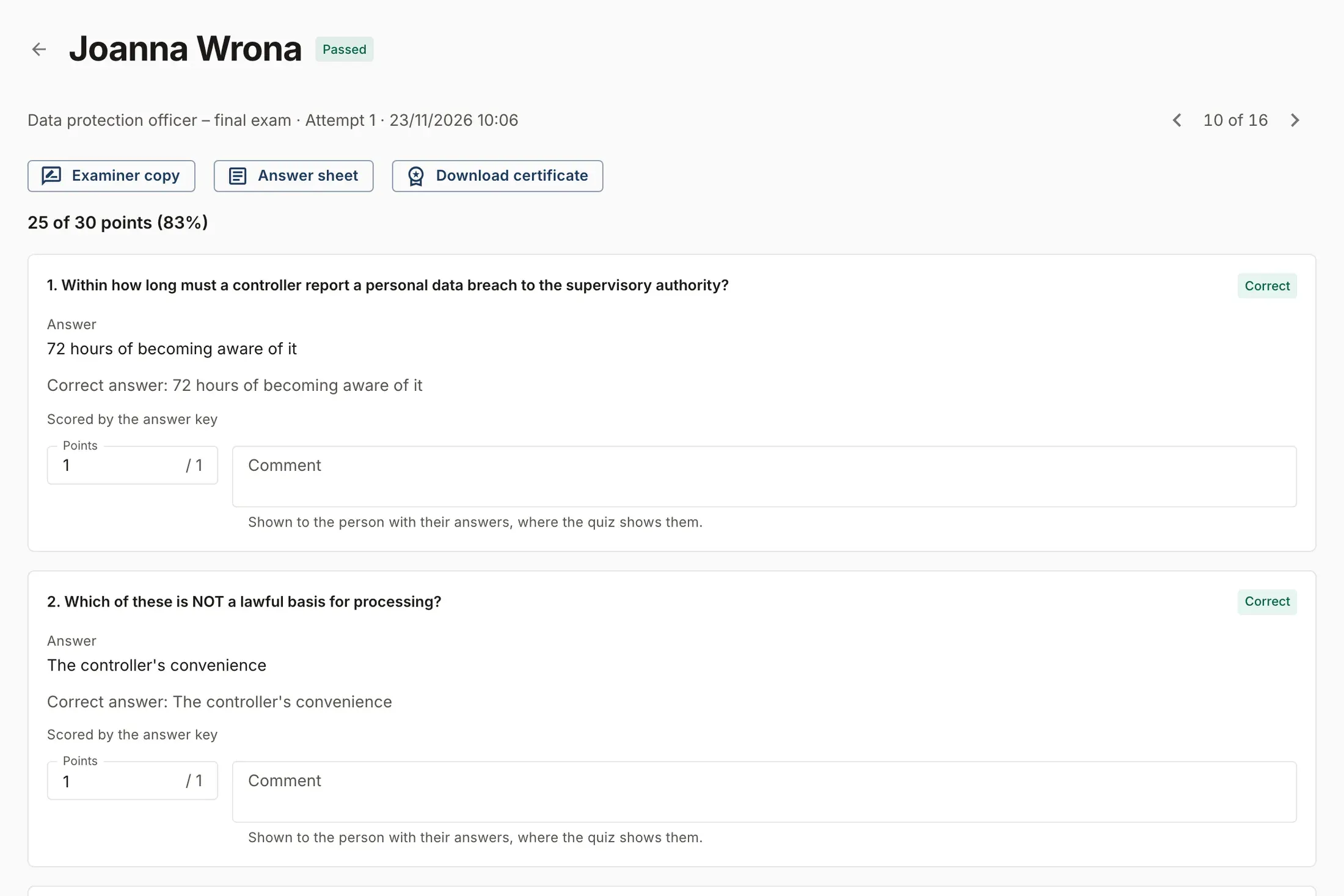
Once the last attempt is in, Print sheets above the Responses list of the results, then One PDF, makes every finished attempt’s sheet in one file, and a notification says when it is ready. A sheet is made once and kept, so printing it again gives the same pages until a grade changes. Each participant signs their sheet before leaving, the examiner signs after them, and the set goes into the course’s folder.
From the paper back to the attempt
Every page ends with the quiz, the sheet number and n / m, and the QR code beside the number opens the attempt in Doxtly. An auditor holding a paper scans it, and Northbridge’s examiner, signed in, shows them the same attempt on screen, with its grading history. The code holds no password: someone outside the organization gets nowhere with it.
Certificates that anyone can check
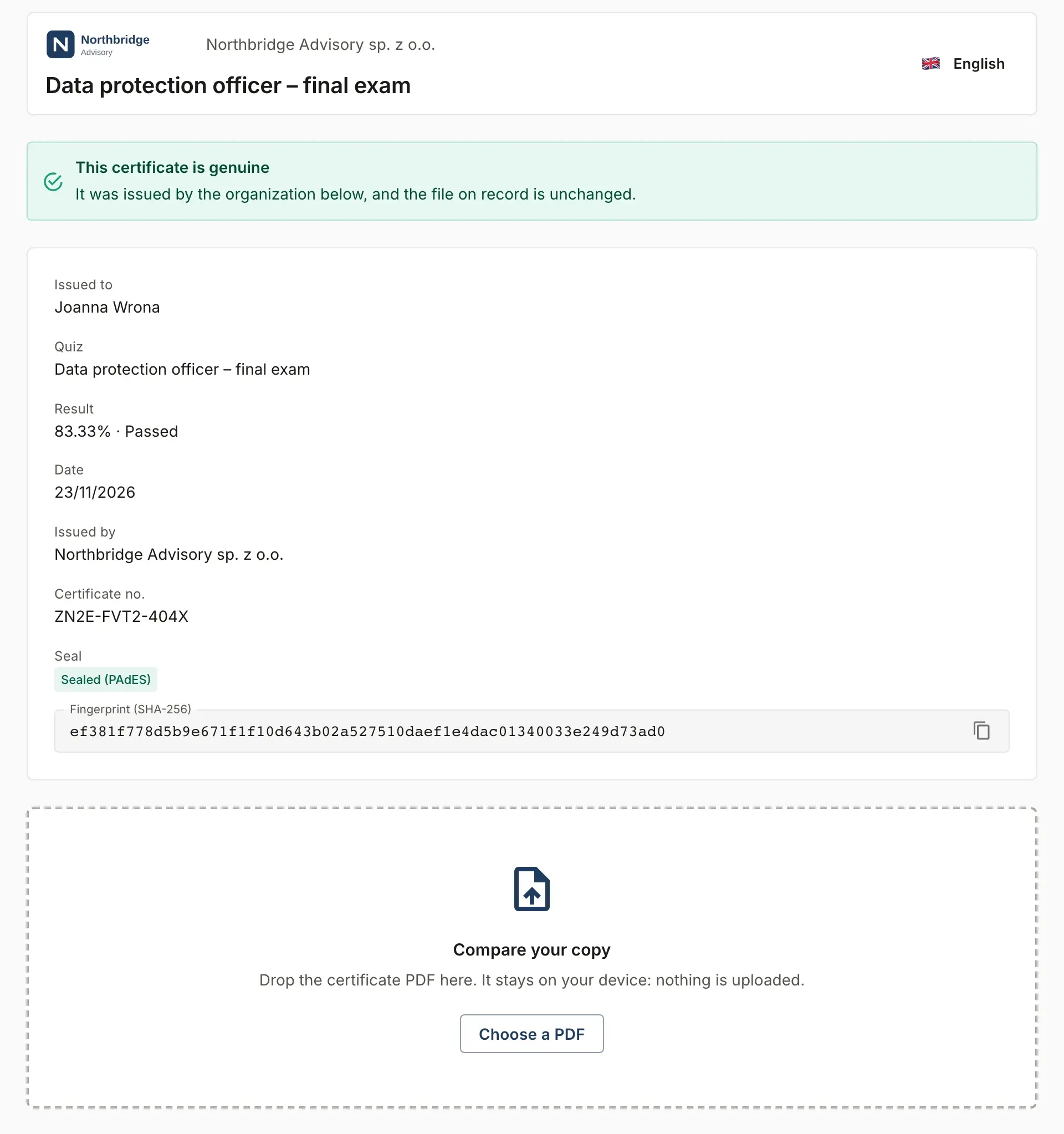
The Certificate section’s Create the certificate workflow issues a certificate to everyone who passed, with Seal the certificate on. Its own QR code opens the public check, where an employer sees who it was issued to, the result and the date, without calling Northbridge. The attempts are kept for five years: Own retention period, 1,825 days.
What you set up once
- The exam, with its sheet number prefix and answer sheet settings
- An access list with passwords, from a file or typed in
- The schedule of the exam session
- A certificate workflow, with the public verification link turned on in your organization’s settings
Ways to adapt it
- The examiner’s own copy
- Whoever may grade has Examiner copy on the attempt’s page: the same sheet with the examiner notes, the rubric, the time spent on each question and every change of grade. It is printed when asked for and never handed to the participant.
- Participants keep their sheet
- Turn on Let people download their sheet, and the result page offers each participant their own PDF once the result is released.
- One file per participant
- Print sheets, then ZIP, a PDF each, gives a PDF per attempt, for a document system rather than the printer.
- Large type on the tablets
- In Look, the built-in Exam theme gives the page high contrast and large type, which helps in a bright classroom.
- What it is not good for
- The answer sheet is the record of an exam taken on screen. Doxtly doesn’t read answers written on paper, so a pen-and-paper exam can’t be scanned into it.
Questions people ask
Can the answers on a sheet be changed after it is printed?
The sheet shows the attempt as it was graded. If an examiner changes a grade later, the next sheet printed shows the new points, and the attempt’s grading history records who changed what and when.
What does the QR code on a sheet reveal?
Only the way to the attempt in Doxtly. To open it, someone must be signed in to your organization with the permission to see the quiz’s results.
How many sheets can I print at once?
Up to 1,000 at a time. They are made in the background, you are notified when the file is ready, and it is kept for 7 days. Attempts still being taken are left out.
Is a sealed certificate valid outside Doxtly?
The seal is your organization’s PAdES seal, as on signed documents: any PDF reader shows who issued the certificate and that it hasn’t been changed since.
Which plan do I need?
Quizzes and answer sheets are on every plan, within its limits of quizzes and attempts. The ready-made certificate is an SVG template, which comes with the paid plans. Pricing has the details.
Start with one document.
Take the contract you retype most often and turn it into a template. The Free plan is enough, and you need no card.