
What we do with your clients’ data
You keep contracts, consents and personal data here, so you deserve a specific answer. This is what the product does today, without the vague parts.
Getting into an account
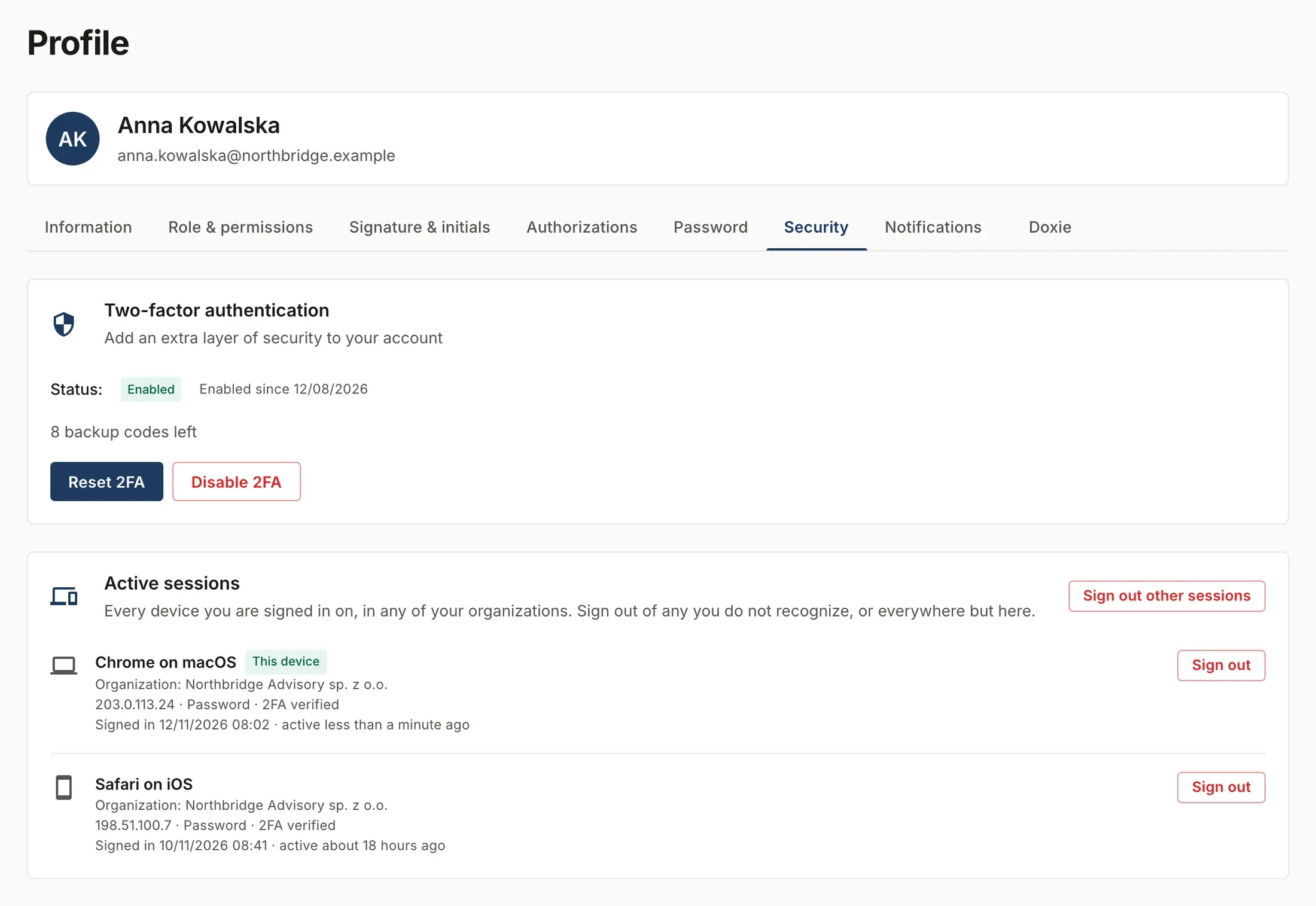
- Two-factor authentication on every plan
- A 6-digit code from an authenticator app and ten single-use backup codes. It applies to Google, Microsoft and Facebook sign-ins too.
- Required for the whole organization
- One switch makes everyone set it up before they can do anything else.
- Your sessions
- You see every device you are signed in on, and you can end any of them.
- Single sign-on (SSO)
- On the Business plan, your people sign in with their work account through Microsoft Entra ID, Google Workspace or another OpenID Connect provider, and you can make it compulsory for your domain.
Who sees what
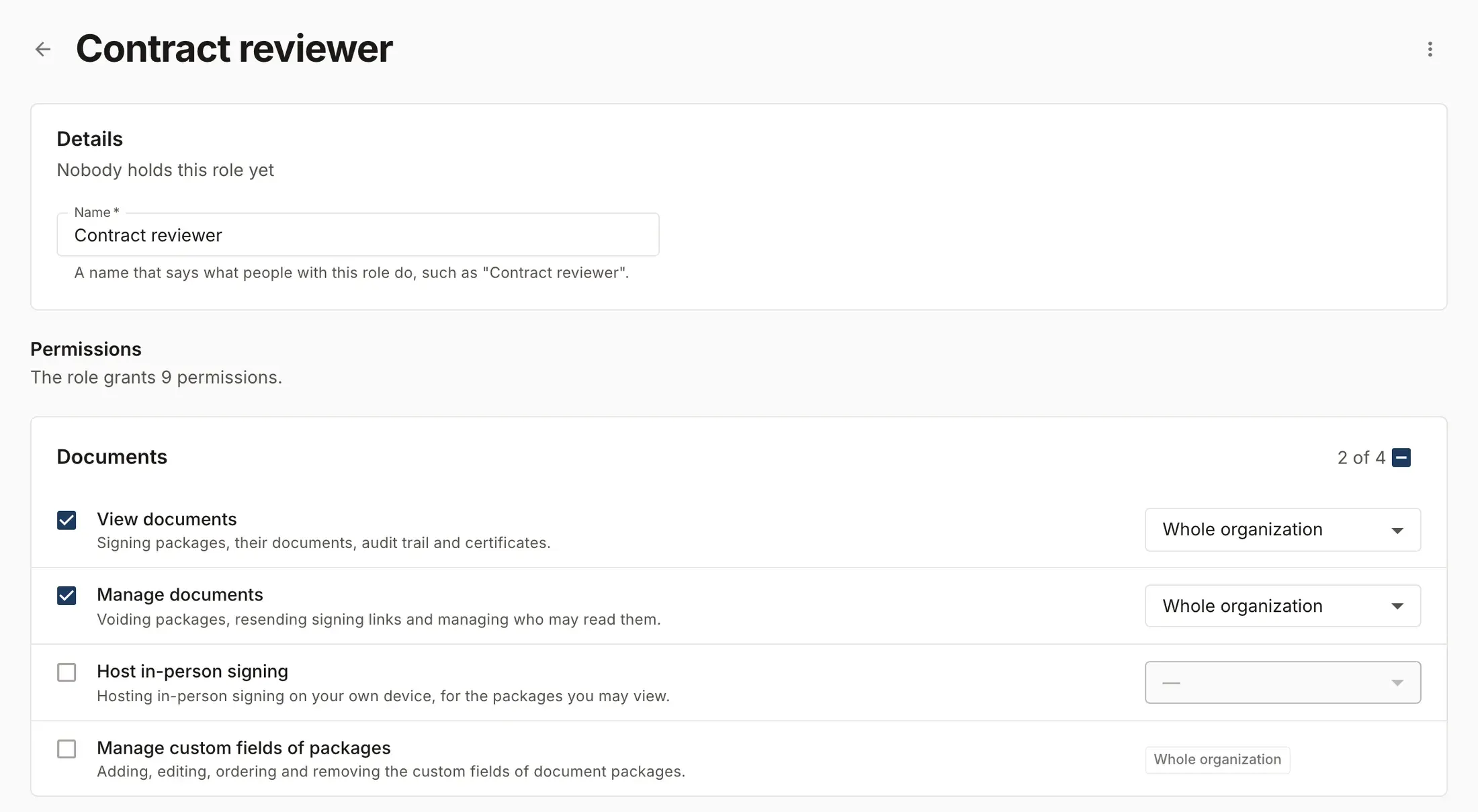
- Roles and permissions
- Four built-in roles, or your own. A permission allows one thing, and a role grants exactly what it lists.
- Departments
- Tie work to a department, so that HR contracts stay with HR.
- Access keys
- Each API key carries only the permissions you pick, and its secret is shown once. Users, roles, portals and billing are out of reach of keys, and a signature can only be given on the signing page.
Data and documents
- Encrypted at rest
- Form answers, document and workflow data, emails and webhook payloads are encrypted before they are stored. So are the passwords, tokens and keys of your integrations, which are never shown again once saved.
- Audit log and seal
- Each signature extends a chain of hashes, and each signed PDF gets a PAdES seal. A later change shows.
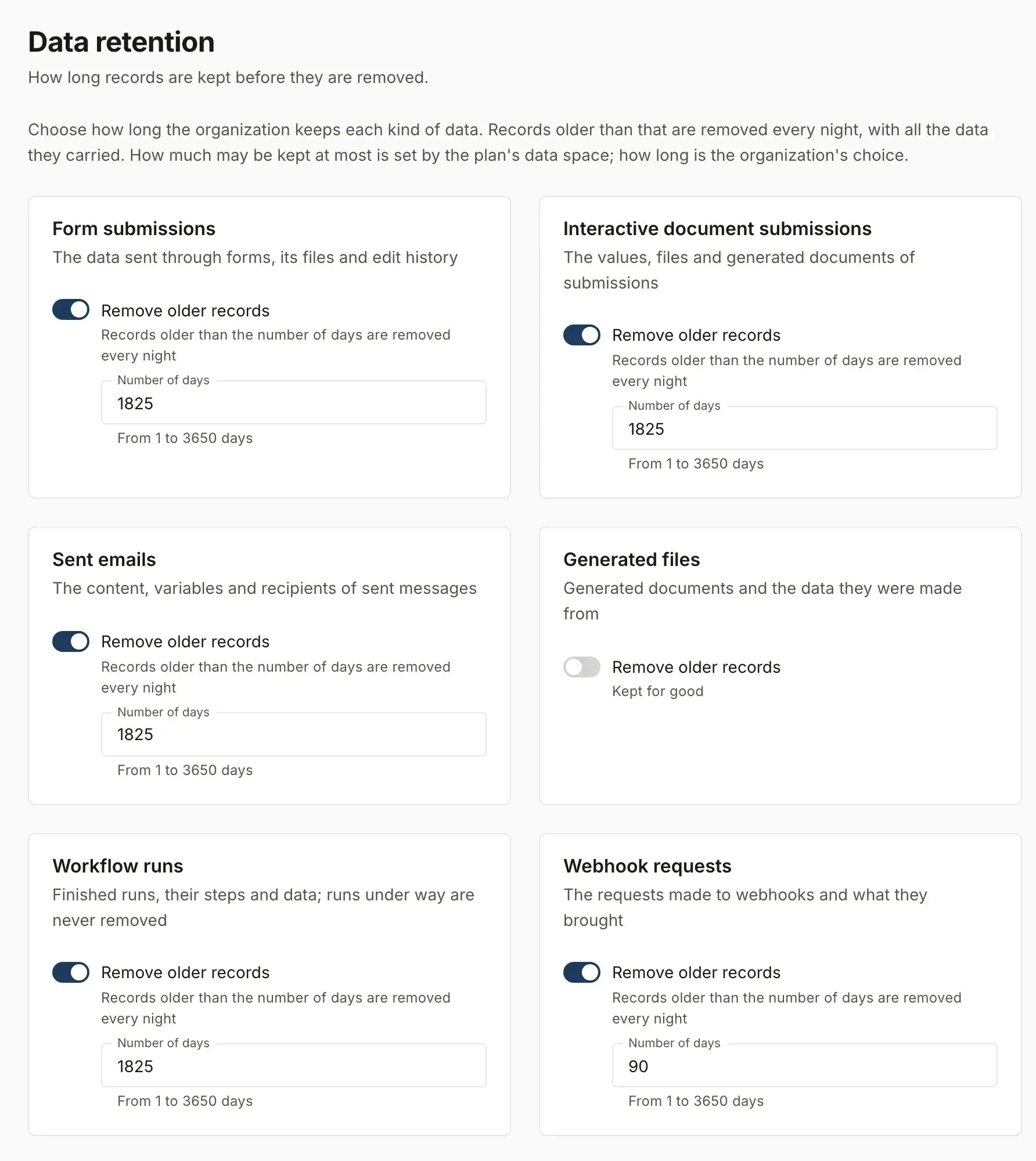
- Data retention
- Set a period for each kind of record, from 1 to 3,650 days, or keep it for good, and each document type can have its own period for finished packages. Older records are removed every night. Contacts have no period: they stay until somebody deletes them.
- Files stay on your drive
- Google Drive, OneDrive, SharePoint, Dropbox and Box work through a connection, and Doxtly sees only the root folder you choose.
- Sensitive contact fields
- A custom field marked sensitive, such as an ID document number, is stored encrypted. Only people allowed to view sensitive values see it, and everyone else sees it masked.
- Single sign-on details
- The identity provider’s details, its client secret among them, are encrypted before they are stored and never shown again once saved.
People who sign
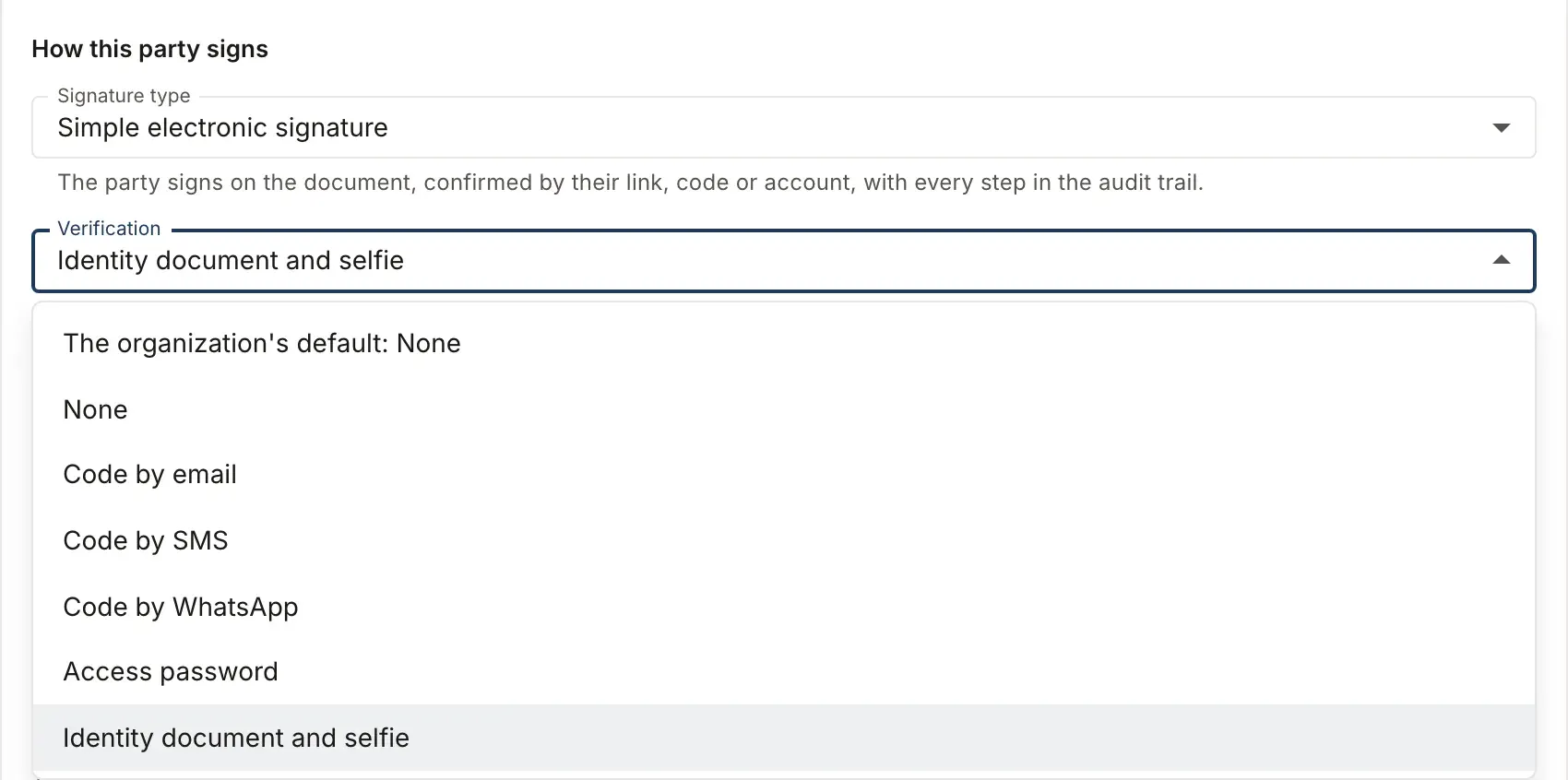
- A check for each party
- You choose how each party shows who they are: the link alone, a code by email, SMS or WhatsApp, an access password, or an identity document and a selfie.
- Identity documents
- Stripe Identity checks them on its own page. Stripe keeps the photos, and Doxtly receives only the result: the name, the kind and country of the document, and whether it matched.
- Signing in person
- When a client signs on your device, you as the host say how you checked who they are and confirm it with a statement naming you both. The certificate names you.
- Authorizations
- Someone in your team can authorize a colleague to sign in their name, limited if they wish to some document types and to a set time. The document shows beside the signature who signed for whom, and every use of the authorization goes into its history.
- Public signature check
- Anyone can check a signed PDF without an account. The file is checked and then discarded, and nothing is stored.
Public forms and portals
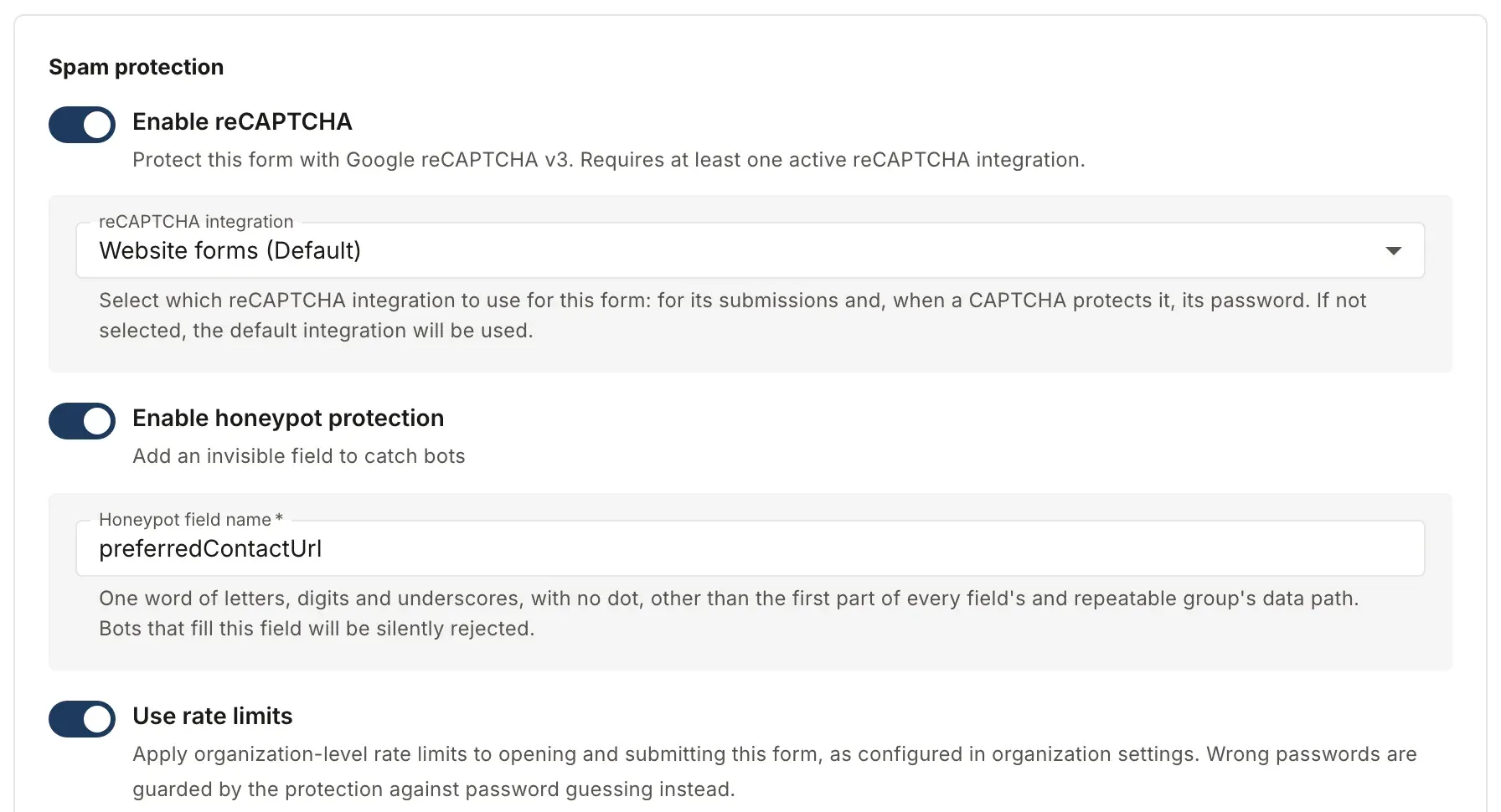
- Built-in protection
- A one-time session per visit, and a refusal of anything sent faster than a person could fill it in.
- Protection you choose
- A password, allowed websites, IP blocks, reCAPTCHA, a honeypot, rate limits and filtering of gibberish.
- Portal passwords
- A portal can hold up to 50 separate passwords, and the access log shows who came in over the last 30 days. A new address cancels the old one at once.
- Personal links to fill in
- A link sent from a contact goes only to the address that contact has, expires after the days you set, can be revoked, and with one submission only it works once.
Quizzes and surveys
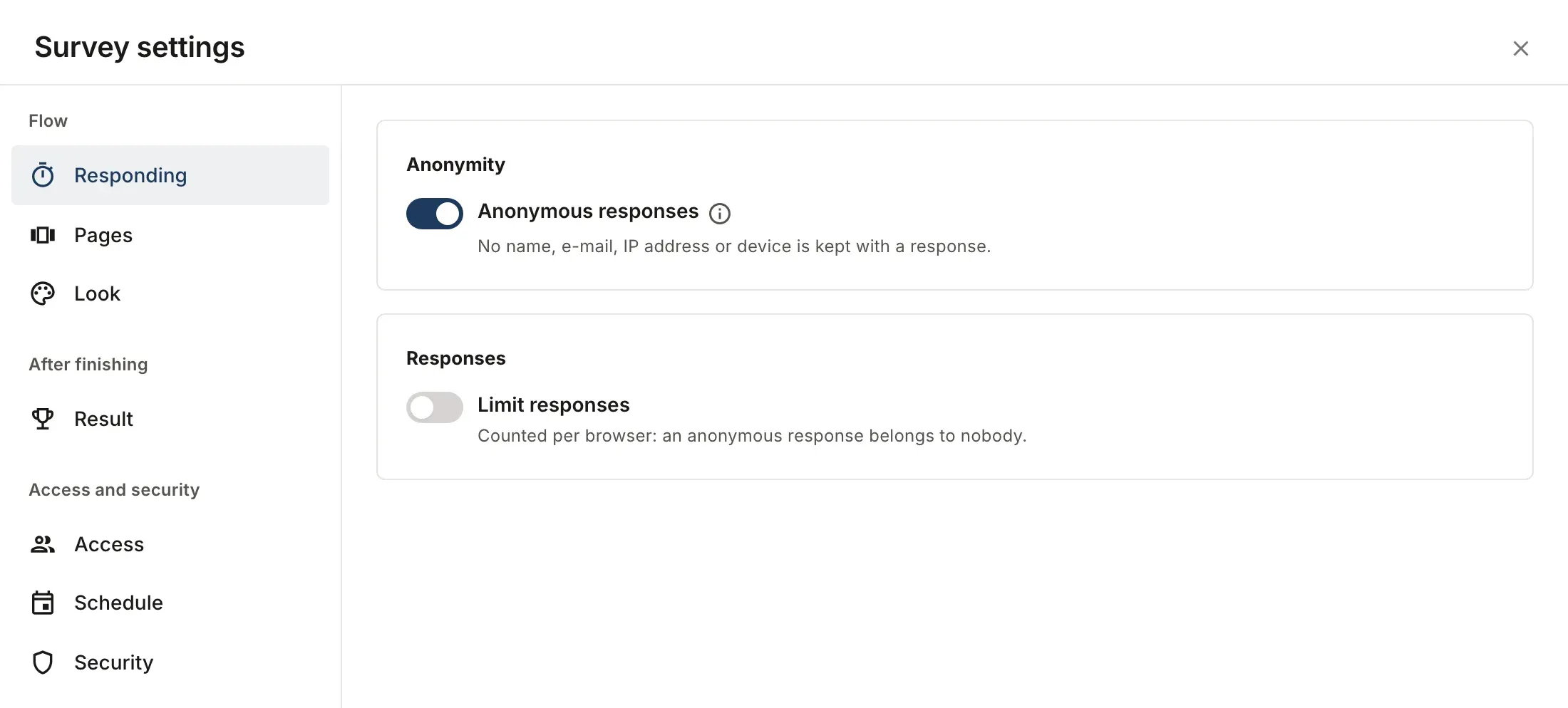
- Time and answers kept by the server
- A quiz’s time limit runs on the server, so a changed clock changes nothing, and the correct answers never reach the page before the attempt is sent.
- Anonymous surveys
- An anonymous response keeps no name, email, IP address, device or location, and nothing ties it to the person who gave it. The results show nothing of a group of fewer than 5.
- Personal data kept out of the AI
- Before answers go to the AI analysis, email addresses, phone numbers, account, card and ID numbers and the respondent’s own name are replaced by placeholders. It is on by default.
- Reports shared outside
- A report shared by link shows totals only, never a text answer or a group of fewer than 5. It can have a password and a date it stops opening, and it stops at once when you stop sharing it.
Who is responsible for what
Doxtly is run by Tomedio Tomasz Bajorek in Kraków, Poland. For the data you collect through the platform, you are the data controller and we are the data processor. The Privacy Policy sets out where and on what basis data is processed, and the Terms set out both sides’ duties. Questions go to contact@doxtly.com.
Start with one document.
Take the contract you retype most often and turn it into a template. The Free plan is enough, and you need no card.