
It works through the accounts you already have
Mail leaves from your mailbox, codes go through your SMS account, and contracts land on your drive. Set up a connection once, and everyone in the organization works through it.
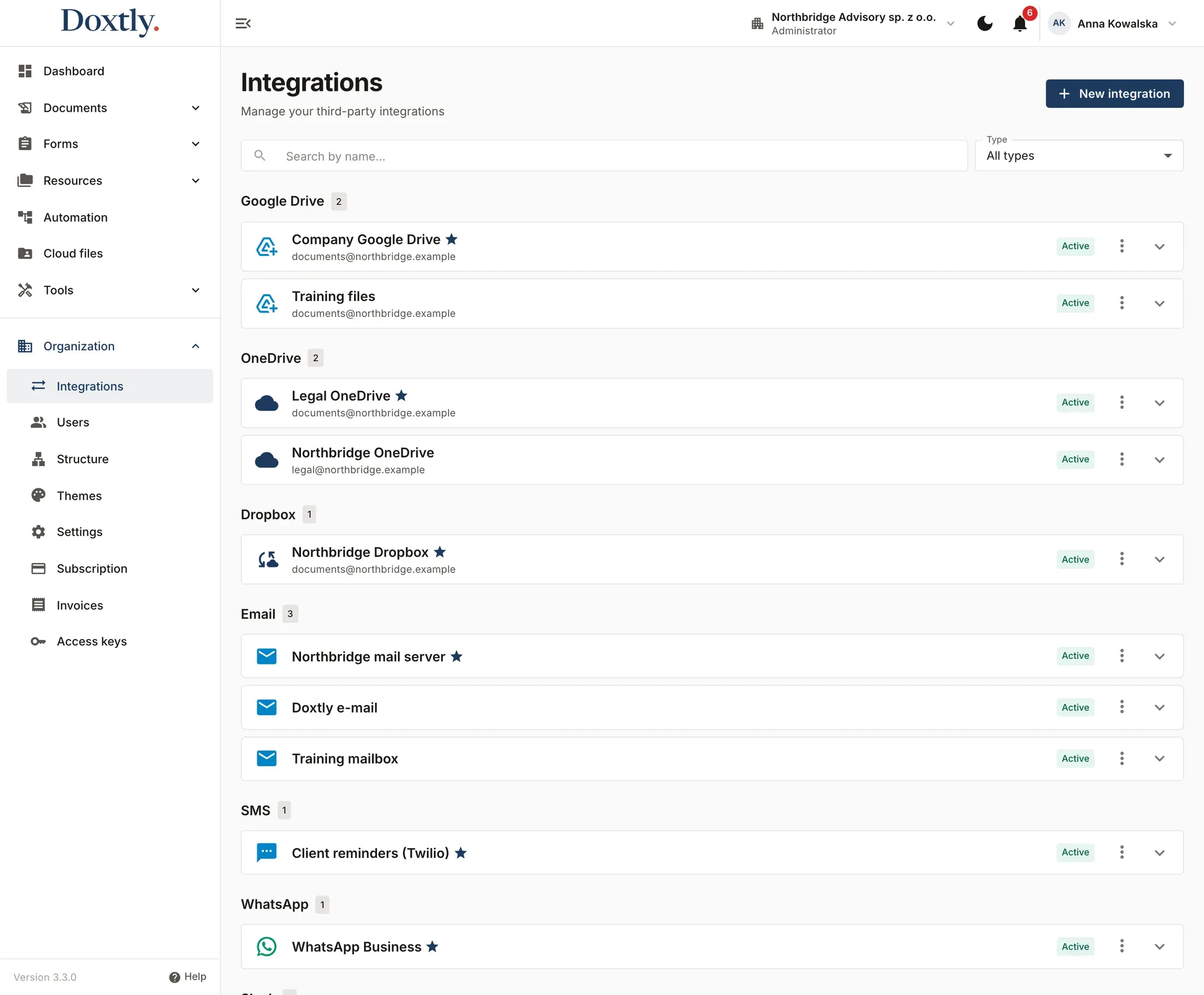
What you can connect
An email integration is usually the first thing to set up, because signing links and templates go out through it. Every type except the CRMs and the payment providers is on every plan, and you can have as many of each as you need. With no mailbox to connect, switch on Doxtly e-mail, which every organization already has.
- Email: custom SMTP, Gmail, Outlook, SendGrid, Mailgun, Amazon SES, and the built-in Doxtly e-mail
- SMS: Twilio, SMSAPI
- WhatsApp: Twilio, Meta
- Team messengers: Slack, Microsoft Teams, for notifications in channels and messages from workflows
- CRM: Pipedrive, HubSpot and Copper, to keep contacts in sync, move deals and attach signed documents from workflows
- Payments: Przelewy24, Stripe, PayU, PayPal, to take payments in forms straight into your own account
- Drives: Google Drive, OneDrive, SharePoint, Dropbox, Box
- Spam protection: reCAPTCHA
- AI: Anthropic, OpenAI
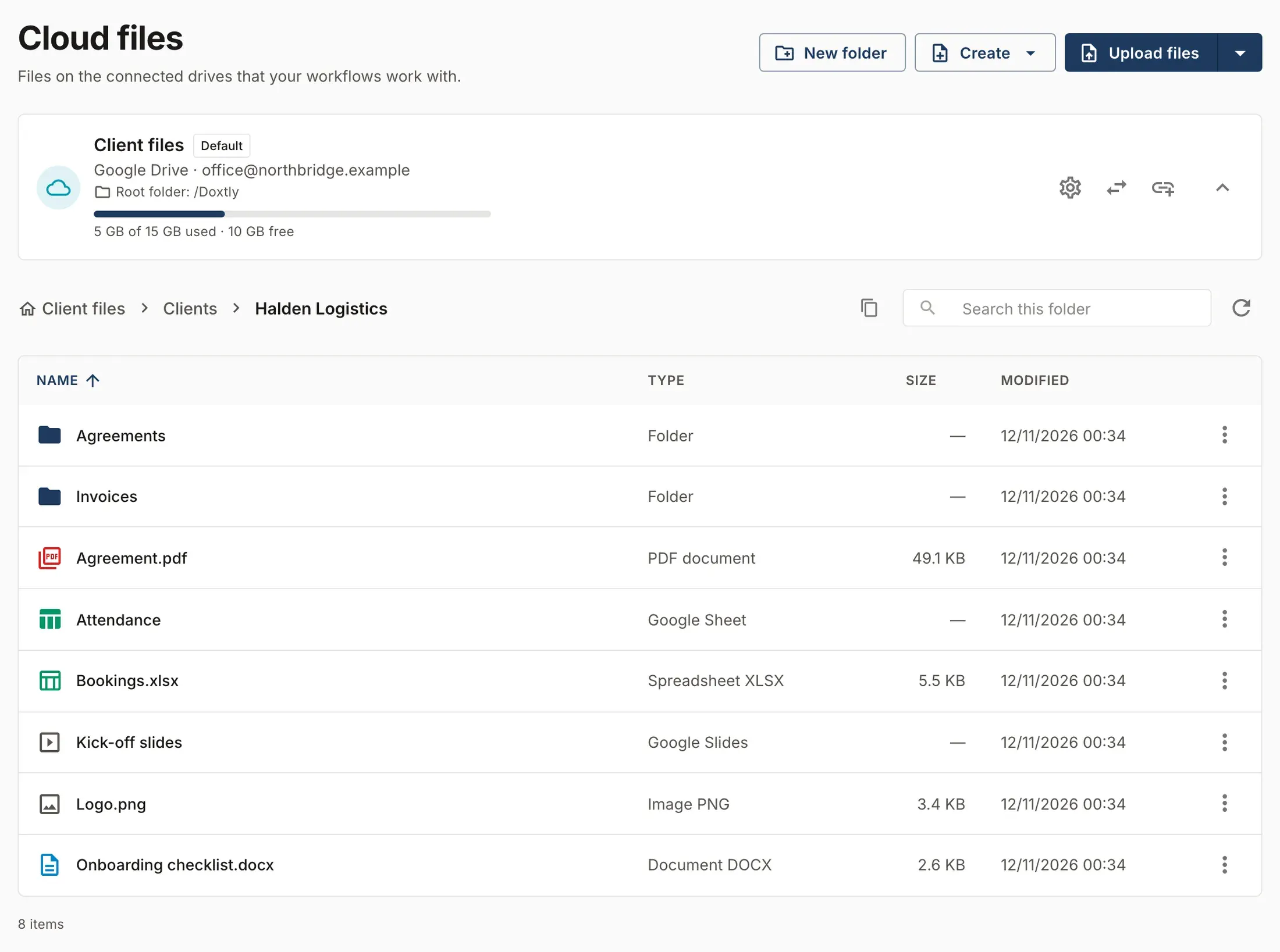
Your drive, browsable from inside Doxtly
Cloud files shows the drives you connected, under the same paths your workflows use. You can check that an agreement landed in the right folder, upload a new price list, or see which workflows depend on a folder before you rename it.
The files stay on your drive, and Doxtly sees only the root folder you choose and what is under it. A change there is a change in the drive, and they count against your drive’s space, not your plan’s.
A connected drive also works across the app. Exports, from a form’s file to a sheet of results or a generated PDF, offer Save to a cloud drive beside the download, and imports and uploads can take a file From cloud drive.
Anything else: webhooks and the API
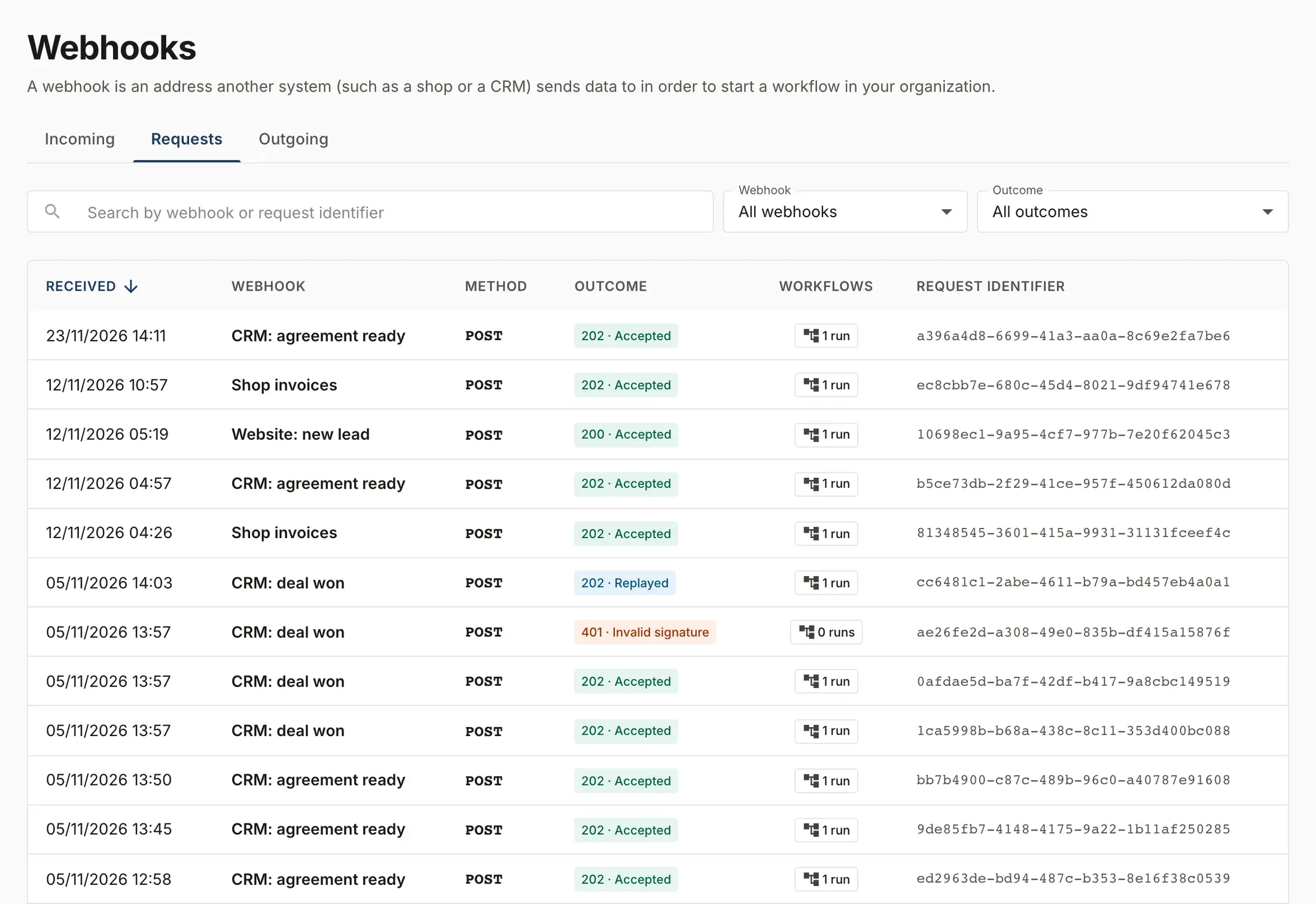
A shop, a CRM or a payment provider can send data to a webhook address and start a workflow. In the other direction, the Webhook step calls any system with an API. Your developers can use the API for the rest, and forms go onto WordPress, Joomla, Drupal or Magento with the plugins.
Worth knowing before you start
- What you pay the provider is between you and the provider. An SMS from your Twilio account is billed by Twilio, and Przelewy24, Stripe, PayU or PayPal charge their fees for a payment under your agreement with them; Doxtly adds none.
- Some Google Drive connections see only the files added through Doxtly. The app tells you when yours is one of them.
- On the Free plan an AI integration serves only Doxie, the AI assistant in Doxtly, while AI agents and the AI buttons need a paid plan. Pipedrive, HubSpot and Copper need a plan with CRM integrations (Pro or Business), and Przelewy24, Stripe, PayU and PayPal a plan with payments (Starter, Pro or Business).
Questions people ask
Does Doxtly work with Google Sheets and Excel?
Yes. Workflows read and write Excel files, both .xlsx and the older .xls, OpenDocument spreadsheets, CSV files and Google Sheets on a connected drive.
Do you charge for SMS or WhatsApp messages?
No. Those go through your own provider account, and the provider bills you.
Can I send emails without a mailbox of my own?
Yes, with Doxtly e-mail. Switch it on under Integrations, and your messages go under your organization’s name “via Doxtly”. Each plan includes a number of messages a month; past them, each recipient takes 0.003 USD from your prepaid Doxtly balance.
Are my integration passwords safe?
Passwords, tokens and keys are stored encrypted and are never shown again after you save them.
In the manual
Where it is used
Start with one document.
Take the contract you retype most often and turn it into a template. The Free plan is enough, and you need no card.