
A screening test for every applicant, graded fairly and fast
Each applicant gets a timed test the moment they apply. The closed questions mark themselves, AI suggests grades for the written answers against your rubric, two examiners grade blind, and the people who pass reach the hiring team’s channel.
A hundred and twenty applications, and three evenings of reading
Northbridge Advisory, our example consulting firm, hires junior consultants twice a year. An advert brings over a hundred applications, and a CV says little about how someone thinks through a client’s problem.
So the firm sent a case study by email and read the answers in the evenings. Some came back in an hour, some in a week. Some were clearly written by someone else, and the partner who read the hundredth answer graded more harshly than the one who read the first.
What Northbridge wants: the same test for everybody, under the same conditions, graded by the same rules, without the partners reading every word.
What Northbridge sets up, step by step
The test goes out as soon as someone applies
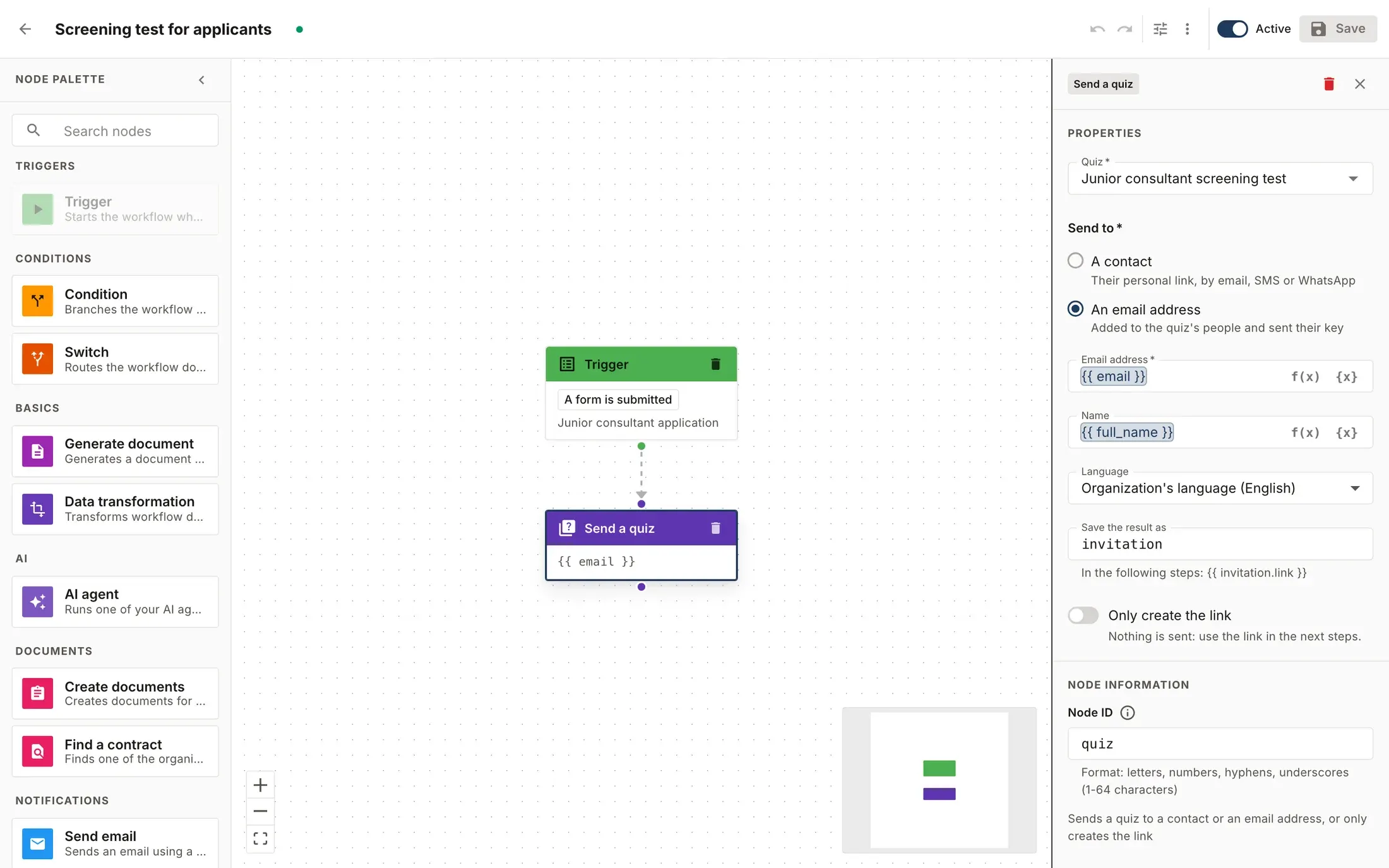
The form “Junior consultant application” collects the name, the e-mail and the CV. A workflow on its submission has one Send a quiz step, with Send to set to An e-mail address:
{{ email }}, and the name{{ full_name }}. The applicant joins the quiz’s people and gets their personal link a moment after they apply.Ten closed questions and two cases
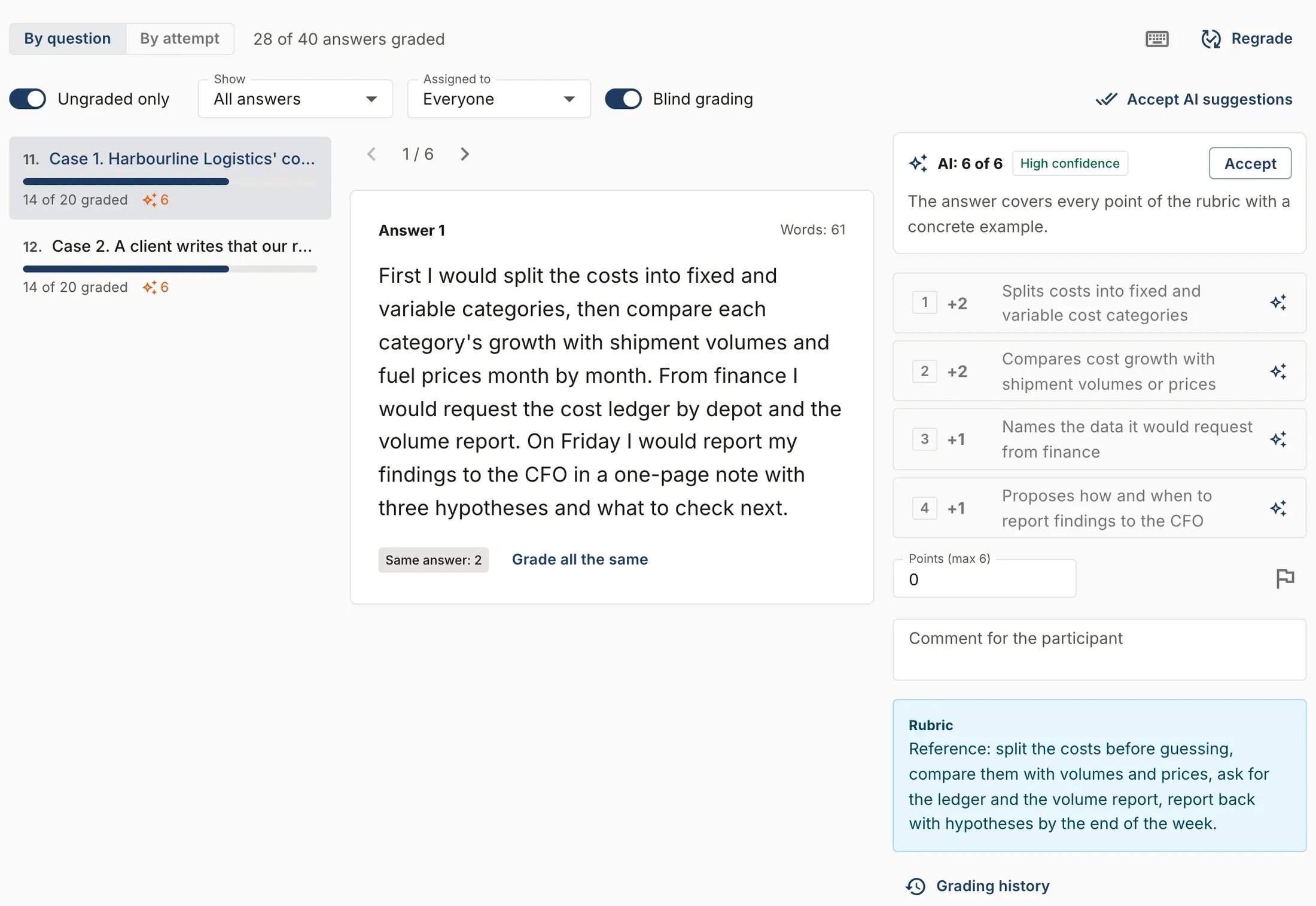
The quiz “Junior consultant screening test” has two sections. In the first, ten questions on figures and logic mark themselves. In the second, two short cases are answered in a few paragraphs, each judged by AI against What a good answer contains, with Rubric items such as “names the client’s cash-flow risk” and their points. The firm’s case notes go into Reference material, which the AI reads with every attempt and the applicant never sees.
The same conditions for everyone
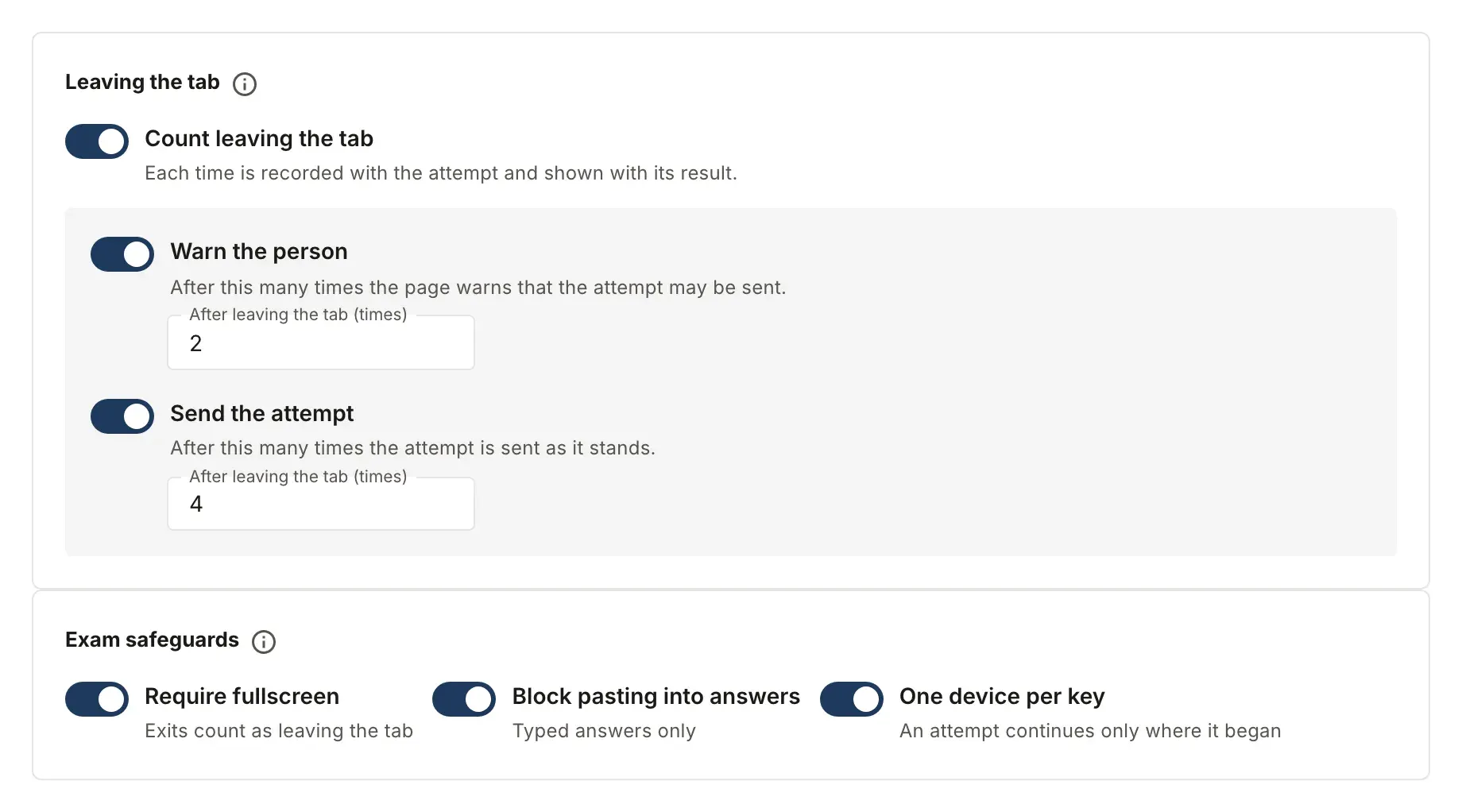
A Time limit of 45 minutes, kept by the server, and Limit attempts with 1 attempt per person. Who can take it is Invited people (personal links), so only applicants get in. Under Leaving the tab, the page warns after 2 times and sends the attempt after 4, and the Exam safeguards card has Require fullscreen, Block pasting into answers and One device per key on.
AI suggests, examiners decide
Under Result, the AI grading card has AI points set to Suggestions only, and Examiners gives the case questions to Zofia and James, with Second marking on. On the Grading tab each of them grades one question at a time with Blind grading on, so no name and no sheet number sway the mark. Marks further apart than the Largest difference (points) wait under To reconcile.
The shortlist reaches the team
The applicant sees Only that it was sent. A workflow on A quiz attempt is finished with Outcome set to Passed posts
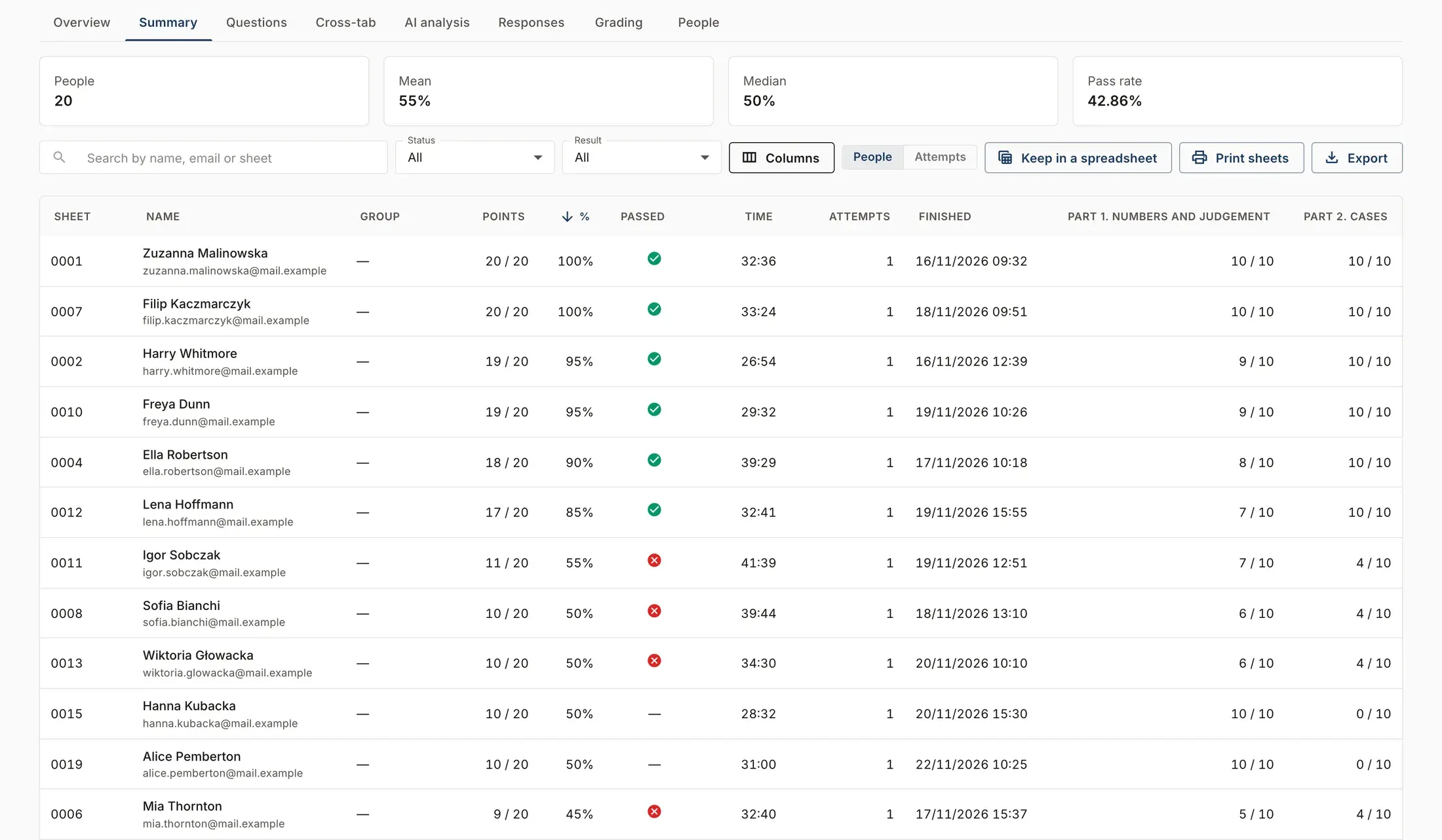
{{ _attempt.personName }}and{{ _attempt.percent }}% to the hiring channel with Send to a messenger; a second one, on Not passed, sends a polite reply. The Summary tab, sorted by the per cent, is the shortlist.
What you set up once
- An application form, and a workflow that sends the test
- The test, with its rubric items, reference material and safeguards
- Examiners whose role has the Grade attempts permission
- Doxtly AI, or the AI integration your organization assigned to Doxie, for the grading suggestions
- A Slack or Microsoft Teams integration for the shortlist, and an email integration
Ways to adapt it
- Let the AI grade the clear cases
- With Final when the AI is sure, the default, the AI’s grade stands where it is confident, and only doubtful answers go to an examiner. Accept sure AI suggestions on the Grading tab takes every confident suggestion for a question at once.
- Release results yourself
- Set Show the result to When I release it, and nobody learns their score until the grading is done and you release the results, all at once.
- Keep applicants’ data only as long as needed
- Give the test an Own retention period of 180 days in its Security settings, and the attempts go after that. A request to be forgotten is answered with one API call across all your quizzes.
- What it is not good for
- The safeguards make cheating harder; they don’t make it impossible. A second device beside the laptop is invisible to the page, and Doxtly doesn’t try to detect text written by AI or watch anyone through a camera. Treat the test as a first filter, and the interview as the real check.
Questions people ask
Does the AI decide who gets hired?
Not in this setup. With Suggestions only, the AI proposes points and says which rubric items apply, and an examiner gives the grade. Every change of a grade is kept in the attempt’s grading history, with who made it and when.
Can an applicant take the test twice?
Not with one attempt per person. With personal links a person is counted as one whatever browser they use, and One device per key holds a running attempt to the device it began on.
What happens when an applicant’s laptop dies mid-test?
The time keeps running on the server. An examiner opens the attempt and chooses Release device in its menu, and the applicant carries on from another device with the answers already given.
Are the answers sent to an AI provider?
The answers to the case questions are, when AI grading is used: to Doxtly AI, or to the AI integration your organization assigned to Doxie. A question set to Graded by an examiner never goes to the AI.
Which plan do I need?
Quizzes are on every plan, within its limits of quizzes and attempts. AI grading uses the same AI as Doxie: Doxtly AI on your plan, or the AI integration your organization assigned to her. Pricing shows the current limits.
Start with one document.
Take the contract you retype most often and turn it into a template. The Free plan is enough, and you need no card.