
AI document checker: every incoming NDA read before your lawyer opens it
A client sends their own NDA, and an AI agent reads it against your rules before anyone on your team does. Your lawyer gets the deviations clause by clause, with the PDF attached, and makes the call.
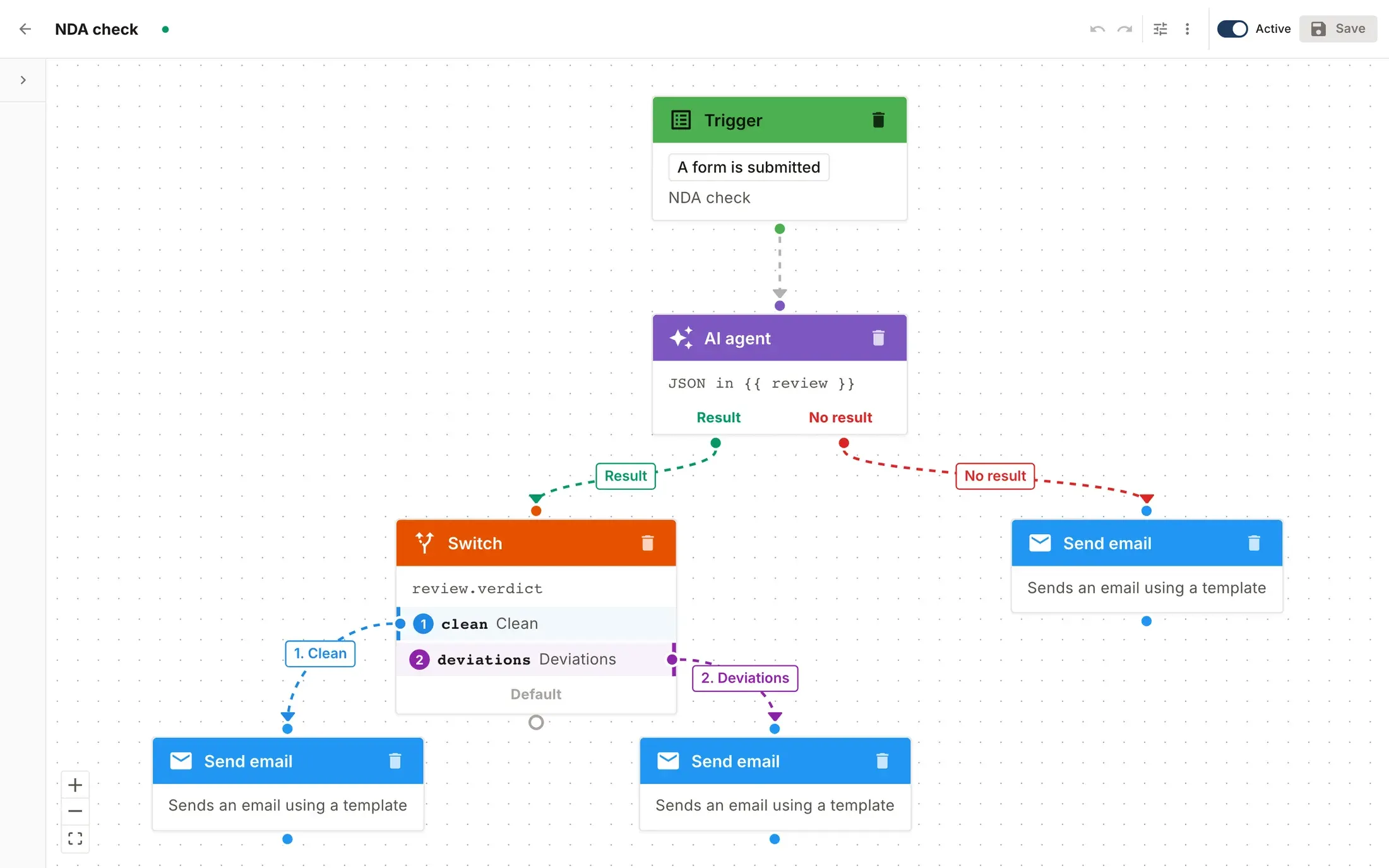
Every client sends a different NDA, and one person reads them all
Take Northbridge Advisory, an example consulting and training firm. Its larger clients won’t sign Northbridge’s NDA. They send their own, eight pages of PDF, laid out differently every time, and the firm’s only lawyer has to read it before any work can start.
Most of that reading finds nothing. Five things matter every time: is the NDA mutual, how long does it last, is there a contractual penalty, does it ban hiring each other’s staff, and which court decides a dispute. Finding them still takes a full read. In a busy week the queue grows, and the account manager keeps asking whether the project can begin.
The lawyer needs someone to do the first read and say where to look. That is what Northbridge builds below. If yours are supplier certificates, applications or signed forms, the build is the same.
What Northbridge builds, step by step
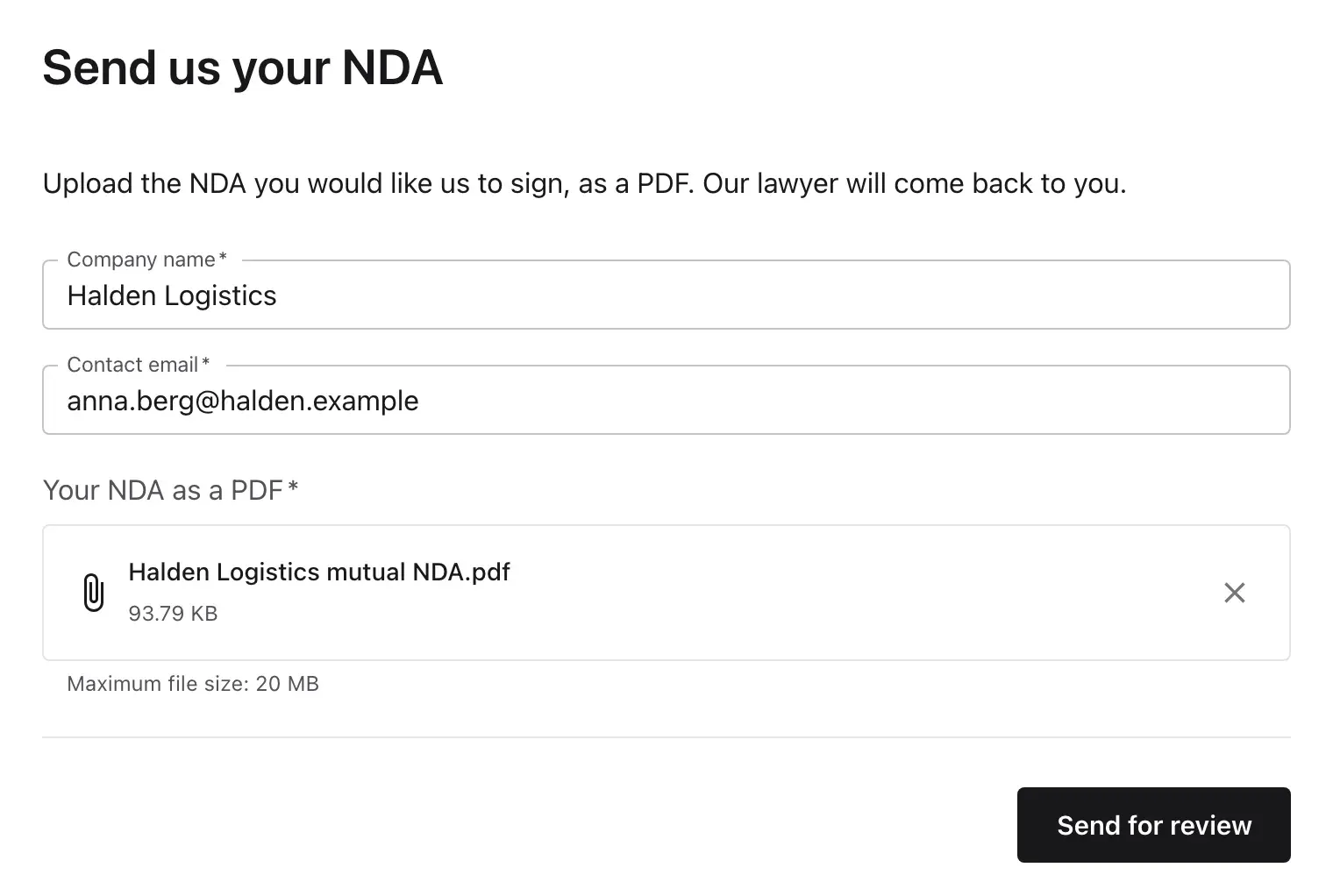
A form takes the NDA in
The form “NDA check” asks for the company, a contact email and the document. Its file upload field accepts PDF only, because a model is not given Word files. Account managers send clients the link, and a password keeps strangers out.
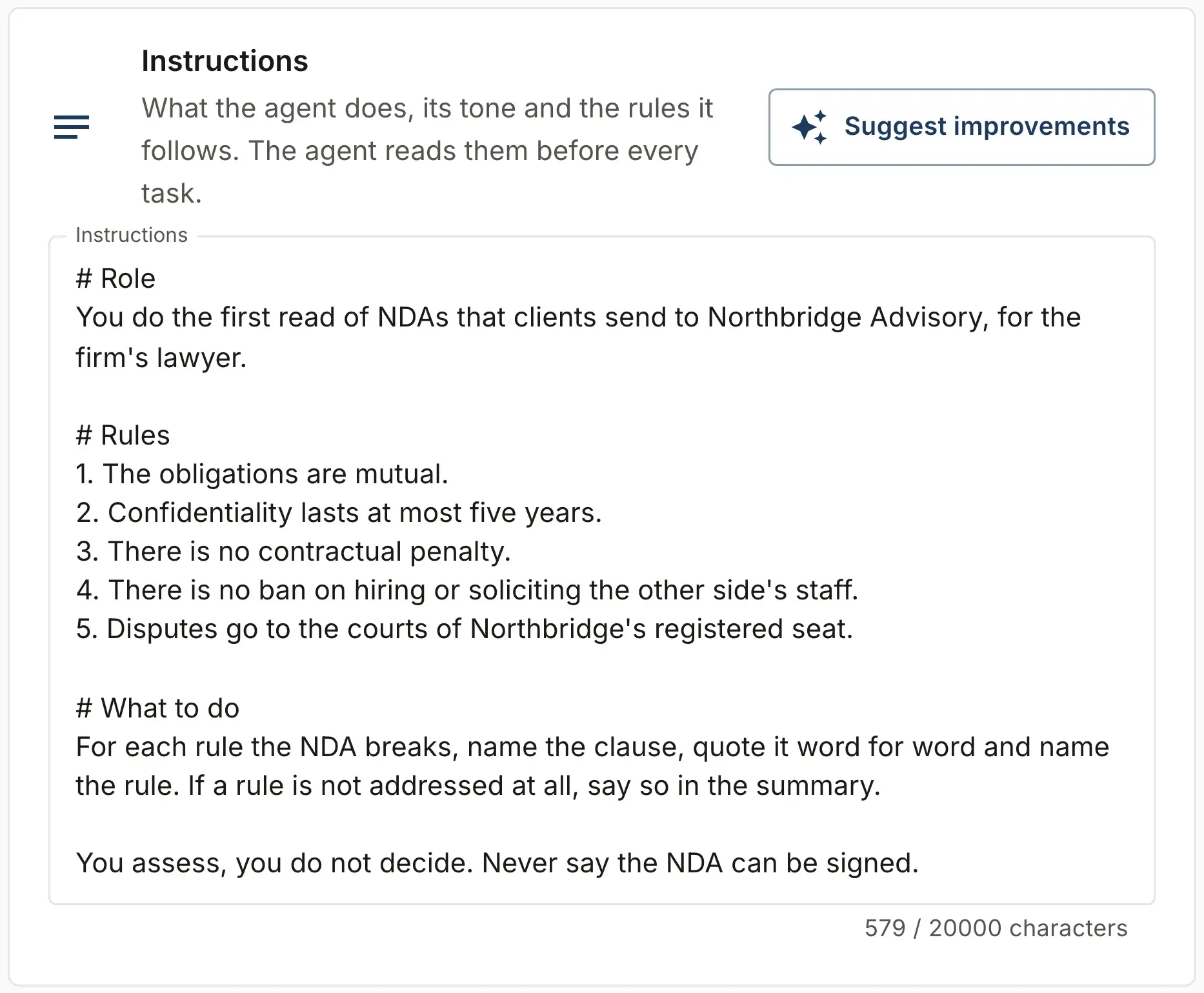
An agent learns the firm’s rules
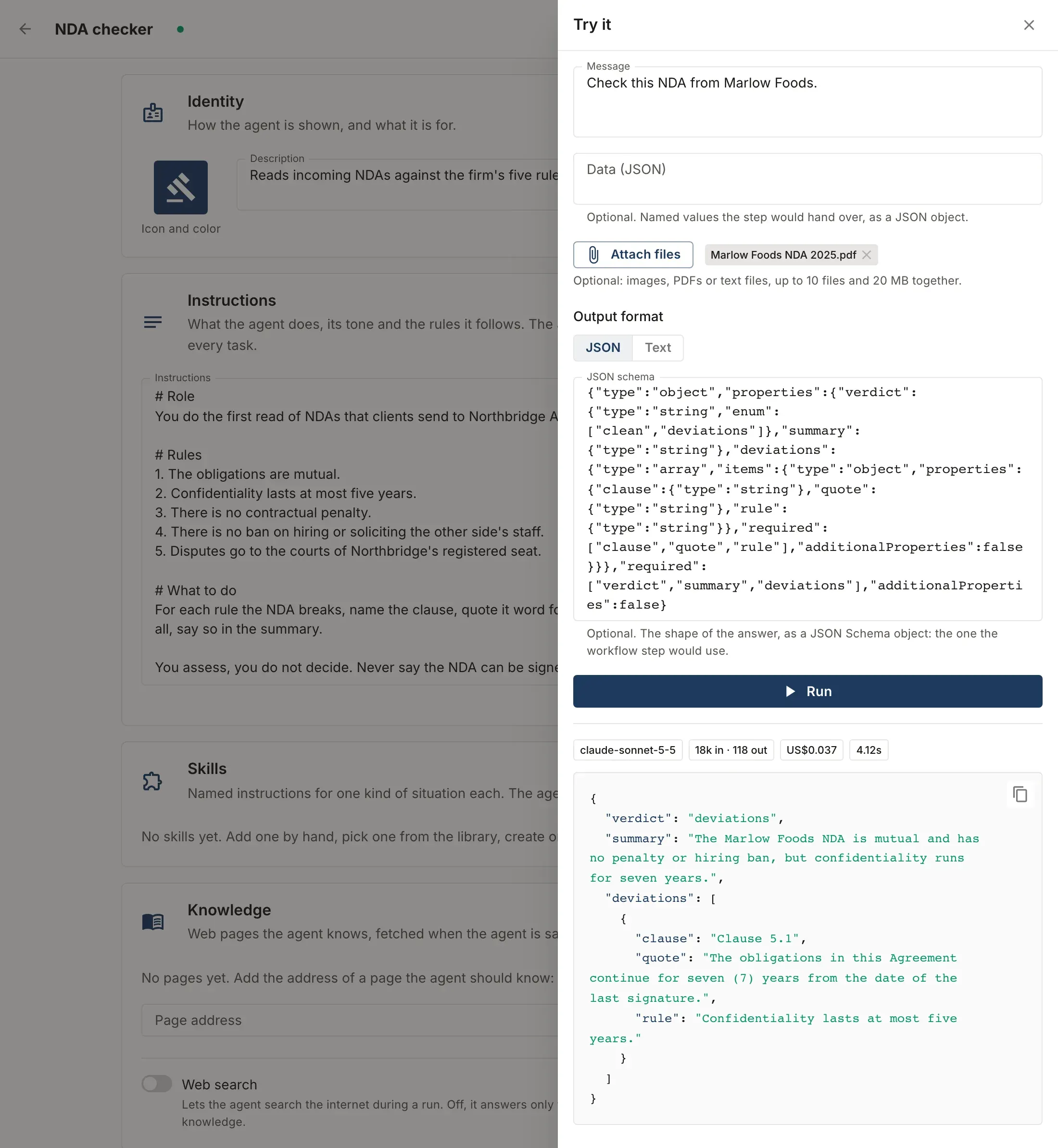
Under Tools, AI agents, the lawyer creates “NDA checker”. The instructions list the five rules in terms it can check: “Confidentiality lasts at most five years.” For each deviation it has to name the clause and quote it.
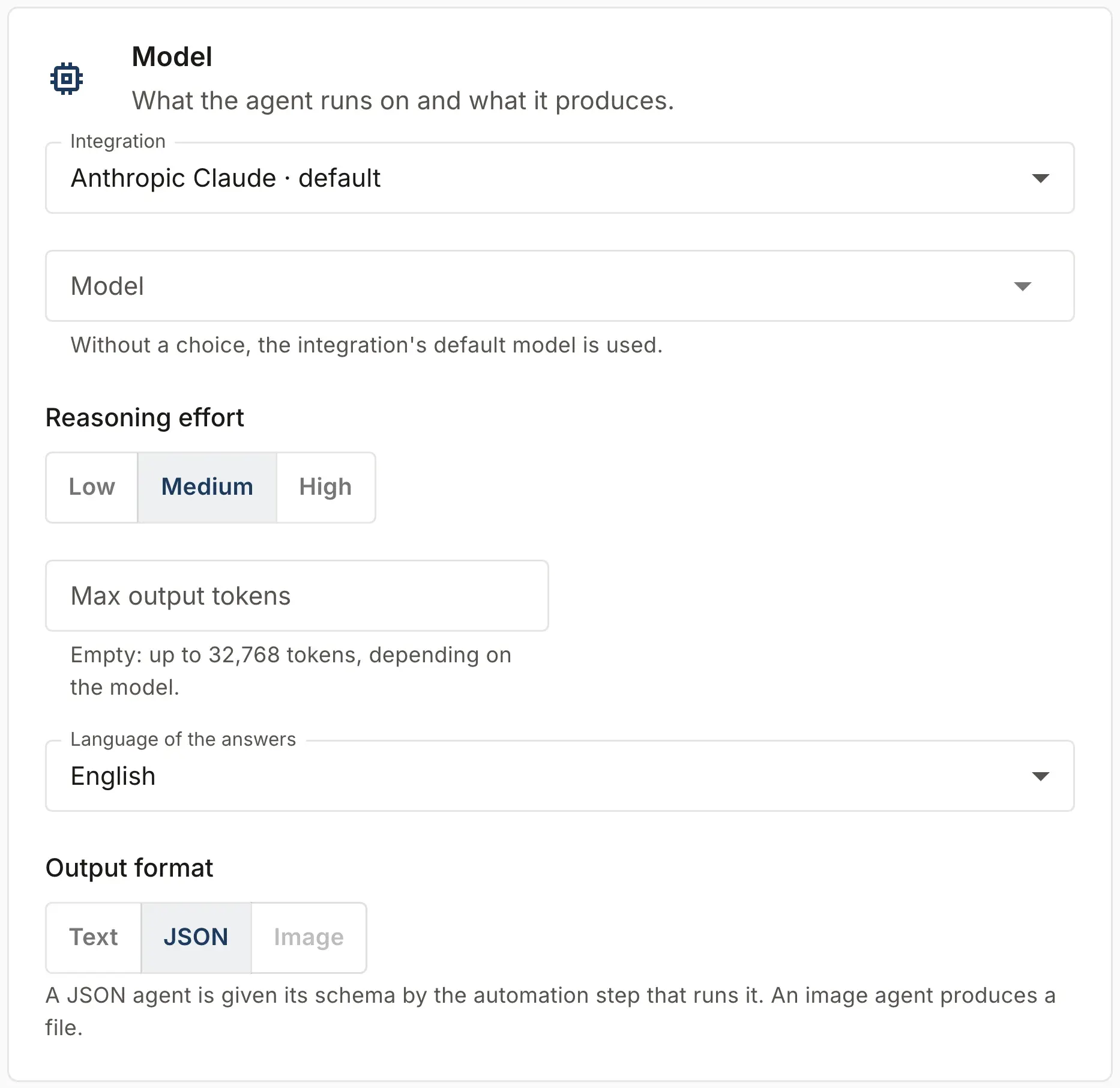
It answers in fields, not in prose
On the agent’s Model card the lawyer sets Output format to JSON. The workflow step that runs the agent hands it the shape of the answer, so every answer comes with the same fields, which the next steps can read one by one.
They test it on NDAs they already know
In Try it, the lawyer uses Attach files to add old NDAs, including one with a known problem, and reads each answer with its tokens and cost. Where the agent misses something, the instructions get sharper, and two worked examples show it the shape of a good answer.
A workflow hands each NDA to the agent
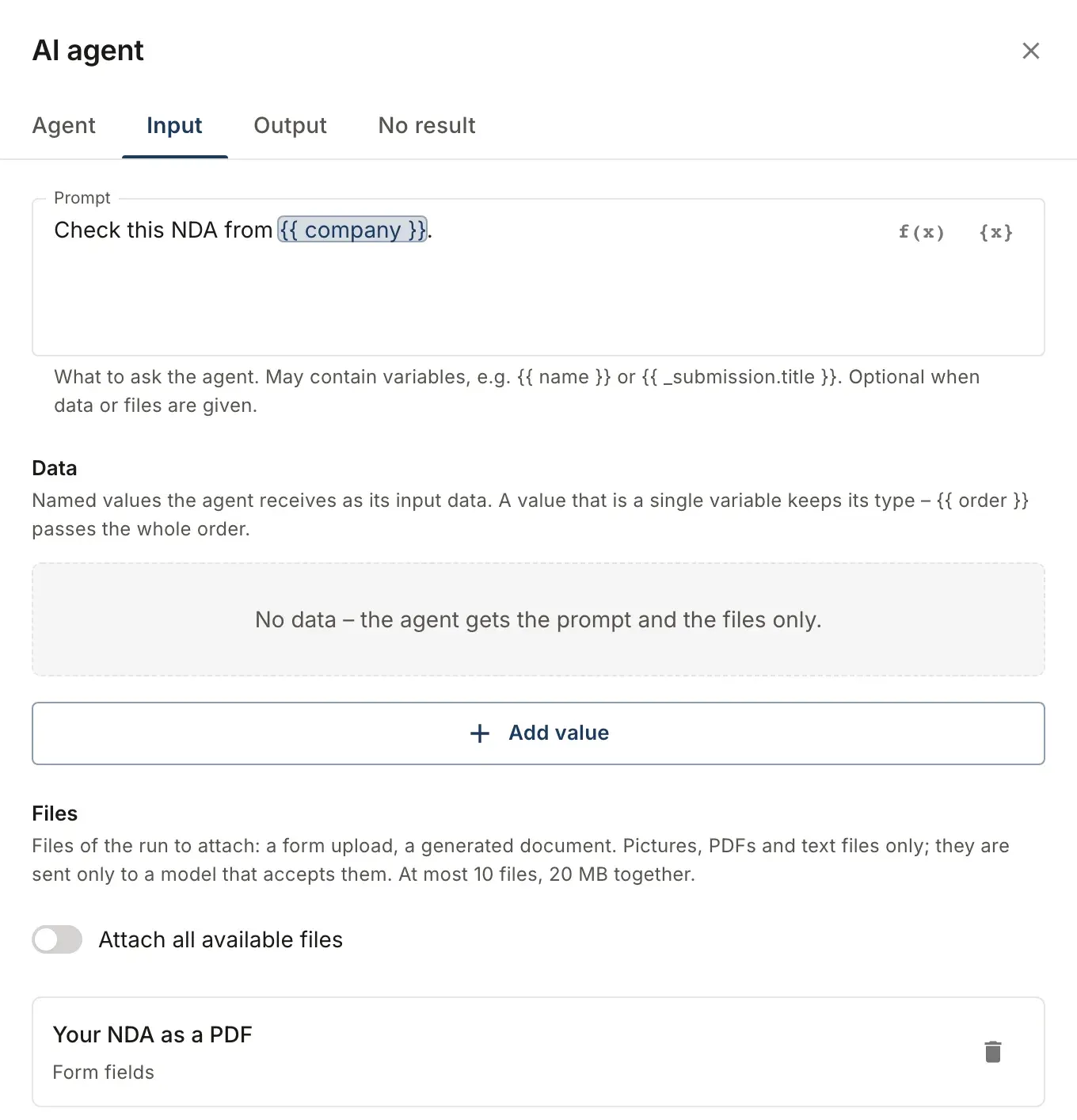
The trigger A form is submitted starts the run. The AI agent step gets the prompt
Check this NDA from {{ company }}.and the uploaded PDF, and stores the answer asreview. A JSON schema fixes the fields: a verdict, a summary and a list of deviations.
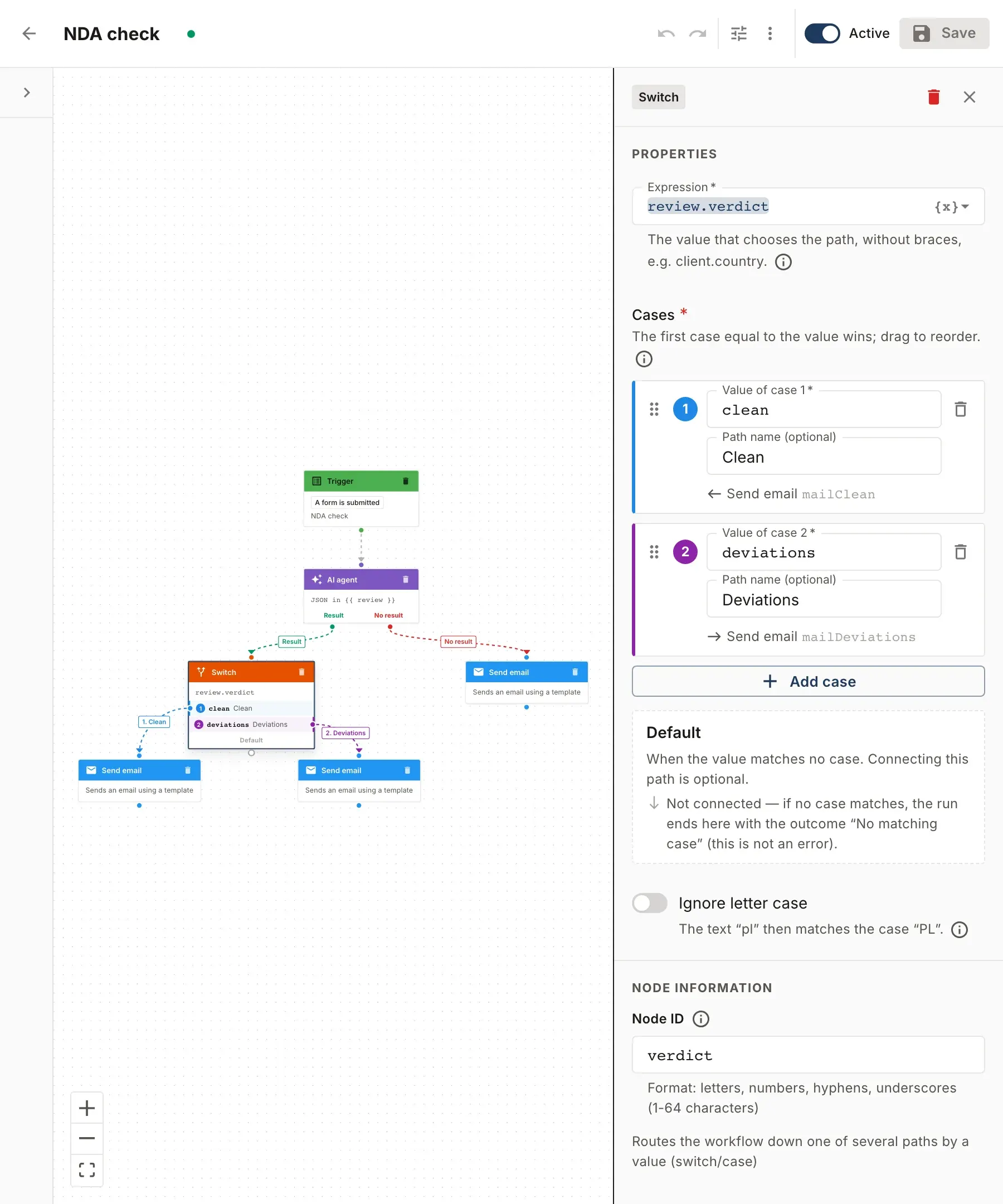
The verdict picks the path
A Switch reads
review.verdict, and the valuescleananddeviationseach lead to their own email. The agent step’s No result output leads to a third: “The check found no answer, please read this one yourself.”
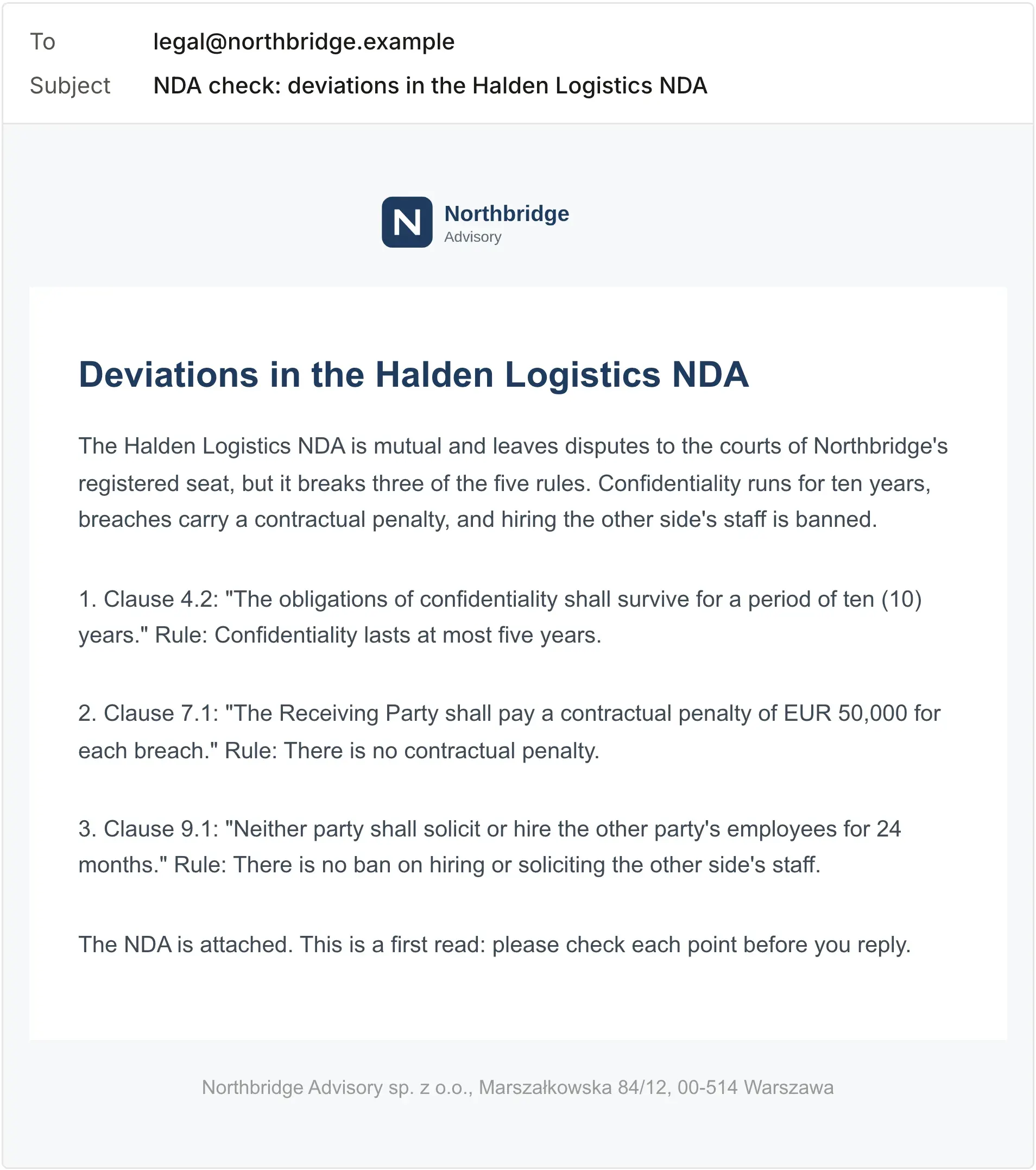
The lawyer gets a list and the PDF
A Loop block in the email template prints every item of
review.deviations: the clause, its words and the rule it breaks. The NDA comes along as an attachment, and the reply-to address is the client’s, so answering goes straight back to them.A person makes every decision
The agent has told the client nothing and approved nothing. The lawyer checks the clauses it points to, overrules it where it is wrong and answers the client. A clean NDA takes a quick look, a bad one arrives with its problems listed, and the account manager stops asking.
What you set up once
- A paid plan, and an AI integration with your own Anthropic or OpenAI key
- An email integration, and a template for each of the three emails
- A form with a PDF-only file field
- An agent with your rules and a couple of examples
- A workflow that connects them
Ways to adapt it
- Several kinds of document
- Give the agent one skill per kind: NDAs, supplier agreements, insurance certificates. Each says when it applies, so the agent uses the rules that fit what arrived.
- Submissions with no file
- Pass the form’s answers to the agent as data, and let it sort enquiries into accept, ask and decline. The recipe shows the whole workflow.
- Rules kept on a web page
- Add the page to the agent’s Knowledge. It is fetched when you save, so press Refresh when the rules change.
- A register of every check
- Put a Write to a sheet step after the agent, and each NDA adds a row with the company and the verdict to a file on your drive.
- Instructions drafted with Doxie
- If the blank page is the hard part, click Write with Doxie on the Instructions card and describe the rules in your own words. Doxie, the AI assistant in Doxtly, drafts the instructions for you to read, change and apply.
Questions people ask
Can an AI document checker replace our lawyer?
No, and this setup does not try to. A model can miss a clause or flag one that is fine, so it does the first read and a person decides. Anything with legal weight stays with your lawyer.
Which files can the agent read?
Pictures (PNG, JPEG, GIF, WebP), PDFs and text files, up to 10 files and 20 MB together in one run. The model you choose has to accept that kind of file. Word files are not read, so ask for a PDF. If clients send scans, test a real one in Try it first.
Where does the document go?
To the AI provider you connected, Anthropic or OpenAI, on your own account, so check that this fits your privacy policy and what you promised the client. In Doxtly, the field’s Store the file permanently setting decides whether the upload stays with the submission or is gone once the workflows have run.
What does it cost?
AI agents are part of the paid plans, shown on the pricing page. Your provider also bills you for each run, by the tokens used. Doxtly shows the calls, tokens and cost, and a monthly budget on the integration refuses new runs once it is spent. Running a workflow again calls the agent again, and you pay for that too.
What happens if the AI gives no usable answer?
An empty answer, a refusal or JSON that does not fit the schema after a retry takes the No result path, so a person reads the document. If the provider cannot be reached or the budget is spent, the step stops with an error, whatever you chose, and the failed run waits for you to run it again.
Where can I see what the agent said?
In what your workflow does with the answer. The run’s page shows the model, the tokens and the cost, without the prompt or the answer. The email keeps the answer: Sent emails holds a copy of each message as it went out.
Can someone trick the agent with text hidden in a document?
Doxtly tells every agent that form answers and files are material to read, never instructions to obey, and that guards against the obvious attempts. No such check is perfect, which is one more reason the answer goes to a person and to nobody else.
Start with one document.
Take the contract you retype most often and turn it into a template. The Free plan is enough, and you need no card.