
The deal is won in your CRM, and the contract takes care of itself
At Northbridge Advisory, our example firm, a salesperson marks a deal as won and goes back to selling. The contract is written and sent by itself, and when it is signed, the deal in the CRM moves on, carrying the contract’s reference. Nobody retypes a thing.
The deal is won, and then the typing starts
Emily Carter sells training and advisory work at Northbridge. Everything about a deal lives in the CRM: the client, the person who signs, the services and the price. Yet when a client said yes, she opened the last agreement, typed all of that in again and emailed it round. On a busy Friday a contract could wait until Tuesday, and a wrong VAT number could wait even longer.
After that the CRM knew nothing. Her manager Piotr asked in every pipeline meeting which won deals were really signed, and Emily went through her inbox to find out. A client who refused a clause was a surprise someone heard about a week later.
How it runs, step by step
Emily marks the deal as won
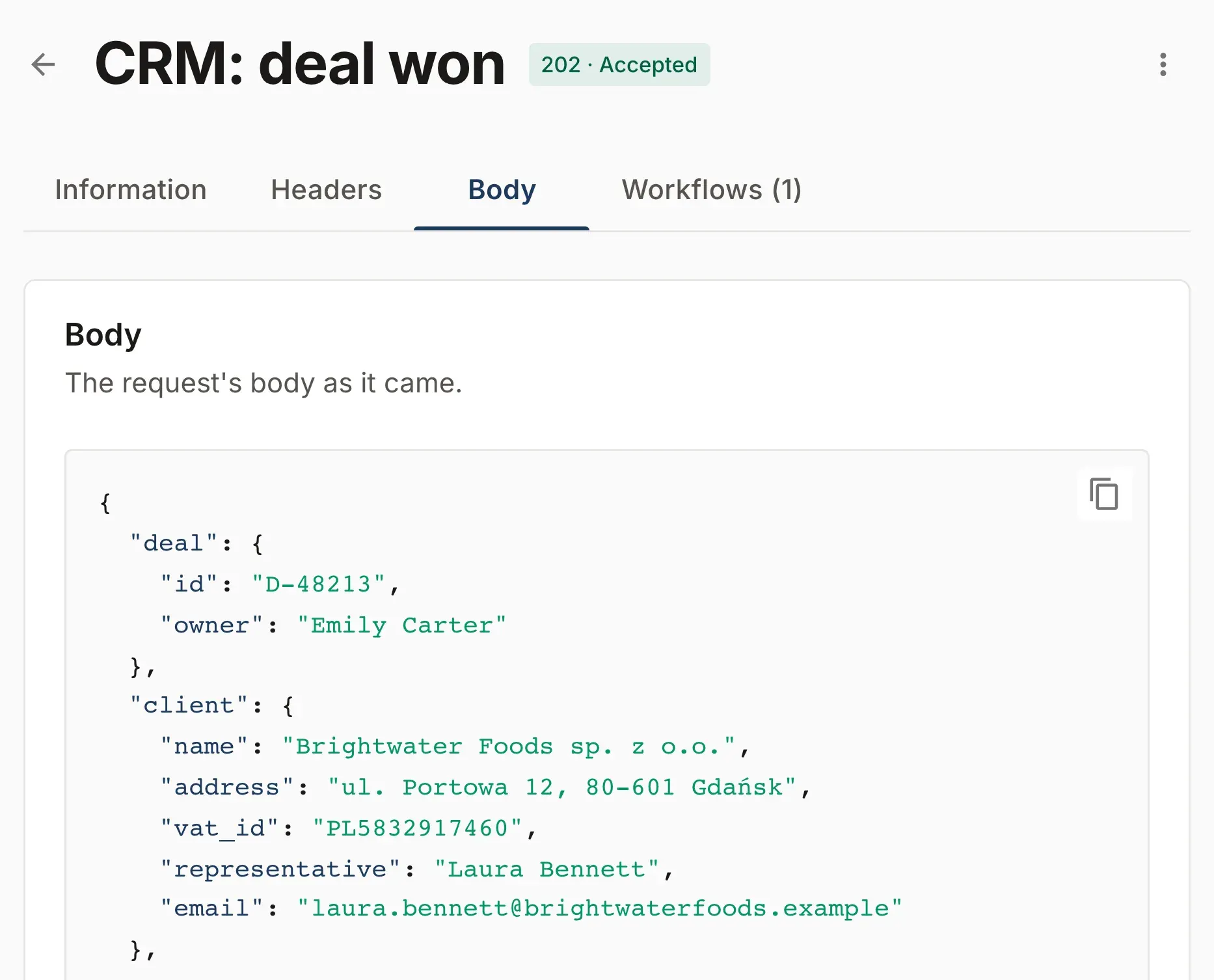
The CRM calls an incoming webhook, a private Doxtly address made for this, and sends the deal as JSON: its ID, the client, who signs, the agreement’s dates and the services. A JSON Schema on the webhook turns away a call with a required field missing, and it makes those fields appear by name in the workflow designer.
Doxtly checks who is calling
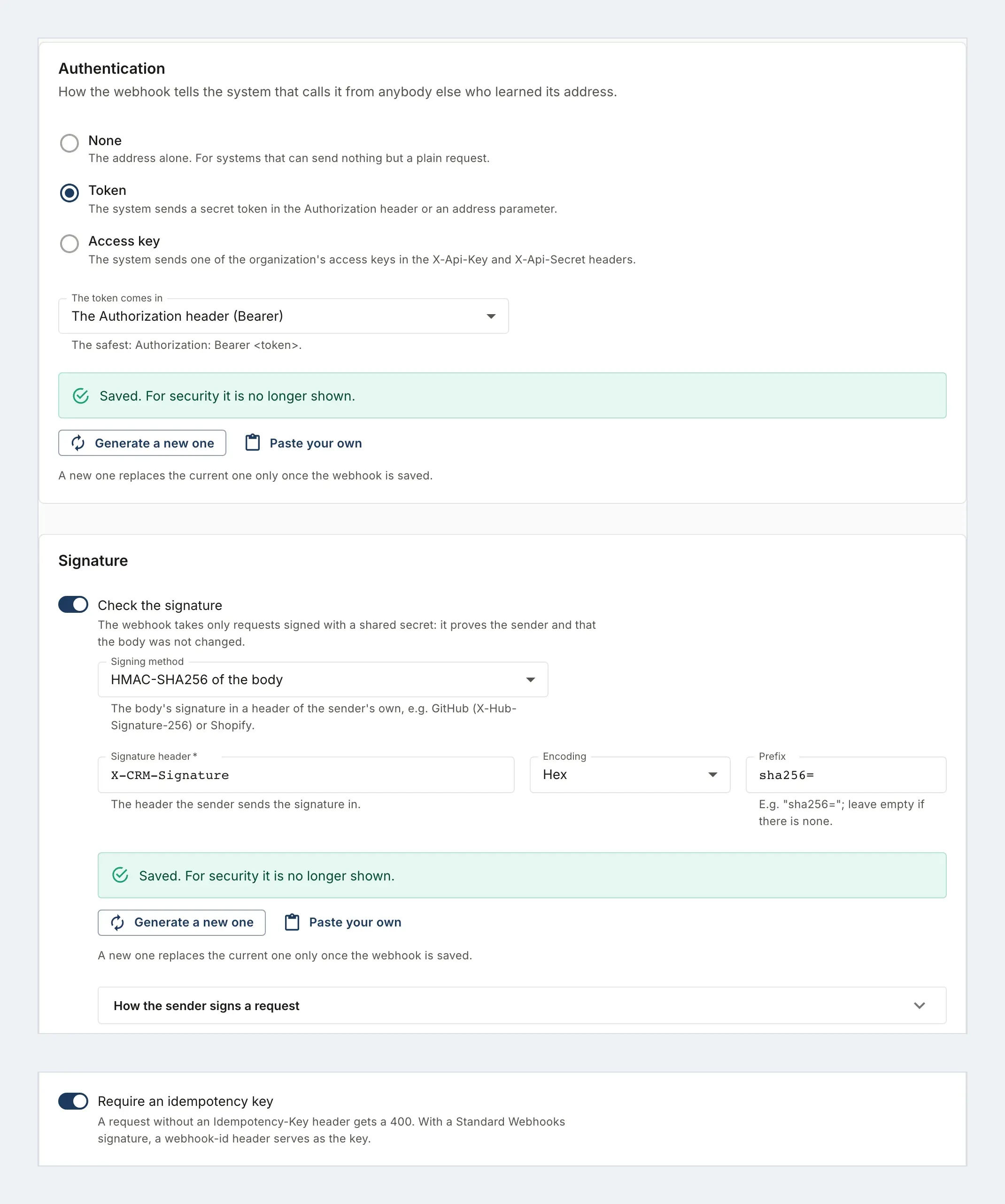
An address alone proves little, and this one starts contracts. So the CRM sends a token and signs each request with HMAC-SHA256 of the body, using a secret both sides hold. A call with a wrong signature gets a
401and starts nothing. CRMs also send a request again when they miss the answer, so the webhook requires an idempotency key: the repeat gets the same answer, and the client doesn’t get a second contract.
The workflow writes the contract
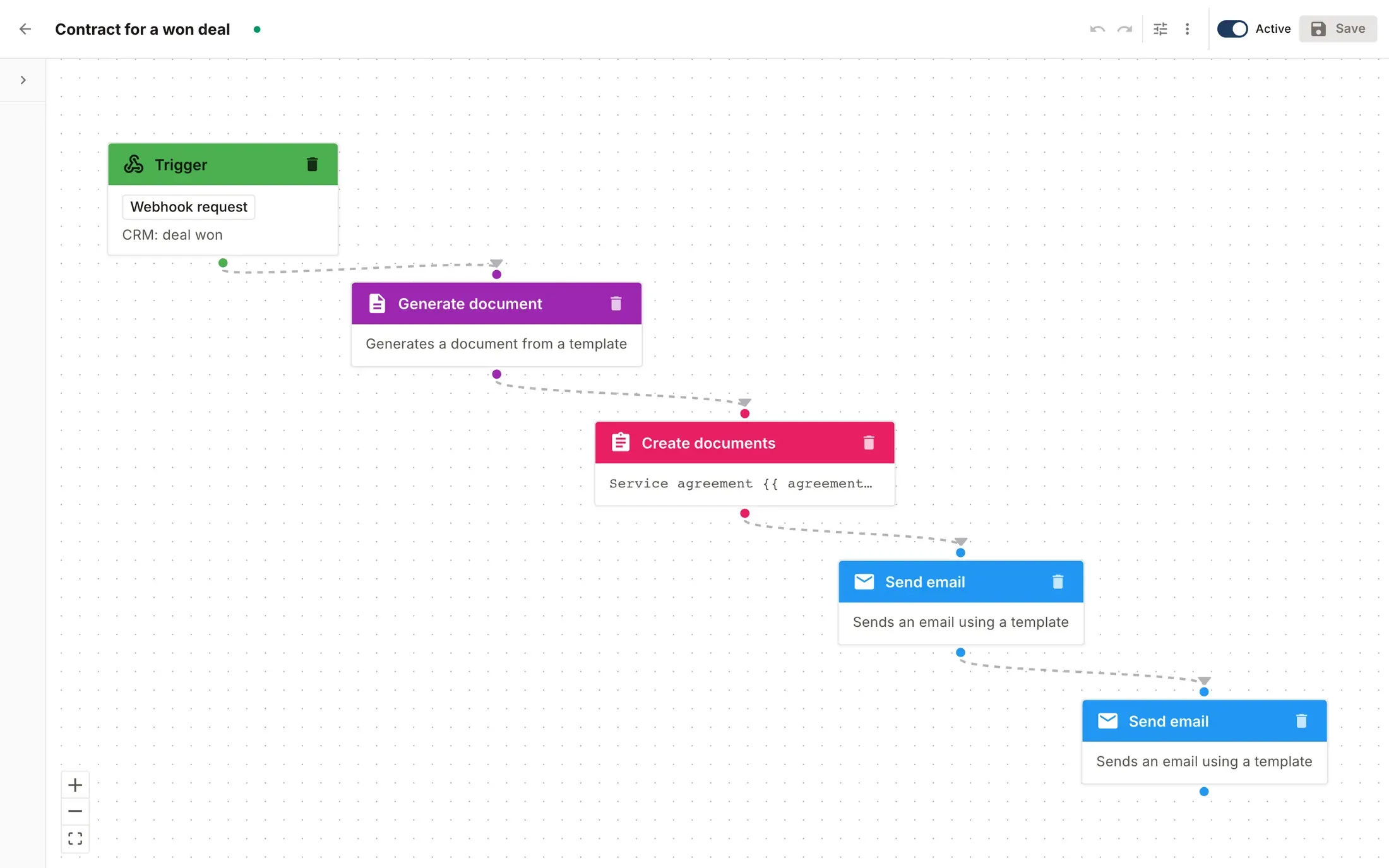
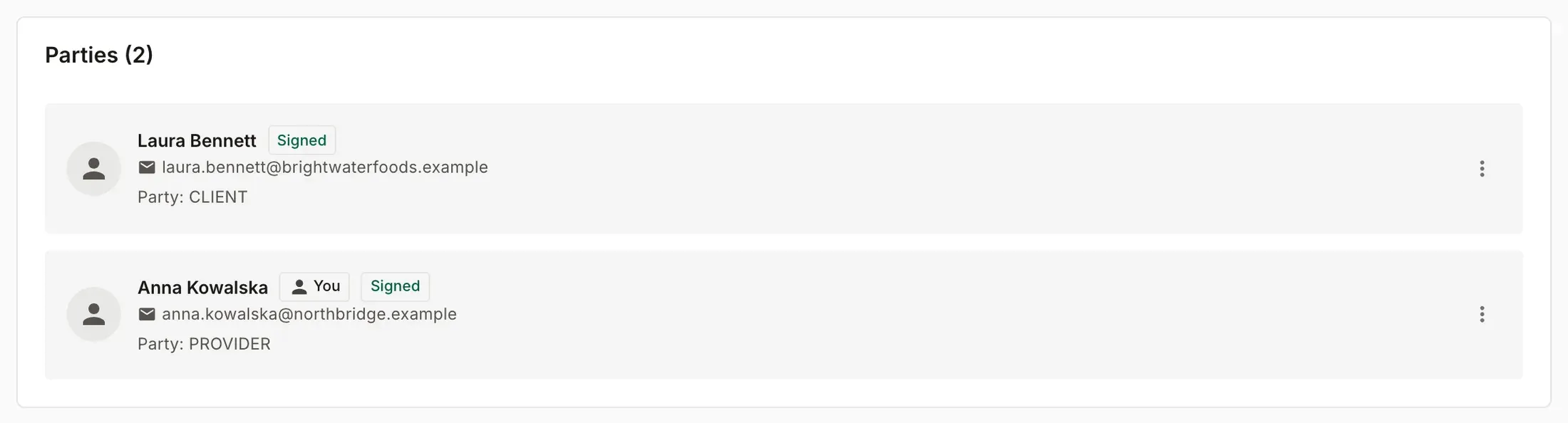
The Webhook request trigger starts the workflow Contract for a won deal. Generate document fills the service agreement from the deal’s data. Create documents makes a package of the type “CRM contracts” with two parties:
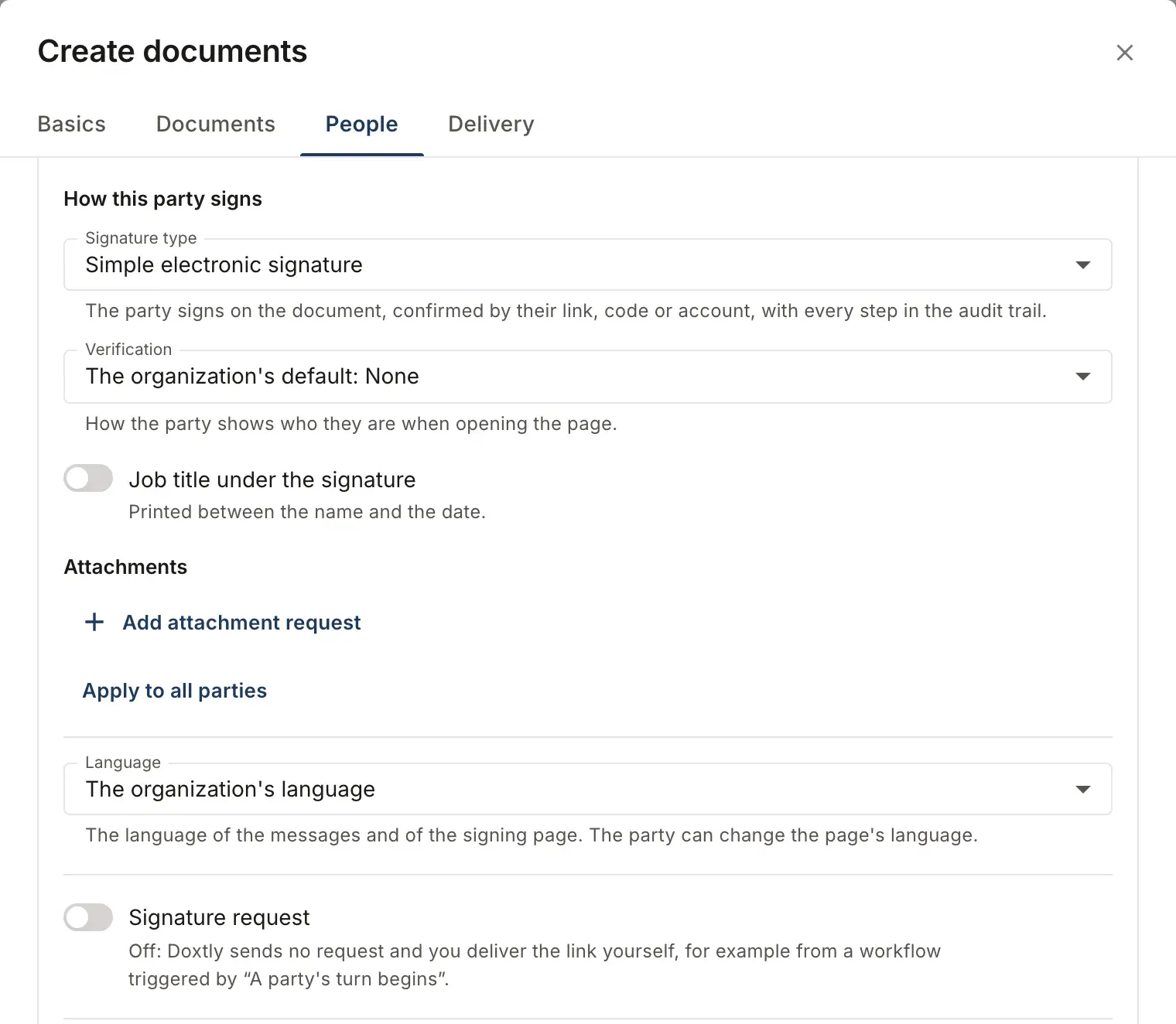
CLIENT, from the deal, andPROVIDER, who is Anna Kowalska, the founder. Two Send email steps deliver each party’s signing link, so Signature request is off for both parties.
Both sides sign
Laura Bennett of Brightwater Foods opens her link, reads the agreement and signs without an account. Anna countersigns. Doxtly seals the PDF and adds a Certificate of Completion.
A second workflow calls the CRM back
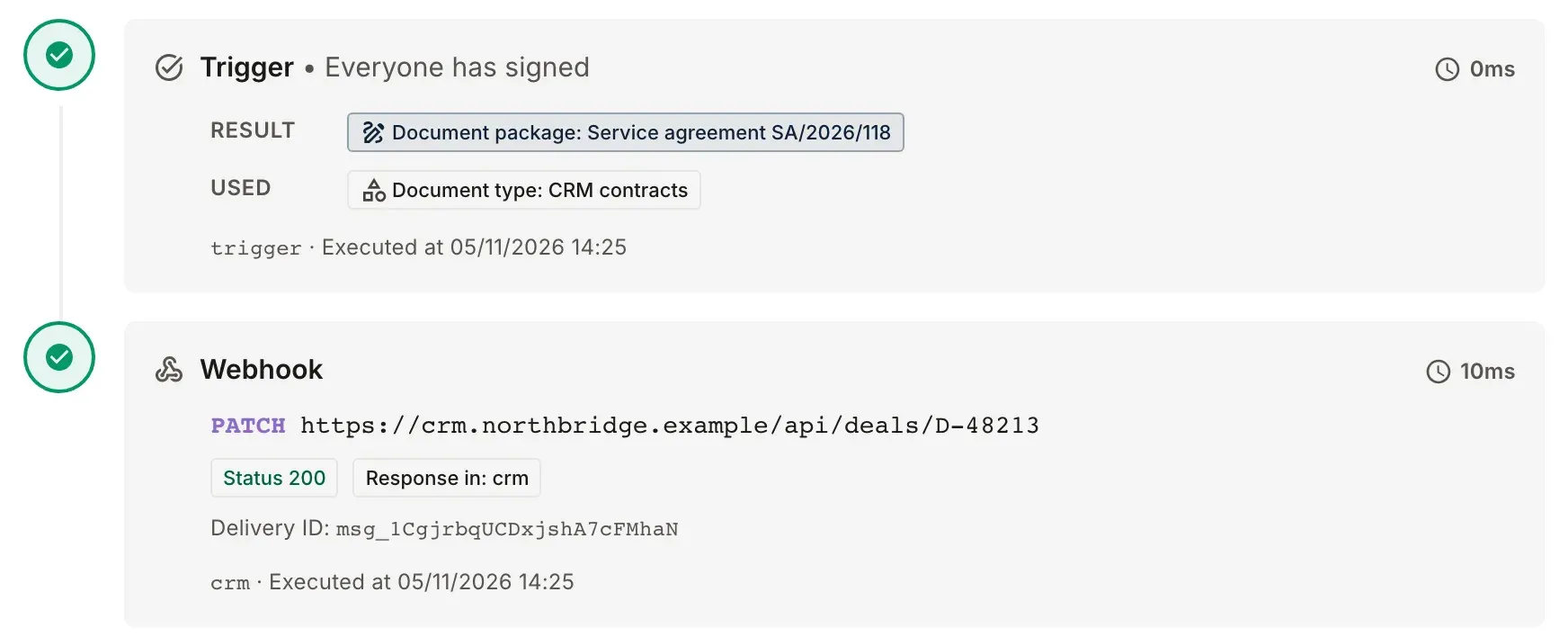
The incoming webhook brought the news in. Taking it back out needs an outgoing call, and that is the job of the Webhook step, which sends a request to another system’s API. A small workflow on the The package is fully signed trigger holds one such step. Its address ends in
{{ deal.id }}: the run knows the data the package was created with, so the deal’s ID is still there days later. A system that can take Doxtly’s own event format needs no workflow at all: an outgoing webhook sends it every event it subscribes to, signed and retried until it answers.

The CRM’s key stays secret
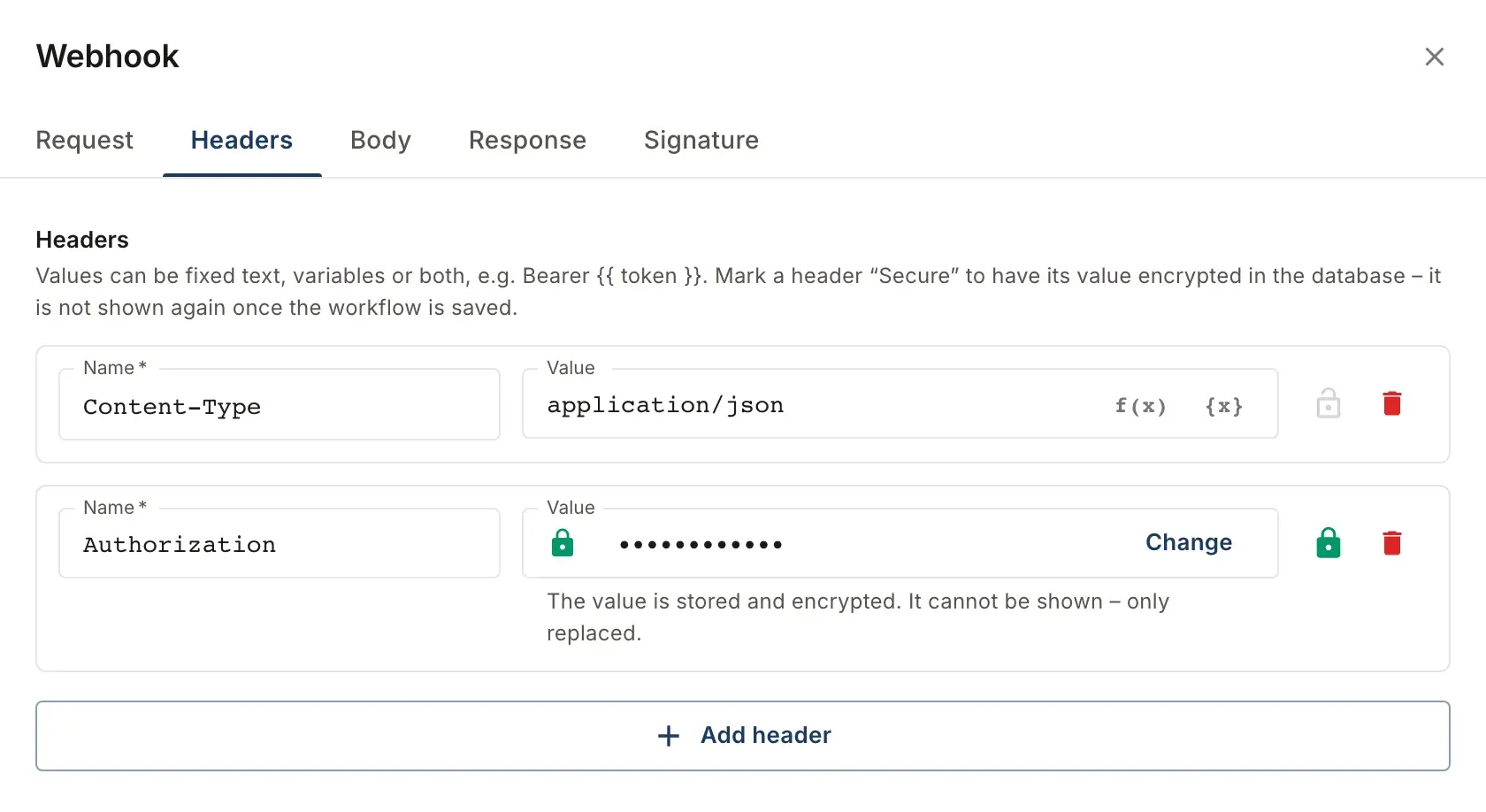
On the step’s Headers tab, the CRM’s API key goes into the
Authorizationheader, marked Secure with the padlock. It is encrypted, and once the workflow is saved nobody can see it again, only replace it.
The deal moves to Contract signed
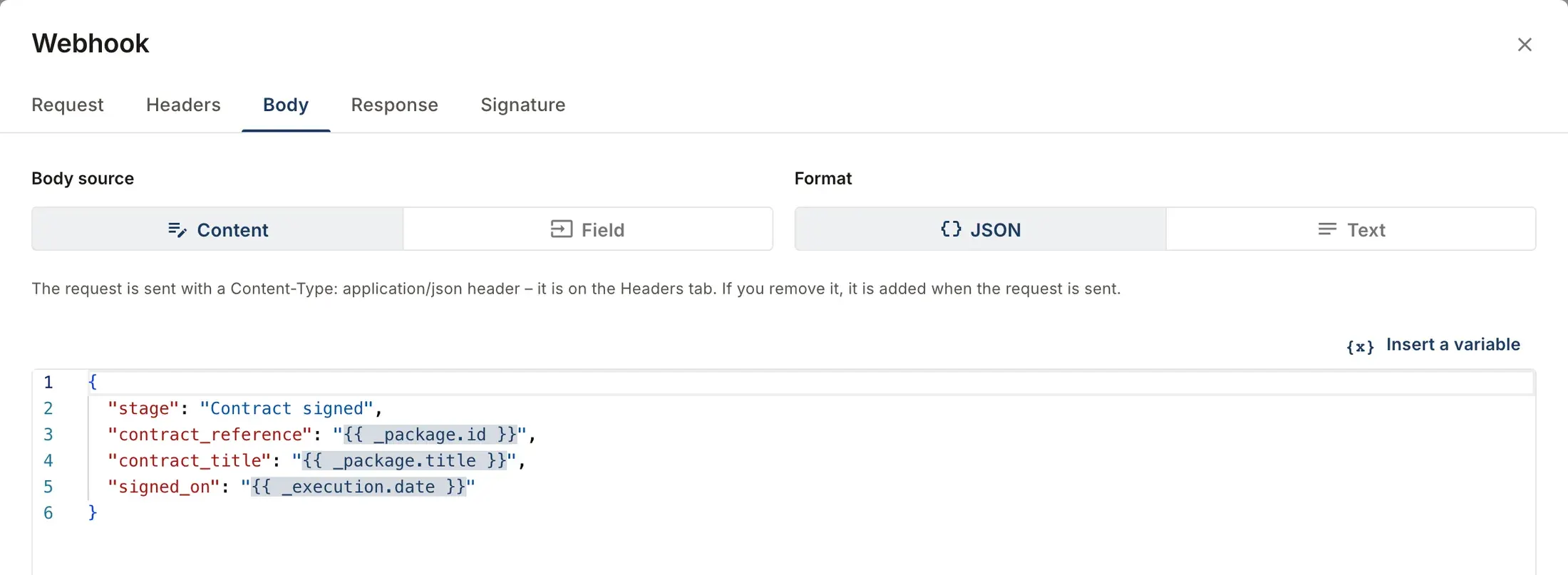
The body tells the CRM the new stage and gives it the package’s ID and title as the reference. The step counts as done only when the CRM answers with a 2xx status. If it doesn’t, the run stops and people who may view workflows get a Workflow failed notification, so a missed update doesn’t go unnoticed. Rerun on the run’s page sends it again.
A refusal reaches the CRM too
Erik Lindqvist of another client declines, because a payment term differs from what he agreed with Emily. A twin workflow on the A party declines to sign trigger sends the same kind of request, with the stage
Contract declined,{{ _party.fullName }}and{{ _party.declineReason }}. Emily reads the reason on the deal and can call him the same day.
What Emily does in the end
She marks a deal as won, and later she sees it change stage. Piotr’s pipeline report is right without anyone asking. Each incoming call stays on the Requests tab, and each outgoing one on the run’s page, for the day someone asks what happened.
What you set up once
- An incoming webhook with a token, a signature check, a JSON Schema and a required idempotency key
- A rule in your CRM that calls it when a deal is won, usually an automation or a notification setting
- Your agreement as a Word or PDF template
- A document type such as “CRM contracts”, which the two later workflows listen to
- An email integration, and an email template with the signing link
- An API key from your CRM, kept in the Webhook step as a Secure header
- Three workflows: one writes the contract, one reports a signature, one reports a refusal
Ways to adapt it
- Use what the CRM answers
- On the Response tab, choose Store the response body in a variable. A later step can then read
{{ crm.owner_email }}, if your CRM returns one, and tell the right salesperson by email. - File the signed PDF as well
- Add an upload step before the Webhook step of the signing workflow, and the sealed contract lands in the client’s folder on Google Drive, OneDrive, SharePoint, Dropbox or Box. See the archive recipe.
- Different contracts for different deals
- A Switch on a field of the deal picks a template, so a training deal and an advisory deal get their own agreements from the same webhook.
- Let your CRM check Doxtly
- Turn on Sign requests on the Signature tab, and each outgoing call carries a signature your CRM can verify, so it knows the update came from your workflow.
- When it is not the right fit
- A webhook only says it took the request. If your program needs the finished PDF back in the same call, use the API instead.
- Sending the package from the CRM itself
- An access key can also create and send the package directly through the Document packages API, if you would rather keep the rules in your CRM than in a workflow.
- Using Pipedrive, HubSpot or Copper? Skip the webhooks
- Connect your Pipedrive, HubSpot or Copper account as an integration, on the Pro or Business plan. The CRM trigger starts the workflow when a deal reaches a stage, with no webhook to set up and no requests to sign, and once everyone has signed, the Update a deal and Attach files in the CRM steps mark the deal won and put the signed PDF on it. There is no API key to keep.
Questions people ask
Which CRMs does this work with?
Any CRM that can send a web request when a deal changes, and that has an API for the way back: the webhook and the Webhook step are general, so you enter the address and the fields your CRM uses. If your CRM can’t sign requests, a token alone works too. For Pipedrive, HubSpot and Copper, Doxtly has ready integrations on the Pro and Business plans, so none of this needs building: see the last of the ways to adapt it.
Do I need a developer?
Someone who knows your CRM’s automation settings and its API documentation will get this done faster, especially the signature. The Doxtly side is settings, not code. Calling a webhook is the page to send them.
What if the CRM sends the same deal twice?
With a required idempotency key, a repeat with the same key starts nothing and gets the first answer. Keys are remembered for a day, so build the key from the deal’s ID. A deal reopened and won again the same day needs a key of its own to get a new contract.
What if the CRM is down when the contract is signed?
Doxtly doesn’t retry by itself. The run stops with the error and the signed contract stays safe in Doxtly. Once the CRM is back, press Rerun on the run’s page. Setting a stage twice does no harm, but a call that creates a record could create a second one, so prefer updating the deal.
Can the deal hold a link to the signed contract?
Send what your team needs from the run’s data, here the package’s ID and title. If you also want the PDF, add an upload step to your drive. The Webhook step sends text and data, not files.
Does this fit the Free plan?
Only in part. Free includes webhooks and the Webhook step, but it allows one workflow, and the full example uses three, so you can try the contract workflow there and add the two that report back to the CRM on Starter. Your monthly workflow runs, emails and signature packages are the other limits to count: each contract takes at least two runs, two emails and one signature package. Pricing shows them for each plan.
Features behind it
In the manual
Start with one document.
Take the contract you retype most often and turn it into a template. The Free plan is enough, and you need no card.