
One address for every form your office uses
Your staff stop keeping bookmarks. They open one page, Office desk, and the course enrolment, the certificate request and the company handbook are all there.
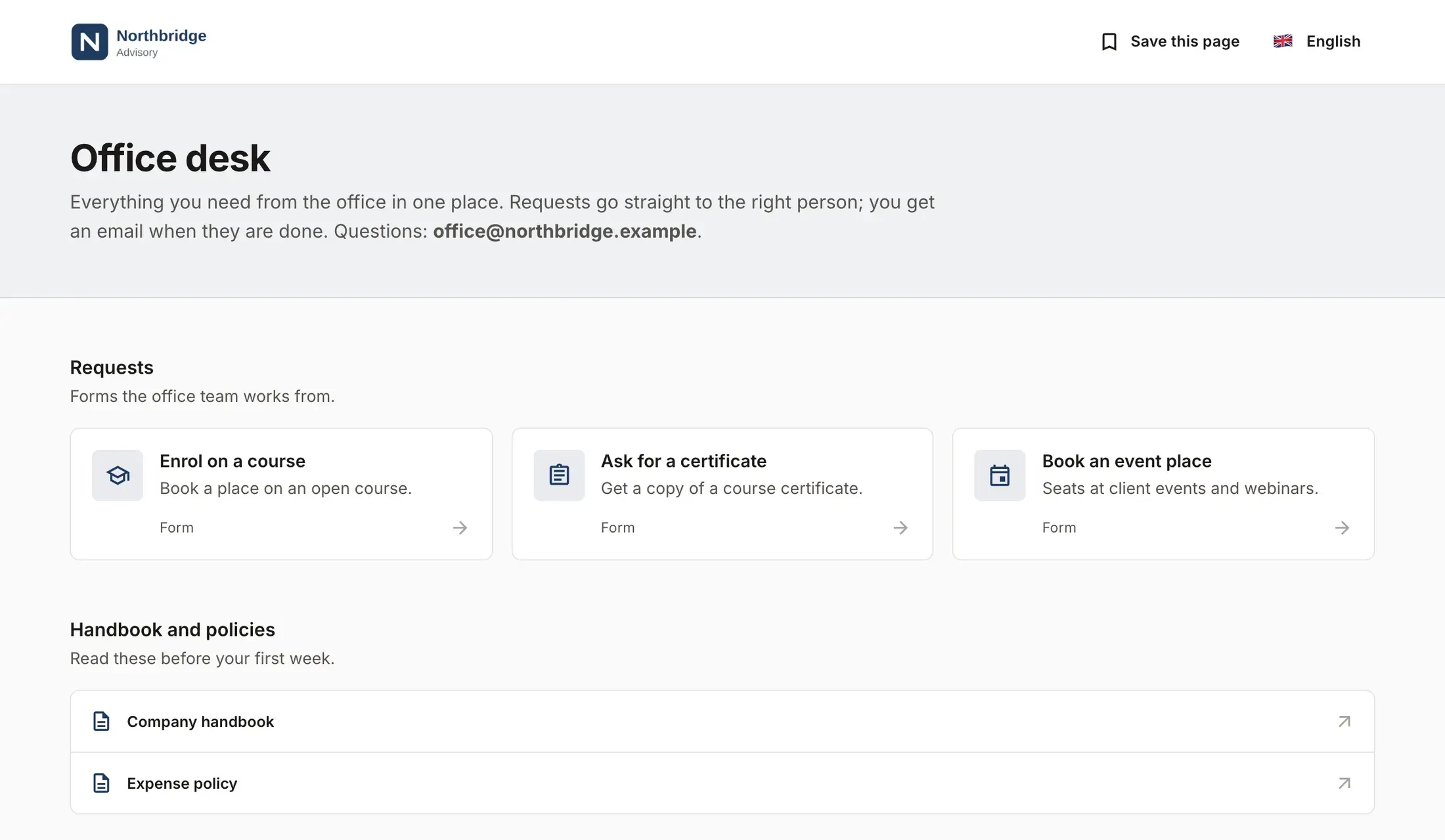
Twelve bookmarks and a wiki nobody updates
Northbridge Advisory, an example consulting firm, runs on forms: a place on an open course, a copy of a course certificate, a seat at a client event. Each of these already exists in Doxtly as a form, each on its own link, and the handbook and the expense policy sit on the company Dropbox.
A new assistant has no idea where anything is. Julia, the office manager, keeps a list in the wiki, and it is out of date within a month. When a form is switched off between events, people keep opening a dead link and writing to Julia about it.
How Northbridge gets its team to one page
Julia builds the page from blocks
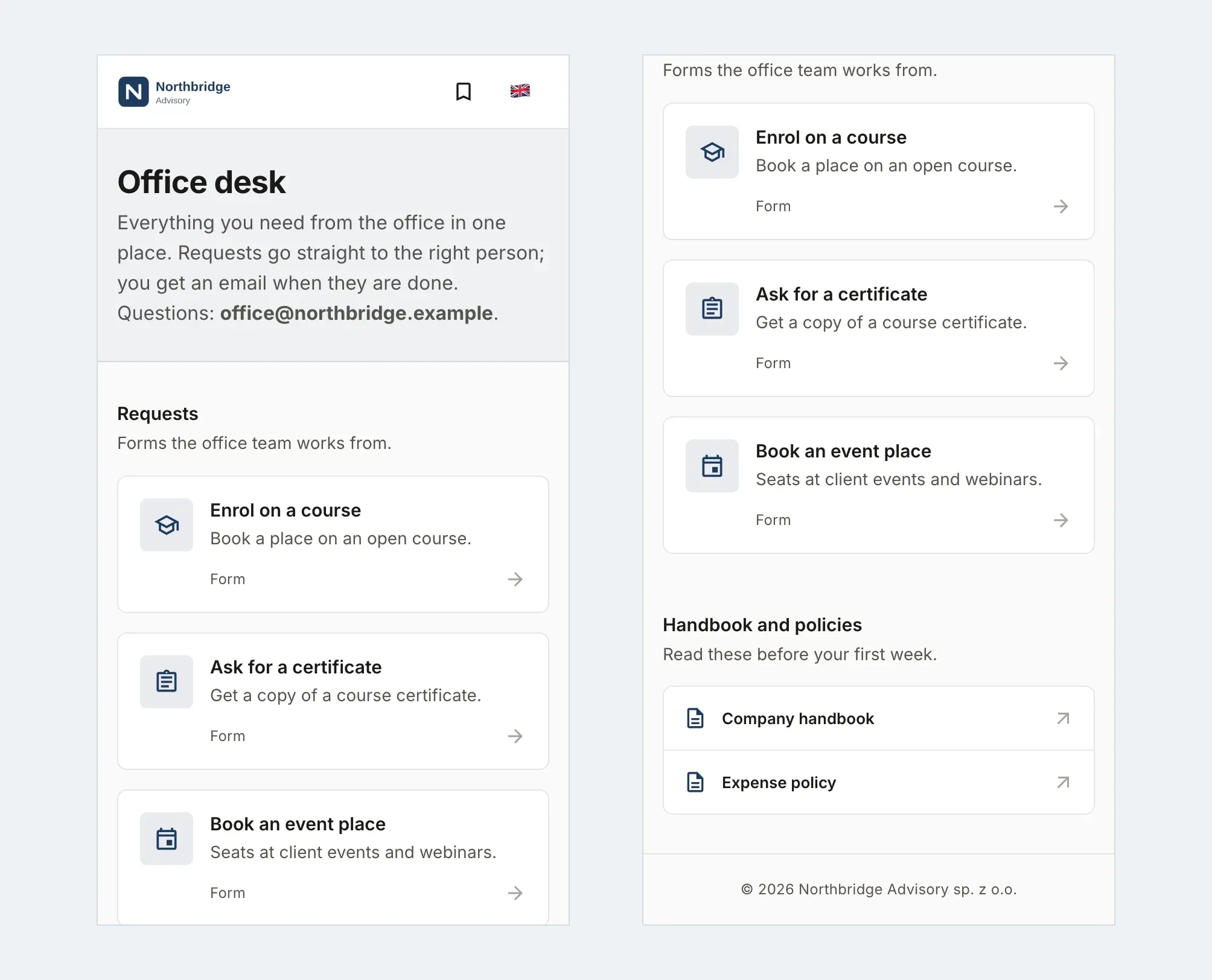
In Resources, Portals, she creates a portal called Office desk. A heading and a line of text say where to write with a question. A group called Requests shows its links as Cards in three columns, and a group called Handbook and policies as a List.
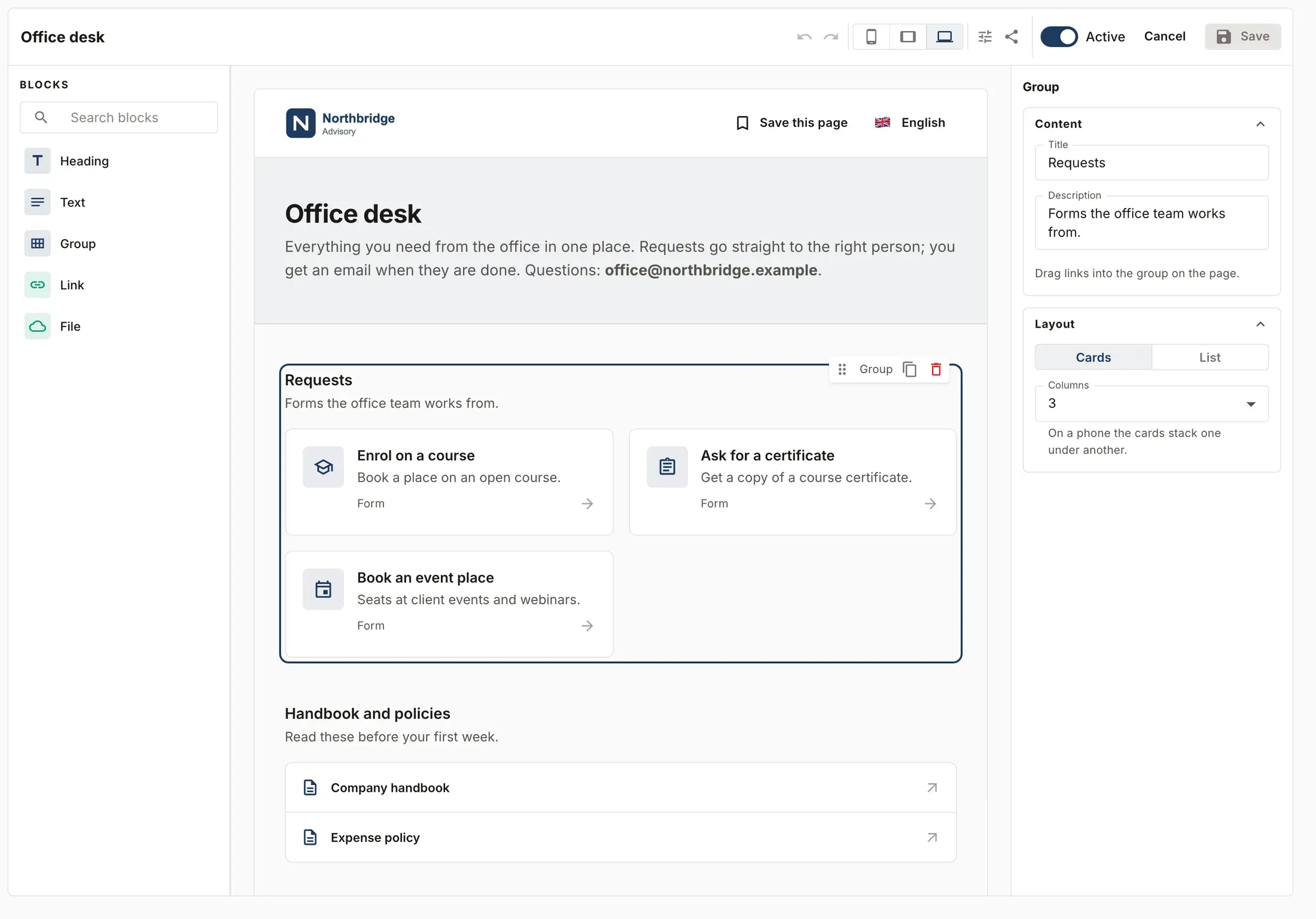
Each link points at something that exists
For each request she drops a Link into the group and picks the form from a search box: Enrol on a course, Ask for a certificate, Book an event place, each with a short description and an icon. The handbook and the expense policy are File blocks, picked from the company Dropbox. Nothing is copied into the portal, so a change to a form reaches the page at once.
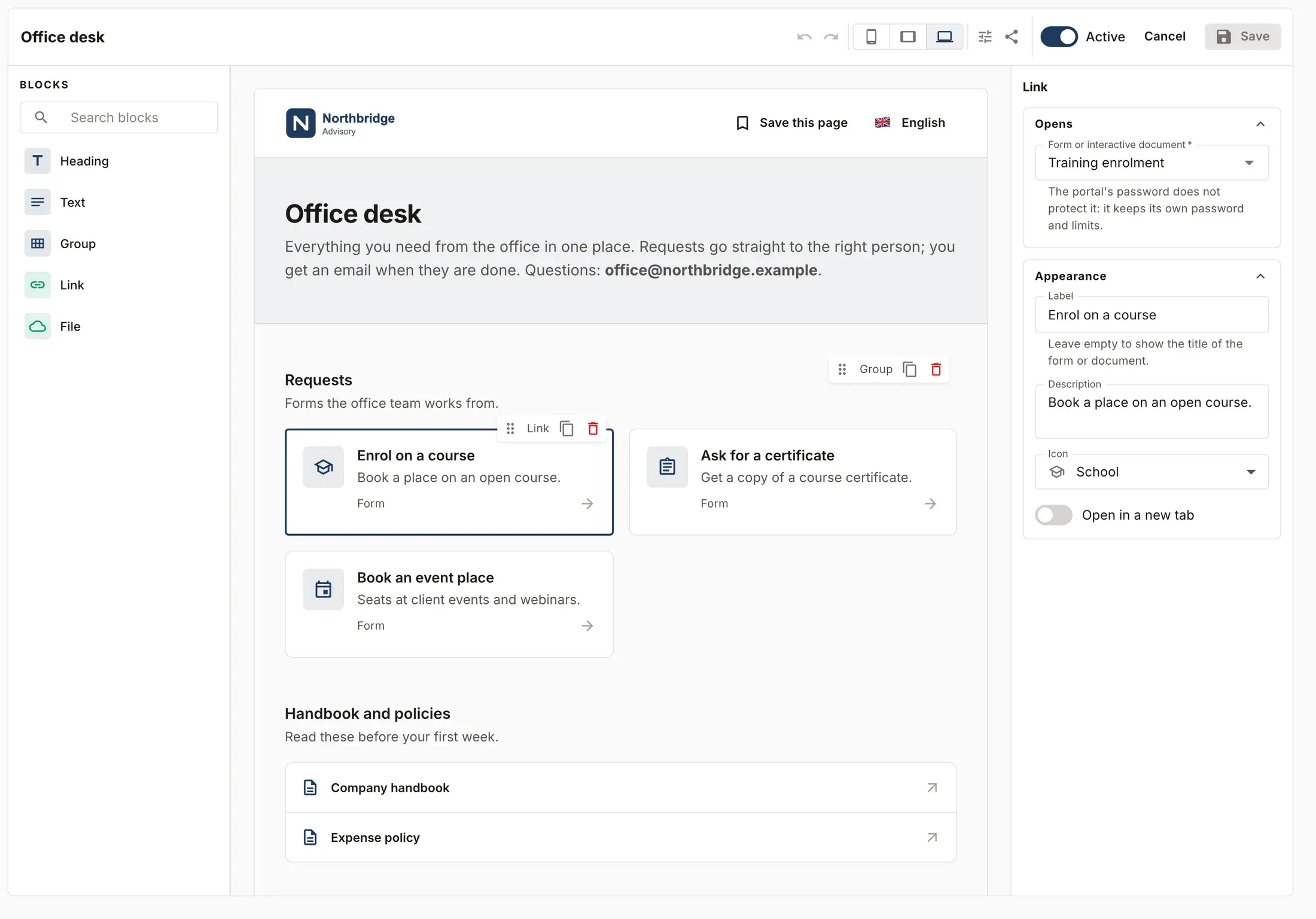
One address, with a password for each team
The portal opens on the organization’s own subdomain, under its logo. Julia adds two passwords, Office for the staff and Partners for the partners, and sets Remember the device for 30 days, so nobody types a password every morning.
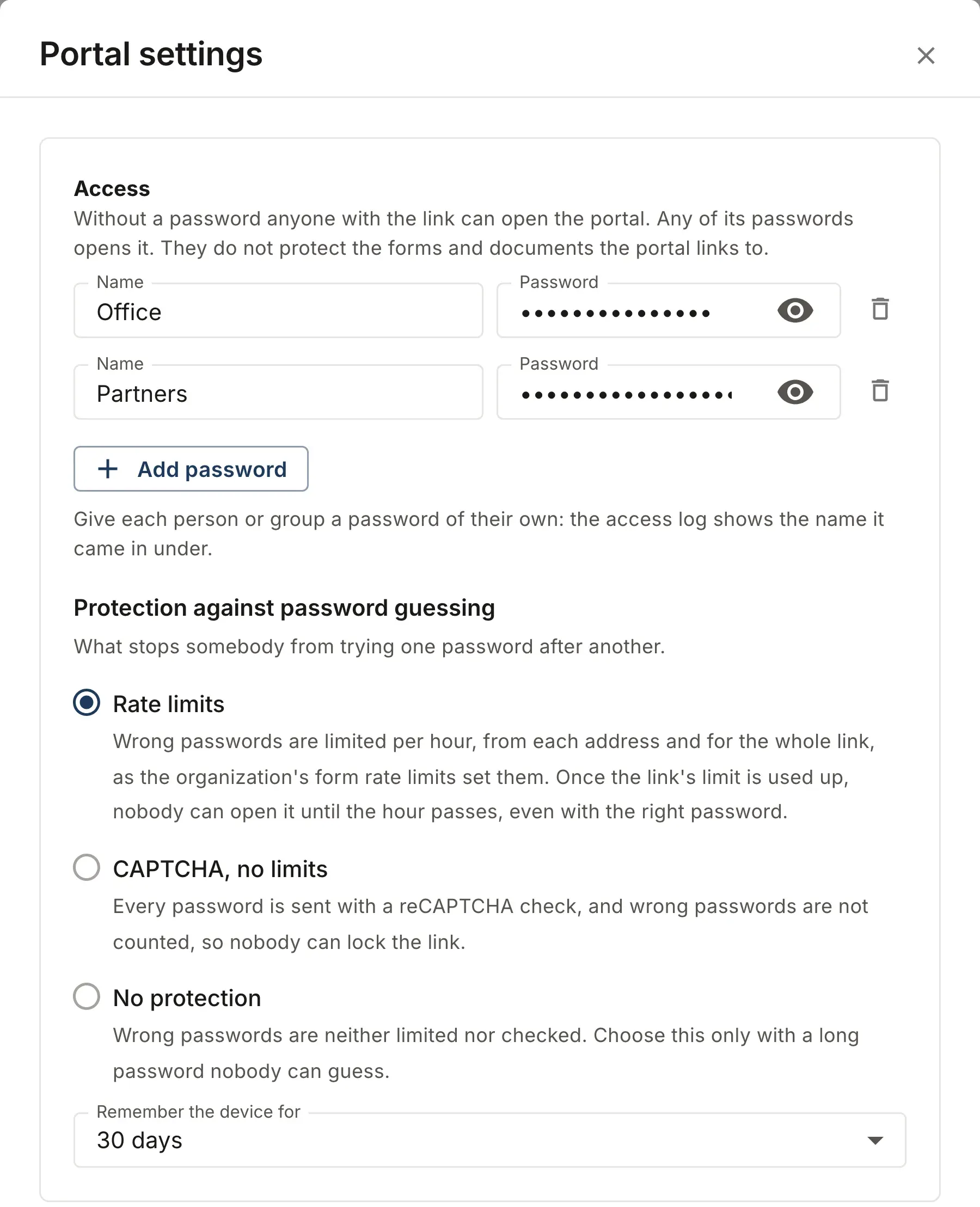
Everyone uses the same page
Anyone at Northbridge opens the address, types their password once and picks the form they need. On a phone, the cards stack one under another, and Save this page opens the phone’s sharing sheet, so the portal can be kept at hand.
A form that is switched off disappears by itself
When the Event booking form is switched off between events, its card leaves the portal, and it comes back when the form is switched on again. Nobody edits the page.
The access log says who has been in
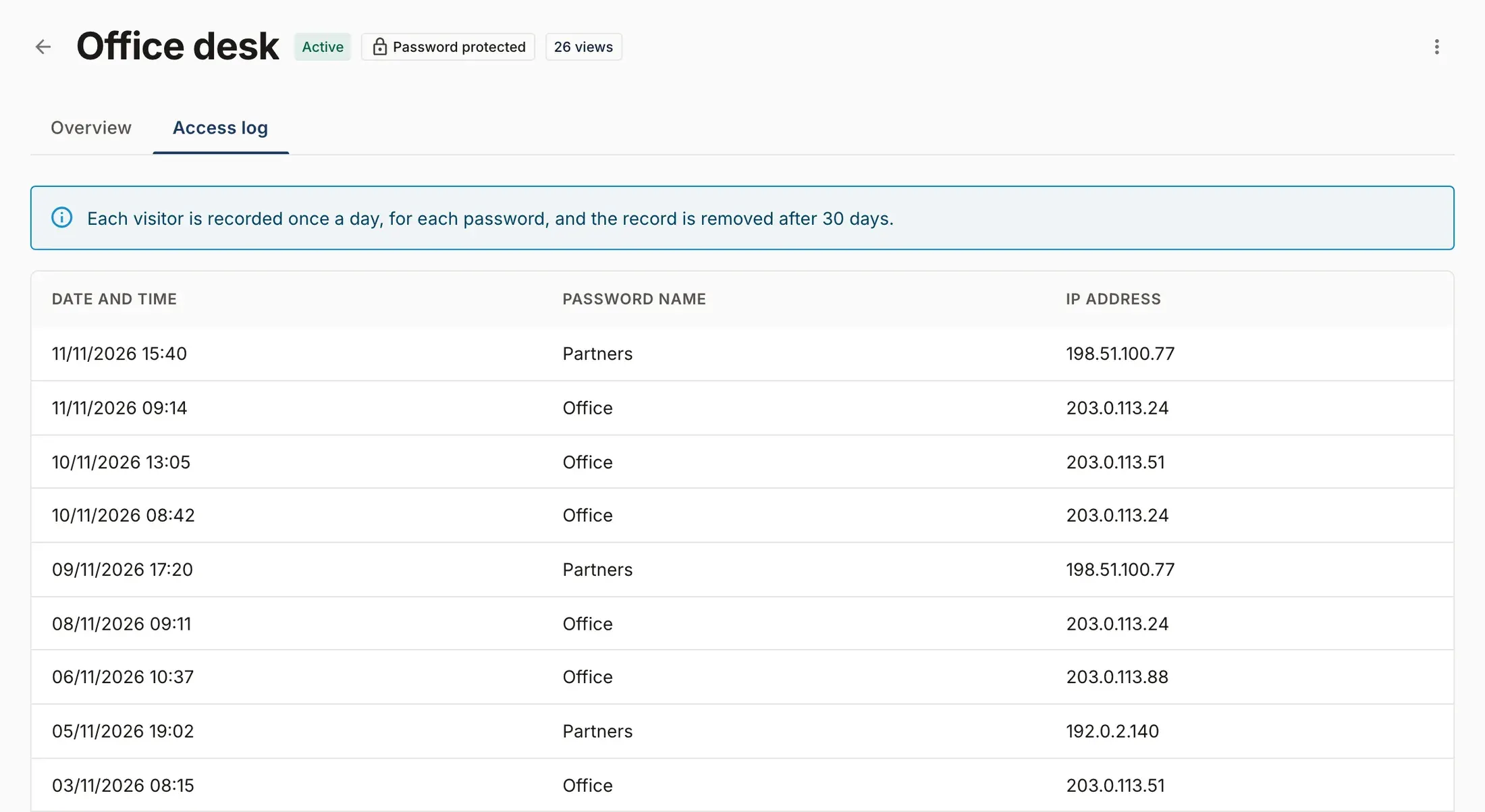
Under Access log Julia sees each visit of the last 30 days: when, under which password and from which IP address.
A leaked address is replaced in a moment
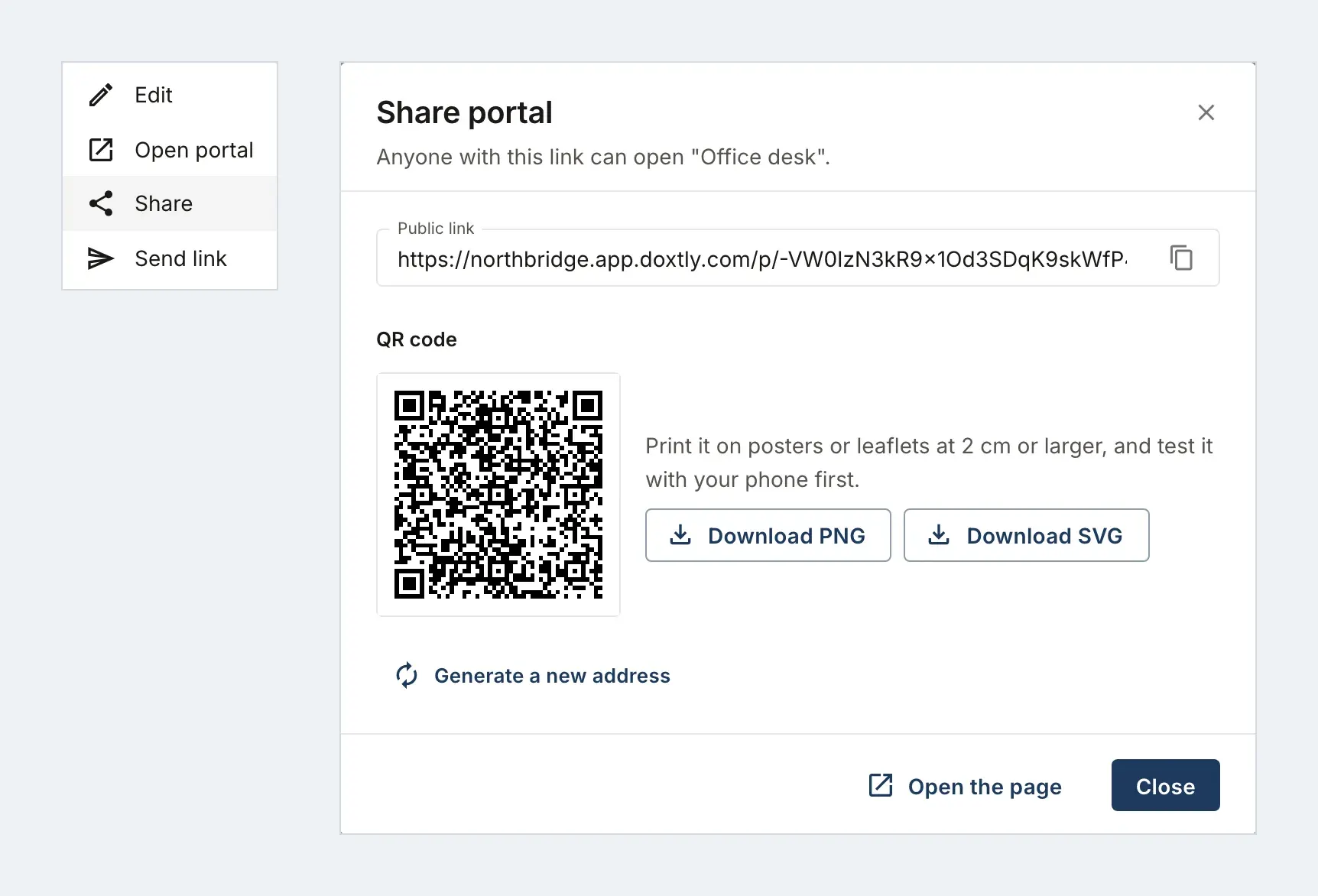
If the address ever leaks, Julia chooses Share in the portal’s menu and presses Generate a new address. The old one stops working at once, and the passwords stay as they were.
What Northbridge set up once
- A subdomain for the organization, in the organization settings
- The forms and files the portal links to, and a connected drive for the files
- A portal with two groups and a password for each team
- Email or text message integration, only if the link is to be sent from the portal
Ways to adapt it
- A client area
- Give clients of one service a portal of their own, with the forms and documents that service needs, and a password for each company.
- Interactive documents as well as forms
- A portal can link to interactive documents too, such as a consent form that must keep its original layout, next to the forms.
Questions people ask
Do people need a Doxtly account to open a portal?
No. The address is enough, plus the password if you set one. Anyone who only opens forms needs no account.
Does a portal password protect the forms behind it?
No. It guards the portal’s page only. A form you want kept private needs a password of its own, because someone with its direct link can still open it.
How many portals can I have?
Free includes 1, Starter 3, Pro 10 and Business 30. See pricing.
Can I create portals through the API?
No. Portals are made in the app.
In the manual
Start with one document.
Take the contract you retype most often and turn it into a template. The Free plan is enough, and you need no card.