
Mark the damage on the sketch, sign on the spot, keep the proof
The driver draws a scratch on the car’s sketch on your tablet and signs right there. The protocol is sealed, and its certificate names you as the host and says how you checked who the driver was.
A carbon copy from the glovebox
Northbridge Advisory, an example consulting firm, runs a small pool of company cars. Each handover used to be a paper protocol with a printed sketch, a pen and a carbon copy.
When a scratch appeared, nobody could say whether it was there at the last handover, because the sketch from three drivers ago was in a folder at the other office.
How Northbridge hands over a car
The protocol becomes a PDF template
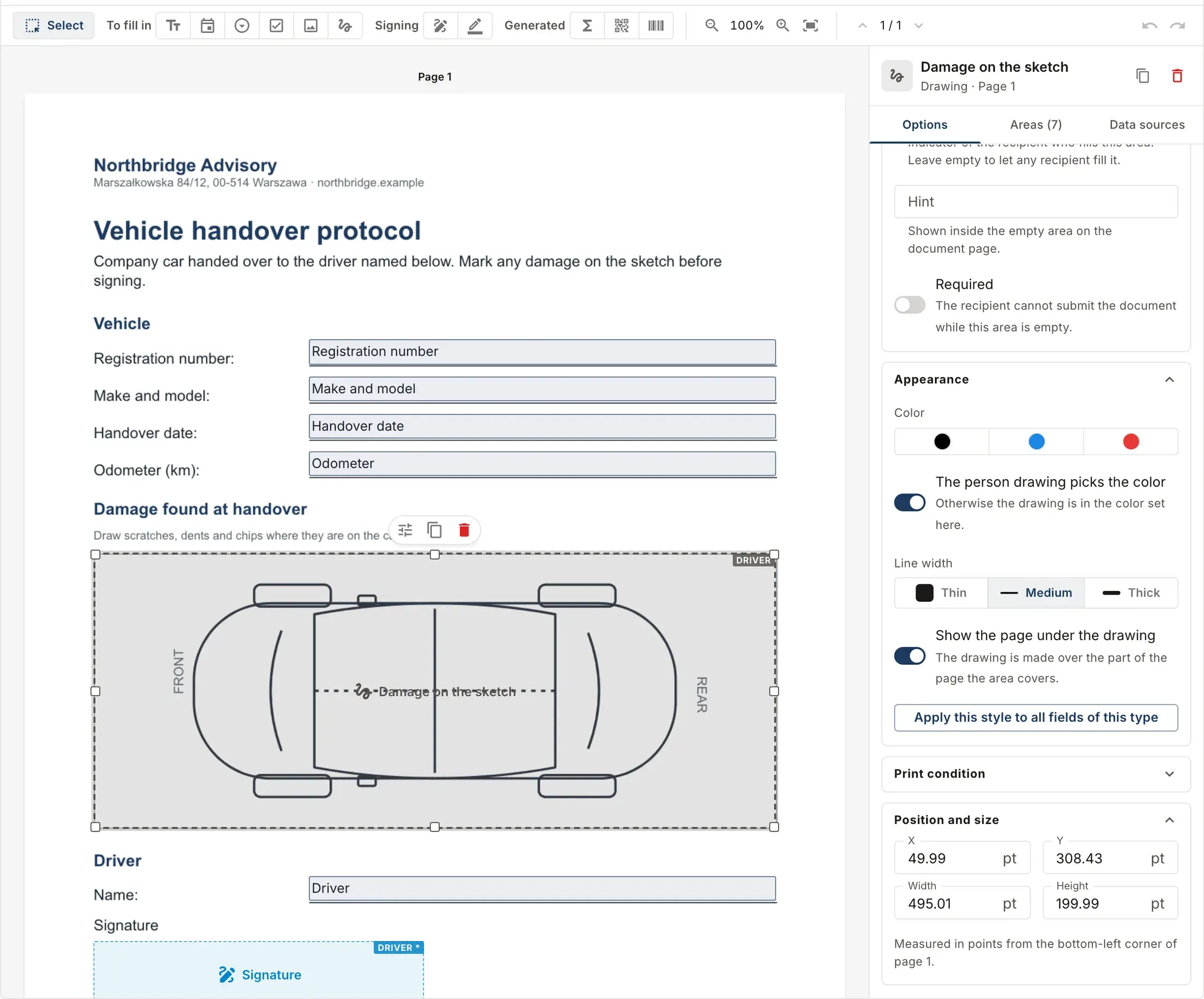
Anna uploads the PDF with the car’s sketch. The registration number, the make and model, the date, the odometer and the driver’s name come from the package’s data. Over the sketch she draws a Drawing area for the driver, with Show the page under the drawing on, so the driver draws on the car itself, and below it a signature area.
A package, signed in person
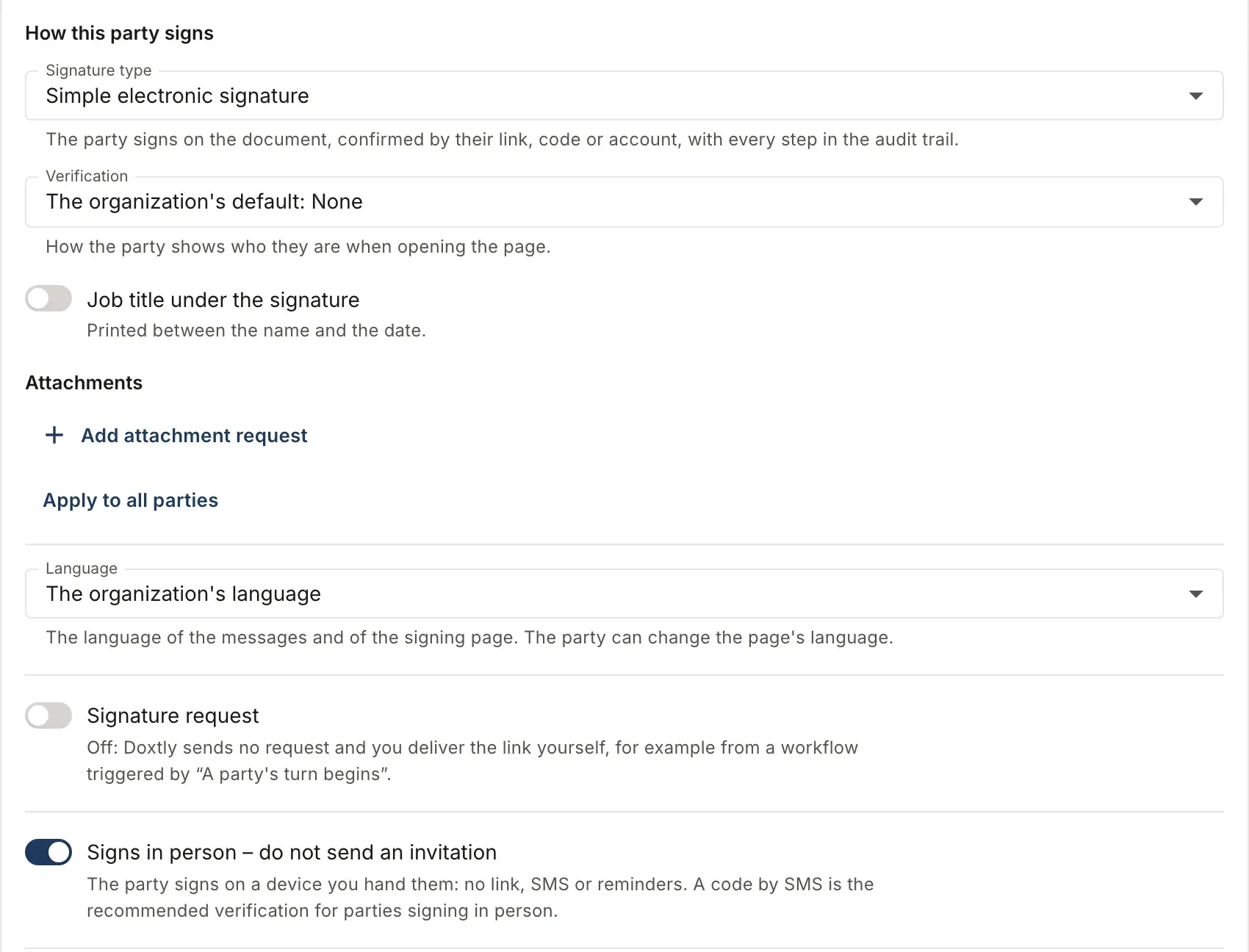
She makes a package for the handover of WX 4821K and, on the People tab, switches on Signs in person – do not send an invitation for the driver, Marek Nowicki. Nobody gets a link or an email.
Anna hands over the tablet
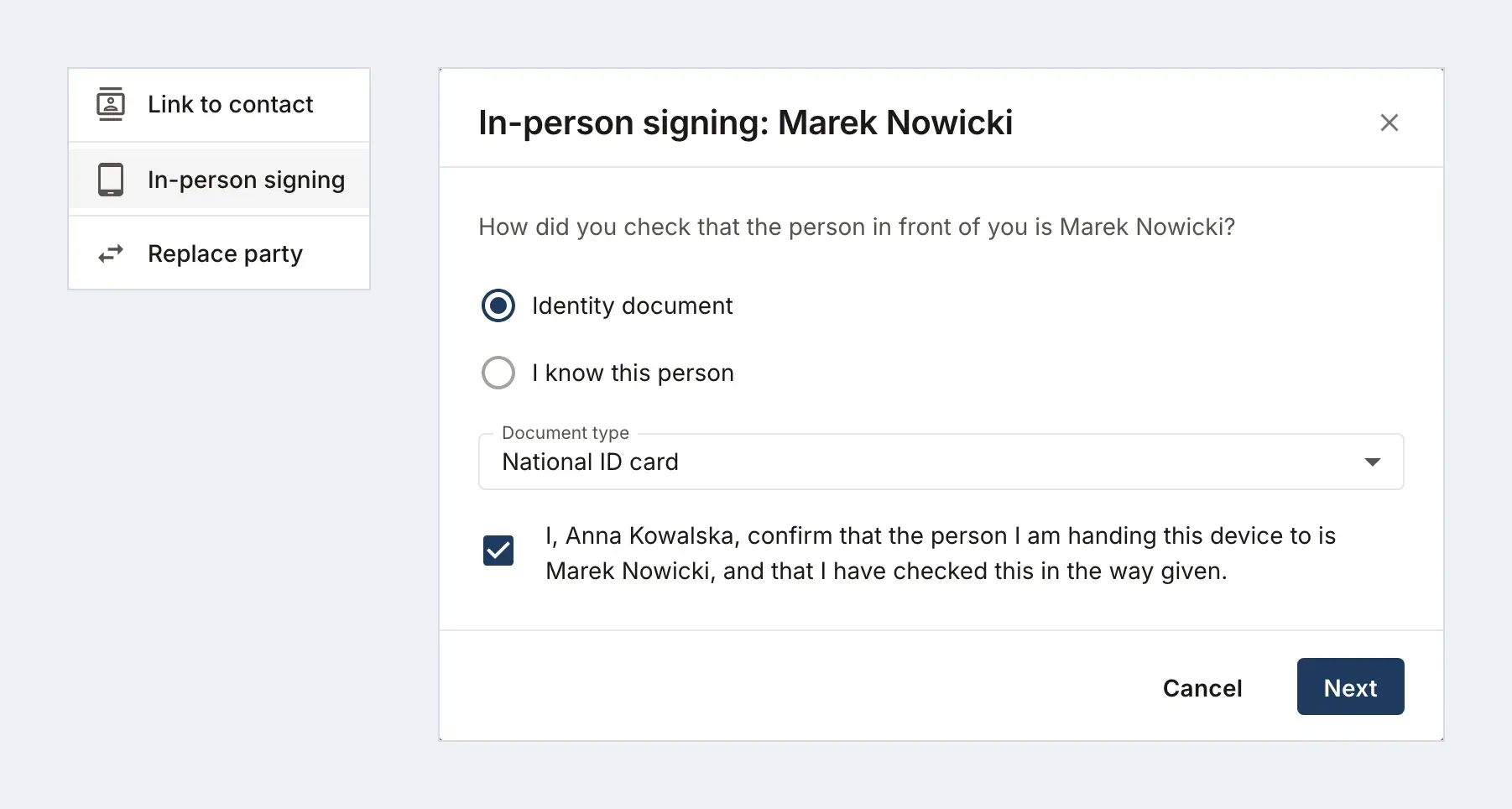
On the package page she chooses In-person signing in Marek’s menu, states how she checked who he is, here his national ID card, and confirms it in her own name.
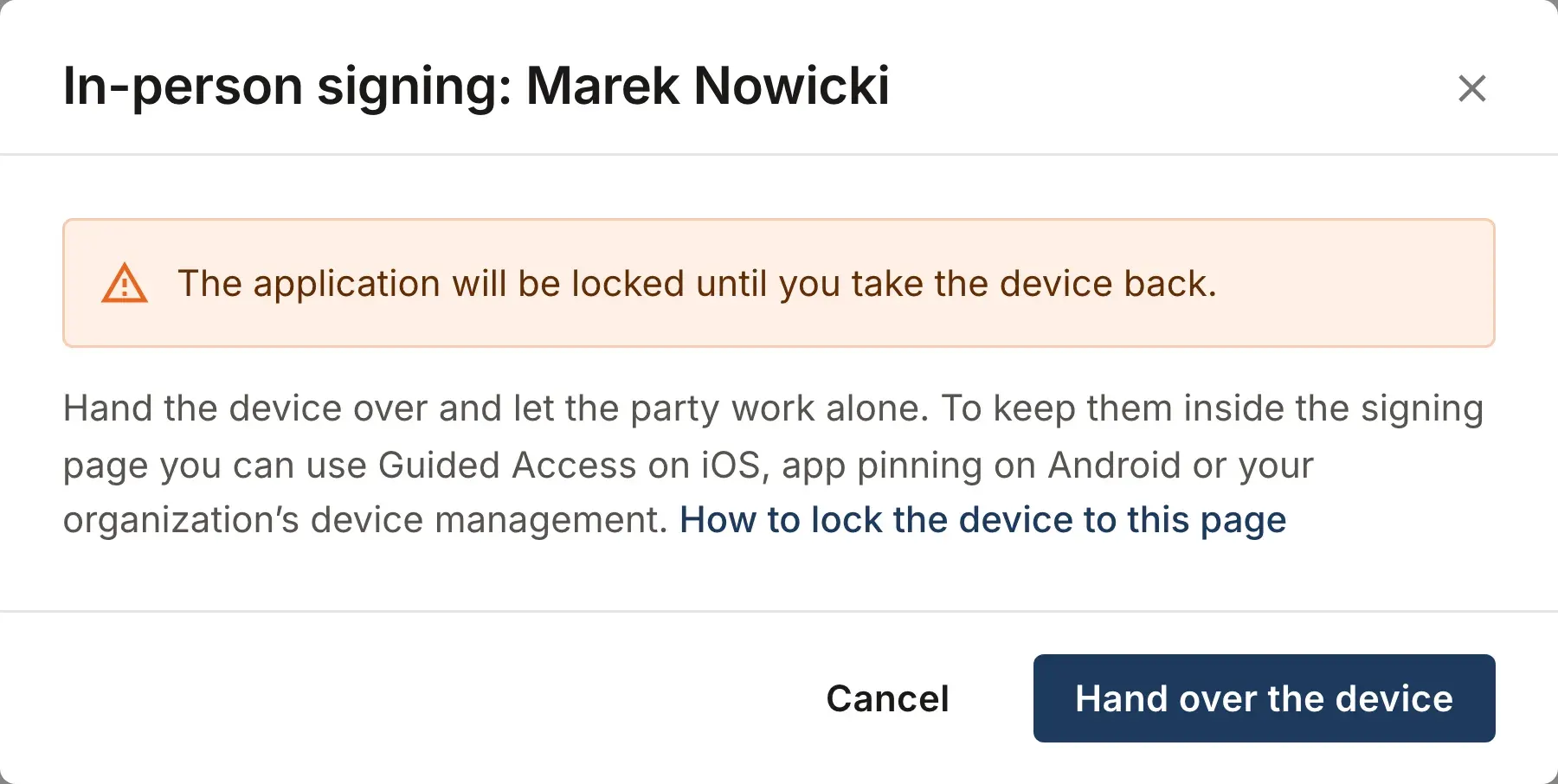
The application locks until she is back
A code sent to her own inbox confirms it is her. The dialog warns that the application stays locked until she takes the device back, and she presses Hand over the device.
The driver marks the damage and signs
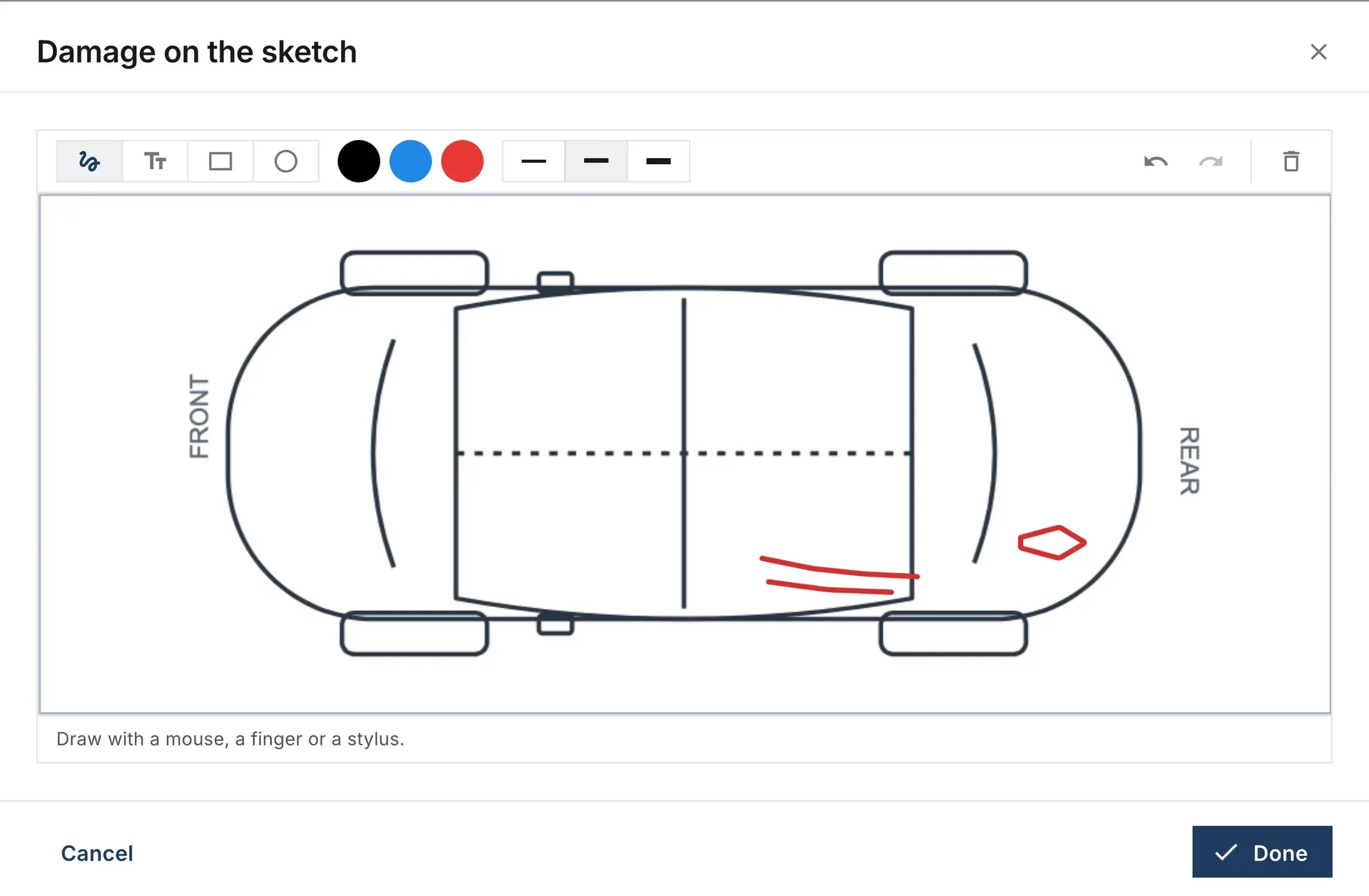
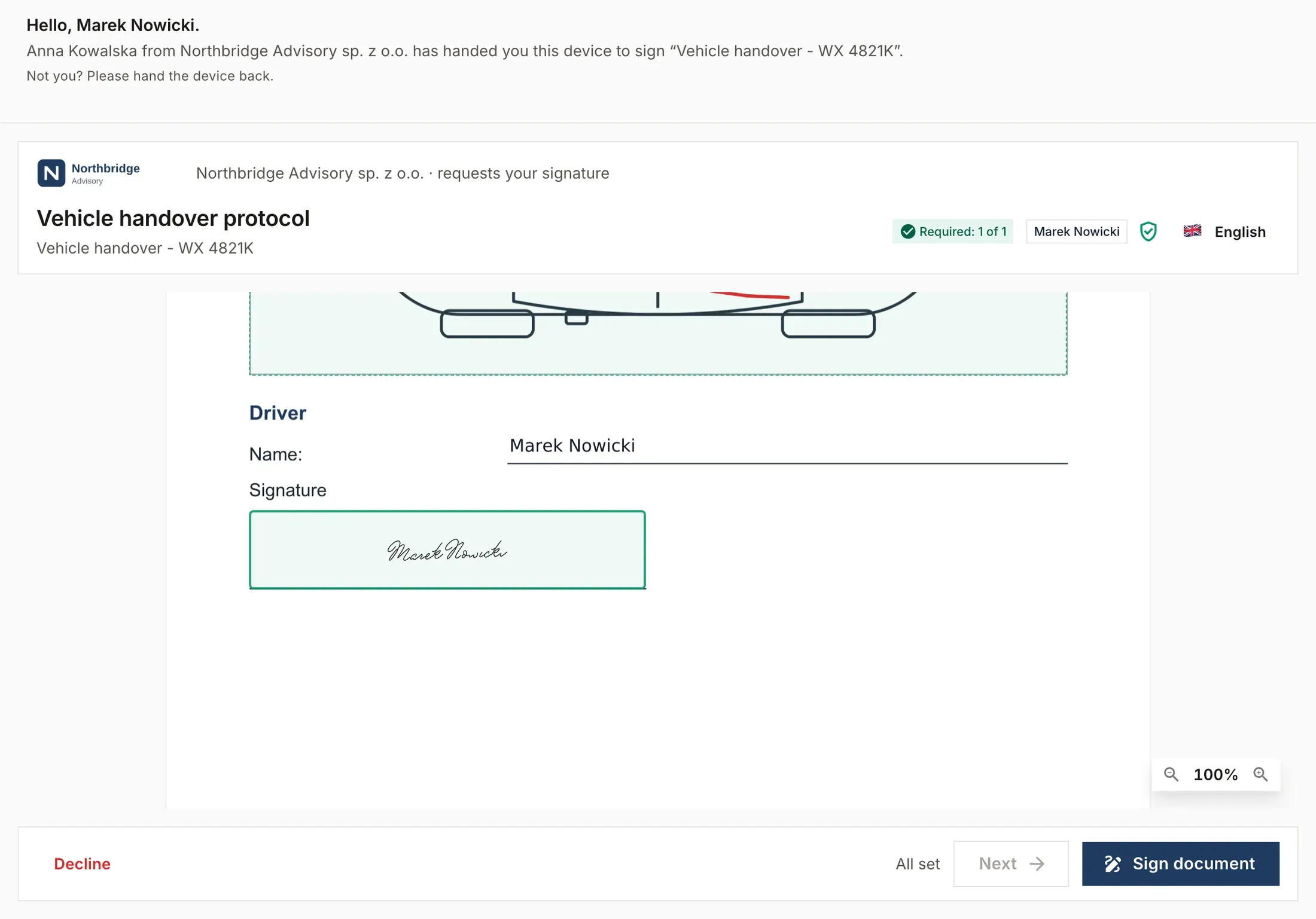
The tablet greets Marek by name and says who handed it to him. He draws the scratch on the rear door and a dent near the rear wheel, then signs below.
Anna takes the tablet back
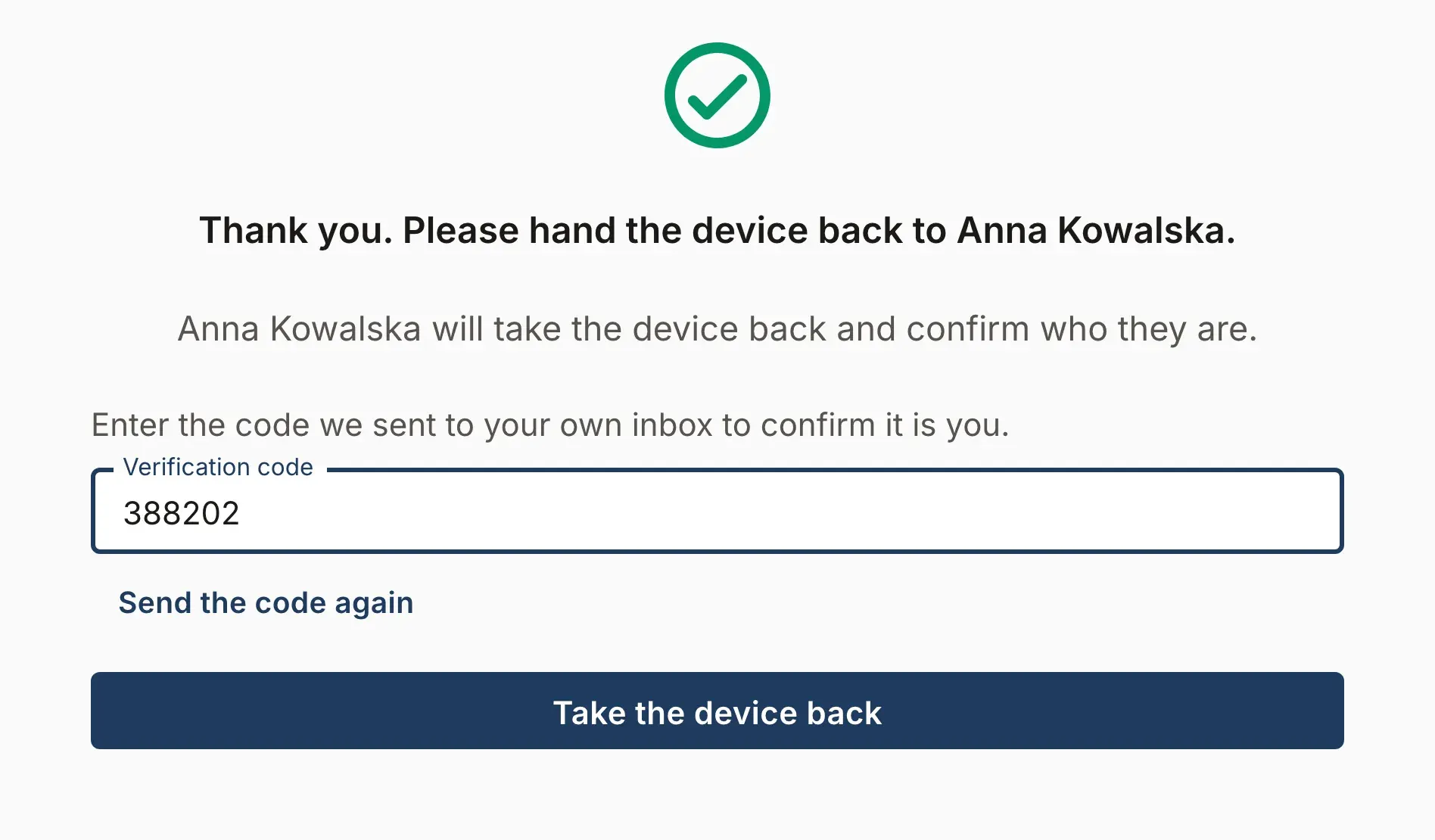
The page asks Marek to hand the device back. Anna enters a new code from her inbox and presses Take the device back.
The sealed protocol keeps the proof
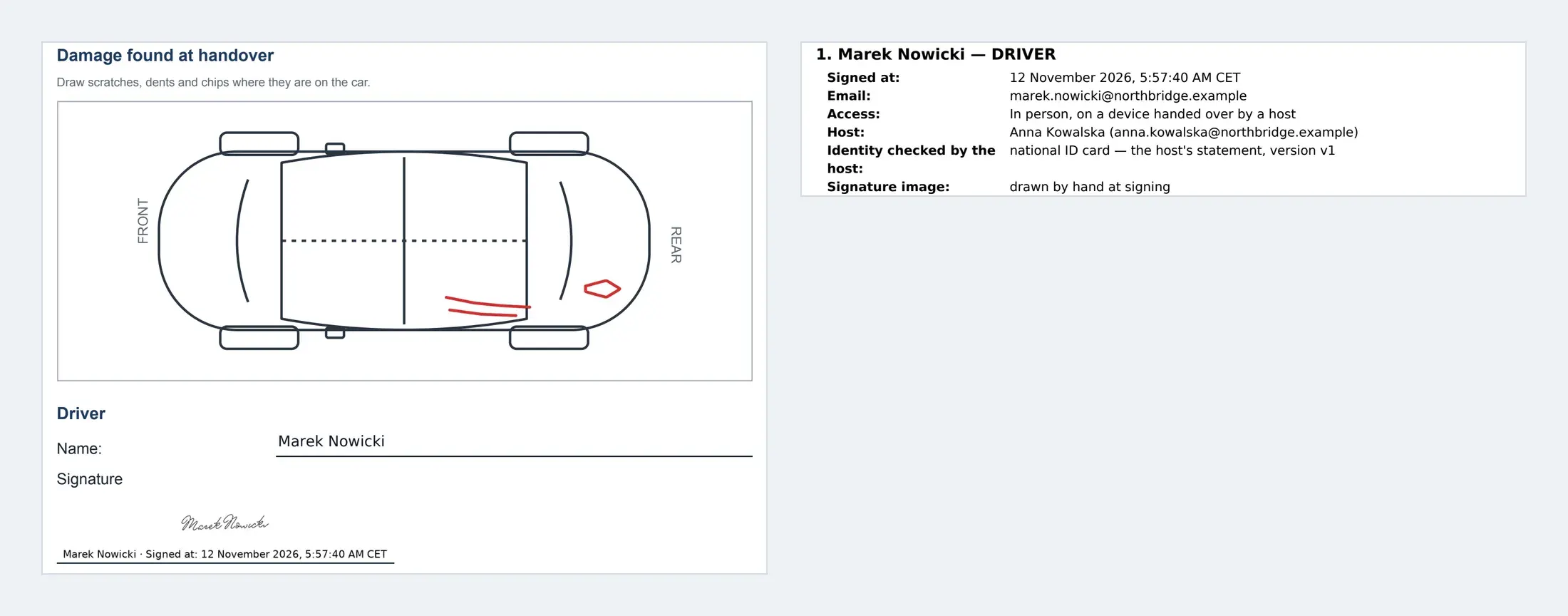
With the only signature in, the protocol is sealed. The drawing is part of the PDF, and the certificate records that Marek signed in person on a device handed over by Anna, and how she checked who he was.
What Northbridge set up once
- A PDF protocol with areas for values, a Drawing area over the sketch and a signature area
- The Host in-person signing permission for whoever hands cars over
- A document type for employment documents, which numbers each protocol
Ways to adapt it
- Filed by itself
- A workflow on The package is fully signed can upload the sealed protocol to the car’s folder on a connected drive.
- Delivery notes and site inspections
- A floor plan or a route map works the same way as a vehicle sketch.
- A form instead of a PDF
- When the protocol doesn’t need a fixed layout, a web form does the same job. Its Drawing field takes the car’s sketch as its background picture, the driver circles the damage on it with a finger, and a workflow puts the marked car into the protocol it generates. See the Drawing field.
- Signing from a distance
- Without the in-person option, the driver gets a link and draws the damage on their phone.
Questions people ask
Is the drawing a signature?
No. A drawing is recorded as a drawing. The person still signs in the signature place.
Does the driver need an account or an app?
No. They use your tablet, and the signing page runs in the browser.
Does in-person signing cost extra?
No. It works on every plan and counts like any other signature.
Does it replace an ID check?
The host states how they checked who the person is, and the certificate records it. For a stronger check, ask for an identity document and a selfie instead.
Features behind it
Start with one document.
Take the contract you retype most often and turn it into a template. The Free plan is enough, and you need no card.