
An employee survey people can answer honestly
Every employee gets their own invitation and reminders until they answer, yet nobody, Doxtly included, can tell which response is whose. Teams too small to stay anonymous are hidden in the results, the AI sorts the comments into themes, and the board reads a report through a link.
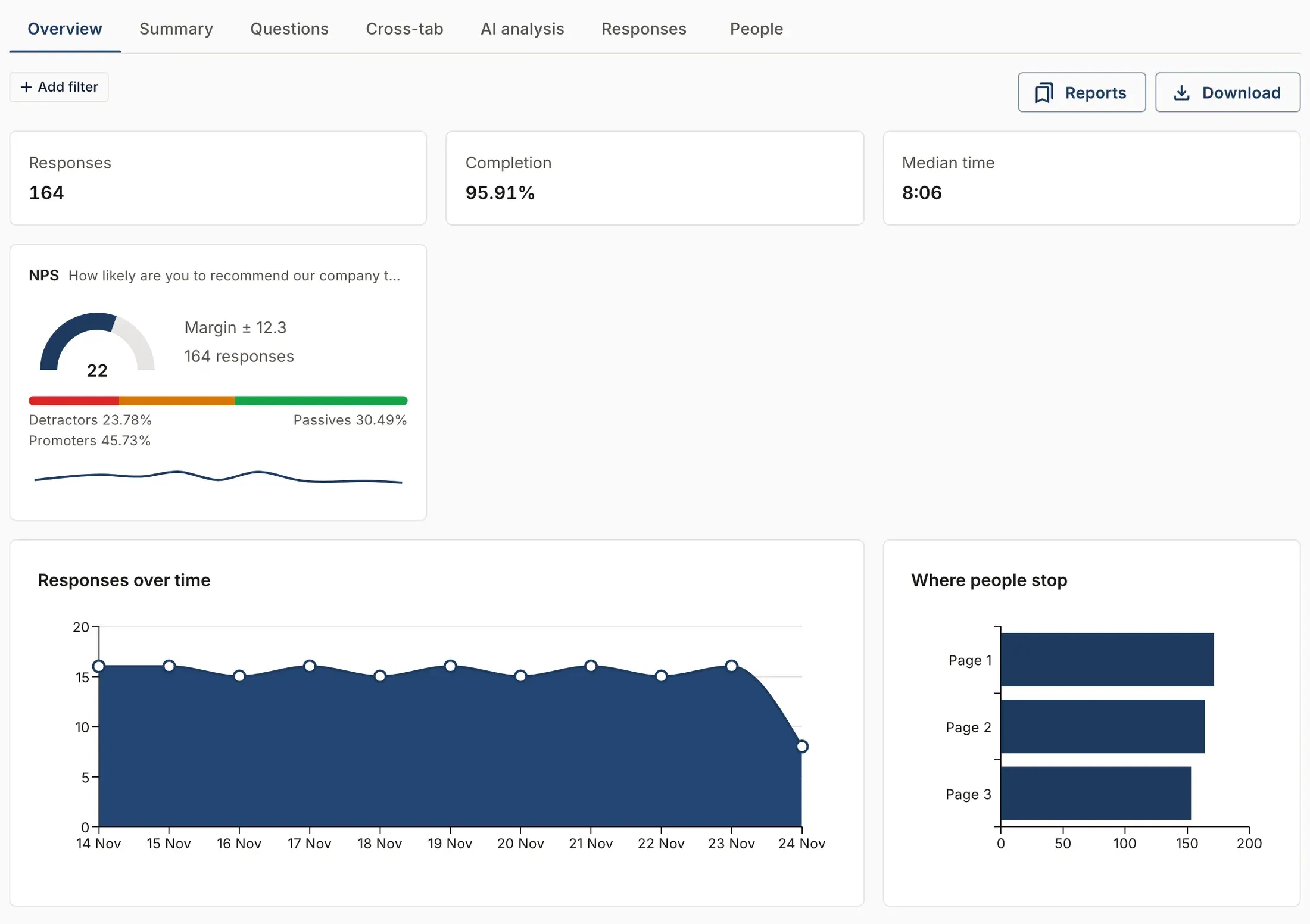
An engagement survey nobody believes is anonymous
Tatra Hospitality runs three mountain hotels with about 210 people, from the front desk to the kitchen. Its owners asked Northbridge Advisory, our example consulting firm, to find out why good people leave after one season.
The last survey went out from the hotels’ own form tool. The staff saw their names on the invitation, the form asked for the department and the hotel, and in a kitchen of six people everybody knew who wrote “the head chef shouts”. Half of them didn’t answer, and those who did wrote what they thought management wanted to read.
This time the promise must be true: answers nobody can trace, results that never single out a small team, and the owners seeing what the staff think, not what each person said.
What Northbridge sets up, step by step
Anonymous from the template
New survey → From a template → Employee engagement survey (anonymous) gives three sections, one per page: an eNPS question, the department, a grid of seven statements to agree or disagree with, whether people see themselves there in two years, and two open questions. Anonymous responses is already on. Northbridge changes only the departments to Tatra’s own: Front desk, Housekeeping, Kitchen and restaurant, Spa, Maintenance, Sales and administration.
Only the staff, through their own links
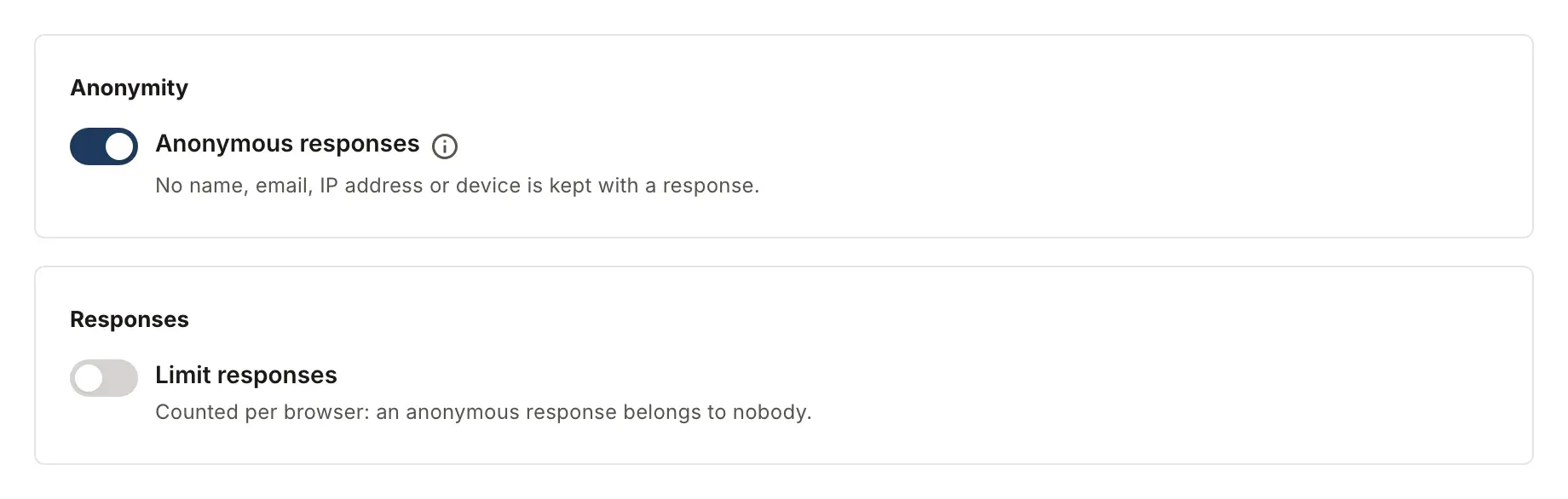
Under Access, Who can take it is Invited people (personal links). On People and access, Add people → From a file takes HR’s spreadsheet of e-mail addresses and names. The link says the person may answer; the response never says who they are. That is also why the department is a question and not a group on the list: an anonymous response keeps no group.
The invitations go on Monday morning
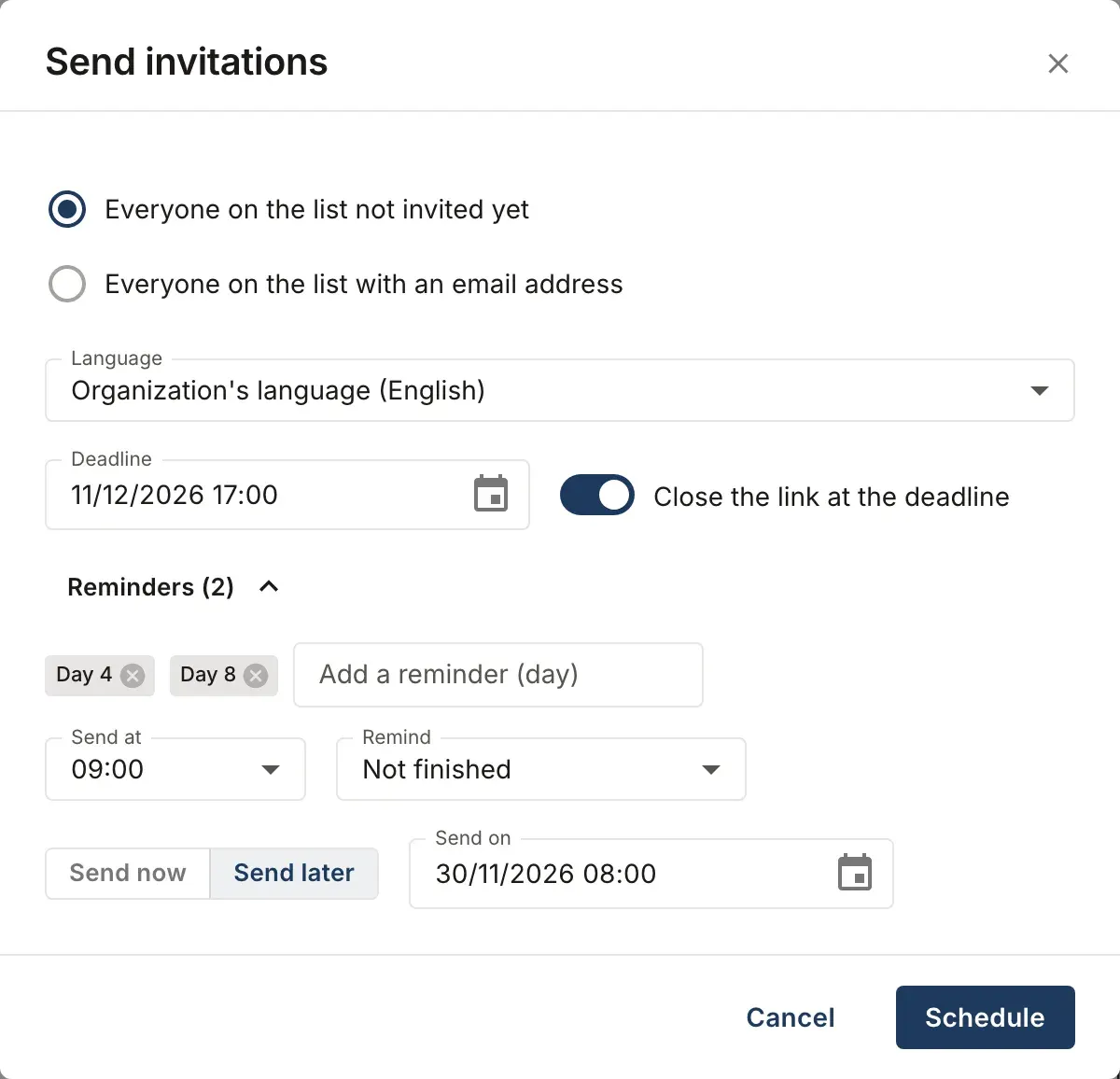
Send invitations to Everyone on the list not invited yet, with Send later on Monday at 08:00, before the morning briefings. The Deadline is the Friday a fortnight later, with Close the link at the deadline, and two reminders, on day 4 and day 8 at 09:00, to those who haven’t finished.
What anonymous really means
A response keeps no name, e-mail address, IP address, device or location, and nothing ties it to the person’s link. The People tab still shows who answered, so the reminders stop, but a person is marked as answered up to 10 minutes later, never together with their response. What the survey can’t hide is a person’s own words: the invitation asks people not to name anyone in the comments.
Small teams stay hidden
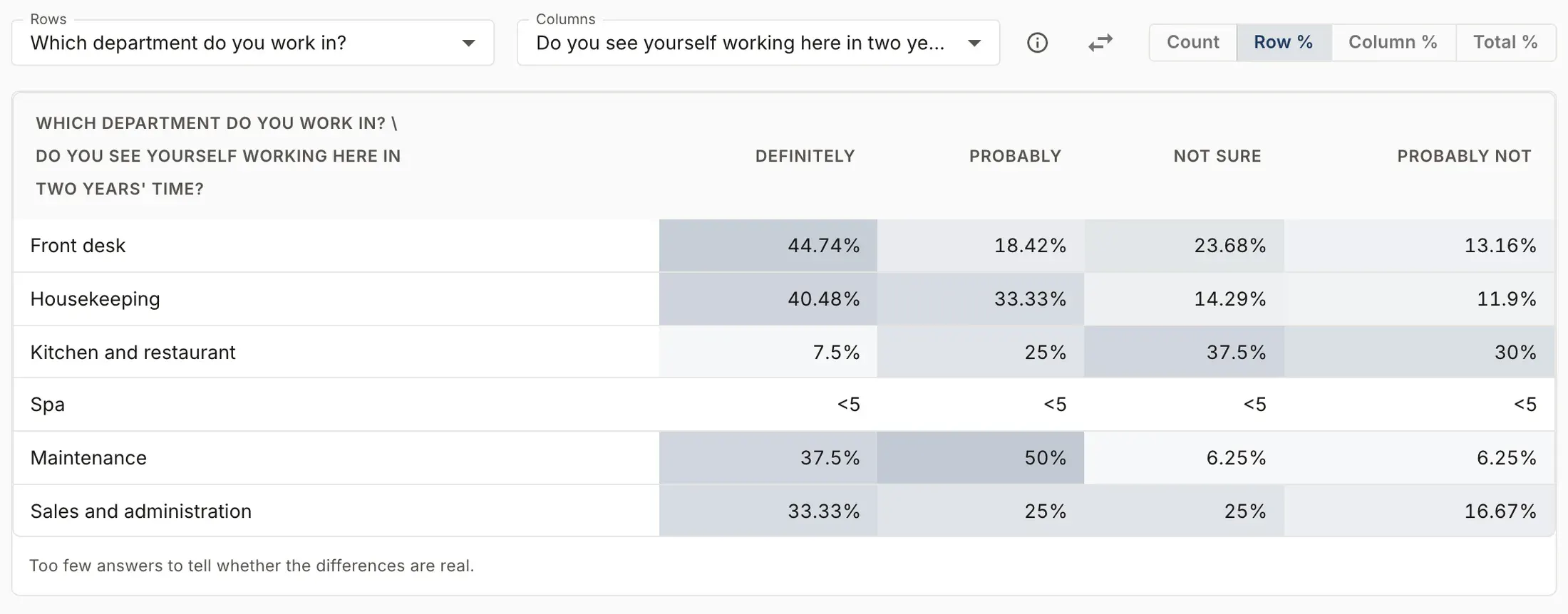
The Cross-tab puts the departments in the rows and “Do you see yourself working here in two years’ time?” in the columns, as Row %. Kitchen and restaurant stands out with fewer people who say Definitely. The Spa, with four responses, shows
<5instead of its numbers, as every view of the results does for a group under five.
What people would change, in themes
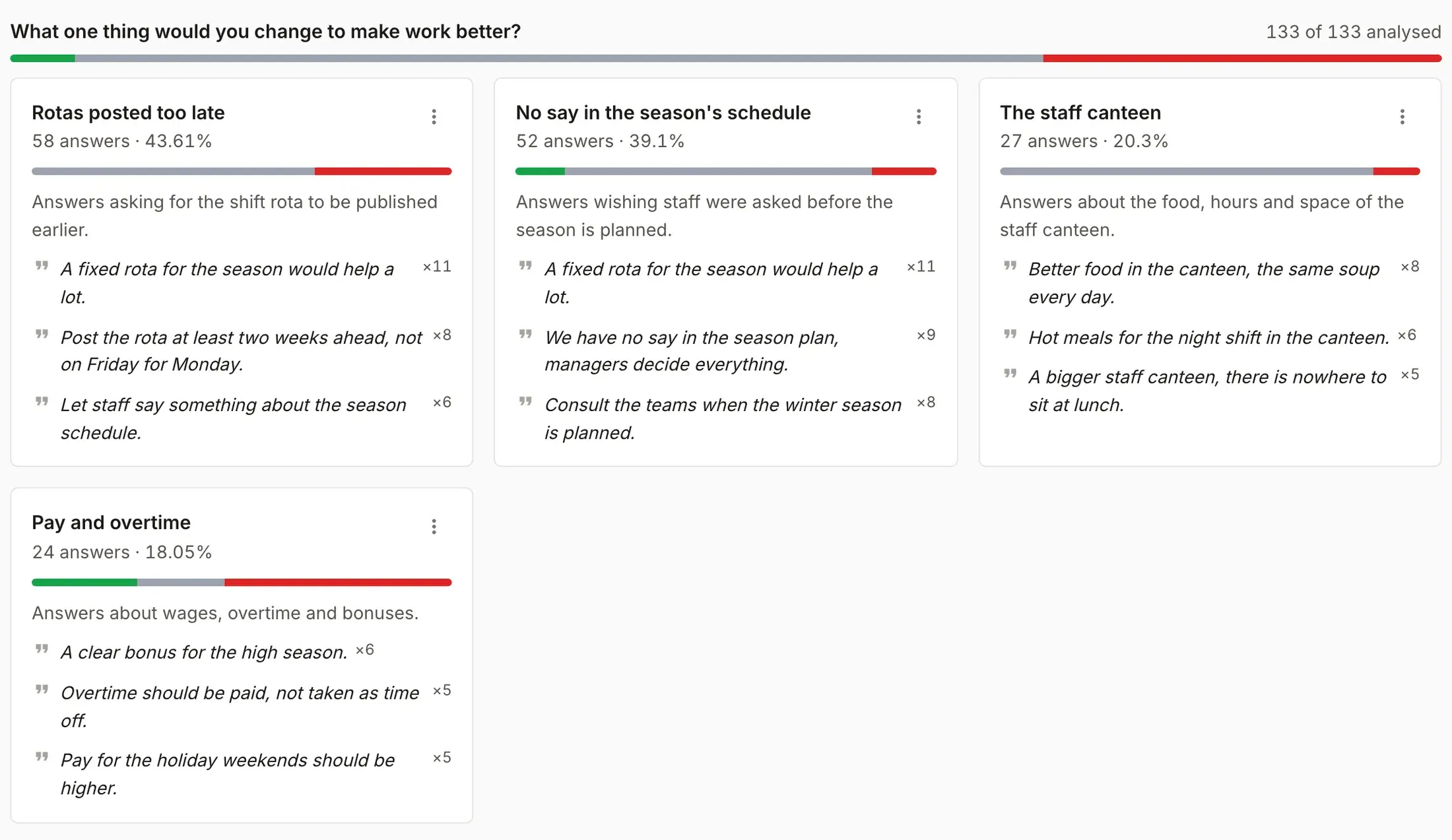
On the AI analysis tab, Analyse with AI reads the answers to “What one thing would you change to make work better?” and finds the themes: rotas posted too late, the staff canteen, no say in the season’s schedule. Each theme shows how many said it, how it feels and quotes in the staff’s own words. A theme of fewer than five answers is not shown, and Remove personal data before sending is on.
The owners get a report, not the answers
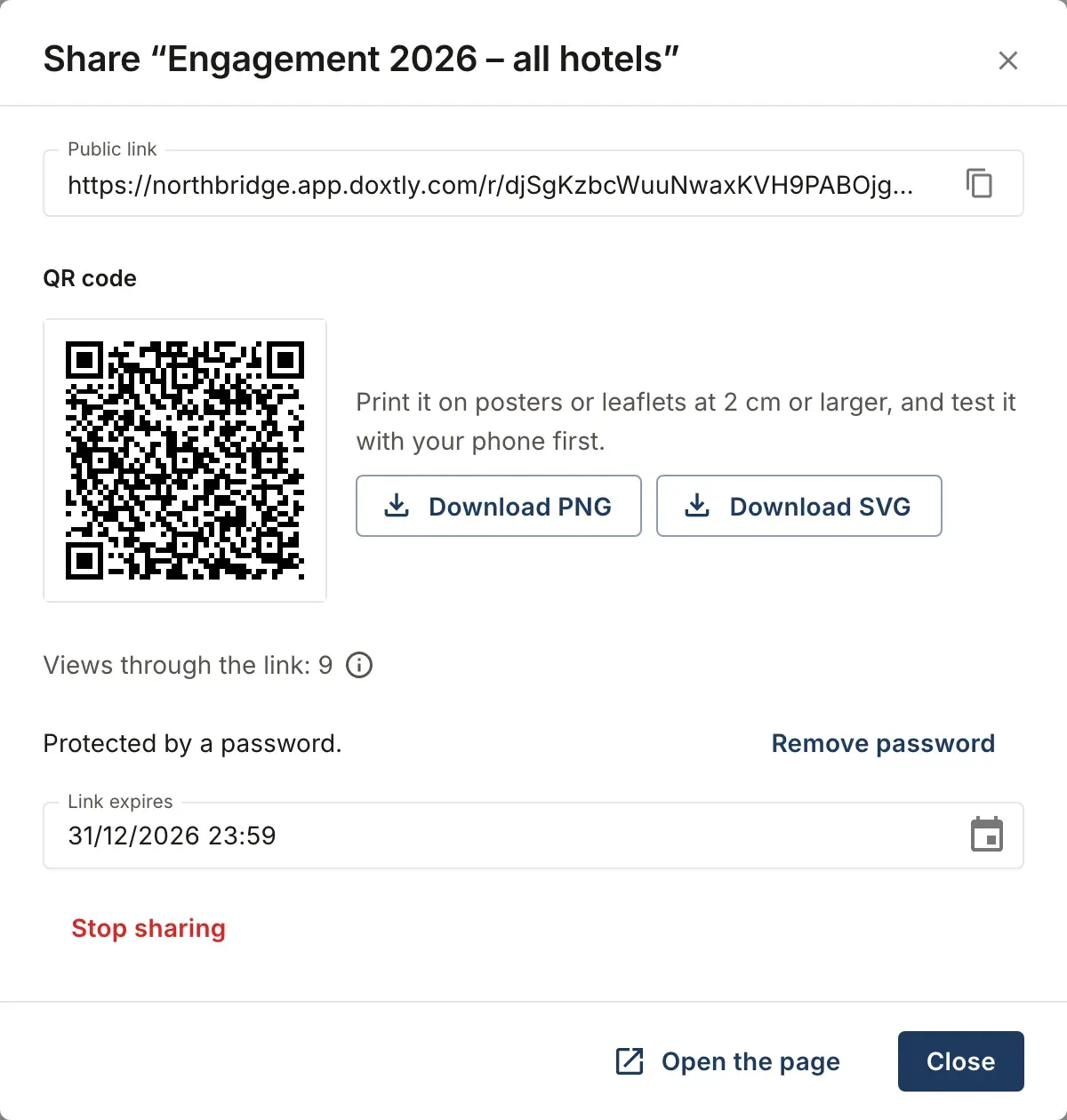
Northbridge saves the view as a report, “Engagement 2026 – all hotels”, and chooses Share report, with a password and a date the link expires. The owners open it from the link: the headline figures and a chart per question, as of now, and Download PDF for the board meeting. The shared report holds no text answers and no group under five.
What you set up once
- A survey from the anonymous engagement template, with your own departments
- The staff list from a spreadsheet, on the survey’s People and access page
- An email integration for the invitations and reminders
- A saved report to share with the owners or the board
Ways to adapt it
- The same survey next year
- Duplicate it with Also copy the access list. The copy has every question and setting, the people come with new links, and nobody is invited until you send. Last year’s responses stay with last year’s survey, so the two years compare side by side.
- Each hotel on its own
- Add a question on the hotel, and compare the hotels as segments on the Questions tab. The rule of five holds there too: a small hotel’s spa never shows on its own.
- A QR code in the staff room
- For seasonal staff without a work e-mail, switch Who can take it to Anyone with the link and print the QR code from Share. Then the survey can’t tell who answered, so it can’t remind anybody, and in an anonymous survey Limit responses counts browsers, not people.
- What it is not good for
- Anonymity cuts both ways. The survey shows what a department feels, never which person is about to leave, and a team of three will never see its own results. If you need to follow up with individuals, run a named survey and say so in the invitation.
Questions people ask
Can the employer or Northbridge find out who wrote what?
No. Nobody in the organization running the survey can tell which response is whose, and neither can Doxtly. The response is stored without the person, and the mark that they answered is set separately, up to 10 minutes later. Downloads and workflows get the same anonymous responses.
Then how do the reminders know who hasn’t answered?
The access list records only that a person answered, never which response is theirs. That is enough to stop their reminders, and the People tab shows it as Answered.
Why ask the department instead of putting it on the list?
Because an anonymous response keeps no group from the list. The department as a question is the person’s own answer, and the results hide it wherever fewer than five responses would be shown.
What does the board see through the shared link?
Totals only: the headline figures and the charts of the report, over the responses as they are when the link is opened. No text answers, no question asking who someone is, and no segment of fewer than five. You can set a password and an end date, and Stop sharing closes the link at once.
Are the comments sent to an AI?
Only when someone runs the analysis. Before the answers go, Remove personal data before sending, on by default, replaces e-mail addresses, phone numbers and similar with placeholders; a name mentioned in passing may stay. The answers go to Anthropic, the AI provider Doxtly uses as a subprocessor, and the first analysis in an organization asks someone who manages it to confirm that once.
Which plan do I need?
Surveys and anonymous responses are in every plan, but 200 responses need a paid plan: the Free plan takes 10 per billing period. The AI analysis needs the Pro or Business plan. Pricing shows the current limits.
Features behind it
Start with one document.
Take the contract you retype most often and turn it into a template. The Free plan is enough, and you need no card.