
One policy, every employee, and no spreadsheet of who has signed
Paste the list of people, press Send, and each employee gets their own acknowledgement to sign, with their name and job already on it. Reminders do the chasing, and the document list shows who is left.
Twelve signatures, one spreadsheet
A new information security policy has to reach all twelve people at Northbridge Advisory, an example consulting firm, and each of them has to confirm it in writing. Anna, the managing partner, emails the PDF, and the replies arrive over three weeks, some as photos, some as a one-word “ok”.
Her spreadsheet of who has signed gets longer every day, and when a client’s audit asks for proof that staff know the rules, it’s the spreadsheet she has to show.
How Northbridge sends one policy to everyone
A document type holds the rules
Northbridge has a document type called Policies. Its pattern
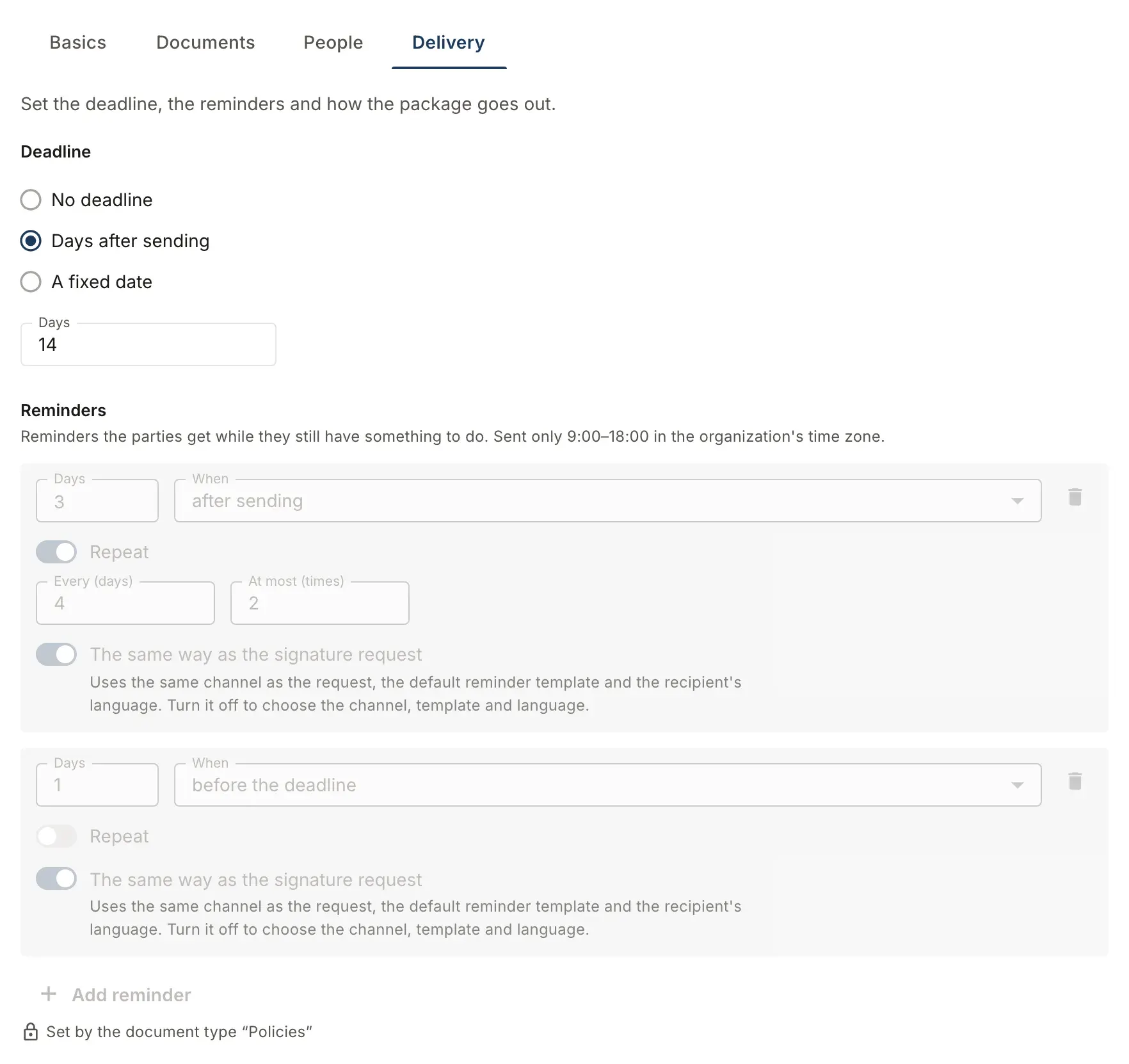
POL/{{ _year }}/{{ _number }}numbers each package, as POL/2026/0001. The type keeps each package for five years, gives everyone 14 days, and fixes the reminders: three days after sending, then every four days, at most twice more, and one day before the deadline. Nobody sending a policy can forget them or switch them off.
One package with the acknowledgement
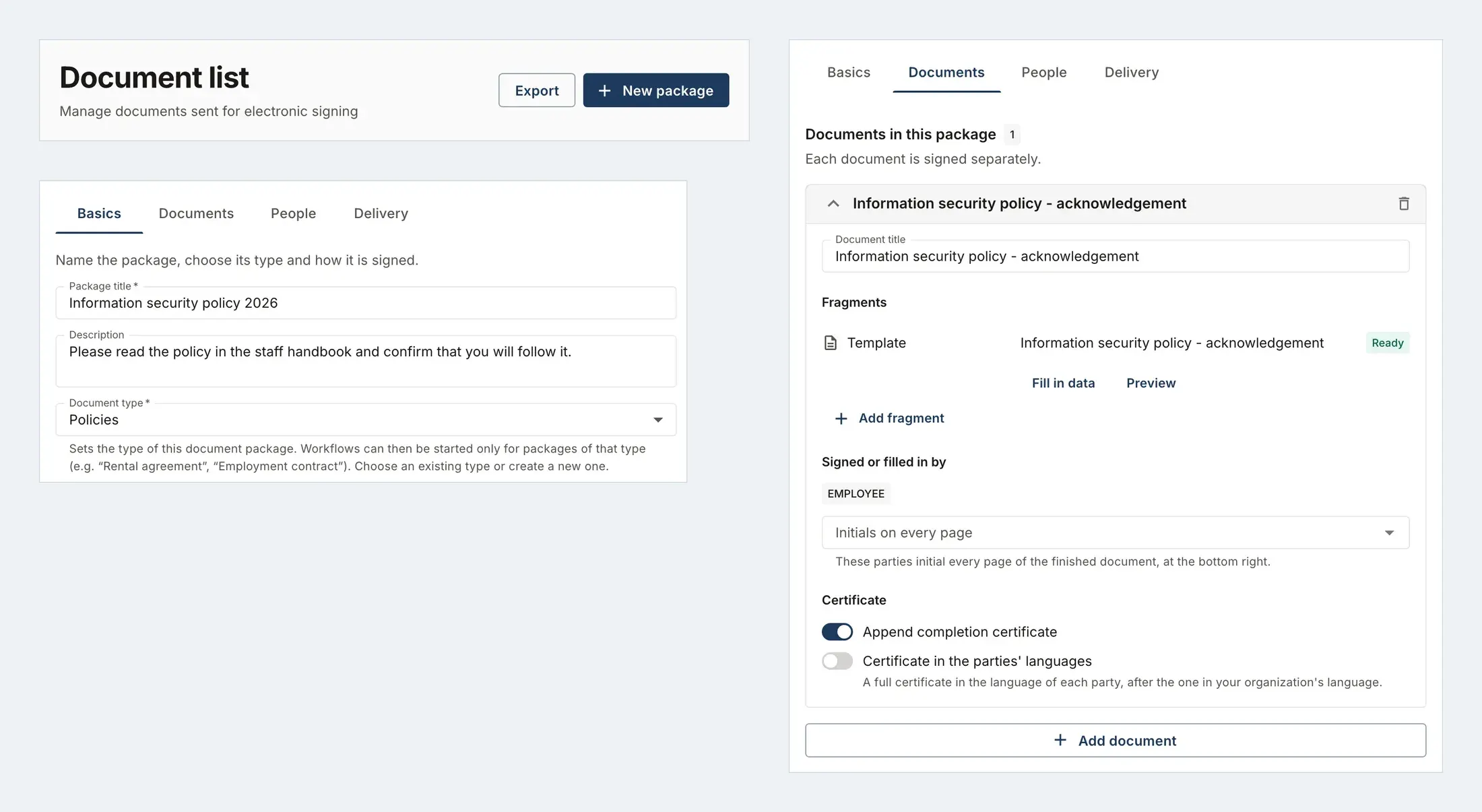
In the Document list Anna chooses New package, the type Policies, and adds the PDF template Policy acknowledgement as the document. It names one party, EMPLOYEE, who signs it, and prints the employee’s name, job title and start date.
One row per person
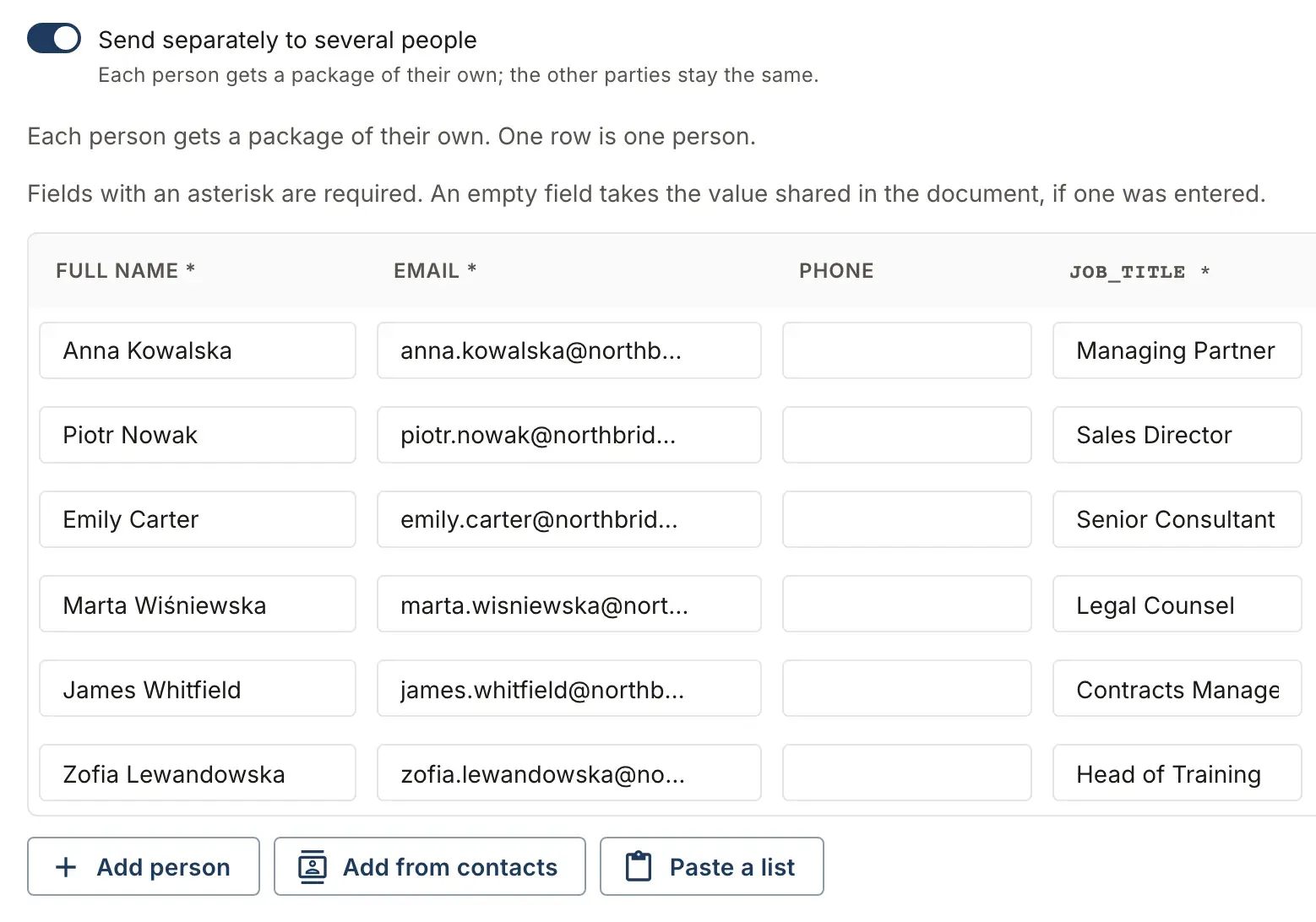
On the People tab she turns on Send separately to several people and chooses Paste a list, pasting the names, work emails, job titles and start dates from Excel, with the header row, so the columns match. Add from contacts would pick people from the address book instead. Each row becomes a package of its own.
Everyone signs in their own time
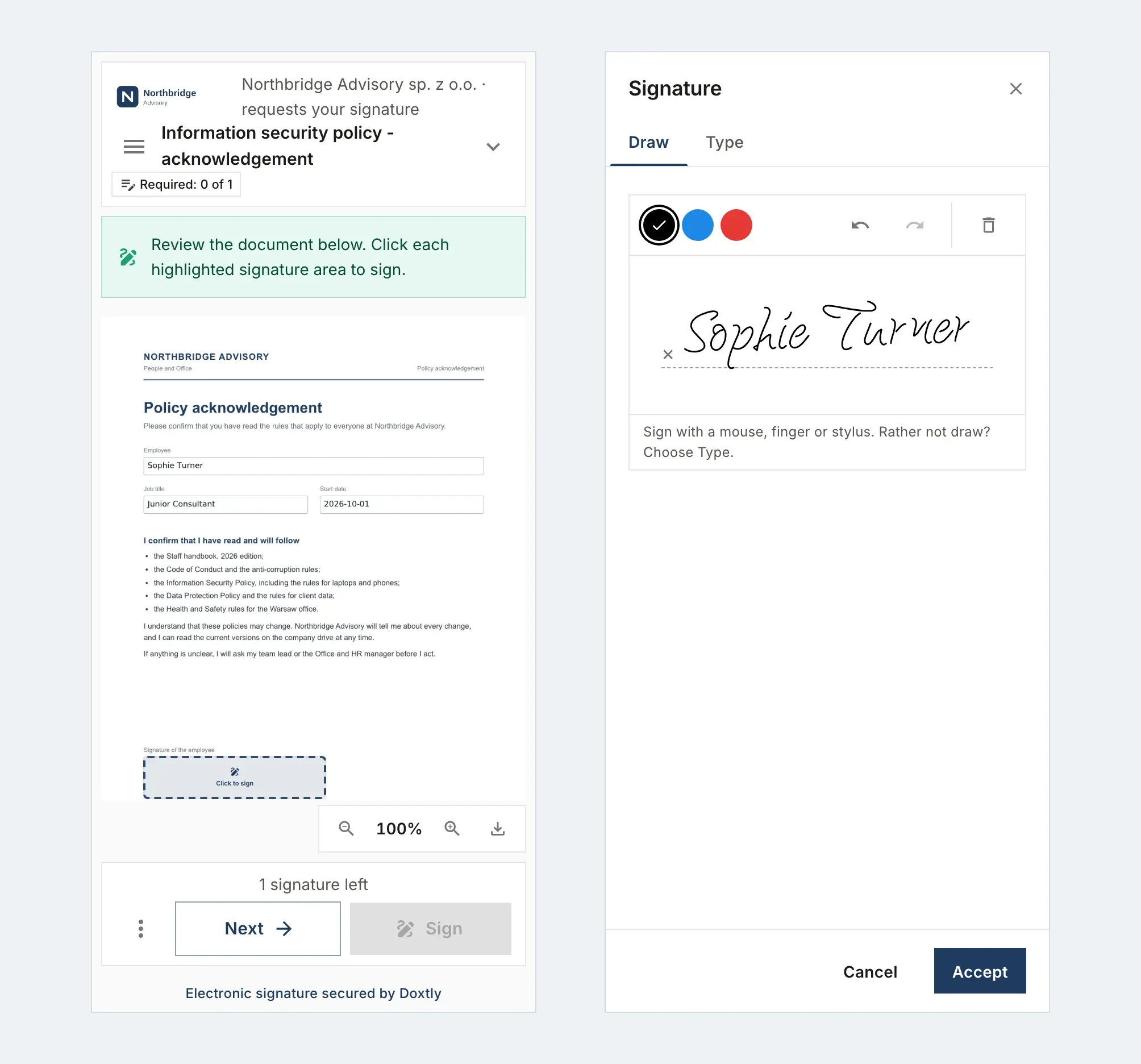
Each employee gets their own link by email, opens it on a phone or a laptop, reads the acknowledgement with their own name on it, and signs. Nobody needs an account.
Anna sees who is left
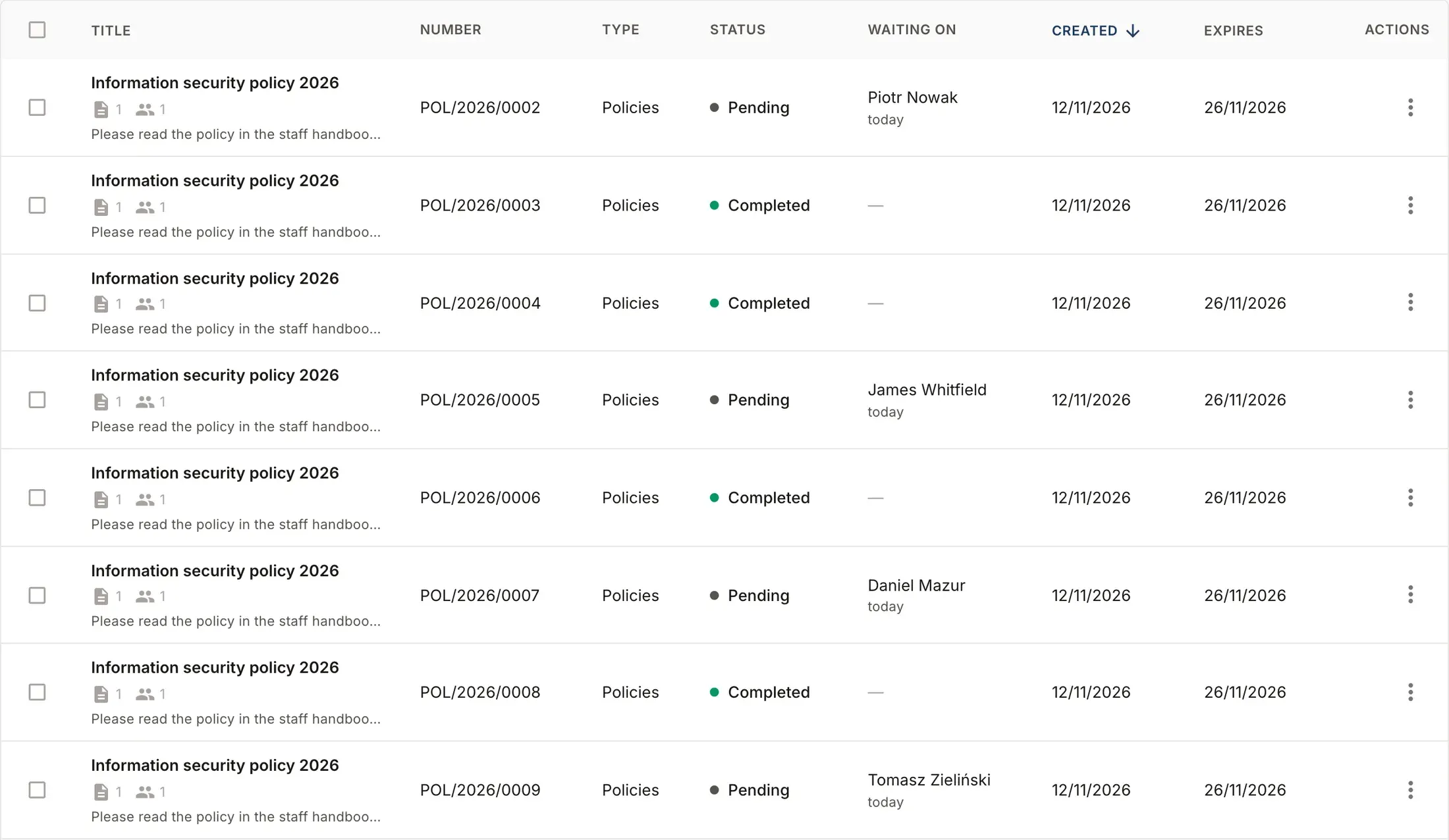
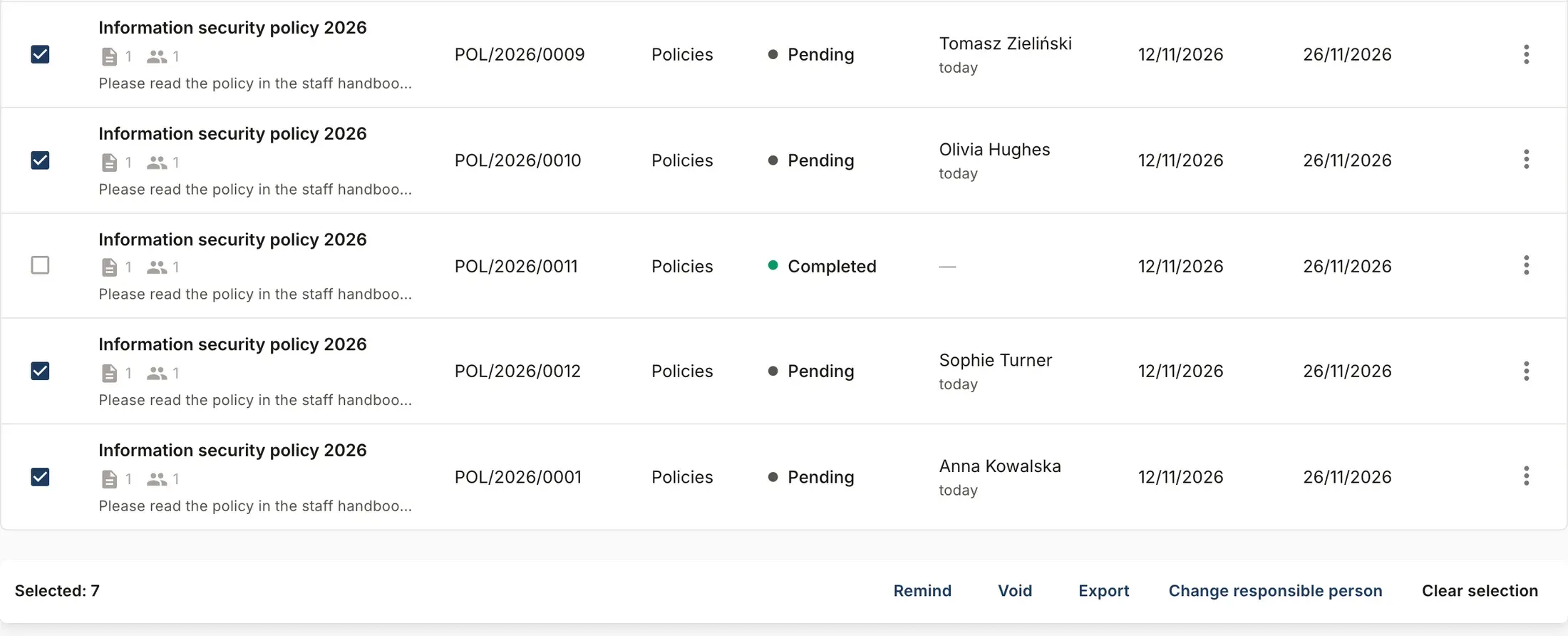
The list, filtered by the type Policies, shows each person’s package with its number, its status and who it waits on. Reminders go out by themselves, and for one more nudge she ticks the packages still pending and chooses Remind. It reaches only those who have not signed.
The proof stays together
When it is over, she ticks the completed packages and chooses Export. A ZIP file arrives on the exports page, with each sealed acknowledgement and an
index.csvlisting who signed, ready for the auditor.
What Northbridge set up once
- A document type, Policies, with its numbering, deadline and reminders
- A PDF template of the acknowledgement, with one signature place for EMPLOYEE
- An email integration, or Doxtly’s built-in mailbox up to the plan’s limit
Ways to adapt it
- A plain PDF instead of a template
- Upload the policy as a file and draw one signature place for EMPLOYEE on it. Each person’s package then holds the same document, without their name printed on it.
- Someone approves it first
- An approver, such as the head of legal, can come before the parties in the Approvers section of the People tab, so nobody receives a policy that has not been cleared.
- Up to 500 people at once
- One batch takes up to 500 people, and the bar on the list acts on up to 500 packages at once.
Questions people ask
Does each person get their own document?
Yes. Each row makes a separate package, with its own number, signature, deadline and reminders.
How does it count against my plan?
Each person is one package sent for signature, so check your plan’s monthly number in pricing. Twelve people already need more than the Free plan’s three packages a month, and numbering packages, as the Policies type does here, is on the paid plans too.
Will Doxtly stop reminding people who have signed?
Yes. A reminder goes only to someone who has not signed or declined yet, and never after the package has ended.
Can I add a person later?
Each person’s package is separate, so you can send one more on its own at any time.
Features behind it
Similar use cases
Start with one document.
Take the contract you retype most often and turn it into a template. The Free plan is enough, and you need no card.