
Your clients keep their own details up to date
Once a year, send each client a link of their own. The form opens with what you already know about them, they correct what has changed, and their contact is updated without anyone retyping it.
Out-of-date numbers, discovered at the worst moment
Northbridge Advisory, an example consulting firm, keeps its clients in Doxtly’s contacts, with a client number and the dietary needs of people who come to its training days. People change jobs and phones, and nobody tells the firm.
Asking by email meant a blank form, answers typed in again, and someone copying them into the contacts by hand.
How Northbridge checks its clients’ details
Anna sends a form to fill in
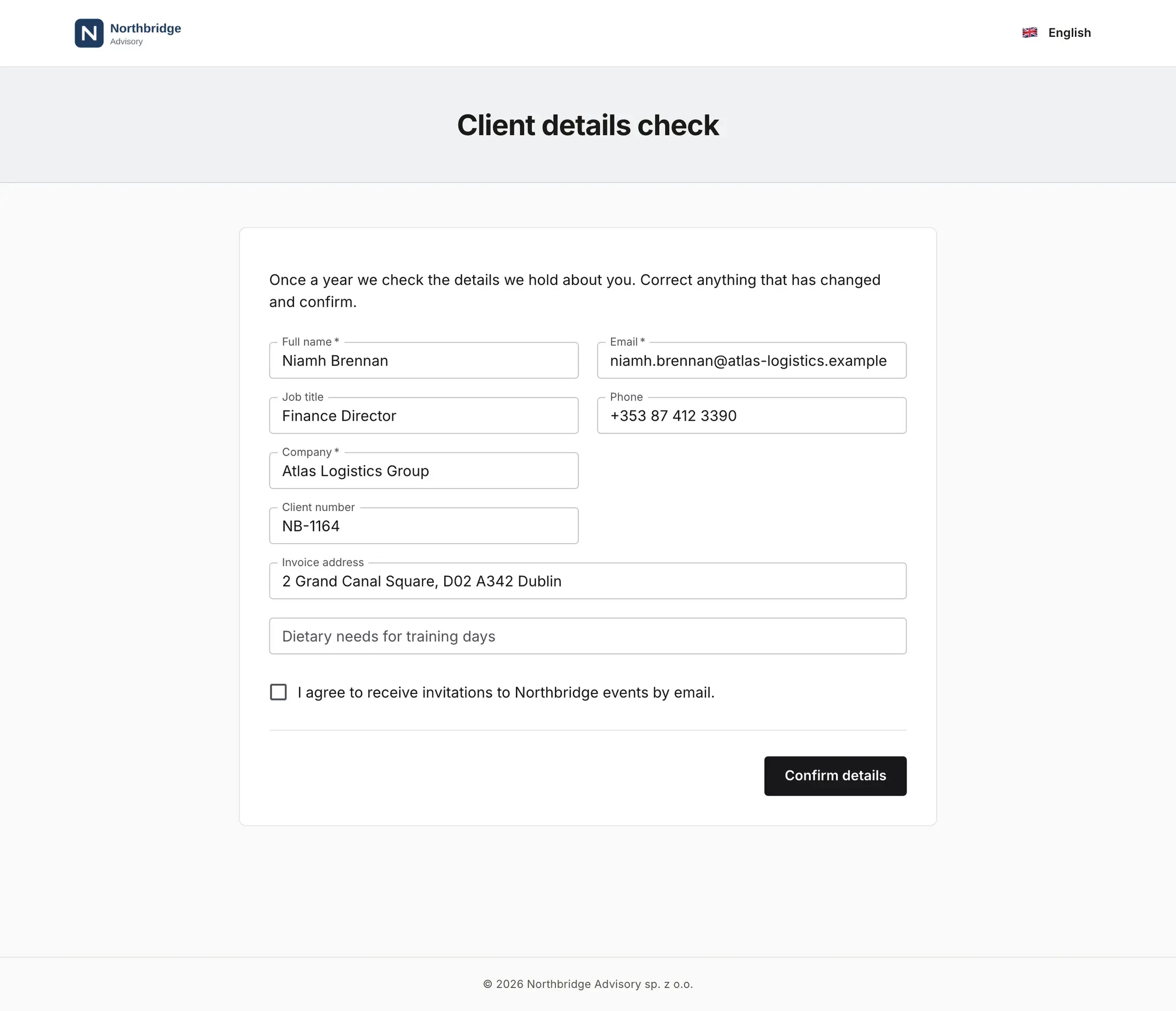
The Client details check form has a field for each detail. A field’s default value names the contact, such as
{{ _contact.phone }}, or a custom field such as the client number, so it starts filled in when the form is opened through a personal link. On Niamh Brennan’s contact page, Anna chooses Send to fill in, picks the form and sends it by email. The link is Niamh’s own, valid for 30 days and for one submission. It goes to the address on her contact, so nobody else gets her details.
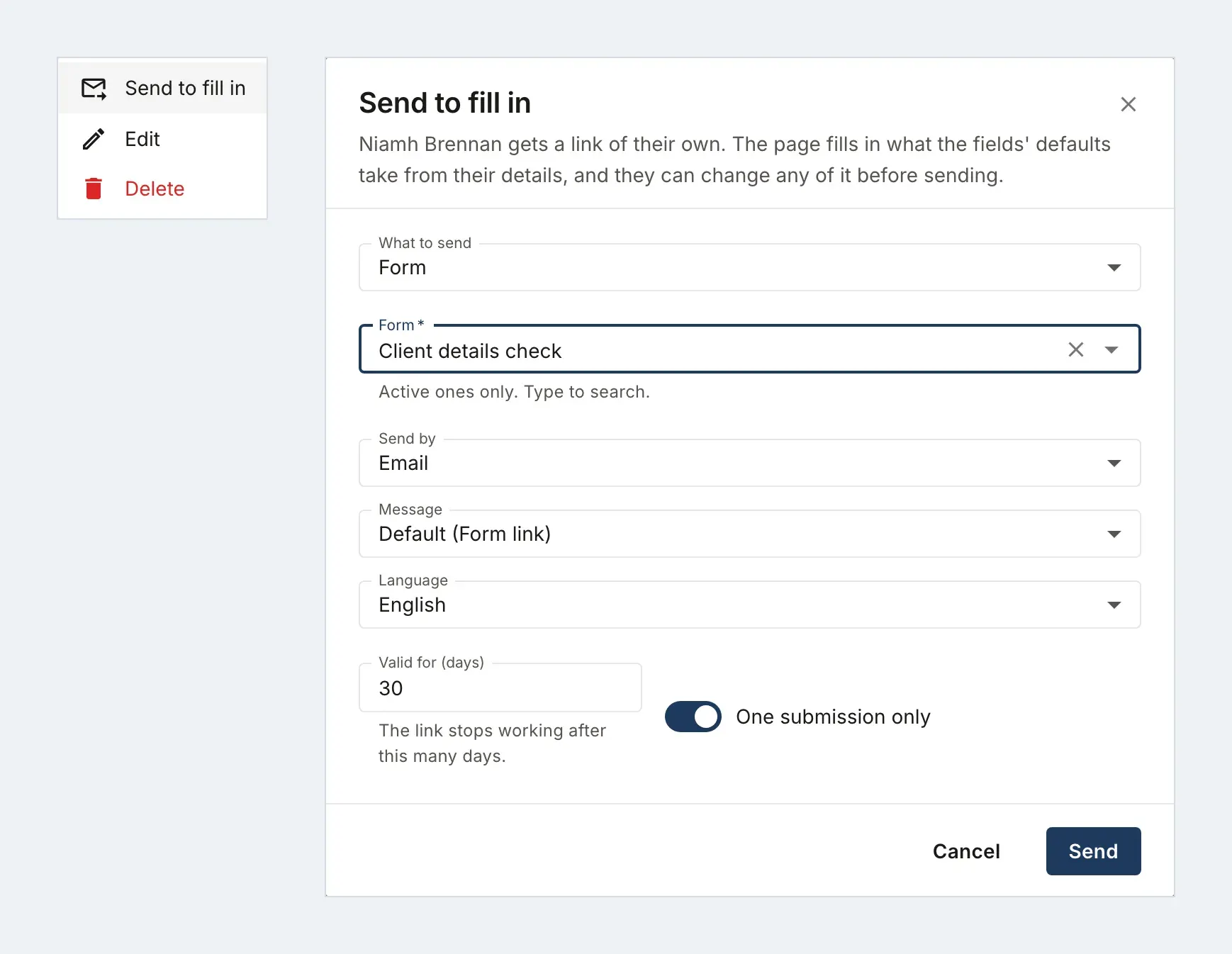
Niamh corrects what changed
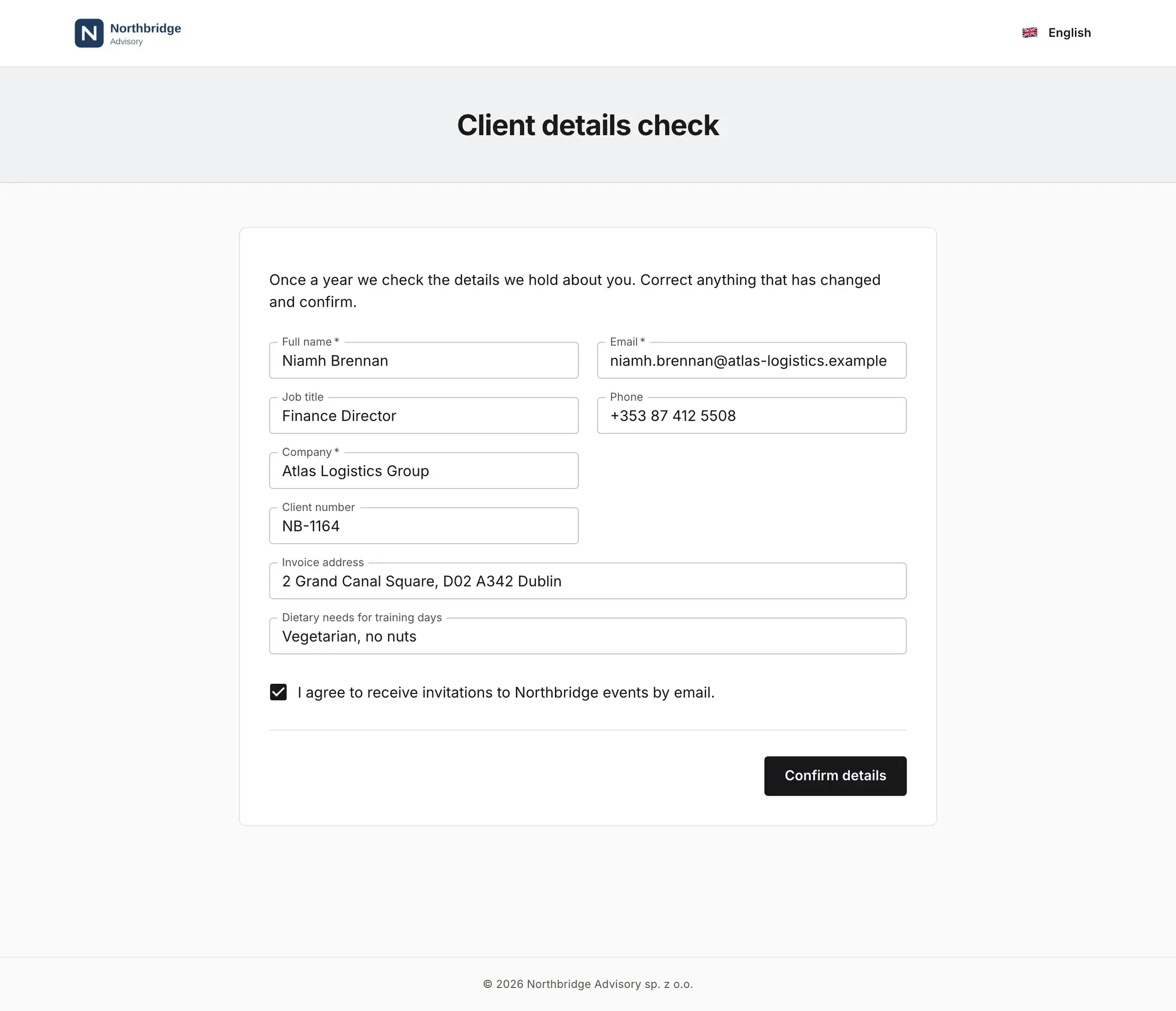
Her details are already on the page. She changes her phone number, adds that she is vegetarian and allergic to nuts, ticks the invitations box and confirms.
A workflow updates her contact
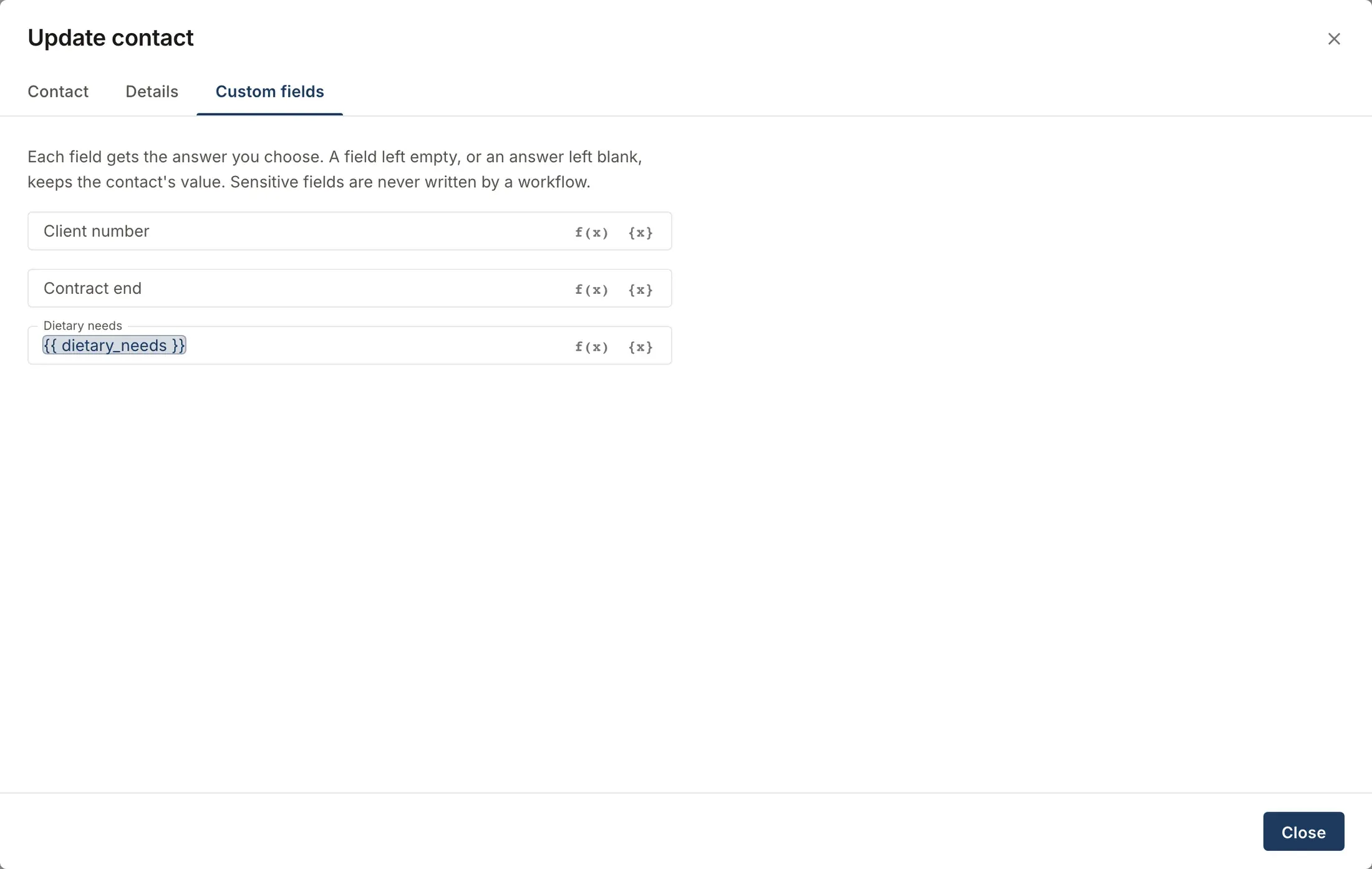
A workflow starts on the form, and its Update contact step changes the contact the link was sent to: the phone, the job title and the custom field Dietary needs come from her answers. An answer left blank keeps what the contact had, and a submission through the form’s public link changes no contact.
Her history shows what changed
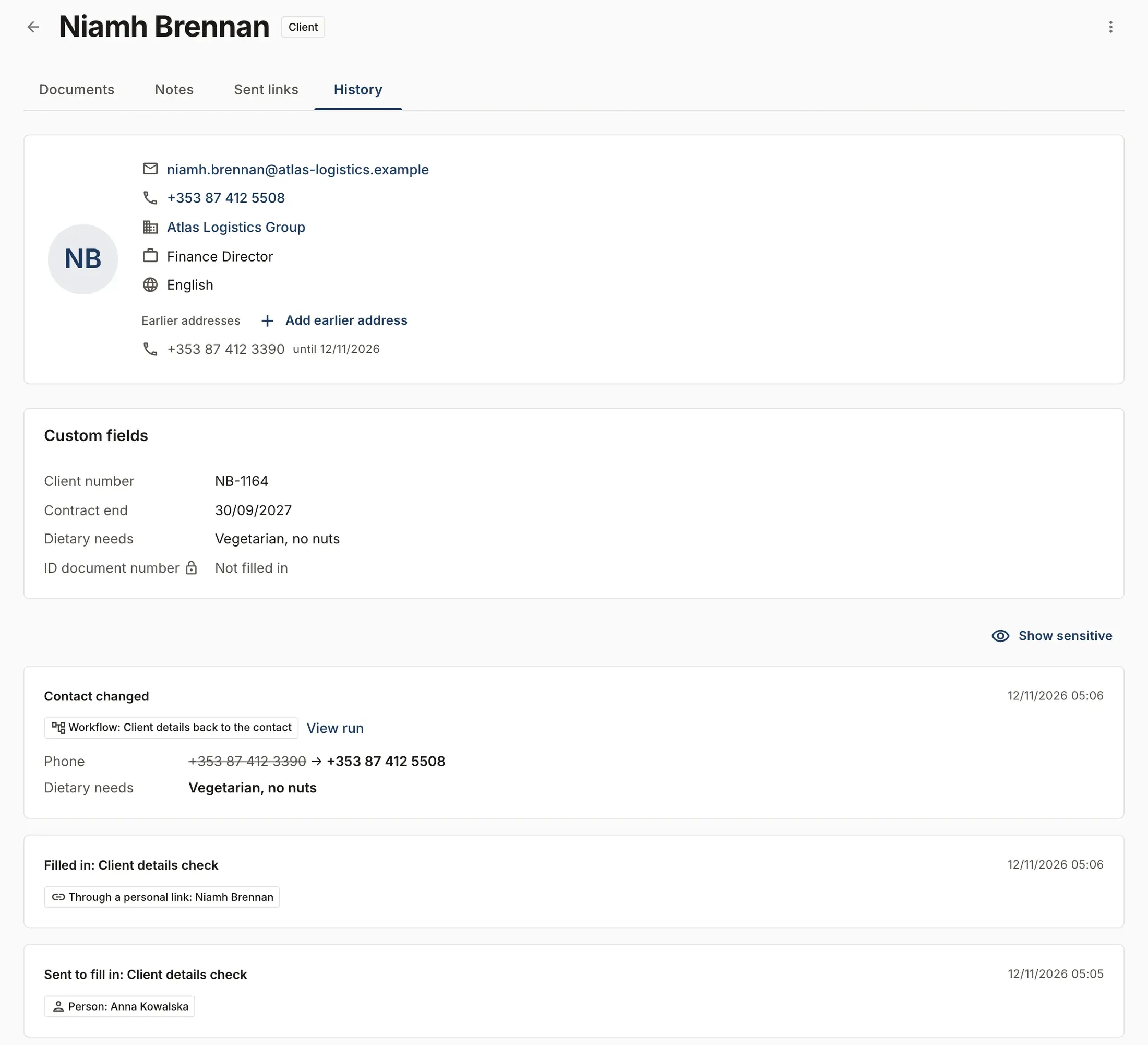
Niamh’s page has the new number, with the old one kept as an earlier address so the documents sent to it still appear there. History shows the link sent by Anna, the form filled in through the personal link, and the workflow’s change, the old phone struck through.
What Northbridge set up once
- Custom fields of contacts, such as Client number and Dietary needs, with Prefill forms sent through personal links on where the client may see the value
- A form whose fields take their defaults from the contact and the company
- A workflow on the form with an Update contact step
- An email integration, and the View contacts and Manage forms permissions for the people who send the links
Ways to adapt it
- By SMS or WhatsApp
- A contact with a phone number in international format can get the link by SMS or WhatsApp, when your organization has that integration.
- A company’s details
- Send the link from a company’s page, to the company’s own address or to one of its contacts, and the form can show the tax ID and the address.
- An interactive document instead of a form
- Send an interactive document the same way, and the client fills in your PDF with their details already in it.
Questions people ask
Can the client see everything we know about them?
No. The page shows only the fields whose defaults name a detail. A sensitive custom field is never shown unless you switch its prefill on.
What if the link is forwarded?
It goes only to the address on the contact, and you can make it work for one submission. Revoke on the contact’s Sent links tab stops it at once.
Do we see whether they opened it?
Yes. The Sent links tab shows each link as Sent, Opened, Filled in, Expired or Revoked.
Does a typo overwrite good data?
Only the fields the Update contact step names are changed, and History keeps the old value of each, so you can always see what it was.
Start with one document.
Take the contract you retype most often and turn it into a template. The Free plan is enough, and you need no card.